Master the complexities of the world's bestselling 2D and 3D software with Alf Yarwood's Introduction to AutoCAD 2013. Ideally suited to new users of AutoCAD, this book will be a useful resource for drawing modules in both vocational and introductory undergraduate courses in engineering and construction.
Alf Yarwood has once again produced a comprehensive, step-by-step introduction to the latest release of AutoCAD. Covering all the basic principles and acting as an introduction to 2D drawing, it also contains extensive coverage of all 3D topics, including 3D solid modelling and rendering. A fold-out list of frequently used keyboard shortcuts will help you perform actions quickly while working through the book, and an appendix of ribbon references clearly describes all the software tools that are used throughout the book.
Trusted by 375,005 students
Access to over 1.5 million titles for a fair monthly price.
The contents of this chapter are designed to introduce features of the AutoCAD 2013 window and methods of operating AutoCAD 2013.
OPENING AUTOCAD 2013
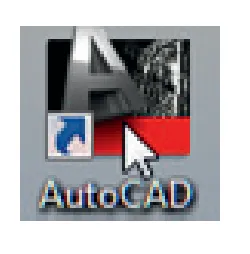
AutoCAD 2013 is designed to work in a Windows operating system. In general, to open AutoCAD 2013 double-click on the AutoCAD shortcut in the Windows desktop (Fig. 1.1). Depending on how details in Profiles/Initial Setup… in the Options dialog (Fig. 1.16) have been set, the AutoCAD Exchange window (Fig. 1.2) may appear. This dialog allows videos showing methods of working AutoCAD 2013 to be selected from a list of icons.
When working in education or in industry, computers may be configured to allow other methods of opening AutoCAD, such as a list appearing on the computer in use when the computer is switched on, from which the operator can select the program he/she wishes to use.
When AutoCAD 2013 is opened, a window appears, depending upon whether a 3D Basics, a 3D Modeling, a Classic AutoCAD, or a Drafting & Annotation workspace has been set as QNEW (in the Options dialog). In this example, the Drafting & Annotation workspace is shown and includes the Ribbon with Tool panels (Fig. 1.3). The Drafting & Annotation workspace shows the following details:
Ribbon: which includes tabs, each of which when clicked will include a set of panels containing tool icons. Other tool panels
Fig. 1.1 The AutoCAD 2013 shortcut on the Windows desktop
Introduction to AutoCAD 2013. ISBN: 978-0-415-53762-9
Fig. 1.3 The AutoCAD 2013 Drafting & Annotation workspace
4
PART A
2D Design
1
can be seen by clicking an appropriate tab. The panels in the ribbon can be changed to any desired panels as required using the Customer User Interface dialog if desired (see page 36). Menu Browser icon: A left-click on the arrow to the right...
Table of contents
Cover
Title
Copyright
Contents
Preface
Part A – 2D Design
Part B – 3D Design
Part C – Internet Tools And Design
Index
Back Cover
Frequently asked questions
Yes, you can cancel anytime from the Subscription tab in your account settings on the Perlego website. Your subscription will stay active until the end of your current billing period. Learn how to cancel your subscription
No, books cannot be downloaded as external files, such as PDFs, for use outside of Perlego. However, you can download books within the Perlego app for offline reading on mobile or tablet. Learn how to download books offline
Perlego offers two plans: Essential and Complete
Essential is ideal for learners and professionals who enjoy exploring a wide range of subjects. Access the Essential Library with 800,000+ trusted titles and best-sellers across business, personal growth, and the humanities. Includes unlimited reading time and Standard Read Aloud voice.
Complete: Perfect for advanced learners and researchers needing full, unrestricted access. Unlock 1.5M+ books across hundreds of subjects, including academic and specialized titles. The Complete Plan also includes advanced features like Premium Read Aloud and Research Assistant.
Both plans are available with monthly, semester, or annual billing cycles.
We are an online textbook subscription service, where you can get access to an entire online library for less than the price of a single book per month. With over 1.5 million books across 990+ topics, we’ve got you covered! Learn about our mission
Look out for the read-aloud symbol on your next book to see if you can listen to it. The read-aloud tool reads text aloud for you, highlighting the text as it is being read. You can pause it, speed it up and slow it down. Learn more about Read Aloud
Yes! You can use the Perlego app on both iOS and Android devices to read anytime, anywhere — even offline. Perfect for commutes or when you’re on the go. Please note we cannot support devices running on iOS 13 and Android 7 or earlier. Learn more about using the app
Yes, you can access Introduction to AutoCAD 2013 by Alf Yarwood in PDF and/or ePUB format, as well as other popular books in Computer Science & Civil Engineering. We have over 1.5 million books available in our catalogue for you to explore.