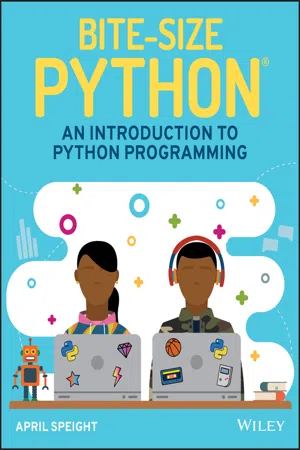
Bite-Size Python
eBook - ePub

Bite-Size Python

An Introduction to Python Programming

  1. English
  2. ePUB (mobile friendly)
  3. Available on iOS & Android
eBook - ePub

Bite-Size Python

An Introduction to Python Programming

About this book

Introduce children to the popular Python programming language through relatable examples and fun projects!

Python has now surpassed Java as the most commonly used programming language. As the language rises in popularity, this complete guide can teach basic Python concepts to kids with its simple, friendly format. Bite-Size Python: An Introduction to Python Programming provides children with a foundation in the Python language. This unique book shares knowledge through easy-to-understand examples, fast exercises, and fun projects!

As children learn, their parents, caregivers, and instructors can also join in their discoveries. Bite-Size Python is ideal for those who are new to programming, giving kids ages 9 and up a beginners' approach to learning one of the most important programming languages.

  • Gives an overview of Python
  • Provides exciting programming projects
  • Offers instruction on how to download and install Python
  • Presents key programming language concepts
  • Simplifies technical definitions

With this playful guide to learning Python, readers can try out activities on their computers for a hands-on learning experience. The artwork in Bite-Size Python represents children of various backgrounds, so any child who picks up this book will be empowered to learn and young readers will love showing their projects to friends and family!

Frequently asked questions

Yes, you can cancel anytime from the Subscription tab in your account settings on the Perlego website. Your subscription will stay active until the end of your current billing period. Learn how to cancel your subscription.
No, books cannot be downloaded as external files, such as PDFs, for use outside of Perlego. However, you can download books within the Perlego app for offline reading on mobile or tablet. Learn more here.
Perlego offers two plans: Essential and Complete
  • Essential is ideal for learners and professionals who enjoy exploring a wide range of subjects. Access the Essential Library with 800,000+ trusted titles and best-sellers across business, personal growth, and the humanities. Includes unlimited reading time and Standard Read Aloud voice.
  • Complete: Perfect for advanced learners and researchers needing full, unrestricted access. Unlock 1.4M+ books across hundreds of subjects, including academic and specialized titles. The Complete Plan also includes advanced features like Premium Read Aloud and Research Assistant.
Both plans are available with monthly, semester, or annual billing cycles.
We are an online textbook subscription service, where you can get access to an entire online library for less than the price of a single book per month. With over 1 million books across 1000+ topics, we’ve got you covered! Learn more here.
Look out for the read-aloud symbol on your next book to see if you can listen to it. The read-aloud tool reads text aloud for you, highlighting the text as it is being read. You can pause it, speed it up and slow it down. Learn more here.
Yes! You can use the Perlego app on both iOS or Android devices to read anytime, anywhere — even offline. Perfect for commutes or when you’re on the go.
Please note we cannot support devices running on iOS 13 and Android 7 or earlier. Learn more about using the app.
Yes, you can access Bite-Size Python by April Speight in PDF and/or ePUB format, as well as other popular books in Computer Science & Programming in Python. We have over one million books available in our catalogue for you to explore.

Information

1
What Is Python?

Welcome to the world of Python programming! By opening this book, you've opened your world to infinite possibilities in creating with code. Python is a beginner-friendly programming language, and its structure is often compared to the English language.
So, what can you do with Python? Python can be used to instruct robots how to behave or to give commands to artificial intelligence (AI) assistants. With Python, you can automate everyday processes, such as receiving daily reminders to walk the dog or sending a weekly e-newsletter to the community. You can use it to create a blog, build a social media app like Instagram, or even make your own adventure games. In addition, learning Python is the stepping-stone to exploring advanced concepts in web development, data integration with application programming interfaces (APIs), blockchain technology, data science, and AI (such as computer vision, machine learning, and natural language processing to name a few). The possibilities are endless!

How Is This Book Formatted?

This book was written with the true beginner in mind. Never written a line of code in your life? No problem! This book will get you started with the basics of programming to help you gain a solid foundation for Python.
The chapters in this book are written to build upon each other. If you have never written Python code, consider reading the chapters in this book in the order in which they are presented. The following sections explain what you can expect to find in each chapter.

Syntax

Syntax represents a set of rules to follow when writing code. Whenever syntax is introduced for a new concept, the words you should change are shown in italics.

Code Blocks

Throughout this book, you will be introduced to code examples in a code block. Whenever a code block is presented, the code will appear as such:
>>> print('Welcome to the world of Python!')
Welcome to the world of Python!
You are welcome to copy the code as written in the code block into the code editor to try the examples. In addition, you may also notice that some of the words in the code block are written in color. This is known as syntax highlighting. Syntax highlighting is a helpful feature designed to help you keep track of the syntax elements within your code.

Checkpoints

Checkpoints throughout each chapter help you confirm that you understand the material presented and give you the confidence to continue learning. Checkpoints are presented in quiz format and may consist of multiple-choice questions, matching, or fill-in-the-blank questions. You can find all the answers for the checkpoints in the appendix, “Checkpoint Answers.”

Projects

As you complete the chapters in this book, you will have the opportunity to practice your skills with a project. Each project requires you to write your own Python program. A program is a collection of commands within a file that will be run to complete a task. Projects are designed to enable you to use the knowledge you gained in the current and previous chapters. A detailed walk-through of how to complete each project is provided as well. You can find the code for all project files on the Wiley website at www.wiley.com/go/bitesizepython.
You are encouraged to use the projects in this book to build even greater Python programs. Once you start to develop a better understanding of how to use Python, you will find yourself motivated to build. Use the projects in this book as guidance to help bring your ideas to life!
Illustration depicting the preparedness to code with Python and also instructions to install the latest version of the language.

2
Install Python

So, you're probably saying to yourself, “Python sounds so cool—I'm ready to code!” Before you can do anything with Python on your computer, you must install the latest version of the language. Ready to get started? Let's go!

Download Python

Here are the instructions to download Python depending on your platform.

Windows Platform

If you're using a computer that runs Windows, you can download Python from the Microsoft Store. In the search bar, enter Python and select the latest version of the language.
Screenshot displaying the Python 3.7 version in the Microsoft Store Search bar when using  Windows, to download Python from the Microsoft Store.
Additional information about the language is provided in the Overview section. If you're unsure about whether your computer meets the requirements to install Python, check...

Table of contents

  1. Cover
  2. Table of Contents
  3. 1 What Is Python?
  4. 2 Install Python
  5. 3 IDLE
  6. 4 Variables
  7. 5 Numbers
  8. 6 Strings
  9. 7 Conditionals and Control Flow
  10. 8 Lists
  11. 9 for Loops
  12. 10 while Loops
  13. 11 Functions
  14. 12 Dictionaries
  15. 13 Modules
  16. 14 Next Steps
  17. Appendix: Checkpoint Answers
  18. Index
  19. End User License Agreement