
- 440 pages
- English
- ePUB (mobile friendly)
- Available on iOS & Android
About this book
"Tiny Python Projects is a gentle and amusing introduction to Python that will firm up key programming concepts while also making you giggle."—Amanda Debler, Schaeffler Key Features
Learn new programming concepts through 21-bitesize programs
Build an insult generator, a Tic-Tac-Toe AI, a talk-like-a-pirate program, and more
Discover testing techniques that will make you a better programmer
Code-along with free accompanying videos on YouTube Purchase of the print book includes a free eBook in PDF, Kindle, and ePub formats from Manning Publications. About The Book
The 21 fun-but-powerful activities in Tiny Python Projects teach Python fundamentals through puzzles and games. You'll be engaged and entertained with every exercise, as you learn about text manipulation, basic algorithms, and lists and dictionaries, and other foundational programming skills. Gain confidence and experience while you create each satisfying project. Instead of going quickly through a wide range of concepts, this book concentrates on the most useful skills, like text manipulation, data structures, collections, and program logic with projects that include a password creator, a word rhymer, and a Shakespearean insult generator. Author Ken Youens-Clark also teaches you good programming practice, including writing tests for your code as you go. What You Will Learn
Write command-line Python programs
Manipulate Python data structures
Use and control randomness
Write and run tests for programs and functions
Download testing suites for each project This Book Is Written For
For readers familiar with the basics of Python programming. About The Author
Ken Youens-Clark is a Senior Scientific Programmer at the University of Arizona. He has an MS in Biosystems Engineering and has been programming for over 20 years. Table of Contents 1 How to write and test a Python program
2 The crow's nest: Working with strings
3 Going on a picnic: Working with lists
4 Jump the Five: Working with dictionaries
5 Howler: Working with files and STDOUT
6 Words count: Reading files and STDIN, iterating lists, formatting strings
7 Gashlycrumb: Looking items up in a dictionary
8 Apples and Bananas: Find and replace
9 Dial-a-Curse: Generating random insults from lists of words
10 Telephone: Randomly mutating strings
11 Bottles of Beer Song: Writing and testing functions
12 Ransom: Randomly capitalizing text
13 Twelve Days of Christmas: Algorithm design
14 Rhymer: Using regular expressions to create rhyming words
15 The Kentucky Friar: More regular expressions
16 The Scrambler: Randomly reordering the middles of words
17 Mad Libs: Using regular expressions
18 Gematria: Numeric encoding of text using ASCII values
19 Workout of the Day: Parsing CSV files, creating text table output
20 Password strength: Generating a secure and memorable password
21 Tic-Tac-Toe: Exploring state
22 Tic-Tac-Toe redux: An interactive version with type hints
Tools to learn more effectively

Saving Books

Keyword Search

Annotating Text

Listen to it instead
Information
1 How to write and test a Python program
| Before you start working on the exercises, I want to discuss how to write programs that are documented and tested. Specifically, we’re going to
|  |
1.1 Creating your first program
print('Hello, World!') python3 hello.py--this causes Python version 3 to execute the commands in the file named hello.py. You should see this:$ python3 hello.py Hello, World!

1.2 Comment lines
| In Python, the # character and anything following it is ignored by Python. This is useful for adding comments to your code or temporarily disabling lines of code when testing and debugging. It’s always a good idea to document your programs, indicating the purpose of the program or the author’s name and email address, or both. We can use a comment for that: | 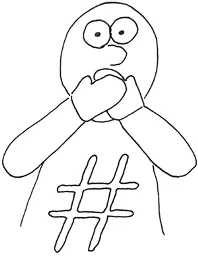 |
# Purpose: Say helloprint('Hello, World!')
# is executed, so you can add a comment to the end of a line if you like. 1.3 Testing your program
-v option, which tells pytest to create “verbose” output. If you run it like this, you should see the following output as the first several lines. After that will follow many more lines showing you more information about the tests that didn’t pass.pytest module. Refer to the “Installing modules” section in the book’s introduction.$ pytest -v test.py ============================= test session starts ============================== ... collected 5 items test.py::test_exists PASSED [ 20%] ① test.py::test_runnable PASSED [ 40%] ② test.py::test_executable FAILED [ 60%] ③ test.py::test_usage FAILED [ 80%] ④ test.py::test_input FAILED [100%] ⑤ =================================== FAILURES ===================================
Table of contents
- Tiny Python Projects
- Copyright
- brief contents
- contents
- front matter
- 0 Getting started: Introduction and installation guide
- 1 How to write and test a Python program
- 2 The crow’s nest: Working with strings
- 3 Going on a picnic: Working with lists
- 4 Jump the Five: Working with dictionaries
- 5 Howler: Working with files and STDOUT
- 6 Words count: Reading files and STDIN, iterating lists, formatting strings
- 7 Gashlycrumb: Looking items up in a dictionary
- 8 Apples and Bananas: Find and replace
- 9 Dial-a-Curse: Generating random insults from lists of words
- 10 Telephone: Randomly mutating strings
- 11 Bottles of Beer Song: Writing and testing functions
- 12 Ransom: Randomly capitalizing text
- 13 Twelve Days of Christmas: Algorithm design
- 14 Rhymer: Using regular expressions to create rhyming words
- 15 The Kentucky Friar: More regular expressions
- 16 The scrambler: Randomly reordering the middles of words
- 17 Mad Libs:Using regular expressions
- 18 Gematria: Numeric encoding of text using ASCII values
- 19 Workout of the Day: Parsing CSV files, creating text table output
- 20 Password strength: Generating a secure and memorable password
- 21 Tic-Tac-Toe: Exploring state
- 22 Tic-Tac-Toe redux: An interactive version with type hints
- Epilogue
- Appendix. Using argparse
- index
Frequently asked questions
- Essential is ideal for learners and professionals who enjoy exploring a wide range of subjects. Access the Essential Library with 800,000+ trusted titles and best-sellers across business, personal growth, and the humanities. Includes unlimited reading time and Standard Read Aloud voice.
- Complete: Perfect for advanced learners and researchers needing full, unrestricted access. Unlock 1.4M+ books across hundreds of subjects, including academic and specialized titles. The Complete Plan also includes advanced features like Premium Read Aloud and Research Assistant.
Please note we cannot support devices running on iOS 13 and Android 7 or earlier. Learn more about using the app