- English
- ePUB (mobile friendly)
- Available on iOS & Android
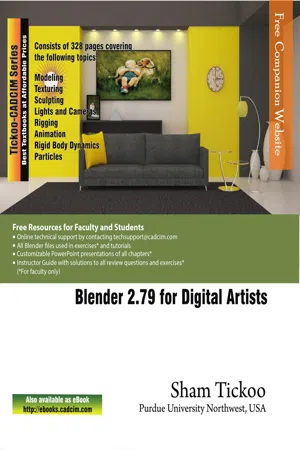
Blender 2.79 for Digital Artists
About this book
Blender 2.79 for Digital Artists text book covers major features of Blender 2.79 in a simple, lucid, and comprehensive manner. Keeping in view the varied requirements of the users, the textbook introduces the basic features of Blender 2.79 and then gradually progresses to cover the advanced features.
This book will help you unleash your creativity, thus helping you create stunning 3D models. The textbook will help the learners transform their imagination into reality with ease. Also, it takes the users through progressive tutorials, numerous illustrations, and ample exercises.
Following are the additional features of this book:
- Consists of 11 chapters that are organized in a pedagogical sequence covering various aspects of modeling, sculpting, texturing, lighting, rigging, animation, rigid body dynamics, and particle system.
- The author has followed the tutorial approach to explain various concepts of modeling, texturing, lighting, and animation.
- The first page of every chapter summarizes the topics that are covered in it.
- Step-by-step instructions that guide the users through the learning process.
- Additional information is provided throughout the book in the form of notes and tips.
- Self-Evaluation Test and Review Questions are given at the end of each chapter so that the users can assess their knowledge.
- Technical support by contacting [email protected].
Brief Table of Contents
Chapter 1: Introduction to Blender Interface
Chapter 2: Working with Mesh Primitives
Chapter 3: Working with Curve Primitives
Chapter 4: Working with Modifiers
Chapter 5: Digital Sculpting Techniques
Chapter 6: Working with Materials - I
Chapter 7: Working with Materials - II
Chapter 8: Lights and Cameras
Chapter 9: Basics of Rigging and Animation
Chapter 10: Rigid Body Dynamics
Chapter 11: Working with Particles
Index
Tools to learn more effectively

Saving Books

Keyword Search

Annotating Text

Listen to it instead
Information

Table of contents
- front_matter_Blender 2.79
- C01_blender
- C02_blender
- c03_Blender
- c04_blender
- c05_blender
- c06_blender
- c07_blender
- c08_blender
- c09_blender
- c10_blender
- c11_blender_cc2017
- Last_Pages_Blender
Frequently asked questions
- Essential is ideal for learners and professionals who enjoy exploring a wide range of subjects. Access the Essential Library with 800,000+ trusted titles and best-sellers across business, personal growth, and the humanities. Includes unlimited reading time and Standard Read Aloud voice.
- Complete: Perfect for advanced learners and researchers needing full, unrestricted access. Unlock 1.4M+ books across hundreds of subjects, including academic and specialized titles. The Complete Plan also includes advanced features like Premium Read Aloud and Research Assistant.
Please note we cannot support devices running on iOS 13 and Android 7 or earlier. Learn more about using the app