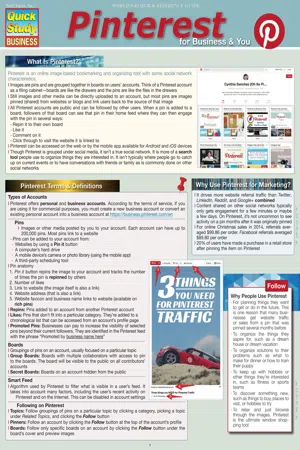
Drives more website referral traffic than Twitter, LinkedIn, Reddit, and Google combined. Market your business, train your team and drive sales. Or market yourself and your hobbies that could become a business. Within 6 laminated pages, our author and Pinterest guru covers all aspects of creating an active account whether for your company or yourself. Suggested uses:
o Training – train your marketing team to use Pinterest with one quick and easy guide to improve or begin driving more traffic to your business
o Sales – referral purchases for the 2014 holidays from Pinterest averaged about $100 per order – higher than any other social media
o Yourself – create the ultimate bulletin board for family, hobbies, DIY projects, and use the power of Pinterest to connect with people, share and make friends
- 44 pages
- English
- ePUB (mobile friendly)
- Available on iOS & Android
eBook - ePub
About this book
Trusted by 375,005 students
Access to over 1.5 million titles for a fair monthly price.
Study more efficiently using our study tools.
Information


- Paid advertising can bring additional exposure to your pins beyond your current followers through targeted campaigns. There are multiple types of promoted pins to choose from depending on your campaign’s goals of increasing awareness, attracting engagement, or driving website traffic. Two types of available campaigns are:
- Cost Per Click (CPC): The advertiser is charged each time a user clicks through the pin to the linked website
- Cost Per Engagement (CPE): The advertiser is charged each time a user engages with a pin, including enlarging the pin, repining it, or clicking through to the linked website
- Currently, only U.S.- based business accounts have access to the promoted pins program, and campaigns can only be targeted to locations within the U.S. Occasionally an account will not yet have access to the program but can join a waitlist. For more information and to access promoted pins, visit https://business.pinterest.com/en/promoted-pins
- Best Practices for What to Promote: Pins used in advertising campaigns on Pinterest are most successful when they align with the way the community uses the platform
- Unlike traditional advertising, promoted pins should avoid being promotional in nature and instead be helpful or inspirational
- The pins you pay to promote should contain tall, high-quality images that represent your brand well. If appropriate, add a simple text overlay on the image to give the viewer additional information and attract attention
- Up to 500 characters can be used in the pin’s description. It should be helpful and informational to aid the viewer in deciding whether the pin is something they’re interested in. Put the most compelling information in the beginning of the description, as only the first 75–100 characters are visible when the pin appears in a user’s home feed or in search results
- Each promoted pin campaign goes through an approval process to ensure the image and the written copy meet Pinterest’s strict advertising rules. For a complete list of rules, visit https://about.pinterest.com/en/ advertising-rules
- Campaign Setup: To launch a campaign, click the red Promote Pins box located at the top right side of your account’s profile page, or go to https://ads.pinterest.com
- Choose the goal of the campaign and other parameters
- Name of Campaign: This is only seen by you
- Duration of Campaign: The date you would like the campaign to begin is required but an end date is not
- Daily Budget: The maximum amount you’re willing to spend per day on advertising
- Choose the goal of the campaign and other parameters

- Choosing a Pin: Only pins that have been pinned to one of your public boards can be used in campaigns. Within the Promoted Pins tool, you can see all your pins in chronological order as well as which of your existing pins have been the most clicked and the most repinned in the last 30 days

Targeting Your Promoted Pin
- Terms: This is one of the most crucial components of your campaign. Which words or phrases you enter here will determine where your pins will be seen. Avoid using technical terms. Use words or phrases your customers would be likely to use that are relevant to your pin
- Location: Choose the entire U.S. or select from 210 locations. Multiple locations can be chosen
- Language: You can choose to target up to 20 different languages
- Device: You can select a specific device to target, such as iPhones and Android tablets, or choose to target all devices
- Gender: Target all genders, specific genders, or accounts with an unknown gender
- Maximum Bid: Your bid competes with other campaigns targeting the same terms. The higher the bid, the more likely your pins will be visible in search results and in user’s home feeds. The minimum bid is $0.05
- Campaigns can take anywhere from a few hours to a few days for approval. If your campaign is rejected, you will receive an email with an explanation. To contact Pinterest directly for help with promoted pins, visit https://business.pinterest.com/en/support
- You can monitor your campaign’s progress and export reports within the Promoted Pins tool. You can adjust any of the targeting parameters and pause or end the campaign at any time

Buy it
U.S.-based Pinterest users can buy products on the iPhone or iPad with a couple of clicks in the Pinterest app. These pins are currently limited to specific Pinterest brand partners and U.S.-based Shopify and Demandware merchants. They are identified by blue prices and a blue Buy it button and can be clicked on and repinned just like other pins.
DISCALIMER: This guide is in...
Table of contents
- What Is Pinterest?
- Pinterest Terms & Definitions
- Why Use Pinterest for Marketing?
- Planning Your Pinterest Marketing
- Creating a Pinnable Website
- Rich Pins
- Setting Up Your Pinterest Account
- Pinning Strategies
- Growing Your Following
- Pinterest Collaboration
- Measuring Your Success
- Promoted Pins
Frequently asked questions
Yes, you can cancel anytime from the Subscription tab in your account settings on the Perlego website. Your subscription will stay active until the end of your current billing period. Learn how to cancel your subscription
No, books cannot be downloaded as external files, such as PDFs, for use outside of Perlego. However, you can download books within the Perlego app for offline reading on mobile or tablet. Learn how to download books offline
Perlego offers two plans: Essential and Complete
- Essential is ideal for learners and professionals who enjoy exploring a wide range of subjects. Access the Essential Library with 800,000+ trusted titles and best-sellers across business, personal growth, and the humanities. Includes unlimited reading time and Standard Read Aloud voice.
- Complete: Perfect for advanced learners and researchers needing full, unrestricted access. Unlock 1.5M+ books across hundreds of subjects, including academic and specialized titles. The Complete Plan also includes advanced features like Premium Read Aloud and Research Assistant.
We are an online textbook subscription service, where you can get access to an entire online library for less than the price of a single book per month. With over 1.5 million books across 990+ topics, we’ve got you covered! Learn about our mission
Look out for the read-aloud symbol on your next book to see if you can listen to it. The read-aloud tool reads text aloud for you, highlighting the text as it is being read. You can pause it, speed it up and slow it down. Learn more about Read Aloud
Yes! You can use the Perlego app on both iOS and Android devices to read anytime, anywhere — even offline. Perfect for commutes or when you’re on the go.
Please note we cannot support devices running on iOS 13 and Android 7 or earlier. Learn more about using the app
Please note we cannot support devices running on iOS 13 and Android 7 or earlier. Learn more about using the app
Yes, you can access Pinterest by Cynthia Sanchez in PDF and/or ePUB format, as well as other popular books in Business & Marketing digitale. We have over 1.5 million books available in our catalogue for you to explore.