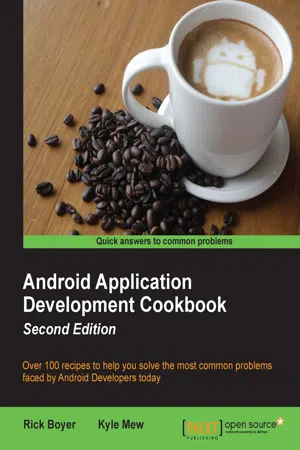
Over 100 recipes to help you solve the most common problems faced by Android Developers todayAbout This Book• Find the answers to your common Android programming problems, from set up to security, to help you deliver better applications, faster• Uncover the latest features of Android Marshmallow to make your applications stand out• Get up to speed with Android Studio 1.4 - the first Android Studio based on the IntelliJ IDE from JetBrainsWho This Book Is ForIf you are new to Android development and want to take a hands-on approach to learning the framework, or if you are an experienced developer in need of clear working code to solve the many challenges in Android development, you can benefit from this book. Either way, this is a resource you'll want to keep at your desk for a quick reference to solve new problems as you tackle more challenging projects.What You Will Learn• Along with Marshmallow, get hands-on working with Google's new Android Studio IDE• Develop applications using the latest Android framework while maintaining backward-compatibility with the support library• Master Android programming best practices from the recipes• Create exciting and engaging applications using knowledge gained from recipes on graphics, animations, and multimedia• Work through succinct steps on specifics that will help you complete your project faster• Keep your app responsive (and prevent ANRs) with examples on the AsynchTask class• Utilize Google Speech Recognition APIs for your app.• Make use of Google Cloud Messaging (GCM) to create Push Notifications for your users• Get a better understanding of the Android framework through detailed explanationsIn DetailThe Android OS has the largest installation base of any operating system in the world; there has never been a better time to learn Android development to write your own applications, or to make your own contributions to the open source community!This "cookbook" will make it easy for you to jump to a topic of interest and get what you need to implement the feature in your own application. If you are new to Android and learn best by "doing, " then this book will provide many topics of interest.Starting with the basics of Android development, we move on to more advanced concepts, and we'll guide you through common tasks developers struggle to solve. The first few chapters cover the basics including Activities, Layouts, Widgets, and the Menu. From there, we cover fragments and data storage (including SQLite), device sensors, the camera, and GPS. Then we move on more advanced topics such as graphics and animation (including OpenGL), multi-threading with AsyncTask, and Internet functionality with Volley. We'll also demonstrate Google Maps and Google Cloud Messaging (also known as Push Notifications) using the Google API Library.Finally, we'll take a look at several online services designed especially for Android development. Take your application big-time with full Internet web services without having to become a server admin by leveraging the power of Backend as a Service (BaaS) providers.Style and approachThis book progresses from the fundamentals of Android Development to more advanced concepts, with recipes to solve the most common problems faced by developers. This cookbook makes it easy to jump to specific topics of interest, where you'll find simple steps to implement the solution and get a clear explanation of how it works.
- 428 pages
- English
- ePUB (mobile friendly)
- Available on iOS & Android
eBook - ePub
Android Application Development Cookbook - Second Edition
About this book
Information
Android Application Development Cookbook Second Edition
Table of Contents
Android Application Development Cookbook Second Edition
Credits
Disclaimer
About the Authors
About the Reviewer
www.PacktPub.com
eBooks, discount offers, and more
Why Subscribe?
Preface
What this book covers
What you need for this book
Who this book is for
Sections
Getting ready
How to do it…
How it works…
There's more…
See also
Conventions
Reader feedback
Customer support
Downloading the example code
Errata
Piracy
Questions
1. Activities
Introduction
Declaring an activity
Getting ready
How to do it...
How it works...
Starting a new activity with an intent object
Getting ready
How to do it...
How it works...
There's more...
See also
Switching between activities
Getting ready
How to do it...
How it works...
See also
Passing data to another activity
Getting ready
How to do it...
How it works...
There's more...
Returning a result from an activity
Getting ready
How to do it...
How it works...
There's more...
See also
Saving an activity's state
Getting ready
How to do it...
How it works...
There's more...
See also
Storing persistent activity data
Getting ready
How to do it...
How it works...
There's more...
Using more than one preference file
See also
Understanding the activity lifecycle
Getting ready
How to do it...
How it works...
There's more...
Shutting down an activity
2. Layouts
Introduction
Defining and inflating a layout
Getting ready
How to do it...
How it works...
There's more...
See also
Using RelativeLayout
Getting ready
How to do it...
How it works...
There's more...
See also
Using LinearLayout
Getting ready
How to do it...
How it works...
There's more...
See also
Creating tables – TableLayout and GridLayout
Getting ready
How to do it...
How it works...
There's more...
Using ListView, GridView, and Adapters
Getting ready
How to do it...
How it works...
There's more...
Changing layout properties during runtime
Getting ready
How to do it....
How it works...
Optimizing layouts with the Hierarchy Viewer
Getting ready
How to do it...
How it works...
There's more...
3. Views, Widgets, and Styles
Introduction
Inserting a widget into a layout
Getting ready
How to do it...
How it works...
There's more...
See also
Using graphics to show button state
Getting ready
How to do it...
How it works...
There's more...
Using designated folders for screen-specific resources
See also
Creating a widget at runtime
Getting ready
How to do it...
How it works...
There's more...
Creating a custom component
Getting ready
How to do it...
How it works...
There's more...
See also
Applying a style to a View
Getting ready
How to do it...
How it works...
There's more...
See also
Turning a style into a theme
Getting ready
How to do it...
How it works...
There's more...
Selecting theme based on the Android version
Getting ready
How to do it...
How it works...
There's more…
4. Menus
Introduction
Creating an Options menu
Getting ready
How to do it...
How it works...
There's more...
Using a menu item to launch an activity
Creating sub menus
Grouping menu items
See also
Modifying menus and menu items during runtime
Getting ready
How to do it...
How it works...
There's more...
Enabling Contextual Action Mode for a view
Creating a Floating Context Menu
Getting ready
How to do it...
How it works...
There's more...
See also
Using Contextual Batch Mode with a ListView
Getting ready
How to do it...
How it works...
There's more...
See also
Creating a pop-up menu
Getting ready
How to do it...
How it works...
5. Exploring Fragments, AppWidgets, and the System UI
Introduction
Creating and using a Fragment
Getting ready
How to do it...
How it works...
There's more...
Adding and removing Fragments during runtime
Getting ready
How to do it...
How it works...
There's more...
Passing data between Fragments
Getting ready
How to do it...
How it works...
There's more...
See also
Creating a shortcut on the Home screen
Getting ready
How to do it...
How it works...
There's more...
Creating a Home screen widget
Getting ready
How to do it...
How it works...
There's more...
See also
Adding Search to the Action Bar
Getting ready
How to do it...
How it works...
See also
Showing your app full screen
Getting ready
How to do it...
How it works...
There's more...
Sticky Immersion
Dimming the System UI
Setting the Action Bar as an Overlay
Translucent system bars
See also
6. Working with Data
Introduction
Storing simple data
Getting ready
How to do it...
How it works...
There's more...
Read and write a text file to internal storage
Getting ready
How to do it...
How it works...
There's more...
Cache Files
See also
Read and write a text file to external storage
Getting ready
How to do it...
How it works...
There's more...
Getting public folders
Checking available space
Deleting a file
Working with directories
Preventing files from being included in galleries
See also
Including resource files in your project ...
Table of contents
- Android Application Development Cookbook Second Edition
Trusted by 375,005 students
Access to over 1.5 million titles for a fair monthly price.
Study more efficiently using our study tools.
Frequently asked questions
Yes, you can cancel anytime from the Subscription tab in your account settings on the Perlego website. Your subscription will stay active until the end of your current billing period. Learn how to cancel your subscription
No, books cannot be downloaded as external files, such as PDFs, for use outside of Perlego. However, you can download books within the Perlego app for offline reading on mobile or tablet. Learn how to download books offline
Perlego offers two plans: Essential and Complete
- Essential is ideal for learners and professionals who enjoy exploring a wide range of subjects. Access the Essential Library with 800,000+ trusted titles and best-sellers across business, personal growth, and the humanities. Includes unlimited reading time and Standard Read Aloud voice.
- Complete: Perfect for advanced learners and researchers needing full, unrestricted access. Unlock 1.5M+ books across hundreds of subjects, including academic and specialized titles. The Complete Plan also includes advanced features like Premium Read Aloud and Research Assistant.
We are an online textbook subscription service, where you can get access to an entire online library for less than the price of a single book per month. With over 1.5 million books across 990+ topics, we’ve got you covered! Learn about our mission
Look out for the read-aloud symbol on your next book to see if you can listen to it. The read-aloud tool reads text aloud for you, highlighting the text as it is being read. You can pause it, speed it up and slow it down. Learn more about Read Aloud
Yes! You can use the Perlego app on both iOS and Android devices to read anytime, anywhere — even offline. Perfect for commutes or when you’re on the go.
Please note we cannot support devices running on iOS 13 and Android 7 or earlier. Learn more about using the app
Please note we cannot support devices running on iOS 13 and Android 7 or earlier. Learn more about using the app
Yes, you can access Android Application Development Cookbook - Second Edition by Rick Boyer, Kyle Mew, Kyle Mew in PDF and/or ePUB format, as well as other popular books in Computer Science & Application Development. We have over 1.5 million books available in our catalogue for you to explore.