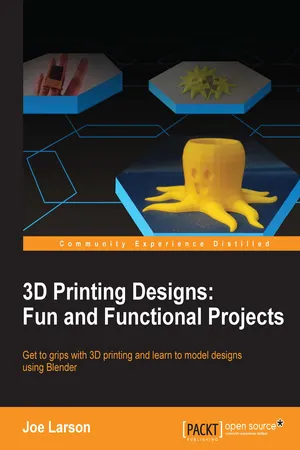
3D Printing Designs: Fun and Functional Projects
eBook - ePub

3D Printing Designs: Fun and Functional Projects

  1. 200 pages
  2. English
  3. ePUB (mobile friendly)
  4. Available on iOS & Android
eBook - ePub

3D Printing Designs: Fun and Functional Projects

About this book

Get to grips with 3D printing and learn to model designs using Blender

About This Book

  • From the author who brought you the first practical look at 3D printing with 3D Printing Blueprints
  • Get a comprehensive coverage of the prototyping techniques you need to know to start printing your own 3D designs
  • Rekindle your mathematical genius to design personalized objects for complex puzzles

Who This Book Is For

If you're new to the world of 3D printing, this is the book for you. Some basic knowledge of Blender and geometry would be helpful, but is not necessary.

What You Will Learn

  • Get to know about the different types of 3D printers and their limitations
  • See how Y, H, and T shapes illustrate different ideas of successful 3D design for home 3D printers
  • Set up and configure Blender to model a file for 3D printing
  • Understand material characteristics, printing specifications, tolerances, and design tips
  • Work through the techniques of editing complex meshes, smoothing, combining shapes, and exporting them into STL files for printing
  • Break down complex geometries into multiple simple shapes and model them in layers using Blender
  • Design, manipulate, and export 3D models for 3D printing with Blender
  • Master the art of creating meshes, scaling, subdivision, and adding detail with the Boolean modifier as well as sculpting a custom shape
  • Cut a model into small pieces and understand how to design complex interlocking joints that form a part of a jigsaw puzzle

In Detail

3D printing has revolutionized the way that global industries conceptualize and design products for mass consumption. Considered as the next "trillion-dollar" business, every industry is in the race to equip its personnel with techniques to prototype and simplify complex manufacturing process. This book will take you through some simple to complex and effective principles of designing 3D printed objects using Blender.

There is a comprehensive coverage of projects such as a 3D print-ready octopus pencil holder, which will teach you how to add basic geometric shapes, and use techniques such as extruding and subdividing to transform these shapes into complex meshes. Furthermore, you'll learn to use various techniques to derive measurements for an object, model these objects using Blender, organize the parts into layers, and later combine them to create the desired object with the help of a 3D printable SD card holder ring design project. The final project will help you master the techniques of designing simple to complex puzzles models for 3D printing.

Through the course of the book, we'll explore various robust sculpting methods supported by Blender to create objects. You'll move, rotate, and scale the object, and manipulate the view. You'll edit objects with actions such as bends or curves, similar to drawing or building up a clay structure of different shapes and sizes. By the end of the book, you will have gained thorough practical hands-on experience to be able to create a real-world 3D printable object of your choice.

Style and approach

This is a hands-on guide to the world of 3D printing. With the help of simple to complex projects, you'll learn various techniques to design 3D printable objects using Blender.

Frequently asked questions

Yes, you can cancel anytime from the Subscription tab in your account settings on the Perlego website. Your subscription will stay active until the end of your current billing period. Learn how to cancel your subscription.
No, books cannot be downloaded as external files, such as PDFs, for use outside of Perlego. However, you can download books within the Perlego app for offline reading on mobile or tablet. Learn more here.
Perlego offers two plans: Essential and Complete
  • Essential is ideal for learners and professionals who enjoy exploring a wide range of subjects. Access the Essential Library with 800,000+ trusted titles and best-sellers across business, personal growth, and the humanities. Includes unlimited reading time and Standard Read Aloud voice.
  • Complete: Perfect for advanced learners and researchers needing full, unrestricted access. Unlock 1.4M+ books across hundreds of subjects, including academic and specialized titles. The Complete Plan also includes advanced features like Premium Read Aloud and Research Assistant.
Both plans are available with monthly, semester, or annual billing cycles.
We are an online textbook subscription service, where you can get access to an entire online library for less than the price of a single book per month. With over 1 million books across 1000+ topics, we’ve got you covered! Learn more here.
Look out for the read-aloud symbol on your next book to see if you can listen to it. The read-aloud tool reads text aloud for you, highlighting the text as it is being read. You can pause it, speed it up and slow it down. Learn more here.
Yes! You can use the Perlego app on both iOS or Android devices to read anytime, anywhere — even offline. Perfect for commutes or when you’re on the go.
Please note we cannot support devices running on iOS 13 and Android 7 or earlier. Learn more about using the app.
Yes, you can access 3D Printing Designs: Fun and Functional Projects by Joe Larson in PDF and/or ePUB format, as well as other popular books in Computer Science & Computer Graphics. We have over one million books available in our catalogue for you to explore.

Information

3D Printing Designs: Fun and Functional Projects


Table of Contents

3D Printing Designs: Fun and Functional Projects
Credits
About the Author
About the Reviewer
www.PacktPub.com
eBooks, discount offers, and more
Why subscribe?
Preface
What this book covers
What you need for this book
Who this book is for
Conventions
Reader feedback
Customer support
Downloading the color images of this book
Errata
Piracy
Questions
1. 3D Printing Basics
What is 3D printing?
What defines 3D printing?
What to design for?
How do FFF printers work?
The anatomy of a print
FFF design considerations
Overhangs and supports
Supportless 3D printing
Y – gentle overhangs
H – bridging
T – orientation
Wall thickness
Holes in models
Summary
2. Beginning Blender
Why Blender?
The price is right
Blender is comprehensive
It's getting better all the time
But Blender isn't perfect
Downloading and installing Blender
The default view
The 3D View
The 3D cursor
The best settings
A scroll-wheel mouse and number pad
A laptop with a touch pad and no number pad
Object creation
Navigating the view
Jumping to rotation
Panning the view
Zooming the view
Orthographic versus perspective view
Wireframe and solid view
Transforming the object
Controlling transformations
Controlling the view
Axis locking
Precise transformation
Origin manipulation
Duplicating objects
Object selection
Shift select
Border select
Circle select
The Edit mode
Parts of objects
Incremental saving
Blender to real life
Exporting an STL
Summary
3. The Octopus Pencil Holder
Planning the project
The first basic shape
Smoothing the mesh with modifiers
Bending the tentacles
Flattening the bottom
Renaming objects
Adding a pencil cup
Adding a face
Finishing touches
Summary
4. Measuring Basics
Measuring with a ruler
Measuring with calipers
Manual or Vernier calipers
Digital calipers
Grid paper trace method
Suitable objects
Object preparation
Importing the image into Blender
Increasing reference pictures
3D scanning
Summary
5. An SD Card Holder Ring
Taking measurements
Modeling the ring
Modeling the finger
Putting the ring on the floor
Finishing the ring
Making a test print
Resizing the test ring
Adding an SD card holder
Organizing by layers
Creating a virtual SD card
Putting it all together
Extra credit
Summary
6. Sculpting the Face of the Sun
Creating the base object
Setting up sculpt
Drawing the face
Smoothing the edges
Adding the nose and eyes
Pulling out the rays
Sharpening the details
Summary
7. Cutting a 3D Jigsaw Puzzle
Resizing the model
How big should it be?
Scaling with properties
Building a puzzle piece
Building the basic shape
Sizing the puzzle piece blank
Turning a shape into an object
Adding some tolerance
Putting it all together
What if the Boolean modifier doesn't work?
Exporting and printing
Summary
Index

3D Printing Designs: Fun and Functional Projects

Copyright © 2016 Packt Publishing
All rights reserved. No part of this book may be reproduced, stored in a retrieval system, or transmitted in any form or by any means, without the prior written permission of the publisher, except in the case of brief quotations embedded in critical articles or reviews.
Every effort has been made in the preparation of this book to ensure the accuracy of the information presented. However, the information contained in this book is sold without warranty, either express or implied. Neither the author, nor Packt Publishing, and its dealers and distributors will be held liable for any damages caused or alleged to be caused directly or indirectly by this book.
Packt Publishing has endeavored to provide trademark information about all of the companies and products mentioned in this book by...

Table of contents

  1. 3D Printing Designs: Fun and Functional Projects