Boost your accounting and financial skills with Microsoft Dynamics 365About This Book• Make real-time data-driven decisions for your enterprise with Microsoft Dynamics 365 Enterprise edition• Configure and set up the Microsoft Dynamics 365 financial module via highly useful tips and tricks• Administer customer relations and plan enterprise resources with this systematic guideWho This Book Is ForThis book is for application consultants, solution architects, controllers, CFOs, pre-sales and other professionals who are involved in a Microsoft Dynamics 365 for finance and operation implementation. Basic knowledge of financial terms, concepts, and terminologies is required.What You Will Learn• Examine the business logic behind the financial functionalities of Microsoft Dynamics 365 FFO• Set up and configure the core modules of financial management• Grasp the key control points of financial management• Explore intercompany and consolidation in Microsoft Dynamics 365 FFO• Understand multi-currency sales, tax mechanisms, and budgeting capabilities in Microsoft Dynamics 365 FFO• Get to grips with month/year-end period close functionality• Understand the account payable and receivable module• Use Microsoft Dynamics 365 to create financial reportsIn DetailMicrosoft Dynamics 365 for finance and operations is a rapidly growing application and is widely used in enterprise organizations. Because of its ability to maximize business productivity, it is a fast-growing business application package in the ERP market.We will start by looking into ERP concepts, implementation needs, and interface design, giving you basic knowledge of financial management aspects and explaining key concepts along the way. To begin with, you'll be taken through the general ledger and financial dimension functions. You'll later learn about the sales tax mechanism and multi-currency in Microsoft Dynamics 365. We tackle each topic with focused examples and explanations on topics such as payable/receivable accounts, forecasting, cash and bank management, budgeting planning/control, and fixed assets. Finally, we walk you through intercompany, consolidation, costing basics, and financial reporting.By the end of this book, your finance team will have a much richer understanding of Microsoft Dynamics 365 for finance and operations and its powerful capabilities.Style and approachThis book is a step-by-step guide focusing on implementing Dynamics 365 financial management for your organization.
eBook - ePub
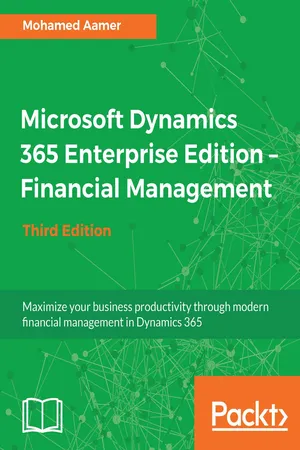
Microsoft Dynamics 365 Enterprise Edition – Financial Management - Third Edition
- English
- ePUB (mobile friendly)
- Available on iOS & Android
eBook - ePub
Microsoft Dynamics 365 Enterprise Edition – Financial Management - Third Edition
About this book
Trusted by 375,005 students
Access to over 1.5 million titles for a fair monthly price.
Study more efficiently using our study tools.
Information
Understanding the General Ledger
The chart of accounts (COA) is the backbone of Enterprise Resource Planning (ERP). It is a part of the financial module, which is the foundational module of ERP. It is a list of categorized ledger accounts (known as main accounts in Microsoft Dynamics 365 for Finance and Operations) that is used by an organization to record all financial transactions, and it depends on the nature of the organization's business. The COA of manufacturing companies differs from trading companies, service companies, and so on. This chapter covers the following topics:
- Understanding the COA
- Classifying main accounts
- Controlling main accounts
- Understanding shared financial data
- Understanding financial management in action
- Opening balance
- Performing daily transactions
- Closing procedure
Understanding the COA
The classified skeleton of a main account is the responsibility of the controller from the customer side and the application consultant from the partner side, who bridges the application capabilities to the customers' requirements. This activity is designed in the analysis and design phases and deployed in the deployment phase.
Main accounts are at the core of financial reporting and include the trial balance, balance sheet, income statement, working capital, and cash flow. The starting point in building COAs is identifying the financial reporting requirements to ensure that all classification levels and categories are captured in Microsoft Dynamics 365 for Finance and Operations. The quality of reports build on the details that are captured during data entry and will be reflected in the quality of reporting.
Classifying main accounts
The first classification of main accounts in Microsoft Dynamics 365 for Finance and Operations is the type, which represents the nature of the ledger account, that is, is it a balance sheet account or profit and loss account? The following figure shows an example of a balance sheet and an income statement that contains the profit and loss account:

A balance sheet report represents the assets, liabilities, and owner's equity at specific date, and is also known as the company's financial position. This report's balances are accumulated during the lifetime of the company.
An income statement represents the revenues, expenses and resulting net income or net loss for a specific period, and is also known as the operational results for a specific period. This report's balances are reset to 0 each year. In the year-end transaction, the balances are rolled up in the retained earnings account.
Microsoft Dynamics 365 for Finance and Operations classifies main account types into two main groups. The first group is transactional accounts, where all financial transactions are recorded. The second group is reporting accounts, which is used to report and classify caption totals, as shown in the following figure:

The transactional accounts, which carry posted transactions on the application, maintain a record of all the data related to the transaction. This includes the main account number, amount, transaction side (debit/credit), currency, transaction text, and transaction type, in addition to original documents (that generate this entry), and who posted the transaction.
These classifications help at the reporting level and are considered as the first classification layer for main accounts.
In order to view all the main account types, navigate to General ledger | Chart of accounts | Accounts | Main accounts. Click on Edit, go to the General fast tab, and then go to the Main account type combobox.
Reporting type: This is used in financial statement reporting for Brazil only.
Common type: This is used only for China.
Common type: This is used only for China.
Using transactional accounts
Transactional accounts represent the primary classification of the main accounts. They are divided into two main groups: balance accounts and profit and loss accounts.
Balance accounts
The first classification type of transactional accounts is balance accounts, which represent the balance sheet report components.
The balance in a balance account is calculated from the day the account opened till the date of reporting. In the year-end transaction, the closing voucher is transferred to the opening balance of the account.
Balance accounts have the following three classifications that represent their nature:
- Assets: This represents the resources that are owned by the organization and are used to carry out business activities, such as producing a product
- Liabilities: This represents the claims against assets; for example, the obligations of borrowing money to acquire machines, or products
- Equity: This represents the claim on total assets; it is equal to total assets minus total liabilities
Table of contents
- Title Page
- Copyright and Credits
- Dedication
- Packt Upsell
- Contributors
- Preface
- Getting Started with Microsoft Dynamics 365 for Finance and Operations
- Understanding the General Ledger
- Exploring Financial Dimensions
- Understanding Sales Tax
- Working with Currencies
- Understanding Accounts Payable Basics and Controls
- Exploring Accounts Payable Transactions
- Understanding Accounts Receivable
- Understanding Cash and Bank Management
- Functioning of Cash Flow Management
- Exploring Budgeting
- Working with Intercompany Accounting
- Working with Consolidation and Elimination
- Working with Cost Management
- Exploring Fixed Assets
- Exploring Financial Reporting and Analysis
- Other Books You May Enjoy
Frequently asked questions
Yes, you can cancel anytime from the Subscription tab in your account settings on the Perlego website. Your subscription will stay active until the end of your current billing period. Learn how to cancel your subscription
No, books cannot be downloaded as external files, such as PDFs, for use outside of Perlego. However, you can download books within the Perlego app for offline reading on mobile or tablet. Learn how to download books offline
Perlego offers two plans: Essential and Complete
- Essential is ideal for learners and professionals who enjoy exploring a wide range of subjects. Access the Essential Library with 800,000+ trusted titles and best-sellers across business, personal growth, and the humanities. Includes unlimited reading time and Standard Read Aloud voice.
- Complete: Perfect for advanced learners and researchers needing full, unrestricted access. Unlock 1.5M+ books across hundreds of subjects, including academic and specialized titles. The Complete Plan also includes advanced features like Premium Read Aloud and Research Assistant.
We are an online textbook subscription service, where you can get access to an entire online library for less than the price of a single book per month. With over 1.5 million books across 990+ topics, we’ve got you covered! Learn about our mission
Look out for the read-aloud symbol on your next book to see if you can listen to it. The read-aloud tool reads text aloud for you, highlighting the text as it is being read. You can pause it, speed it up and slow it down. Learn more about Read Aloud
Yes! You can use the Perlego app on both iOS and Android devices to read anytime, anywhere — even offline. Perfect for commutes or when you’re on the go.
Please note we cannot support devices running on iOS 13 and Android 7 or earlier. Learn more about using the app
Please note we cannot support devices running on iOS 13 and Android 7 or earlier. Learn more about using the app
Yes, you can access Microsoft Dynamics 365 Enterprise Edition – Financial Management - Third Edition by Mohamed Aamer in PDF and/or ePUB format, as well as other popular books in Business & Business Intelligence. We have over 1.5 million books available in our catalogue for you to explore.