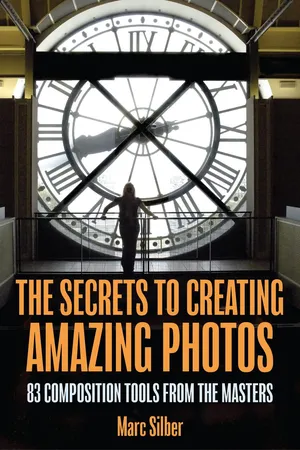
The Secrets to Creating Amazing Photos
eBook - ePub

The Secrets to Creating Amazing Photos

83 Composition Tools from the Masters (Photography Book)

  1. English
  2. ePUB (mobile friendly)
  3. Available on iOS & Android
eBook - ePub

The Secrets to Creating Amazing Photos

83 Composition Tools from the Masters (Photography Book)

About this book

#1 Amazon New Release

HOW TO COMPOSE PHOTOS THAT DON’T SUCK

The Secrets to Creating Amazing Photos by Marc Silber is your complete, easy-to-follow guide to mastering composition — the most important skill in photography. Whether you’re shooting with a DSLR, mirrorless, or smartphone camera, this book gives you 83 proven tools from the masters to instantly improve your photos and creative confidence.

Learn the Secrets of Composition

There’s a common misconception that composition is mysterious or something only a few people are “born with.” The truth is that composition is a set of learnable tools — and once you understand how they work, you can use them to create stunning images every time. Just like cooking from a recipe, these techniques are easy to follow and deliver consistent, beautiful results.

Inside You’ll Discover:

  • 83 composition tools you can use right away to transform your photography.
  • Easy-to-follow visual “recipes” based on the techniques of legendary photographers and artists.
  • How to see light, balance, and framing differently — and use them to tell powerful stories.
  • Step-by-step examples that show you how small adjustments make a big impact.
  • How to develop your creative eye and train your instincts through practice and observation.
  • Bonus online resources: Exclusive access to companion videos and downloadable guides to reinforce what you learn.

Why This Book Works

Marc Silber has spent decades studying and interviewing world-class photographers — uncovering the composition tools and habits that make their images stand out. He’s condensed this wisdom into a clear, practical handbook that anyone can use. Each “recipe” explains what to look for, how to apply it, and why it works — so you can build creative confidence with every shot.

Carry It Anywhere

Designed to fit easily in your camera bag, this book is your portable composition coach. Use it on location for quick inspiration, try new techniques on the spot, and record your progress as your photos improve. Whether at home or in the field, you’ll always have expert guidance at your fingertips.

Key Benefits:

  • Take better photos instantly by mastering the keys to composition.
  • Gain quick, practical “recipes” for framing, balance, and light.
  • Learn creative tools used by the world’s best photographers.
  • Build confidence, purpose, and visual storytelling skills.
  • Transform snapshots into photographs you’re proud to share.

What Photographers Say:

This is a wonderful book on composition… Marc lays them out in depth.” — J. Ann Ryan, Amazon Verified Purchase
Bright, helpful photography teaching that will improve anyone at any level.” — J. Ann Ryan, Amazon Verified Purchase
The Secrets to Creating Amazing Photos is so easy to use.” — Dr. Nicholas Larsen, Amazon Verified Purchase
Valuable book for creating powerful photographic images.” — B. Phil Shoop, Amazon Verified Purchase
The author lays out many recipes for composition in a way that is simple and easy to understand.” — Beth Miller, Amazon Verified Purchase

Take your photography to the next level — learn to see like the masters, shoot with intention, and create photographs that truly connect.

Keywords:

composition · photography tips · visual design · lighting · framing · storytelling · beginner photography · creative photography guide · learn composition · photo techniques

Frequently asked questions

Yes, you can cancel anytime from the Subscription tab in your account settings on the Perlego website. Your subscription will stay active until the end of your current billing period. Learn how to cancel your subscription.
No, books cannot be downloaded as external files, such as PDFs, for use outside of Perlego. However, you can download books within the Perlego app for offline reading on mobile or tablet. Learn more here.
Perlego offers two plans: Essential and Complete
  • Essential is ideal for learners and professionals who enjoy exploring a wide range of subjects. Access the Essential Library with 800,000+ trusted titles and best-sellers across business, personal growth, and the humanities. Includes unlimited reading time and Standard Read Aloud voice.
  • Complete: Perfect for advanced learners and researchers needing full, unrestricted access. Unlock 1.4M+ books across hundreds of subjects, including academic and specialized titles. The Complete Plan also includes advanced features like Premium Read Aloud and Research Assistant.
Both plans are available with monthly, semester, or annual billing cycles.
We are an online textbook subscription service, where you can get access to an entire online library for less than the price of a single book per month. With over 1 million books across 1000+ topics, we’ve got you covered! Learn more here.
Look out for the read-aloud symbol on your next book to see if you can listen to it. The read-aloud tool reads text aloud for you, highlighting the text as it is being read. You can pause it, speed it up and slow it down. Learn more here.
Yes! You can use the Perlego app on both iOS or Android devices to read anytime, anywhere — even offline. Perfect for commutes or when you’re on the go.
Please note we cannot support devices running on iOS 13 and Android 7 or earlier. Learn more about using the app.
Yes, you can access The Secrets to Creating Amazing Photos by Marc Silber in PDF and/or ePUB format, as well as other popular books in Art & Photography. We have over one million books available in our catalogue for you to explore.

Information

Publisher
TMA Press
Year
2018
Print ISBN
9781633537668
eBook ISBN
9781633537675
Topic
Art
Subtopic
Photography
PART ONE:
FUNDAMENTAL COMPOSITION GUIDES AND TOOLS
“Composition is simply the arrangement
of your subject matter within the confines
of your picture space.”
—William Palluth, artist and author
The Oxford American Dictionary defines composition as, “the artistic arrangement of the parts of a picture.”
Always keep in mind that composition means how you arrange your subject within the frame of your camera in a way that best tells your story.
Also note that when I say “camera” I’m referring to any type
of usual camera or smartphone (you’ll see many of my photos
in the book were taken with an iPhone which I noted in the caption.) Almost all cameras produce a rectangular image, but a few are square.
You’re the captain of the ship when it comes to composition: you have an enormous number of choices for placing your subject within the frame of your camera and one of the adventures of photography is discovering new ways to do that creatively. My goal is to help you do so easily, even intuitively, by practicing with these tools.
As a note, whenever you hear or see the phrase “take” Photos, I’d rather you think of it as creating them.
The following are your 83 guides or tools for composition. You’ll be able to find many more, but I’m giving you the main ones that will get you rolling, and leave it to you to keep discovering more.
Also remember that, like basic ingredients that I mentioned, these too can be combined in different creative ways. Keep in mind that many of the examples I will show you are components of composition, and some of them on their own may not seem “amazing” but when you add them to your tool kit and put them to work you’ll find they become very handy in developing your eye.
Going back to the kitchen, when learning to cook you take up each part of a meal up separately. For example: when learning to make a basic omelet, it might not be much to sing about by itself, but it then becomes “amazing” when you add the other ingredients (cheese, onions, sauces, etc.) when chosen well.
But let’s begin by learning each on its own.
I’m going to take these tools up, set by step, beginning with the simplest first, building as we go. If you’ve been photographing for some time you will be familiar with many of these tools. But please keep your mind open to reinforce or learn new aspects of each. The biggest mistake one can make is to see a familiar tool and then assume that there’s nothing more to learn. I have found the reverse is true: the more I study a subject the more I appreciate and can learn from its basics; after all, “basic” means the foundation, which, like a house, must be strong to build upon.
1. Framing: Put an Edge around It
There are many ways to frame your photo. The simplest is to look for trees, or a branch, walls, window frames, etc. that can form an edge around your image, as you can see in the example above; you’ll see many others in the book as you read through it.
Putting an edge or frame around your composition serves many purposes: First, it highlights what you want the viewer to focus on. A frame adds order to the composition and leads your eye to the subject. It also adds depth by giving the image at least one more layer, which also adds contrast. This kind of frame adds a finished look, too. It’s like you’re saying, “Here is my photo—it’s wrapped up and ready for you to look at!”
There is another definition of “framing” that means to deliberately place your subject within the rectangle of your camera. When you do this you are looking closely for what you want in the image and also what you don’t want: for example, look at what is behind your subject—you don’t want a plant or tree growing out of his or her head. Or there may be a splotch of light next to them that pulls the viewer’s eye off course. In these cases, move your subject or move yourself to properly frame your subject with no such distractions.
An additional ...

Table of contents

  1. Cover
  2. Title Page
  3. Copyright
  4. Table of Contents
  5. Foreword
  6. Preface
  7. How to Use This Book to Create Amazing Photos
  8. Acknowledgements
  9. Part One: Fundamental Composition Guides and Tools
  10. Part Two: Composition Lines that Convey Moods in your Image: Mood Lines Convey Feelings or States of Mind
  11. Part Three: Putting your Tools Together and Final Tips
  12. Endnotes
  13. About the Author