Connect things to create amazing IoT applications in minutesAbout This Book• Use Blynk cloud and Blynk server to connect devices• Build IoT applications on Android and iOS platforms• A practical guide that will show how to connect devices using Blynk and Raspberry Pi 3Who This Book Is ForThis book is targeted at any stakeholder working in the IoT sector who wants to understand how Blynk works and build exciting IoT projects. Prior understanding of Raspberry Pi, C/C++, and electronics is a must.What You Will Learn• Build devices using Raspberry Pi and various sensors and actuators• Use Blynk cloud to connect and control devices through the Blynk app• Connect devices to Blynk cloud and server through Ethernet and Wi-Fi• Make applications using Blynk apps (App Builder) on Android and iOS platforms• Run Blynk personal server on the Windows, MAC, and Raspberry Pi platformsIn DetailBlynk, known as the most user-friendly IoT platform, provides a way to build mobile applications in minutes. With the Blynk drag-n-drop mobile app builder, anyone can build amazing IoT applications with minimal resources and effort, on hardware ranging from prototyping platforms such as Arduino and Raspberry Pi 3 to industrial-grade ESP8266, Intel, Sierra Wireless, Particle, Texas Instruments, and a few others.This book uses Raspberry Pi as the main hardware platform and C/C++ to write sketches to build projects. The first part of this book shows how to set up a development environment with various hardware combinations and required software. Then you will build your first IoT application with Blynk using various hardware combinations and connectivity types such as Ethernet and Wi-Fi. Then you'll use and configure various widgets (control, display, notification, interface, time input, and some advanced widgets) with Blynk App Builder to build applications. Towards the end, you will learn how to connect with and use built-in sensors on Android and iOS mobile devices. Finally you will learn how to build a robot that can be controlled with a Blynk app through the Blynk cloud and personal server.By the end of this book, you will have hands-on experience building IoT applications using Blynk.Style and approachA step-by-step guide that will help you build simple yet exciting project in no time.
eBook - ePub
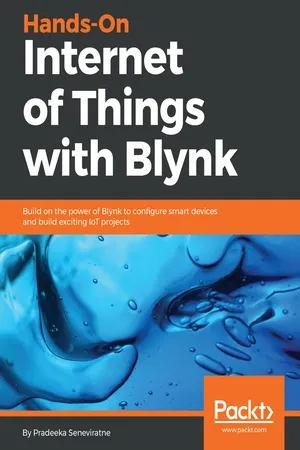
Hands-On Internet of Things with Blynk
Build on the power of Blynk to configure smart devices and build exciting IoT projects
- 271 pages
- English
- ePUB (mobile friendly)
- Available on iOS & Android
eBook - ePub
Hands-On Internet of Things with Blynk
Build on the power of Blynk to configure smart devices and build exciting IoT projects
About this book
Trusted by 375,005 students
Access to over 1.5 million titles for a fair monthly price.
Study more efficiently using our study tools.
Information
Setting Up a Development Environment
Blynk is known as the most user-friendly IoT platform consisting of an app builder that can be run on iOS and Android operating systems, and a set of libraries to build amazing IoT applications in minutes with your favorite hardware platform. It allows you to quickly build interfaces by simply dragging and dropping widgets to control and monitor your hardware projects from your iOS and Android device.
In this chapter, you will learn about:
- Hardware platforms, connection types, architecture, ecosystem, and online resources
- Installing Blynk app builder on Android
- Creating a user account with the Blynk app builder to log in to Blynk Cloud
- Creating a new project with Blynk
- Preparing Raspberry Pi by adding SD card, Ethernet cable, Wi-Fi dongle, and power supply
- Writing Raspbian Stretch Lite on Raspberry Pi by flashing image to SD card with Etcher
- Configuring SSH on Raspberry Pi
- Installing prerequisite packages such as git-core and WiringPi on Raspberry Pi
- Using PuTTY to connect with Raspberry Pi with SSH protocol
- Configuring wireless connection on Raspberry Pi for Raspbian Stretch Lite
- Connecting Raspberry Pi with Blynk Cloud by running the sample C++ source file
What is Blynk?
Blynk was born as a Kickstarter project created by Pasha Baiborodin, and backed by 2,321 supporters who pledged $49,235 to help bring it to life. This is more than the finally announced stretched goal that is $26,000. Blynk is one of the successfully completed projects listed on Kickstarter (https://www.kickstarter.com/):

Kickstarter campaign page for Blynk
Hardware platforms
Blynk supports hardware platforms such as Arduino, Raspberry Pi, and similar microcontroller boards to build hardware for your projects. The following is a list of some microcontroller boards that can be coupled with Blynk:
- Espressif (ESP8266, ESP32, NodeMCU, WeMos D1, Adafruit HUZZAH, SparkFun Blynk Board, SparkFun ESP8266 Thing)
- Linux (C++) (Raspberry Pi, Ubuntu)
- Arduino (Arduino UNO, Arduino MKR1000, Arduino MKRZero, Arduino Yun, Arduino 101, Arduino Zero, Arduino M0, Arduino M0 Pro, Arduino Nano, Arduino Leonardo, Arduino Due, Arduino Mega 2560, Arduino Mega 1280, Arduino Mega ADK, Arduino Micro, Arduino Pro Micro, Arduino Mini, Arduino Pro Mini, Arduino Fio, Arduino Decimilia, Arduino Duemilanove, Arduino Pro, Arduino Ethernet, Arduino Leonardo ETH, Arduino Industrial 101)
- Particle (particle core, particle photon, particle electron)
You can read the list of up-to-date hardware that you can use with Blynk at https://github.com/blynkkk/blynkkk.github.io/blob/master/SupportedHardware.md.
Connection types
Blynk supports the following connection types to connect your microcontroller board (hardware) with the Blynk Cloud and Blynk's personal server:
- Ethernet
- Wi-Fi
- Bluetooth
- Cellular
- Serial
However, throughout this book, you will only focus on Wi-Fi and Ethernet connection types to connect with Blynk Cloud and Blynk's personal server.
Blynk architecture
The Blynk platform includes the following components:
- Blynk app builder: Allows to you build apps for your projects using various widgets. It is available for Android and iOS platforms.
- Blynk server: Responsible for all the communications between your mobile device that's running the Blynk app and the hardware. You can use the Blynk Cloud or run your private Blynk server locally. It's open source, could easily handle thousands of devices, and can even be launched on a Raspberry Pi.
- Blynk libraries: Enables communication with the server and processes all the incoming and outcoming commands from your Blynk app and the hardware. They are available for all the popular hardware platforms.
All the aforementioned components communicate with each other to build a fully functional IoT application tha...
Table of contents
- Title Page
- Copyright and Credits
- Packt Upsell
- Contributors
- Preface
- Setting Up a Development Environment
- Building Your First Blynk Application
- Using Controller Widgets
- Using Display Widgets
- Using Notification Widgets
- Connecting with Sensors on Your Mobile Device
- Setting Up a Personal Blynk Server
- Controlling a Robot with Blynk
- Other Books You May Enjoy
Frequently asked questions
Yes, you can cancel anytime from the Subscription tab in your account settings on the Perlego website. Your subscription will stay active until the end of your current billing period. Learn how to cancel your subscription
No, books cannot be downloaded as external files, such as PDFs, for use outside of Perlego. However, you can download books within the Perlego app for offline reading on mobile or tablet. Learn how to download books offline
Perlego offers two plans: Essential and Complete
- Essential is ideal for learners and professionals who enjoy exploring a wide range of subjects. Access the Essential Library with 800,000+ trusted titles and best-sellers across business, personal growth, and the humanities. Includes unlimited reading time and Standard Read Aloud voice.
- Complete: Perfect for advanced learners and researchers needing full, unrestricted access. Unlock 1.5M+ books across hundreds of subjects, including academic and specialized titles. The Complete Plan also includes advanced features like Premium Read Aloud and Research Assistant.
We are an online textbook subscription service, where you can get access to an entire online library for less than the price of a single book per month. With over 1.5 million books across 990+ topics, we’ve got you covered! Learn about our mission
Look out for the read-aloud symbol on your next book to see if you can listen to it. The read-aloud tool reads text aloud for you, highlighting the text as it is being read. You can pause it, speed it up and slow it down. Learn more about Read Aloud
Yes! You can use the Perlego app on both iOS and Android devices to read anytime, anywhere — even offline. Perfect for commutes or when you’re on the go.
Please note we cannot support devices running on iOS 13 and Android 7 or earlier. Learn more about using the app
Please note we cannot support devices running on iOS 13 and Android 7 or earlier. Learn more about using the app
Yes, you can access Hands-On Internet of Things with Blynk by Pradeeka Seneviratne in PDF and/or ePUB format, as well as other popular books in Computer Science & Computer Science General. We have over 1.5 million books available in our catalogue for you to explore.