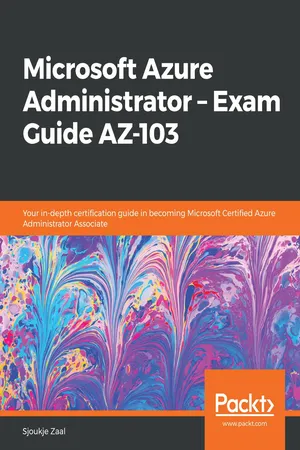
Microsoft Azure Administrator โ€“ Exam Guide AZ-103
eBook - ePub

Microsoft Azure Administrator โ€“ Exam Guide AZ-103

Your in-depth certification guide in becoming Microsoft Certified Azure Administrator Associate

  1. 452 pages
  2. English
  3. ePUB (mobile friendly)
  4. Available on iOS & Android
eBook - ePub

Microsoft Azure Administrator โ€“ Exam Guide AZ-103

Your in-depth certification guide in becoming Microsoft Certified Azure Administrator Associate

About this book

Manage Microsoft Azure cloud services that span storage, security, networking, and compute cloud capabilities and ace the AZ-103 Exam

Key Features

  • Master features and concepts pertaining to Azure's Administration services
  • Gain a deep understanding of various Azure services related to infrastructure, applications, and environments
  • Gauge yourself by giving mock tests with up-to-date exam questions

Book Description

Microsoft Azure Administrator โ€“ Exam Guide AZ-103 will cover all the exam objectives that will help you earn Microsoft Azure Administrator certification. Whether you want to clear AZ-103 exam or want hands-on experience in administering Azure, this study guide will help you achieve your objective. It covers the latest features and capabilities around configuring, managing, and securing Azure resources.

Following Microsoft's AZ-103 exam syllabus, this guide is divided into five modules. The first module talks about how to manage Azure subscriptions and resources. You will be able to configure Azure subscription policies at Azure subscription level and learn how to use Azure policies for resource groups. Later, the book covers techniques related to implementing and managing storage in Azure. You will be able to create and configure backup policies and perform restore operations. The next module will guide you to create, configure, and deploy virtual machines for Windows and Linux. In the last two modules, you will learn about configuring and managing virtual networks and managing identities. The book concludes with effective mock tests along with answers so that you can confidently crack this exam.

By the end of this book, you will acquire the skills needed to pass Exam AZ-103.

What you will learn

  • Configure Azure subscription policies and manage resource groups
  • Monitor activity log by using Log Analytics
  • Modify and deploy Azure Resource Manager (ARM) templates
  • Protect your data with Azure Site Recovery
  • Learn how to manage identities in Azure
  • Monitor and troubleshoot virtual network connectivity
  • Manage Azure Active Directory Connect, password sync, and password writeback

Who this book is for

This book is for Azure administrators, systems administrators or anyone preparing for AZ 103 exam and wants to master Azure's various administration features. Readers should have proficiency in working with PowerShell, CLI and other day-to-day Azure administration tasks.

Trusted byย 375,005 students

Access to over 1.5 million titles for a fair monthly price.

Study more efficiently using our study tools.

Information

Year
2019
Print ISBN
9781838829025
eBook ISBN
9781838825553

Section 1: Managing Azure Subscriptions and Resources

In this section, you will learn how to manage Azure subscriptions and resources.
The following chapters will be covered in this section:
  • Chapter 1, Managing Azure Subscriptions and Resource Groups
  • Chapter 2, Analyzing Resource Utilization and Consumption
  • Chapter 3, Managed Role-Based Access Control

Managing Azure Subscriptions and Resource Groups

This book will cover all the exam objectives for the AZ-103 exam. When relevant, we will provide you with extra information and further reading guidance about the different topics in this book.
The first chapter of this book will introduce the first objective, which is how to manage Azure subscriptions and resources. In this chapter, we are going to focus on assigning permissions for administrators so that they can manage your Azure subscriptions and resource groups. You will learn how to configure policies for your Azure subscriptions and resources in order to stay compliant with your organizational standards and SLAs. We are also going to set tagging on resource groups, and you'll learn how to configure cost center quotas and resource locks. To finish this chapter, we will cover how to move resources across different resource groups after creation, and how to completely remove resource groups from your Azure subscription.
In brief, the following topics will be covered in this chapter:
  • Azure subscriptions and resource groups
  • Assigning administrator permissions
  • Configuring Azure subscription policies
  • Implementing and setting tagging on resource groups
  • Configuring cost center quotas
  • Configuring resource locks
  • Moving resources across resource groups
  • Removing resource groups

Azure subscriptions and resource groups

Before we start with the objectives that are required for the exam, which involves how to manage the Azure subscriptions and resource groups, we will cover some high-level information about Azure subscriptions and resource groups.

Azure subscriptions

Azure subscriptions are basically the billing accounts in Azure. Aside from billing, access to the Azure portal and the creation of the different Azure services in the portal are done through the use of Azure subscriptions.
If you look at the Azure account hierarchy, you will see where Azure subscriptions actually fit in. In the following diagram, the account hierarchy is shown:
Account hierarchy in Azure
It is divided into Enterprise, Department, Accounts, and Subscriptions levels. In the following overview, you'll get an idea of what these different levels are for:
  • Enterprise: This is also called the Enterprise Agreement, and is only used by organizations. It can be accessed from a separate portal (https://ea.azure.com) and is used for the whole organization to create the different departments.
  • Departments: At the department level, sub-accounts for the different departments in your organization are created. You can also group your departments in a functional way, like an IT and finance department, or group them in a geographical way, like North America and Europe, for instance. You can add a department owner here, which will be the person in charge of owning the budget for the department, for instance.
  • Accounts: This is where the different departments can create multiple accounts within their department. They can also add additional owners to manage these accounts. When you create a personal account in Azure, this is the starting point for creating the subscriptions. The Microsoft account that you use to log in to the Azure portal is then added to this account as the owner.
  • Subscriptions: You can create multiple subscriptions in an account. This is the level where the actual billing takes place and where the different Azure resources are created. You can add additional subscription owners that can manage the subscriptions, create the different resources, and assign other users to the subscription. Subscriptions always have a trust relationship with an Azure Active Directory instance.
Inside the Azure subscription, you can create multiple resource groups. This will be covered in the next section.

Azure resource gro...

Table of contents

  1. Title Page
  2. Copyright and Credits
  3. About Packt
  4. Contributors
  5. Preface
  6. Section 1: Managing Azure Subscriptions and Resources
  7. Managing Azure Subscriptions and Resource Groups
  8. Analyzing Resource Utilization and Consumption
  9. Managing Role-Based Access Control
  10. Section 2: Implementing and Managing Storage
  11. Creating and Configuring Storage Accounts
  12. Importing and Exporting Data to Azure
  13. Configuring Azure Files and Implementing Azure Backup
  14. Section 3: Deploying and Managing Virtual Machines
  15. Creating and Configuring VMs for Windows and Linux
  16. Managing Azure VMs and VM Backups
  17. Section 4: Deploying and Managing Virtual Networks
  18. Implementing and Managing Virtual Networking
  19. Integrating On-Premise Networks with Azure Virtual Networks
  20. Monitoring and Troubleshooting Virtual Networking
  21. Azure Security Groups and Azure DNS
  22. Implementing Azure Load Balancer
  23. Section 5: Managing Identities
  24. Managing Azure Active Directory
  25. Implementing and Managing Hybrid Identities
  26. Implementing Multi-Factor Authentication
  27. Mockup Test Questions
  28. Mockup Test Answers
  29. Assessments
  30. Other Books You May Enjoy

Frequently asked questions

Yes, you can cancel anytime from the Subscription tab in your account settings on the Perlego website. Your subscription will stay active until the end of your current billing period. Learn how to cancel your subscription
No, books cannot be downloaded as external files, such as PDFs, for use outside of Perlego. However, you can download books within the Perlego app for offline reading on mobile or tablet. Learn how to download books offline
Perlego offers two plans: Essential and Complete
  • Essential is ideal for learners and professionals who enjoy exploring a wide range of subjects. Access the Essential Library with 800,000+ trusted titles and best-sellers across business, personal growth, and the humanities. Includes unlimited reading time and Standard Read Aloud voice.
  • Complete: Perfect for advanced learners and researchers needing full, unrestricted access. Unlock 1.5M+ books across hundreds of subjects, including academic and specialized titles. The Complete Plan also includes advanced features like Premium Read Aloud and Research Assistant.
Both plans are available with monthly, semester, or annual billing cycles.
We are an online textbook subscription service, where you can get access to an entire online library for less than the price of a single book per month. With over 1.5 million books across 990+ topics, weโ€™ve got you covered! Learn about our mission
Look out for the read-aloud symbol on your next book to see if you can listen to it. The read-aloud tool reads text aloud for you, highlighting the text as it is being read. You can pause it, speed it up and slow it down. Learn more about Read Aloud
Yes! You can use the Perlego app on both iOS and Android devices to read anytime, anywhere โ€” even offline. Perfect for commutes or when youโ€™re on the go.
Please note we cannot support devices running on iOS 13 and Android 7 or earlier. Learn more about using the app
Yes, you can access Microsoft Azure Administrator โ€“ Exam Guide AZ-103 by Sjoukje Zaal in PDF and/or ePUB format, as well as other popular books in Informatica & Guide di certificazione nell'informatica. We have over 1.5 million books available in our catalogue for you to explore.