Computer Science

switch Statement in C
The switch statement in C is a control statement that allows a program to execute different actions based on the value of a variable or expression. It evaluates the value of the expression and compares it with the values of each case label. If a match is found, the corresponding block of code is executed.
Written by Perlego with AI-assistance
Related key terms
1 of 5
10 Key excerpts on "switch Statement in C"
 eBook - ePub
Learn C Programming from Scratch
A step-by-step methodology with problem solving approach (English Edition)
- Mohammad Saleem Mir(Author)
- 2024(Publication Date)
- BPB Publications(Publisher)
The values are the forms that the expression could take, forming the case of a switch construct. The relevant block of code will be run if the expression matches any cases. The default block’s statements will be executed if none of the case values matches the expression.The evaluation of the phrase and subsequent comparison with the case values are how the switch construct operates. When a match is found, the case’s code is run after which the switch statement should be terminated using the break statement. Please refer to the following figure:Figure 3.2: Selection/ switch logicThe control will pass to the next case if no break statement is found, and the following code blocks will likewise be run until a break statement is found.The switch statement is frequently employed for evaluating a discrete set of values. It can be used, for instance, to manage menu selections, process several options, or carry out computations based on various inputs.Syntax: The syntax for a switch Statement in C programming language is as follows:switch(expression) { case constant-expression:statement(s);break; case constant-expression: statement(s); break; // We can have any number of case statements */ default: statement(s); } The following rules apply to a switch statement:- The switch statement’s phrase must be of an integral type. Enumerated types and integer types like int , char , short , and long are included.
- The switch statement’s case labels must all be constant expressions and cannot be a run-time-evaluable variable or expression.
- Within the switch statement, each case label must be different. The use of duplicate case labels is prohibited.
- The default case serves as a general-purpose case and is optional. It is executed when none of the case labels match the expression’s value. Although it can occur anywhere in the switch statement, the default case is usually put at the conclusion.
- The relevant code block and a colon (: ) must come after the case labels. Each case label’s corresponding code block may include numerous statements.
- A break statement ends the switch statement once a case is matched and processed . The control flow will move on to the next case without the break
 eBook - PDF
C++ Programming
From Problem Analysis to Program Design
- D. Malik(Author)
- 2017(Publication Date)
- Cengage Learning EMEA(Publisher)
All Rights Reserved. May not be copied, scanned, or duplicated, in whole or in part. Due to electronic rights, some third party content may be suppressed from the eBook and/or eChapter(s). Editorial review has deemed that any suppressed content does not materially affect the overall learning experience. Cengage Learning reserves the right to remove additional content at any time if subsequent rights restrictions require it. 4 switch Structures | 227 One thing you can learn from the preceding program is that you must first develop a program using paper and pencil. Although a program that is first written on a piece of paper is not guaranteed to run successfully on the first try, this step is still a good starting point. On paper, it is easier to spot errors and improve the program, espe- cially with large programs. switch Structures Recall that there are two selection, or branch, structures in C11. The first selection structure, which is implemented with if and if. . .else statements, usually requires the evaluation of a (logical) expression. The second selection structure, which does not require the evaluation of a logical expression, is called the switch structure. C11’s switch structure gives the computer the power to choose from among many alternatives. A general syntax of the switch statement is: switch (expression) { case value1: statements1 break; case value2: statements2 break; . . . case valuen: statementsn break; default: statements } In C11, switch, case, break, and default are reserved words. In a switch struc- ture, first the expression is evaluated. The value of the expression is then used to choose and perform the actions specified in the statements that follow the reserved word case. Recall that in a syntax, shading indicates an optional part of the definition. Although it need not be, the expression is usually an identifier. Whether it is an identifier or an expression, the value can be only integral. eBook - PDF
- Ted VanSickle(Author)
- 2001(Publication Date)
- Newnes(Publisher)
The Switch Statement A second approach to selection between several alternates is the switch statement. This approach is sometimes called the switch/case statement. Following is a program that accomplishes exactly the same as the above program. In this case, the switch statement is used. /* Count the number of occurrences of each vowel found in an input and also count all other charac-ters. */ #include int main(void) { Program Flow and Control 50 Chapter 1 Introduction to C int na=0,ne=0,ni=0,no=0,nu=0; int nother=0,c; while ((c=getchar())!=EOF) switch( c) { case ‘A’: case ‘a’: na=na+1; break; case ‘E’: case ‘e’: ne=ne+1; break; case ‘I’: case ‘i’: ni=ni+1; break; case ‘O’: case ‘o’: no=no+1; break; case ‘U’: case ‘u’: nu=nu+1; break; default: nother=nother+1; } printf(“As=%d, Es=%d, Is=%d, Os=%d, Us=%d and” “ Others=%dn” ,na,ne,ni,no,nu,nother); return 0; } This program performs exactly the same function as the earlier one. The data are read in a character at a time as before. Here, however, the switch statement is used. The statement switch(c) causes the argument of the switch to be compared with the constants follow-ing each of the case statements that follows. When a match occurs, the next set of statements to follow a colon will be executed. Once the program starts to execute statements, all of the following state-ments will be executed unless the programmer does something to cause the program to be redirected. The break instruction does ex- 51 actly this operation for us. When a C program encounters a break , it jumps to the end of the current block. Therefore, the breaks following the executable statements above will cause the program to jump out of the executing sequence and return to get the next charac-ter from the input stream. When all options have been exhausted without a match, the state-ments following the default line will be executed. It is not necessary to have a default line. EXERCISES 1.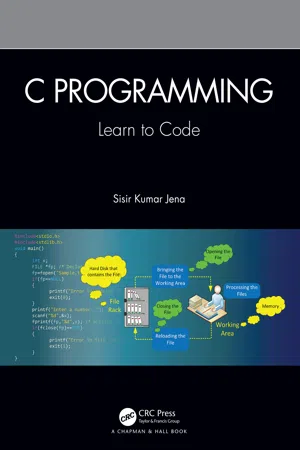 eBook - ePub
C Programming
Learn to Code
- Sisir Kumar Jena(Author)
- 2021(Publication Date)
- Chapman and Hall/CRC(Publisher)
This is a selection control structure that helps in selecting some lines to execute from a number of choices given. It causes a particular statement (or a group of statements) to be chosen from several available groups.- Figure 8.9 shows the syntax of the switch case and its flowchart. First, the expression (n) following the keyword switch is evaluated.
- The value given by the expression (n) is then matched one by one against the constant value that follows the case statement.
- When a match is found, the program executes the statement following that case (body of the case).
- When a break statement is encountered in that case, flow exits the switch statement.
- If no match is found with any of the case statements, the statement following the default (body of the default) is executed.
Figure 8.9 (a) Switch statement syntax; (b) Flowchart of switch statement.In the following, we show an example program to explain the concept of a switch case statement. This program will read the numbers from 1 to 7 and display the corresponding day name, where 1 corresponds to Sunday, 2 corresponds to Monday, and so on.Program 8.9
1. #include <stdio.h> 2. int main() 3. { 4.int x; 5.printf("Enter an integer between 1 and 7:"); 6.scanf("%d",&x); 7.switch(x) 8.{ 9. case 1: 10. printf("\n Sunday"); 11. break; 12. case 2: 13. printf("\nMonday"); 14. break; 15. case 3: 16. printf("\nTuesday"); 17. break; 18. case 4: 19. printf("\nWednesday"); 20. break; 21. case 5: 22. printf("\nThursday"); 23. break; 24. case 6: 25. printf("\nFriday"); 26. break; 27. case 7: 28. printf("\nSaturday"); 29. break; 30. default: 31. printf("\nMatch not found"); 32. } 33. return 0; 34. }Output:Run-1 Enter an integer between 1 and 7:3 Tuesday Run-2 Enter an integer between 1 and 7:9 Match not found8.7.1 Some Points to Remember
- A maximum 257 cases are possible within a switch statement.
-
The cases inside a switch statement can be placed in any sequence.
Program 8.10
1. #include<stdio.h> 2. void main() 3. {
 No longer available |Learn more
Programming Languages
Principles and Practices
- Kenneth Louden, Kenneth Lambert(Authors)
- 2020(Publication Date)
- Cengage Learning EMEA(Publisher)
9.2 Conditional Statements and Guards 415 (13) case 7: (14) case 9: (15) z = 10; (16) break; (17) default: (18) /* do nothing */ (19) break; (20) } Figure 9.5 An example of the use of the switch Statement in C The semantics of this statement are to evaluate the controlling expression ( x − 1 on line 1 in Figure 9.5), and to transfer control to the point in the statement where the value is listed. These values must have integral types in C (and conversions occur, if necessary, to bring the types of the listed cases into the type of the controlling expression). No two listed cases may have the same value after conver-sion. Case values may be literals as in the above example, or they can be constant expressions as C defines them (that is, compile-time constant expressions with no identifiers; see Chapter 7). If the value of the controlling expression is not listed in a case label, then control is transferred to the default case (line 17 in Figure 9.5), if it exists. If not, control is transferred to the statement following the switch (that is, the switch statement falls through ). The structure of this statement in C has a number of somewhat novel features. First, the case labels are treated syntactically as ordinary labels, which allows for potentially bizarre placements; see Exercise 9.30. Second, without a break statement, execution falls through to the next case. This allows cases to be listed together without repeating code (such as the cases 2 through 5, lines 6–9 in Figure 9.5); it also results in incorrect execution if a break statement is left out. Java has a switch statement that is virtually identical to that of C, except that it tightens up the posi-tioning of the case labels to eliminate bizarre situations. A somewhat more “standard” version of a case statement (from the historical point of view) is that of Ada. The C example of Figure 9.5 is written in Ada in Figure 9.6. (1) case x - 1 is (2) when 0 => (3) y := 0; (4) z := 2; (5) when 2 .. eBook - ePub
Computer Programming for Absolute Beginners
Learn essential computer science concepts and coding techniques to kick-start your programming career
- Joakim Wassberg(Author)
- 2020(Publication Date)
- Packt Publishing(Publisher)
switch statement. We will study this next.Selection with the switch statement
One alternative, when we have one option out of many that can be true, is the switch statement. It also works with conditions even if they are not as apparent as they are in an if statement.Another difference is that a switch statement only compares values for equality. The reason for it is that it is not suitable for the age logic we used when we explored the if statement, as we wanted to see whether the age was between two values. Instead, it is perfect if we're going to match it to a value that is fixed. We will soon look at a real example. However, first, let's explore the structure of a switch statement.What a switch statement looks like depends on what language we use. What we will see here is a structure that is rather common, but when applying it, you will need to look up the correct syntax for your language.A switch statement begins by stating what variable we want to check. It is common for languages to use the switch keyword for this.The structure looks something like this: switch(variable) end_switchIn this example, the name, variable , is just a placeholder for the actual variable we want to work with. Between the switch keyword and end_switch , we will need to specify each value we want to compare the variable to. It could look something like this:switch(variable) case 1: … case 2: … case 3: … end_switchEach case specifies the value that we compare the variable to. The first case compares it to 1 , the second to 2 , and so on. The ellipsis (... ) marks the location where we will insert the code for each option. The first ellipsis is to indicate which code will be executed if the variable is 1 , the second for when the value is 2 , and so on.In many languages, we have something that is called a fallthrough . What this means is that when the right value is found, the code within that case statement will execute, but then the code in all the case statements that follow will also execute. So, if the value of the variable is 2 , the code for both 2 and 3 will execute. The reason it does that is so that we can have multiple case eBook - PDF
C# Programming
From Problem Analysis to Program Design
- Barbara Doyle, , , (Authors)
- 2015(Publication Date)
- Cengage Learning EMEA(Publisher)
Copyright 2016 Cengage Learning. All Rights Reserved. May not be copied, scanned, or duplicated, in whole or in part. Due to electronic rights, some third party content may be suppressed from the eBook and/or eChapter(s). Editorial review has deemed that any suppressed content does not materially affect the overall learning experience. Cengage Learning reserves the right to remove additional content at any time if subsequent rights restrictions require it. 290 | Chapter 5: Making Decisions The curly braces are required with a switch statement. That is different from an if statement in which they are only required when more than one statement makes up the true statement or the false statement body. A syntax error is generated if you fail to use curly braces before the first case and at the end of the last case with the switch statement. The last statement for each case and the default is a jump statement . The break keyword is used for this jump. Other types of jump statements are covered in the next chapter. When break is encountered, control transfers outside of the switch statement. Unlike other languages that allow you to leave off a break and fall through executing code from more than one case , C# requires the break for any case that has an exe-cutable statement(s). You cannot program a switch Statement in C# to fall through and execute the code for multiple cases. C# also differs from some other languages in that it requires that a break be included with the default statement. If you do not have a break with a default statement, a syntax error is issued. Many languages do not require the break on the last case because the default is the last statement. A natural fallout occurs. Switch statements are often used to associate longer text with coded values as is illus-trated in Example 5-22. Instead of asking the user to enter the full name for the day of the week, they could enter a number. The switch statement would then be used to display the related value. eBook - ePub
C
From Theory to Practice, Second Edition
- George S. Tselikis, Nikolaos D. Tselikas(Authors)
- 2017(Publication Date)
- CRC Press(Publisher)
switch statement is:switch (expression) { case constant_1: /* block of statements that will be executed if the value of the expression is equal to constant_1. */ break ; case constant_2: /* block of statements that will be executed if the value of the expression is equal to constant_2. */ break ; ... case constant_n: /* block of statements that will be executed if the value of the expression is equal to constant_n. */ break ; default : /* block of statements that will be executed if the value of the expression is other than the previous constants. */ break ; }As a matter of style, there are several ways to write theswitchstatement. The most popular is to put the statements under thecaselabel and thebreakstatement some space(s) inner or aligned with the statements. Our preference is to align eachbreakwith thecaselabel and leave a space between eachcaseand the precedingbreak.The expression must be an integer variable or expression in parentheses, and the values of all constant_1, constant_2,…, constant_n must be integer constant expressions (e.g., 30 is a constant expression, and 30+40 as well) with different values. The order of the cases does not matter. When theswitchstatement is executed, the value of the expression is compared with eachcaseconstant. If a match is found, the group of statements of the respectivecasewill be executed and the remaining cases will not be tested. If no match is found and adefaultcase is present, its group of statements will be executed. Thebreakstatement terminates the execution of theswitchand the program continues with the next statement after theswitch. We’ll discuss more about thebreakstatement in Chapter 6 .switchstatements may be nested, and acaseordefaultclause is associated with the enclosingswitch eBook - PDF
- Subrata Saha, Subhodip Mukherjee(Authors)
- 2017(Publication Date)
- Cambridge University Press(Publisher)
And like if statement, a switch may occur within another. This is called nested switch. But it is rarely used. 9.4 GOTO STATEMENT There is another branching statement in C. The goto statement is used to jump unconditionally to any statement in the program using a label. Label is any valid identifier followed by a colon(:). The general form of the goto statement is as follows: goto label; The following example shows the use of goto statement. int a=1; if ( a < 5) { a++; printf(“%d ”,a); goto abc; } printf(“%d”,++a); ------abc: printf(“%d ”,++a); output: 2 3 Any structured programming is called goto avoid program, because it reduce the program readability. So, we have to careful to use goto statement. goto is useful only to come out from deeply nested loop (discussed later). 9.5 PROGRAMMING EXAMPLES Here are some programming examples to understand the various uses of branching statement. Branching Statement 149 P ROGRAM 9.13 Write a program to check whether an inputted number is positive, negative or zero. #include void main( ) { int num; printf(“Enter any Number :”); scanf(“%d”,&num); if(num == 0) printf(“It is Zero”); else if(num > 0) printf(“It is a Positive Number”); else printf(“It is a Negative Number”); } P ROGRAM 9.14 Write a program to check whether an inputted character is a digit or not. #include void main() { char ch; printf(“Enter any character:”); scanf(“%c”, &ch); if(ch >= ‘0’ && ch<= ‘9’) printf(“Inputted Character is a digit”); else printf(“Inputted Character is not a digit”); } P ROGRAM 9.15 In a certain university grade is calculated as per following rules: Marks Grade Above or equals to 90 O >= 80 but < 90 E >= 70 but < 80 A >= 60 but < 70 B >= 50 but < 60 C >= 40 but < 50 D Below 40 F Write a program to calculate grade. eBook - PDF
- Stephen Chapman(Author)
- 2019(Publication Date)
- Cengage Learning EMEA(Publisher)
Copyright 2020 Cengage Learning. All Rights Reserved. May not be copied, scanned, or duplicated, in whole or in part. Due to electronic rights, some third party content may be suppressed from the eBook and/or eChapter(s). Editorial review has deemed that any suppressed content does not materially affect the overall learning experience. Cengage Learning reserves the right to remove additional content at any time if subsequent rights restrictions require it. 182 | Chapter 4 Branching Statements and Program Design Good Programming Practice For branches in which there are many mutually exclusive options, use a single if construct with multiple elseif clauses in preference to nested if constructs. 4.4.4 The switch Construct The switch construct is another form of branching construct. It permits an engineer to select a particular code block to execute based on the value of a numerical, character, or logical expression. The general form of a switch con-struct is: switch ( switch_expr ) case case_expr_1 Statement 1 Statement 2 Á 6 Block 1 case case_expr_2 Statement 1 Statement 2 Á 6 Block 2 ... otherwise Statement 1 Statement 2 Á 6 Block n end If the value of switch_expr is equal to case_expr_1 , then the first code block will be executed, and the program will jump to the first statement following the end of the switch construct. Similarly, if the value of switch_expr is equal to case_expr_2 , then the second code block will be executed, and the program will jump to the first statement following the end of the switch construct. The same idea applies for any other cases in the construct. The otherwise code block is optional. If it is present, it will be executed whenever the value of switch_expr is out-side the range of all of the case selectors. If it is not present and the value of switch_expr is outside the range of all of the case selectors, then none of the code blocks will be executed. The pseudocode for the case construct looks just like its MATLAB implementation.
Index pages curate the most relevant extracts from our library of academic textbooks. They’ve been created using an in-house natural language model (NLM), each adding context and meaning to key research topics.

