Mathematics

Flow Charts
Flow charts are visual representations of a sequence of steps or processes. In mathematics, flow charts are often used to illustrate algorithms or problem-solving procedures. They use different shapes and arrows to show the flow of information or decision points, making it easier to understand and follow the logical progression of a mathematical problem.
Written by Perlego with AI-assistance
Related key terms
1 of 5
9 Key excerpts on "Flow Charts"
 eBook - ePub
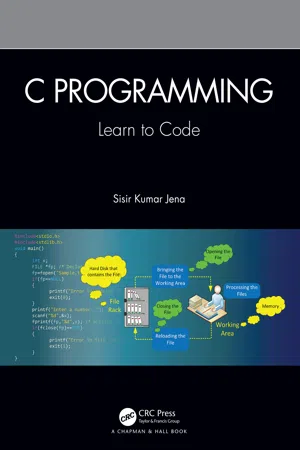
C Programming
Learn to Code
- Sisir Kumar Jena(Author)
- 2021(Publication Date)
- Chapman and Hall/CRC(Publisher)
We will follow some conventions while writing the algorithm for easy reading. We know that, later, we will use this algorithm to draw a flowchart and convert each step to its corresponding C code. Hence, these conventions will help.- Every algorithm begins with a “start” step and ends with a “stop” step.
- Before writing the algorithm, we must identify its input(s) and output(s), which are later used by our C code.
- We should write the algorithm in such a manner that we can easily convert it into its corresponding program statements.
3.5 Flowcharts
A flowchart is a kind of diagram that represents the process flow or the sequence of operations needed to solve a given problem. It provides a more straightforward method to understand how the data flows through the solution steps and produces an output. The symbols used in the flowchart are simple and easy to learn. A programmer always prefers to draw a flowchart before writing a computer program. There are several definitions that describe a flowchart, but we will provide you with the programmer’s view.A flowchart is a structured approach to represent the solution steps outlined in an algorithm with the help of simple and easy-to-learn symbols that show how the input(s) is/are processed through the system and produces the output(s).3.5.1 Advantages of Using a Flowchart
- Easier to understand the program logic: It provides a better way to understand the program logic.
- Provides better analysis and maintenance: A flowchart provides an effortless analysis of the sequence of steps, so more effort can be put into considering the logic of the whole process.
- Proper documentation: Like an algorithm, a flowchart also serves as an appropriate paper document and helps in documenting the entire flow.
- Better coding: A flowchart acts as a guide or a blueprint during actual program writing.
- Proper debugging: The flowchart helps in the debugging and error finding processes.
3.5.2 Flowchart Symbols
Figure 3.5 eBook - ePub
Foundations of Computing
Essential for Computing Studies, Profession And Entrance Examinations - 5th Edition
- Pradeep K. Sinha, Priti Sinha(Authors)
- 2022(Publication Date)
- BPB Publications(Publisher)
N , instead of 50 in Step 6.Representation of Algorithms
Commonly used ways to represent an algorithm are:- As program
- As pseudocode
- As flowchart
- As decision table
Programmers often use flowcharts, pseudocodes, and decision tables for representing algorithms for their programs before coding them in programming languages. Subsequent sections describe these program-planning tools. To plan their programs, programmers generally select one of them depending on their choice.FLOWCHARTS
What is a Flowchart?
A flowchart is a pictorial representation of an algorithm. Programmers often use it as a program-planning tool for visually organizing a sequence of steps necessary to solve a problem using a computer. It uses boxes of different shapes to denote different types of instructions. Programmers write actual instructions within these boxes using clear and concise statements. Directed solid lines connecting these boxes indicate flow of operations - sequence in which to execute the instructions. The process of drawing a flowchart for an algorithm is known as flowcharting .Why Use Flowcharts?
Normally, we first represent an algorithm as a flowchart, and then express the flowchart in a programming language to prepare a computer program. The main advantage of this two-step approach in program writing is that, while drawing a flowchart, a programmer can concentrate on the logic of the solution to the problem at hand, without paying attention to the syntax and other details of the programming language. Moreover, since a flowchart shows the flow of operations in pictorial form, a programmer can detect any error in the logic with greater ease than in the case of a program. Once the flowchart is ready, the programmer can concentrate on coding the operations in each box of the flowchart as statements of the programming language. Normally, this two-step approach ensures an error-free program.
- Robert Ward-Penny, Jonathan Savage(Authors)
- 2010(Publication Date)
- Routledge(Publisher)
What many of these ideas have in common is the idea of an algorithm, an ordered set of instructions that is followed as part of a procedure or action. Flowcharts and algorithms are explicitly considered in ICT as part of the process of software design, and they can also feature in supporting documentation. For instance, a flowchart might show the algorithm a control system in an automated greenhouse follows when it interrogates a sensor in order to decide whether the temperature is too low, and what action it takes based on this reading. Algorithms also play a key role in many computer programming languages.Algorithms and flowcharts also feature throughout the mathematics curriculum. Whilst not all schemes and syllabuses explicitly teach using these terms, many do, and all implicitly require pupils to be able to follow an algorithm. For instance, the column method of adding a pair of numbers together is most often taught as an algorithm (see Figure 7.1 ), as is the procedure for adding two fractions together. Flowcharts can also provide an excellent way of communicating iterative or recursive procedures.The topic of algorithms is dominant in A-level option modules that are focused on decision, or discrete mathematics, wherein pupils learn algorithms for optimising revenue, finding a critical path when managing a project and identifying the shortest path that connects two points in a network.The idea of an algorithm is powerfully cross-curricular, and moving between subjects can reinforce pupils’ understanding of what an algorithm is and help to develop their ability to deconstruct a process in a thorough and logical way. As we become an increasingly technological society these skills will become more important in the workplace, not only for those working to design technology, but for anyone who has to use it in an efficient, safe, and reliable way.Figure 7.1 A flowchart of the column addition algorithm.Reflective taskTo develop pupils’ ability to work with algorithms, it is useful to give them practice at both applying and designing their own algorithms. However, it is also important to give them the opportunity to compare different algorithms that have been designed for the same purpose, and reflect on the range and limitations of different algorithms.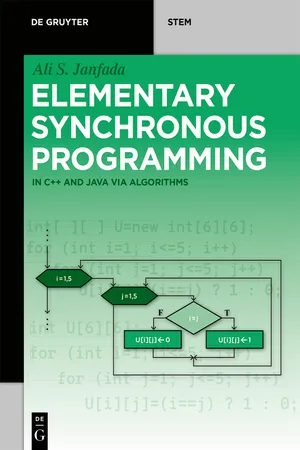 eBook - PDF
Elementary Synchronous Programming
in C++ and Java via algorithms
- Ali S. Janfada(Author)
- 2019(Publication Date)
- De Gruyter Oldenbourg(Publisher)
1.1(f). 1. E ← 2; 2. If E > 10 go to 6; 3. Write E; 4. E ← E+2; 5. Go to 2; 6. End. 1.2 Flowchart In the previous section, we got familiar with algorithms and the two types of written and symbolic forms for writing an algorithm. We saw that the symbolic form was sim-pler than the written one. An even simpler way of writing an algorithm is by writing it in a figurative form . An algorithm which is written with this illustrative method is called a flowchart . In other words, a flowchart is an algorithm written with the lan-guage of shapes. The following table describes some of the common constructive shapes used in drawing a flowchart including their effects and an example of each one of them. For more information concerning algorithms and flowcharts see the ref-erences [2, 6, 7]. Tab. 1.2: Constructive shapes used in flowcharts and their applications. Shape A pplication E x ample Meanin g beginning of algorithm or sub-algorithm, end of algorithm, or return-ing from sub-algorithm terminate the algo-rithm! terminate the sub-al-gorithm and return to the calling unit! determining a position or transferring to a po-sition transfer the control (of implementation) to the position P! outputting the results (on the screen) print the value of sum (on the screen)! inputting the data (from the keyboard) read the values of a and b (from the key-board)! end return P sum a , b 8 | Basic concepts of Algorithm Shape A pplication E x ample Meanin g computation, if any, and assignment add 2 to the last value of E and substitute (save) for E! decision making and branching if E<8, continue T-di-rection; otherwise con-tinue F-direction! calling sub-algorithms, except functions call the sub-algorithm S with the mentioned arguments! implementation or rep-etition of do loop implement (repeat) the do loop with the men-tioned specifications! side explanation take the variable n as an integer! These constructive shapes are connected to each other by arrows. eBook - PDF
Planning in School Administration
A Handbook
- Ward Sybouts(Author)
- 1992(Publication Date)
- Greenwood(Publisher)
One problem inevitably occurred when templates were used; the size of the figure traced from the template was either too small or too large. Consequently, professional draftsmen were frequently enlisted to make clear and professional-looking charts and diagrams. Microcomputer software has made Charts and Diagrams 185 Figure 10.1 Flowchart Symbols charting and diagramming much easier, and the results can be as professional as many costly jobs performed by highly skilled professional draftsmen or com- mercial artists. With the use of computer software, the planner is able to make figures larger or smaller, shadow figures, make uniform arrowheads, and in- clude captions of any size and style of print. And, as is the case with various kinds of computer software, products can be edited with much greater ease 186 Planning in School Administration than was the case prior to computer diagramming. Probably one of the most frustrating aspects of using computer software to generate charts and diagrams is keeping abreast of the latest versions of software. FLOWCHARTS Flowcharts are generally used to depict the steps, tasks, and functions in- volved in procedural activities. For example, with a flowchart a reader can be shown all of the steps to be completed in managing a payroll. Flowcharts con- sist of variously shaped objects, typically made of geometric shapes, and a specified meaning is denoted by each shape of object or icon. As flowcharting has progressed in recent decades, some objects have been deleted from the list of icons and new ones developed to accommodate newly developed techniques or tasks. In the 1960s and 1970s, a frequently used icon consisted of a rectan- gle with the upper left corner cut off so that it resembled the shape of a com- puter data card. As cards are no longer used and have been replaced with other means of storing data, the computer card icon has been deleted from the list of icons. eBook - ePub
- Knut Sveidqvist, Ashish Jain(Authors)
- 2021(Publication Date)
- Packt Publishing(Publisher)
Chapter 6 : Using FlowchartsA flowchart is a diagram that visualizes a process or an algorithm by showing the steps in order, as well as the different paths the execution can take. Flowcharts are among the most used types of diagrams in the world. Their strength lies in their simplicity as they are easy to understand. There are many types of standardized flowcharts, where different meanings have been applied to the various shapes that are available.In this chapter, you will learn how to use Mermaid to generate flowcharts. You will learn how to create different shapes, their meanings, and the different types of lines you can create between the shapes. These shapes and lines can be used to create custom flowcharts, where you decide on the meaning of the shapes yourself or some of the specialized types of flowcharts.In this chapter, we will cover the following topics:- Setting up your flowchart
- Shapes and their meanings
- How to create lines or edges between shapes
- How to group parts of your flowchart into subgraphs
- Making your flowchart interactive and how to style parts of your flowchart
- How to modify the theme so that only flowcharts are affected
Technical requirements
In this chapter, we will explore how to use Mermaid to generate flowcharts. For most of these examples, you will only need an editor with support for Mermaid. A good editor that is easy to access is Mermaid Live Editor, which can be found at https://mermaid-js.github.io/mermaid-live-editor . It only requires your browser to run. For demonstrating some of the functionality, where we will be exploring interaction, you will need to have a web page open that you can add JavaScript functions to. An easy way to experiment with this is to continue with the Adding Mermaid to a simple web page example from Chapter 2 , How to Use Mermaid eBook - PDF
Process Oriented Analysis
Design and Optimization of Industrial Production Systems
- Urs B. Meyer, Simone E. Creux, Andrea K. Weber Marin(Authors)
- 2006(Publication Date)
- CRC Press(Publisher)
37 S1 FLOW DIAGRAM Goals of the Chapter • Learn to analyze a system graphically using the Flow Diagram. • Become familiar with the symbols and drawing rules for Flow Diagrams. • Define a system, set its boundaries, and describe its components. • Build up the hierarchical structure of a model. • Balance a set of diagrams. 1 Make coffee Cup.empty Electricity CoffeeGrounds. inUsedFilter Sugar Milk Water Coffee.ready Coffee.hot+black.inCup CoffeeBeans CoffeeBeans Water Cup.empty Electricity CoffeeGrounds. inUsedFilter 2 Enhance coffee Milk Sugar Coffee.ready Coffee.hot+black.inCup PaperFilter PaperFilter Figure S1-1: Flow Diagram “Make coffee” (Photo: ETH Zurich). S1 Flow Diagram 38 1.1 Introduction The Flow Diagram is the basic type of diagram used by the static analysis tools of Process Oriented Analysis. Any kind of system can be depicted by a Flow Dia-gram. It creates a simplified schematic view of a system. The Flow Diagram graphically shows where resources and data come from, where they are going, how output is generated by transformation of input, and what relationships exist between the activities. A Flow Diagram is a simple, yet powerful tool to structure and order a complex system. Since it is scalable any time into more general or more detailed views, any point within the system may be chosen as the starting point to draw diagrams for a model. A set of diagrams is depicted and built up. It will finally become a picture of the real system and represent a part of the real world, thus looking as similar as possible. The Flow Diagram helps understand complex production systems by revealing, step-by-step, their underlying structure and the relationships and interactions be-tween the elements. As a graphical modeling method, the Flow Diagram is easy to grasp. A diagram is less likely to be misinterpreted than its textual equivalent. eBook - PDF
- M Smit R Jonker(Author)
- 2017(Publication Date)
- Macmillan(Publisher)
161 Module 14 Unit 14.1: Alternative methods for documenting and specifying a solution In previous modules, we looked at the use of algorithms and pseudocode to solve problems in programming. These two methods are not the only ways of solving problems in programming. In this module, we will briefly discuss some other popular methods. These include the following: l Flow Charts, algorithms and pseudocode. l Nassi-Schneidermann diagrams. l Decision tables. l Decision trees. l Use case diagrams in UML. 14.1.1 Flow Charts Introduced in 1921 by Frank Gilbreth in a presentation called ‘Flow Process Chart’, a flow chart is a method used to analyse a problem and then break it down into individual processes by representing the steps as boxes that are connected with arrows. This diagrammatic documentation gives a step-by-step solution to a problem. Constructing Flow Charts helps programmers understand a process better and to identify any problems. Example 14.1: Flow chart Solving a problem using a flow chart You walk into your room and want to switch on your bedside lamp to read a book before you go to sleep, but the lamp does not switch on. We can use a flow chart to document the problem as follows: l When you flick the switch to turn on the lamp and nothing happens, what will your thought process be? Your first reaction should be to make sure that the lamp is plugged into the wall socket. l Once you have checked that it is plugged in, you have to consider whether the bulb has blown. Alternative design methods for documenting specifications or solutions Module 14 Overview At the end of this module, you should be able to: • Unit 14.1: List and briefly explain alternative methods for documenting and specifying a solution for a given problem. • Unit 14.1: Use alternative methods to document a solution. 162 Module 14 Example 14.1 continued l If the bulb has blown, you must replace the bulb. eBook - ePub
The Data Book
Collection and Management of Research Data
- Meredith Zozus(Author)
- 2017(Publication Date)
- Chapman and Hall/CRC(Publisher)
11 Designing and Documenting Data Flow and Workflow IntroductionAs decisions about data entry and processing are being made, it is helpful to show the data and workflow graphically. Graphical diagrams help communicate data sources and flow and the tasks involved in data processing. Creating the diagrams helps identify what processing may be needed, and after the study, the diagrams, at a high level, document what was done. This chapter describes two common diagramming notations and prepares the reader to create data flow and workflow diagrams for research projects.Topics • Importance of diagrams • Diagrams as models • Data flow diagrams • Workflow diagrams Importance of DiagramsBefore written language, early humans used symbols to communicate. With graphic representations, humans perceive more information and perceive the information faster than through verbal and written communication channels (Wickens and Hollands 1999). Humans directly perceive meaning through symbols. For example, the skull and cross bones is a universal symbol for danger. Red, yellow and green lights signal drivers when to stop or proceed, and a road sign with a picture of a tipping truck lets drivers know that the road conditions are conducive to overturning a vehicle. Symbols are used to quickly communicate meaning.For these reasons, standard symbols are used to clearly communicate process information, for example, the steps and their order in a workflow or data flow. The symbols communicate meaning, much like road signs. Process diagrams often are drawn at a level of detail that enables them to fit on one or a few pages. As such, they provide a way to, in one place, see the whole process. Different types of diagrams show different aspects of processes. The workflow diagrams (WFDs) and data flow diagrams (DFDs) recommended here support data management planning and documentation by showing data sources, process steps and their sequence, the roles involved, context, data flow, and transformations (Figure 11.1
Index pages curate the most relevant extracts from our library of academic textbooks. They’ve been created using an in-house natural language model (NLM), each adding context and meaning to key research topics.

