Contents at a Glance
Chapter 1: What’s New in Illustrator CS6
Chapter 2: Discovering Illustrator CS6
Chapter 3: Using the Selection Tools
Chapter 4: Creating Basic Shapes
Chapter 5: Using the Pen Tool and Placing Images
Chapter 6: Using Type in Illustrator
Chapter 7: Organizing Your Illustrations
Chapter 8: Using Layers
Chapter 9: Livening Up Illustrations with Color
Chapter 10: Using the Transform and Distortion Tools
Chapter 11: Working with Transparency and Special Effects Tools
Chapter 12: Using Filters and Effects
Chapter 13: Using Your Illustrator Images
Chapter 1: What’s New in Illustrator CS6
In This Chapter
Understanding the advantages of the new 64-bit processing Exploring the new user interface Tracing images like a pro Using the new Pattern Options panel Applying gradients to strokes Adobe Illustrator has changed its look for the better and has added some important new features. This chapter shows you all the latest and greatest features in Illustrator CS6, from its new tracing features and pattern options, to applying gradients on strokes, and much more.
Taking Advantage of the Processing Upgrade
Adobe Illustrator CS6 is now available with a 64-bit implementation on Windows. This means that general processing is faster, and more RAM (Random Access Memory) can be made available to Illustrator, which reduces the occurrences of out-of-memory errors and allows you to work faster.
Keep in mind that all modern Macintoshes are 64-bit, so Mac users can take advantage of this increased processing speed immediately. Windows users will have either a 32-bit or a 64-bit installation and should take care to install the proper version.
Random Access Memory (RAM) is temporary memory that provides space for your computer to read and write data. It’s usually referred to as the computer’s memory. The more RAM you have in your computer, the better — more RAM reduces the number of times your computer must read data from your hard drive. Because RAM is many times faster than the memory on a hard drive, more RAM allows your computer to work considerably faster.
Working with the New User Interface
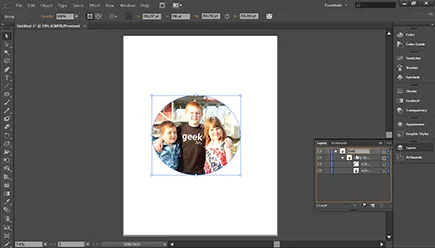
As with many of the other applications in the Creative Suite, Adobe developers improved the look of Illustrator by modernizing the style to create a new look and feel. First of all, note the new darker application interface, as shown in Figure 1-1. Note also that the text is much easier to read.
Figure 1-1: The new user interface in Adobe Illustrator CS6.
In addition, the new user interface now gives you the ability to change layer, swatch, and symbol names right in the panels, which takes redundant steps out of your workflow. Adobe developers have added several more improvements — we point them out to you as they arise in the rest of this minibook.
If the interface seems too dark for you, you can adjust the brightness by following these steps:
1. Choose Edit⇒Preferences⇒User Interface.
2. Select a brightness preset from the Brightness drop-down list or use the Brightness slider to adjust the brightness. (See Figure 1-2.)
If you’re a seasoned Illustrator user who prefers to leave objects off the artboard (main page), you may want to select the White radio button in the Canvas Color area. Selecting this option gives you better visibility of the objects that are off the live artboard.
3. Click OK.
Figure 1-2: With the Brightness slider, you can control the lightness or darkness...