- English
- ePUB (mobile friendly)
- Available on iOS & Android
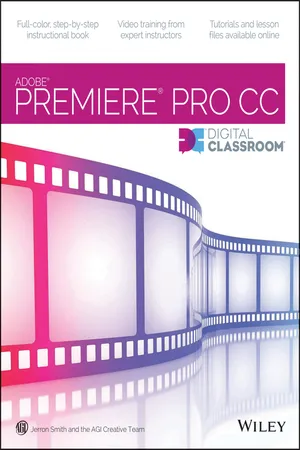
Premiere Pro CC Digital Classroom
About this book
A Complete Training Package!
Full-color, step-by-step instructional book
Video training from expert instructors
Tutorials and lesson files on companion DVD
You have a personal tutor in the Digital Classroom
If you want expert instruction that fits into your schedule, the Digital Classroom series delivers. Expert instructors guide you through each lesson, helping you learn essential Premiere Pro CC skills at your own speed. Full-color, step-by-step instructions in the book are enhanced with video tutorials on the companion DVD. With this Digital Classroom training package, you have your own private instructor showing you the easiest way to learn Premiere Pro CC.
- Import video, audio, and still images and edit them together on the Timeline
- Add transitions and effects to your video to make your projects more engaging and appealing
- Automatically stabilize shaky footage with the Warp Stabilizer
- Animate layered Photoshop files to create onscreen graphics
- Create text and titles using the built-in Premiere Pro Titler
- Use Adobe Encore to author your projects to disk or for web distribution
DVD and other supplementary materials are not included as part of the e-book file, but are available for download after purchase.
Frequently asked questions
- Essential is ideal for learners and professionals who enjoy exploring a wide range of subjects. Access the Essential Library with 800,000+ trusted titles and best-sellers across business, personal growth, and the humanities. Includes unlimited reading time and Standard Read Aloud voice.
- Complete: Perfect for advanced learners and researchers needing full, unrestricted access. Unlock 1.4M+ books across hundreds of subjects, including academic and specialized titles. The Complete Plan also includes advanced features like Premium Read Aloud and Research Assistant.
Please note we cannot support devices running on iOS 13 and Android 7 or earlier. Learn more about using the app.
Information
Table of contents
- Starting up
- Lesson 1: Understanding Digital Video
- Lesson 2: Understanding the Workspace
- Lesson 3: Prepping Files in Prelude
- Lesson 4: Making the Cut
- Lesson 5: Adding Transitions to Video
- Lesson 6: Working with Graphics
- Lesson 7: Using Video Effects
- Lesson 8: Video Compositing
- Lesson 9: Working with Audio
- Lesson 10: Advanced Editing Techniques
- Lesson 11: Outputting Your Video
- Appendix A: Premiere Pro Panels
- Appendix B: Adobe Premiere Pro Keyboard Shortcuts
- Appendix C: Premiere Pro Input and Output formats
- Appendix D: Capturing and Transferring Footage
- Appendix E: Using Adobe Encore
- About the Authors
- Acknowledgments
- Credits