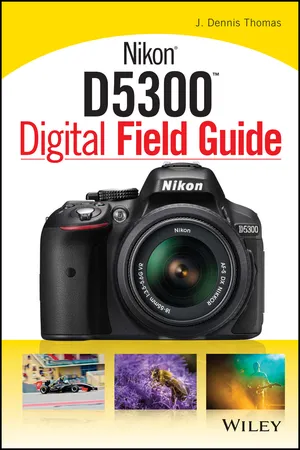
Nikon D5300 Digital Field Guide
eBook - ePub

Nikon D5300 Digital Field Guide

  1. English
  2. ePUB (mobile friendly)
  3. Available on iOS & Android
eBook - ePub

Nikon D5300 Digital Field Guide

About this book

Everything you need to know to take amazing photographs using your new DSLR

The Nikon D5300 Digital Field Guide is filled with everything you need to know to take fantastic photos with your new Nikon. In full color, this portable guide covers all of the essential controls, features, and functions of the Nikon D5300, using step-by-step instructions and providing full-color images of each menu screen. Nikon users will love this comprehensive field guide—it's just the right size to fit into a camera bag, so you'll be able to take it wherever your photography adventures take you.

The guide goes beyond camera settings, offering you a refresher course in digital photography principles, and covering the essentials of lighting, composition, and exposure. This perfectly sized field guide features:

  • Compact size, allowing photographers to carry it wherever they go
  • Professional advice on everything from composing a variety of shots to choosing lenses
  • Colorful example images, along with detailed instructions on how to get the most from each of the camera's features

Filled with amazing examples, this handy guide offers a variety of tips and tricks. You'll learn how to capture portraits, take character-filled candid shots, frame sports action, document travel, work with macro photography, and much more!

Frequently asked questions

Yes, you can cancel anytime from the Subscription tab in your account settings on the Perlego website. Your subscription will stay active until the end of your current billing period. Learn how to cancel your subscription.
No, books cannot be downloaded as external files, such as PDFs, for use outside of Perlego. However, you can download books within the Perlego app for offline reading on mobile or tablet. Learn more here.
Perlego offers two plans: Essential and Complete
  • Essential is ideal for learners and professionals who enjoy exploring a wide range of subjects. Access the Essential Library with 800,000+ trusted titles and best-sellers across business, personal growth, and the humanities. Includes unlimited reading time and Standard Read Aloud voice.
  • Complete: Perfect for advanced learners and researchers needing full, unrestricted access. Unlock 1.4M+ books across hundreds of subjects, including academic and specialized titles. The Complete Plan also includes advanced features like Premium Read Aloud and Research Assistant.
Both plans are available with monthly, semester, or annual billing cycles.
We are an online textbook subscription service, where you can get access to an entire online library for less than the price of a single book per month. With over 1 million books across 1000+ topics, we’ve got you covered! Learn more here.
Look out for the read-aloud symbol on your next book to see if you can listen to it. The read-aloud tool reads text aloud for you, highlighting the text as it is being read. You can pause it, speed it up and slow it down. Learn more here.
Yes! You can use the Perlego app on both iOS or Android devices to read anytime, anywhere — even offline. Perfect for commutes or when you’re on the go.
Please note we cannot support devices running on iOS 13 and Android 7 or earlier. Learn more about using the app.
Yes, you can access Nikon D5300 Digital Field Guide by J. Dennis Thomas in PDF and/or ePUB format, as well as other popular books in Arte & Equipo de fotografía. We have over one million books available in our catalogue for you to explore.

Information

Publisher
Wiley
Year
2014
Print ISBN
9781118867266
eBook ISBN
9781118867174
Edition
1
Topic
Arte

Table of contents

  1. Cover
  2. Title Page
  3. Table of Contents
  4. Introduction
  5. Chapter 1: Exploring the Nikon D5300
  6. Chapter 2: Nikon D5300 Essentials
  7. Chapter 3: Setting up the Nikon D5300
  8. Chapter 4: Selecting and Using Lenses with the Nikon D5300
  9. Chapter 5: Controlling Exposure
  10. Chapter 6: Working with Light
  11. Chapter 7: Working with the Live View and Video Modes
  12. Chapter 8: Real-World Applications
  13. Chapter 9: After Capture
  14. APPENDIX A: General Composition Tips
  15. APPENDIX B: Accessories
  16. Glossary