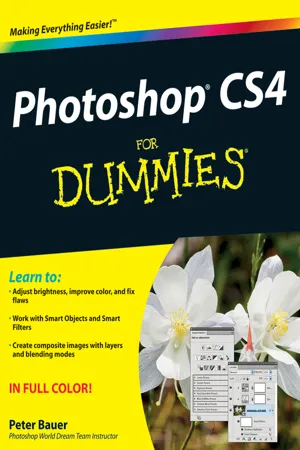
Photoshop CS4 For Dummies
eBook - ePub

Photoshop CS4 For Dummies

  1. English
  2. ePUB (mobile friendly)
  3. Available on iOS & Android
eBook - ePub

Photoshop CS4 For Dummies

About this book

This latest version of Photoshop has a few new tricks up its sleeve and Adobe Photoshop CS4 For Dummies will teach you how to use them. From the basics like getting your images into and out of Photoshop to enhancing, cropping, and color correction, it's all here!

You'll get all of the basics of digital images and master the importing and exporting of images. You'll find out how to create easy enhancements like adding shadows and highlights and making color natural, in addition to learning how to use the Adobe camera raw plug-in. Before you know it, you'll be making beautiful "art" with Photoshop by combining images, precision edges, dressing up images, painting in Photoshop, and using filters. You can even streamline your work in Photoshop using advanced techniques. Find out how to:

  • Import images and use all the tools and processes
  • Reduce digital noise, make colors look natural, add highlights and shadows
  • Optimize images for print or the Web
  • Edit images
  • Explore the Painting function and master the daunting Brushes panel
  • Add layer styles
  • Create on-screen presentations, contact prints, and more

Complete with lists of ten reasons to love your Wacom tablet, ten reasons to own a digital camera, and ten favorite tips and tricks, Adobe CS4 For Dummies is your one-stop guide to setting up, working with, and making the most of Photoshop CS4 for all your digital photography needs.

Trusted by 375,005 students

Access to over 1 million titles for a fair monthly price.

Study more efficiently using our study tools.

Information

Publisher
For Dummies
Year
2011
Print ISBN
9780470327258
eBook ISBN
9781118052587

Table of contents

  1. Title
  2. Contents
  3. Introduction
  4. Part I : Breezing through Basic Training
  5. Chapter 1: Welcome to Photoshop!
  6. Chapter 2: Knowing Just Enough about Digital Images
  7. Chapter 3: Taking the Chef’s Tour of Your Photoshop Kitchen
  8. Chapter 4: Getting Images into and out of Photoshop
  9. Part II : Easy Enhancements for Digital Images
  10. Chapter 5: Adding Dark Shadows and Sparkling Highlights
  11. Chapter 6: Making Color Look Natural
  12. Chapter 7: The Adobe Camera Raw Plug-In
  13. Chapter 8: Fine-Tuning Your Fixes
  14. Chapter 9: Common Problems and Their Cures
  15. Part III : Creating “Art” in Photoshop
  16. Chapter 10: Combining Images
  17. Chapter 11: Precision Edges with Vector Paths
  18. Chapter 12: Dressing Up Images with Layer Styles
  19. Chapter 13: Giving Your Images a Text Message
  20. Chapter 14: Painting in Photoshop
  21. Chapter 15: Filters: The Fun Side of Photoshop
  22. Part IV : Power Photoshop
  23. Chapter 16: Streamlining Your Work in Photoshop
  24. Chapter 17: Introducing Photoshop CS4 Extended
  25. Part V : The Part of Tens
  26. Chapter 18: Pete’s Top Ten Favorite Photoshop Tips and Tricks
  27. Chapter 19: Ten Reasons to Love Your Wacom Tablet
  28. Chapter 20: Ten Reasons to Own a Digital Camera

Frequently asked questions

Yes, you can cancel anytime from the Subscription tab in your account settings on the Perlego website. Your subscription will stay active until the end of your current billing period. Learn how to cancel your subscription
No, books cannot be downloaded as external files, such as PDFs, for use outside of Perlego. However, you can download books within the Perlego app for offline reading on mobile or tablet. Learn how to download books offline
Perlego offers two plans: Essential and Complete
  • Essential is ideal for learners and professionals who enjoy exploring a wide range of subjects. Access the Essential Library with 800,000+ trusted titles and best-sellers across business, personal growth, and the humanities. Includes unlimited reading time and Standard Read Aloud voice.
  • Complete: Perfect for advanced learners and researchers needing full, unrestricted access. Unlock 1.4M+ books across hundreds of subjects, including academic and specialized titles. The Complete Plan also includes advanced features like Premium Read Aloud and Research Assistant.
Both plans are available with monthly, semester, or annual billing cycles.
We are an online textbook subscription service, where you can get access to an entire online library for less than the price of a single book per month. With over 1 million books across 990+ topics, we’ve got you covered! Learn about our mission
Look out for the read-aloud symbol on your next book to see if you can listen to it. The read-aloud tool reads text aloud for you, highlighting the text as it is being read. You can pause it, speed it up and slow it down. Learn more about Read Aloud
Yes! You can use the Perlego app on both iOS and Android devices to read anytime, anywhere — even offline. Perfect for commutes or when you’re on the go.
Please note we cannot support devices running on iOS 13 and Android 7 or earlier. Learn more about using the app
Yes, you can access Photoshop CS4 For Dummies by Peter Bauer in PDF and/or ePUB format, as well as other popular books in Computer Science & Digital Media. We have over one million books available in our catalogue for you to explore.