- English
- ePUB (mobile friendly)
- Available on iOS & Android
eBook - ePub
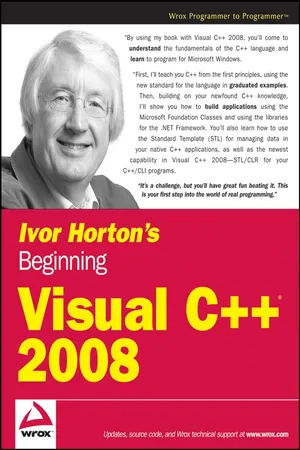
Ivor Horton's Beginning Visual C++ 2008
About this book
Proudly presenting the latest edition of one of the all-time bestselling books on the C++ language, successful author Ivor Horton repeats the formula that has made each previous edition so popular by teaching you both the standard C++ language and C++/CLI as well as Visual C++ 2008. Thoroughly updated for the 2008 release, this book shows you how to build real-world applications using Visual C++ and guides you through the ins and outs of C++ development. With this book by your side, you are well on your way to becoming a successful C++ programmer.
Information
1
Programming with Visual c++ 2008
Programming with Visual c++ 2008
Windows programming isn't difficult. In fact, Microsoft Visual C++ 2008 makes it remarkably easy, as you'll see throughout the course of this book. There's just one obstacle in your path: Before you get to the specifics of Windows programming, you have to be thoroughly familiar with the capabilities of the C++ programming language, particularly the object-oriented aspects of the language. Object-oriented techniques are central to the effectiveness of all the tools that are provided by Visual C++ 2008 for Windows programming, so it's essential that you gain a good understanding of them. That's exactly what this book provides.
This chapter gives you an overview of the essential concepts involved in programming applications in C++. You'll take a rapid tour of the Integrated Development Environment (IDE) that comes with Visual C++ 2008. The IDE is straightforward and generally intuitive in its operation, so you'll be able to pick up most of it as you go along. The best approach to getting familiar with it is to work through the process of creating, compiling, and executing a simple program. By the end of this chapter, you will have learned:
- What the principal components of Visual C++ 2008 are
- What the .NET Framework consists of and the advantages it offers
- What solutions and projects are and how you create them
- About console programs
- How to create and edit a program
- How to compile, link, and execute C++ console programs
- How to create and execute basic Windows programs
So power up your PC, start Windows, load the mighty Visual C++ 2008, and begin your journey.
The .NET Framework
The .NET Framework is a central concept in Visual C++ 2008 as well as in all the other .NET development products from Microsoft. The .NET Framework consists of two elements: the Common Language Runtime (CLR) in which your application executes, and a set of libraries called the .NET Framework class libraries. The .NET Framework class libraries provide the functional support your code will need when executing with the CLR, regardless of the programming language used, so .NET programs written in C++, C#, or any of the other languages that support the .NET Framework all use the same .NET libraries.
There are two fundamentally different kinds of C++ applications you can develop with Visual C++ 2008. You can write applications that natively execute on your computer. These applications will be referred to as native C++ programs. You write native C++ programs in the version of C++ that is defined by the ISO/ANSI (International Standards Organization/American National Standards Institute) language standard. You can also write applications to run under the control of the CLR in an extended version of C++ called C++/CLI. These programs will be referred to as CLR programs, or C++/CLI programs.
The .NET Framework is not strictly part of Visual C++ 2008 but rather a component of the Windows operating system that makes it easier to build software applications and Web services. The .NET Framework offers substantial advantages in code reliability and security, as well as the ability to integrate your C++ code with code written in over 20 other programming languages that target the .NET Framework. A slight disadvantage of targeting the .NET Framework is that there is a small performance penalty, but you won't notice this in the majority of circumstances.
The Common Language Runtime (CLR)
The CLR is a standardized environment for the execution of programs written in a wide range of high-level languages including Visual Basic, C#, and of course C++. The specification of the CLR is now embodied in the European Computer Manufacturers Association (ECMA) standard for the Common Language Infrastructure (CLI), ECMA-335, and also in the equivalent ISO standard, ISO/IEC 23271, so the CLR is an implementation of this standard. You can see why C++ for the CLR is referred to as C++/CLI—it's C++ for the Common Language Infrastructure, so you are likely to see C++/CLI compilers on other operating systems that implement the CLI.
Note that information on all ECMA standards is available from www.ecma-international.org and ECMA-335 is currently available as a free download.
The CLI is essentially a specification for a virtual machine environment that enables applications written in diverse high-level programming languages to be executed in different system environments without changing or recompiling the original source code. The CLI specifies a standard intermediate language for the virtual machine to which the high-level language source code is compiled. With the .NET Framework, this intermediate language is referred to as Microsoft Intermediate Language (MSIL). Code in the intermediate language is ultimately mapped to machine code by a just-in-time (JIT) compiler when you execute a program. Of course, code in the CLI intermediate language can be executed within any other environment that has a CLI implementation.
The CLI also defines a common set of data types called the Common Type System (CTS) that should be used for programs written in any programming language targeting a CLI implementation. The CTS specifies how data types are used within the CLR and includes a set of predefined types. You may also define your own data types, and these must be defined in a particular way to be consistent with the CLR, as you'll see. Having a standardized type system for representing data allows components written in different programming languages to handle data in a uniform way and makes it possible to integrate components written in different languages into a single application.
Data security and program reliability is greatly enhanced by the CLR, in part because dynamic memory allocation and release for data is fully automatic but also because the MSIL code for a program is comprehensively checked and validated before the program executes. The CLR is just one implementation of the CLI specification that executes under Microsoft Windows on a PC; there will undoubtedly be other implementations of the CLI for other operating system environments and hardware platforms. You'll sometimes find that the terms CLI and CLR are used interchangeably, although it should be evident that they are not the same thing. The CLI is a standard specification; the CLR is Microsoft's implementation of the CLI.
Writing C++ Applications
You have tremendous flexibility in the types of applications and program components that you can develop with Visual C++ 2008. As noted earlier in this chapter, you have two basic options for Windows applications: You can write code that executes with the CLR, and you can also write code that compiles directly to machine code and thus executes natively. For window-based applications targeting the CLR, you use Windows Forms as the base for the GUI provided by the .NET Framework libraries. Using Windows Forms enables rapid GUI development because you assemble the GUI graphically from standard components and have the code generated completely automatically. You then just need to customize the code that has been generated to provide the functionality you require.
For natively executing code, you have several ways to go. One possibility is to use the Microsoft Foundation Classes (MFC) for programming the graphical user interface for your Windows application. The MFC encapsulates the Windows operating system Application Programming Interface (API) for GUI creation and control and greatly eases the process of program development. The Windows API originated long before the C++ language arrived on the scene so it has none of the object-oriented characteristics that would be expected if it were written today; however, you are not obliged to use the MFC. If you want the ultimate in performance, you can write your C++ code to access the Windows API directly.
C++ code that executes with the CLR is described as managed C++ because data and code are managed by the CLR. In CLR programs, the release of memory that you have allocated dynamically for storing data is taken care of automatically, thus eliminating a common source of error in native C++ applications. C++ code that executes outside of the CLR is sometimes described by Microsoft as unmanaged C++ because the CLR is not involved in its execution. With unmanaged C++ you must take care of all aspects of allocating and releasing memory during execution of your program yourself, and you also forego the enhanced security provided by the CLR. You'll ...
Table of contents
- Title Page
- Copyright
- Dedication
- About the Autuor
- Acknowledgments
- Credits
- Brief Contents
- Introduction
- Chapter 1: Programming with Visual c++ 2008
- Chapter 2: Data, Variables, and Calculations
- Chapter 3: Decisions and Loops
- Chapter 4: Arrays, Strings, and Pointers
- Chapter 5: Introducing Structure into Your Programs
- Chapter 6: More about Program Structure
- Chapter 7: Defining Your Own Data Types
- Chapter 8: More on Classes
- Chapter 9: Class Inheritance and Virtual Functions
- Chapter 10: The Standard Template Library
- Chapter 11: Debugging Techniques
- Chapter 12: Windows Programming Concepts
- Chapter 13: Windows Programming with the Microsoft Foundation Classes
- Chapter 14: Working with Menus and Toolbars
- Chapter 15: Drawing in a Window
- Chapter 16: Creating the Document and Improving the View
- Chapter 17: More on Windows Forms Applications
- Chapter 18: More on Windows Forms Applications
- Chapter 19: Understanding DLLs
- Chapter 20: More on Windows Forms Applications
- Chapter 21: Updating Data Sources
- Chapter 22: More on Windows Forms Applications
- Chapter 23: Accessing Data Sources in a Windows Forms Application
- Appendix A: C++ Keywords
- Appendix B: ASCII Codes
- Appendix C: Windows Message Types
- Index
Trusted by 375,005 students
Access to over 1.5 million titles for a fair monthly price.
Study more efficiently using our study tools.
Frequently asked questions
Yes, you can cancel anytime from the Subscription tab in your account settings on the Perlego website. Your subscription will stay active until the end of your current billing period. Learn how to cancel your subscription
No, books cannot be downloaded as external files, such as PDFs, for use outside of Perlego. However, you can download books within the Perlego app for offline reading on mobile or tablet. Learn how to download books offline
Perlego offers two plans: Essential and Complete
- Essential is ideal for learners and professionals who enjoy exploring a wide range of subjects. Access the Essential Library with 800,000+ trusted titles and best-sellers across business, personal growth, and the humanities. Includes unlimited reading time and Standard Read Aloud voice.
- Complete: Perfect for advanced learners and researchers needing full, unrestricted access. Unlock 1.5M+ books across hundreds of subjects, including academic and specialized titles. The Complete Plan also includes advanced features like Premium Read Aloud and Research Assistant.
We are an online textbook subscription service, where you can get access to an entire online library for less than the price of a single book per month. With over 1.5 million books across 990+ topics, we’ve got you covered! Learn about our mission
Look out for the read-aloud symbol on your next book to see if you can listen to it. The read-aloud tool reads text aloud for you, highlighting the text as it is being read. You can pause it, speed it up and slow it down. Learn more about Read Aloud
Yes! You can use the Perlego app on both iOS and Android devices to read anytime, anywhere — even offline. Perfect for commutes or when you’re on the go.
Please note we cannot support devices running on iOS 13 and Android 7 or earlier. Learn more about using the app
Please note we cannot support devices running on iOS 13 and Android 7 or earlier. Learn more about using the app
Yes, you can access Ivor Horton's Beginning Visual C++ 2008 by Ivor Horton in PDF and/or ePUB format, as well as other popular books in Computer Science & Programming in C++. We have over 1.5 million books available in our catalogue for you to explore.