- English
- ePUB (mobile friendly)
- Available on iOS & Android
eBook - ePub
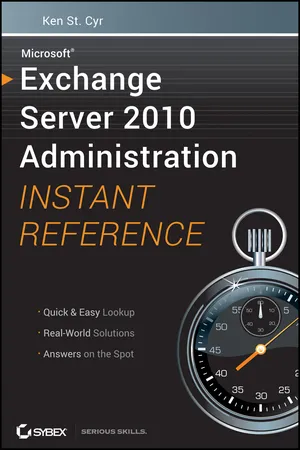
Microsoft Exchange Server 2010 Administration Instant Reference
About this book
Questions about Exchange Server 2010? Flip open this easy-access guide!
Have all your questions about Microsoft's new Exchange Server 2010 answered on the spot with this handy reference guide. Designed for easy access with special headings, thumb tabs, easy-to-read lists, and more, this book is the perfect quick resource for those day-to-day issues that come up just when you least expect them.
- Covers the number one product of its kind, Microsoft Exchange Server 2010
- Offers a quick-access reference for your day-to-day administration of Exchange Server 2010
- Includes thumb tabs, secondary and tertiary tables of contents, and special heading treatments to provide quick and easy lookup, as well as quick-reference tables, lists, and step-by-step instruction to provide Exchange administrators answers on the spot
Keep this helpful, handy guide within easy reach.
Tools to learn more effectively

Saving Books

Keyword Search

Annotating Text

Listen to it instead
Information
Part I: Getting Started
In This Part
CHAPTER 1: Deploying Exchange Servers
CHAPTER 2: Using the Exchange Management Console and the Exchange Management Shell
CHAPTER 3: Managing the Organization
CHAPTER 4: Administering Recipients
Chapter 1
Deploying Exchange Servers
In this chapter, you will learn to:
- Prepare for Installation
- Plan the Exchange Deployment
- Prepare Active Directory
- Prepare the Server
- Install Exchange Server 2010
- Perform a Basic Installation
- Perform an Advanced Installation
- Perform an Automated Installation
- Perform Post-Installation Tasks
- Finalize the Installation
- Configure Internet Mail Routing
The first step along the journey of administering Microsoft Exchange Server 2010 is deploying the product. In many cases, deploying Exchange isn’t a process that should be taken lightly. It is vital to build an Exchange infrastructure that can meet the needs of your business, ensure appropriate levels of availability, and support the growth of your organization. Therefore, this chapter starts out by explaining the factors that go into deploying Exchange before diving into the process of installing Exchange servers.
Prepare for Installation
Preparation is often a key to success. When you take the appropriate amount of time to prepare for a big change in your IT environment, you are in a better position to anticipate potential problems and you are more likely to be ready with a solution.
In preparation for the installation of Exchange, you need to focus on three stages. Without considering all three of these stages, you could encounter many setbacks during the deployment of Exchange. These three stages are as follows:
1. Properly planning the Exchange deployment
2. Preparing Active Directory
3. Preparing the server that runs Exchange
Plan the Exchange Deployment
Planning the deployment of Exchange is a crucial step that should be given heavy consideration. A properly planned Exchange deployment will help minimize the problems that you could run into during deployment. Many different frameworks exist for deployment planning. Regardless of your methodology for planning Exchange, the process encompasses three common elements:
1. Know where you are starting from, and weigh that against the requirements for Exchange.
2. Design a well-thought-out Exchange architecture.
3. Create a deployment plan that helps you understand how to get from where you are to where you want to be.
These three components are a required part of a solid deployment strategy for Exchange. If any of them are omitted, you are sure to encounter bumps along the way.
Understand the Server Roles
Exchange Server 2010 uses the concept of roles. A server with a particular role performs a specific functionality. In a typical Exchange installation, four roles are commonly used:
Hub Transport Server Role The Hub Transport Server role is responsible for transporting email around the Exchange organization. Every message that is sent or received in the organization flows through at least one Hub Transport server. Because of this, the Hub Transport server provides the perfect location for virus scanning, transport rules, or other activities that would require every message to be touched.
In Exchange Server 2010, you are required to have at least one Hub Transport server in every site that contains Mailbox servers. It also makes sense to install additional Hub Transport servers in each site for redundancy and load balancing.
Client Access Server Role The Client Access Server role is the connection point for your email clients. Because Exchange Server 2010 uses Client Access servers to perform MAPI (the Messaging Application Programming Interface) on the Middle Tier (MoMT), all connectivity from mail clients is funneled through these servers. MoMT is a feature that moves the client access point for all mailbox connections to a Client Access server instead of the Mailbox server. Therefore, it’s important to ensure that you have enough Client Access servers to handle your expected load. Generally, Microsoft recommends three Client Access server processor cores for every four Mailbox server processor cores. (Your mileage may vary depending on the Exchange design.)
Like Hub Transport servers, Client Access servers are required in every site. In Chapter 10, “Maintaining Reliability and Availability,” you’ll learn how to load balance your Client Access servers to ensure that they are redundant.
Mailbox Role Mailbox servers house all of the data for the users. In Exchange Server 2010, Mailbox servers contain databases with multiple users inside. Clients do not connect directly to the Mailbox servers. Rather, clients connect to the Client Access servers and the Client Access servers access the Mailbox servers on the clients’ behalf.
In Exchange Server 2010, Mailbox server databases can be made highly available through the use of database availability groups (DAGs); therefore, you will likely install multiple Mailbox servers. DAGs are covered in more detail in Chapter 7, “Managing Mailbox Databases.”
Edge Transport Server Role The Edge Transport Server role is a unique role among the others. The Edge Transport server was designed to sit on the edge of your network and minimize the outside attack surface. Therefore, Edge Transport servers cannot be members of the Active Directory forest that your Exchange implementation resides in.
Exchange Server 2010 also has a role called Unified Messaging. The Unified Messaging role is not covered in any depth in this book.
Understand Exchange Requirements
When thinking in terms of requirements for Exchange, you must take into account multiple facets. You need to think of requirements for Exchange in terms of both hardware and software.
The hardware requirements for Exchange Server 2010 are similar to those for Exchange Server 2007. Typically, you must consider three primary areas when selecting Exchange hardware:
- Amount and speed of processors
- Amount of memory
- Size, speed, and configuration of storage
As with previous versions of Exchange, the specifics of your hardware will vary depending on your design. Different roles require different hardware configurations.
Exchange Server 2010 supports only 64-bit processors in a production environment. Unlike with Exchange Server 2007, however, Microsoft has decided to not make the 32-bit version available. This means any workstations on whic...
Table of contents
- Cover
- Title Page
- Credits
- Copyright
- Publisher's Note
- Acknowledgments
- About the Author
- Introduction
- Part I
- Part II
- Part III
- Index
Frequently asked questions
Yes, you can cancel anytime from the Subscription tab in your account settings on the Perlego website. Your subscription will stay active until the end of your current billing period. Learn how to cancel your subscription
No, books cannot be downloaded as external files, such as PDFs, for use outside of Perlego. However, you can download books within the Perlego app for offline reading on mobile or tablet. Learn how to download books offline
Perlego offers two plans: Essential and Complete
- Essential is ideal for learners and professionals who enjoy exploring a wide range of subjects. Access the Essential Library with 800,000+ trusted titles and best-sellers across business, personal growth, and the humanities. Includes unlimited reading time and Standard Read Aloud voice.
- Complete: Perfect for advanced learners and researchers needing full, unrestricted access. Unlock 1.4M+ books across hundreds of subjects, including academic and specialized titles. The Complete Plan also includes advanced features like Premium Read Aloud and Research Assistant.
We are an online textbook subscription service, where you can get access to an entire online library for less than the price of a single book per month. With over 1 million books across 990+ topics, we’ve got you covered! Learn about our mission
Look out for the read-aloud symbol on your next book to see if you can listen to it. The read-aloud tool reads text aloud for you, highlighting the text as it is being read. You can pause it, speed it up and slow it down. Learn more about Read Aloud
Yes! You can use the Perlego app on both iOS and Android devices to read anytime, anywhere — even offline. Perfect for commutes or when you’re on the go.
Please note we cannot support devices running on iOS 13 and Android 7 or earlier. Learn more about using the app
Please note we cannot support devices running on iOS 13 and Android 7 or earlier. Learn more about using the app
Yes, you can access Microsoft Exchange Server 2010 Administration Instant Reference by Ken St. Cyr in PDF and/or ePUB format, as well as other popular books in Computer Science & System Administration. We have over one million books available in our catalogue for you to explore.