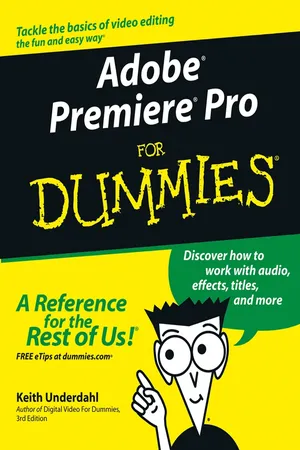
Adobe Premiere Pro For Dummies
eBook - ePub

Adobe Premiere Pro For Dummies

  1. English
  2. ePUB (mobile friendly)
  3. Available on iOS & Android
eBook - ePub

Adobe Premiere Pro For Dummies

About this book

Quiet on set! Time to start your moviemaking adventure -- here's what you need to know about capturing, editing, and publishing your videos

If you're an amateur filmmaker shooting documentaries or a hobbyist putting together a family video, Adobe Premiere Pro For Dummies is the book for you. From setting up a production studio and shooting good footage, to editing clips, adding effects, and working with audio, this user-friendly and comprehensive guide written in plain English can help you create your next video masterpiece and share the finished product.

This handy guide starts with the basics, getting you familiar with the Adobe Premiere Pro software and its interface and helping you set up your dream studio. From there, you'll dive into capturing footage for your videos, learn how to manage multiple movie projects, and edit movies to your liking. You'll learn to:

  • Capture audio and video from your camcorder or video deck (if your computer has the right hardware)
  • Pick and choose scenes to include in a movie, moving frame by frame through video to precisely place edits
  • Add and edit (up to 99) audio soundtracks to your program
  • Create titles and add still graphics to your movie projects
  • Animate titles and graphics
  • Apply one of 73 different transitions to video
  • Modify your movie with 94 video and 22 audio effects
  • Improve and adjust color using an advanced Color Corrector, new to this version of the software
  • Use powerful new audio tools to mix audio, whether it's mono, stereo, or 5.1 channel surround
  • Work with multiple, nestable timelines
  • Preview edits immediately in real time

Once you're finalized your movie project, you can export it, save it to DVD, or publish it online. But that's not all! With this helpful guide, you'll learn pro movie-making tips, third-party software add-ons, and additional tools for your production studio. Pick up your copy and start shooting your film today.

Frequently asked questions

Yes, you can cancel anytime from the Subscription tab in your account settings on the Perlego website. Your subscription will stay active until the end of your current billing period. Learn how to cancel your subscription.
No, books cannot be downloaded as external files, such as PDFs, for use outside of Perlego. However, you can download books within the Perlego app for offline reading on mobile or tablet. Learn more here.
Perlego offers two plans: Essential and Complete
  • Essential is ideal for learners and professionals who enjoy exploring a wide range of subjects. Access the Essential Library with 800,000+ trusted titles and best-sellers across business, personal growth, and the humanities. Includes unlimited reading time and Standard Read Aloud voice.
  • Complete: Perfect for advanced learners and researchers needing full, unrestricted access. Unlock 1.4M+ books across hundreds of subjects, including academic and specialized titles. The Complete Plan also includes advanced features like Premium Read Aloud and Research Assistant.
Both plans are available with monthly, semester, or annual billing cycles.
We are an online textbook subscription service, where you can get access to an entire online library for less than the price of a single book per month. With over 1 million books across 1000+ topics, we’ve got you covered! Learn more here.
Look out for the read-aloud symbol on your next book to see if you can listen to it. The read-aloud tool reads text aloud for you, highlighting the text as it is being read. You can pause it, speed it up and slow it down. Learn more here.
Yes! You can use the Perlego app on both iOS or Android devices to read anytime, anywhere — even offline. Perfect for commutes or when you’re on the go.
Please note we cannot support devices running on iOS 13 and Android 7 or earlier. Learn more about using the app.
Yes, you can access Adobe Premiere Pro For Dummies by Keith Underdahl in PDF and/or ePUB format, as well as other popular books in Computer Science & Digital Media. We have over one million books available in our catalogue for you to explore.

Information

Publisher
For Dummies
Year
2011
Print ISBN
9780764543449
eBook ISBN
9781118085448
Part I

Introducing Adobe Premiere Pro

In this part . . .
**IN a DROPCAP**
It wasn’t so long ago that moviemaking was “magic” that came from the shining temples of Hollywood. But thanks to the home-video revolution that got started in the mid-1990s, anyone with a reasonably modern personal computer, an affordable digital camcorder, and a video-editing program like Adobe Premiere Pro can now produce a high-tech motion picture.
This part of Adobe Premiere Pro For Dummies begins the moviemaking adventure by exploring Adobe Premiere Pro and finding out just what this program can do. It also looks at what’s needed for your personal video-production studio, and walks you through configuring Premiere Pro to make movie magic.
Chapter 1

Getting to Know Premiere Pro

In This Chapter

bullet
Getting a look at Adobe Premiere Pro
bullet
Taking the Grand Tour
T he field of video-editing software is getting pretty crowded these days. Premiere Pro is now just one of many pro-caliber editing programs in the $500-to-$1000 price range, a field now populated with such offerings as Apple Final Cut Pro (for the Macintosh only), Avid Xpress DV, Pinnacle Edition, and Sonic Vegas. Adobe Premiere now has more than ten years of experience in the realm of PC-based video editing— but to be honest, it has been upstaged by some of its rivals in recent years. Thankfully, the newest version of Premiere Pro answers questions that almost everyone was asking, bringing it once again to the forefront of the video-editing scene.
This chapter introduces you to Adobe Premiere Pro by showing you what this program is designed to do and what it has to offer. You also get a tour of Premiere Pro to help you find your way around this feature-packed program.

What Is Adobe Premiere Pro?

Adobe Premiere Pro is, first and foremost, a video-editing program — although that term is almost too modest, given the versatility of Premiere Pro. Editing movies on affordable PCs has been a dream since multimedia-ready computers became common in the mid-1990s. For years, the reality of affordable video editing lagged well behind the dream. But today, video can be easily edited on computers that cost less than $1,000, and powerful programs like Premiere Pro give you editing tools that were previously available only to video and film professionals, working on systems that cost hundreds of thousands — if not millions — of dollars. With Adobe Premiere Pro, you can skip the glitz and get right to the gist:
bullet
Capture audio and video from your camcorder or video deck (if your computer has the right hardware).
bullet
Pick and choose scenes to include in a movie. You can move frame by frame through video to precisely place your edits.
bullet
Make use of up to 99 separate video tracks that can be composited and combined to make a single image.
bullet
Add and edit audio soundtracks to your program. Up to 99 separate audio tracks can be added to the program.
bullet
Create titles and add still graphics to your movie projects. Titles and graphics can be animated in a variety of ways.
bullet
Apply one of 73 different transitions to video. Transitions can be used in any video track.
bullet
Modify your movie with 94 video and 22 audio effects.
bullet
Improve and adjust color using an advanced new Color Corrector.
bullet
Use powerful new audio tools to mix audio, whether it’s mono, stereo, or 5.1 channel surround.
bullet
Work more flexibly than ever with multiple, nestable timelines.
bullet
Preview edits immediately in real time, without having to wait for rendering.
bullet
Record movies to videotape at full broadcast quality.
bullet
Export tightly compressed movies for the World Wide Web in RealMedia, QuickTime, Windows Media, or one of many other available formats.
bullet
Output movies directly to DVD.
Even these hefty capabilities are only a smattering of what you can do with Adobe Premiere Pro. It’s one of the most versatile programs you’ll ever use.

Where’s the Mac?

Previous versions of Adobe Premiere (version 6.5 and earlier) were available for both Macintosh and Windows computers. Adobe’s announcement that Premiere Pro (technically version 7 of Premiere) would run only in Windows XP was met with some shock and surprise, especially considering that only a few years ago, Adobe was considered a very Mac-oriented software company. Exactly why Adobe chose not to develop a Mac OS X-compatible version of Premiere Pro is a subject that will probably forever remain a mystery to those of us who aren’t part of the inner circles at Adobe.
If you have a Macintosh, you might be considering running Premiere Pro on your Mac using a program that emulates the Windows operating system. I do not recommend this work-around: As I describe in Chapter 2, Premiere Pro relies hea...

Table of contents

  1. Title
  2. Contents
  3. Introduction
  4. Part I : Introducing Adobe Premiere Pro
  5. Chapter 1: Getting to Know Premiere Pro
  6. Chapter 2: Setting Up Your Production Studio
  7. Chapter 3: Getting Premiere Pro Ready to Work
  8. Part II : Gathering Footage
  9. Chapter 4: A Crash Course in Video Production
  10. Chapter 5: Starting and Managing Your Movie Projects
  11. Chapter 6: Capturing, Importing, and Managing Media
  12. Part III : Editing in Premiere Pro
  13. Chapter 7: Editing Clips
  14. Chapter 8: Working with the Timeline
  15. Chapter 9: Transitioning Between Clips
  16. Chapter 10: Improving Your Video Images
  17. Chapter 11: Compositing and Animating Clips
  18. Chapter 12: Affecting Effects in Your Movies
  19. Chapter 13: Working with Audio
  20. Chapter 14: Giving Credit with Titles
  21. Part IV : Wrapping Up Your Project
  22. Chapter 15: Finalizing the Project
  23. Chapter 16: Sending Your Project to the World Wide Web
  24. Chapter 17: Exporting Your Movie to Tape
  25. Chapter 18: Recording DVDs
  26. Part V : The Part of Tens
  27. Chapter 19: Ten Movie-Making Tips and Tricks
  28. Chapter 20: Ten Essential Software Add-Ons for Adobe Premiere
  29. Chapter 21: Ten Tools (and Toys) for Your Production Studio
  30. Part VI : Appendix
  31. Appendix: Glossary