- English
- ePUB (mobile friendly)
- Available on iOS & Android
Mastering Autodesk 3ds Max Design 2010
About this book
The only comprehensive tutorial/reference exclusively devoted to Autodesk's robust architectural visualization software
3ds Max Design is a powerful real-time 3D design, modeling, and animation tool for architectural visualizations. This book covers all the software's crucial features, including how to simulate and analyze sun, sky, and artificial light-crucial factors for sustainable design-and how to define and assign realistic materials and work with AutoCAD and Revit files.
You'll quickly learn how to get the most from this powerful software's 3D modeling, animation, and rendering capabilities. McFarland is an Autodesk Authorized Author with professional experience in creating complex visualizations for a large property development company. His real-world focus means workflows and instructions are professional and proven, and projects will include those that pros work on every day.
- Uses actual examples from the author's experience, including retail spaces, small offices, residential developments, and more
- Concise explanations, focused examples, step-by-step instructions, and hands-on tutorials teach the basics and fine points of the software
- Covers all the essential features, such as how to simulate and analyze sun, sky, and artificial light
- Demonstrates efficient use of the interface; how to work with Revit and AutoCAD files; using data, scene management, and solid modeling tools; rendering real-world surfaces; and setting up animated walkthroughs
Mastering 3ds Max Design 2010 provides a practical education in using this powerful architectural visualization tool.
Trusted by 375,005 students
Access to over 1 million titles for a fair monthly price.
Study more efficiently using our study tools.
Information
- Navigate and configure the viewports
- Dock and float toolbars
- Copy objects and use the Transform tools
- Create a named selection set
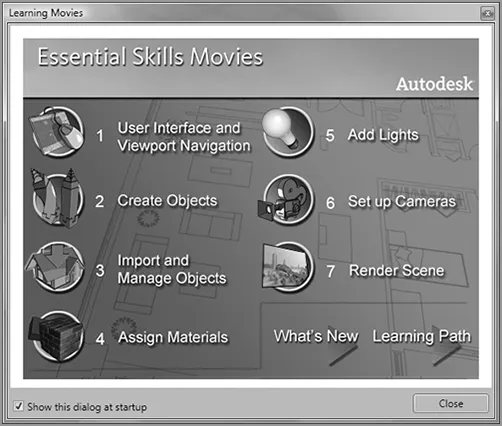
Table of contents
- Cover
- Title Page
- Credits
- Copyright
- Publisher's Letter
- Dedication
- Acknowledgments
- Introduction
- Chapter 1: Getting to Know 3ds Max Design 2010
- Chapter 2: Introducing 3ds Max Objects
- Chapter 3: Creating Shapes with Splines
- Chapter 4: Editing Meshes and Creating Complex Objects
- Chapter 5: Creating AEC Objects
- Chapter 6: Organizing and Editing Objects
- Chapter 7: Light and Shadow
- Chapter 8: Enhancing Models with Materials
- Chapter 9: Using the 3ds Max Camera
- Chapter 10: Working with External Files
- Chapter 11: Using mental ray
- Chapter 12: Understanding Animation
- Chapter 13: Creating Animations
- Chapter 14: Atmospheres, Effects, reactor, and Particles
- Chapter 15: Using Other Autodesk Applications with 3ds Max Design 2010
- Appendix A: The Bottom Line
- Appendix B: Modifiers and Materials
- Index
Frequently asked questions
- Essential is ideal for learners and professionals who enjoy exploring a wide range of subjects. Access the Essential Library with 800,000+ trusted titles and best-sellers across business, personal growth, and the humanities. Includes unlimited reading time and Standard Read Aloud voice.
- Complete: Perfect for advanced learners and researchers needing full, unrestricted access. Unlock 1.4M+ books across hundreds of subjects, including academic and specialized titles. The Complete Plan also includes advanced features like Premium Read Aloud and Research Assistant.
Please note we cannot support devices running on iOS 13 and Android 7 or earlier. Learn more about using the app