eBook - ePub
Access 2010 All-in-One For Dummies
- English
- ePUB (mobile friendly)
- Available on iOS & Android
eBook - ePub
Access 2010 All-in-One For Dummies
About this book
The all-in-one reference to all aspects of Microsoft Access 2010
If you want to learn Microsoft Access inside and out, the nine minibooks in this easy-access reference are exactly what you need. Read the book cover to cover, or jump into any of the minibooks for the instruction and topics you need most. Learn how to connect Access to SQL Server, manipulate your data locally, use nifty new features from Office 2010 such as the enhanced Ribbon, create queries and macros like a champ, and much more. From the basics to advanced functions, it's what you need to make Access more accesssible.
- Shows you how to store, organize, view, analyze, and share data using Microsoft Access 2010, the database application included with Microsoft Office 2010
- Includes nine minibooks that cover such topics as database design, tables, queries, forms, reports, macros, database administration, securing data, programming with Visual Basic for Applications (VBA), and using Access with the Web
- Helps you build database solutions that integrate with the Web and other enterprise data sources
- Offers plenty of techniques, tips, and tricks to help you get the most out of Access
This all-in-one guide contains everything you need to start power-using Access 2010!
Frequently asked questions
Yes, you can cancel anytime from the Subscription tab in your account settings on the Perlego website. Your subscription will stay active until the end of your current billing period. Learn how to cancel your subscription.
At the moment all of our mobile-responsive ePub books are available to download via the app. Most of our PDFs are also available to download and we're working on making the final remaining ones downloadable now. Learn more here.
Perlego offers two plans: Essential and Complete
- Essential is ideal for learners and professionals who enjoy exploring a wide range of subjects. Access the Essential Library with 800,000+ trusted titles and best-sellers across business, personal growth, and the humanities. Includes unlimited reading time and Standard Read Aloud voice.
- Complete: Perfect for advanced learners and researchers needing full, unrestricted access. Unlock 1.4M+ books across hundreds of subjects, including academic and specialized titles. The Complete Plan also includes advanced features like Premium Read Aloud and Research Assistant.
We are an online textbook subscription service, where you can get access to an entire online library for less than the price of a single book per month. With over 1 million books across 1000+ topics, we’ve got you covered! Learn more here.
Look out for the read-aloud symbol on your next book to see if you can listen to it. The read-aloud tool reads text aloud for you, highlighting the text as it is being read. You can pause it, speed it up and slow it down. Learn more here.
Yes! You can use the Perlego app on both iOS or Android devices to read anytime, anywhere — even offline. Perfect for commutes or when you’re on the go.
Please note we cannot support devices running on iOS 13 and Android 7 or earlier. Learn more about using the app.
Yes, you can access Access 2010 All-in-One For Dummies by Alison Barrows,Margaret Levine Young,Joseph C. Stockman in PDF and/or ePUB format, as well as other popular books in Computer Science & Databases. We have over one million books available in our catalogue for you to explore.
Information
Book VIII
Programming in VBA

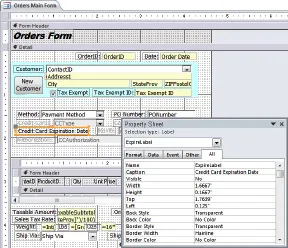
Controls on a form in Design view
Contents at a Glance
Chapter 1: What the Heck Is VBA?
Finding VBA Code
Enabling VBA Code
Using the Visual Basic Editor
Discovering Code as You Go
Chapter 2: Writing Code
How VBA Works
VBA Syntax
Declaring Module Options
Writing Your Own VBA Procedures
Typing and Editing in the Code Window
Testing and Running Your Code
Chapter 3: Writing Smarter Code
Creating Variables and Constants
Making Decisions in VBA Code
Executing the Same Code Repeatedly
Using Custom Functions
Chapter 4: Controlling Forms with VBA
Displaying Custom Messages
Opening Forms with DoCmd
Changing Form Controls with VBA
Understanding Objects and Collections
Chapter 5: Using SQL and Recordsets
Recordsets and Object Models
SQL and Recordsets
Running Action Queries from VBA
Chapter 6: Debugging Your Code
Considering Types of Program Errors
Fixing Compiler Errors
Trapping Runtime Errors
Dealing with Logical Errors
Chapter 1: What the Heck Is VBA?
In This Chapter
Understanding Visual Basic for Applications (VBA)
Using the Visual Basic Editor
Discovering code as you go
Visual Basic for Applications — often abbreviated VBA — is a programming language that you can use to extend the functionality of Microsoft Access and other products in the Microsoft Office suite of programs. A programming language is a means of writing instructions for the computer to execute (perform). Programmers often refer to the written instructions as code because the instructions aren’t in plain English. Rather, they’re in a code that the computer can interpret and execute.
You can create sophisticated Access databases without using VBA at all. In most cases, the other objects offered by Access — tables, queries, forms, reports, and macros — offer more than enough flexibility and power to create just about any database imaginable. But once in a while, you come across a situation where you want to do something that none of those other objects can do. That’s where VBA comes in. If you can find no other way to accomplish some goal in Access, writing VBA code is usually the solution.
Finding VBA Code
So what the heck is VBA code, anyway? To the untrained eye, VBA code looks like gibberish — perhaps some secret code written by aliens from another planet. But to Access, the code represents very specific instructions on how to perform some task.
Within any given database, Access stores code in two places:
♦ Class modules (code-behind forms): Every form and report you create automatically contains a class module (also called a code-behind form), as ...
Table of contents
- Cover
- Table of Contents
- Title Page
- Introduction
- Book I : Essential Concepts
- Book II : Tables for Storing Your Data
- Book III : Queries (or Getting Information from Your Data)
- Book IV : Forms for Editing Data
- Book V : Reporting in Words and Pictures
- Book VI : Automation with Macros
- Book VII : Database Administration
- Book VIII : Programming in VBA
- Book IX : Going Beyond Access