- 248 pages
- English
- ePUB (mobile friendly)
- Available on iOS & Android
eBook - ePub
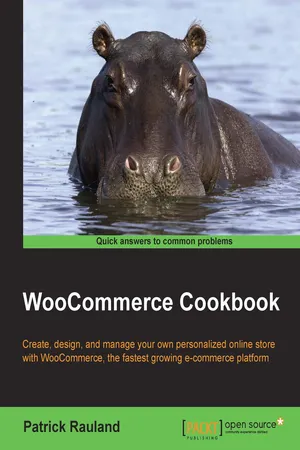
WooCommerce Cookbook
Information
Subtopic
Computer Science GeneralIndex
Computer ScienceWooCommerce Cookbook
Table of Contents
WooCommerce Cookbook
Credits
About the Author
About the Reviewers
www.PacktPub.com
Support files, eBooks, discount offers, and more
Why Subscribe?
Free Access for Packt account holders
Preface
What this book covers
What you need for this book
Who this book is for
Sections
Getting ready
How to do it…
How it works…
There's more…
See also
Conventions
Reader feedback
Customer support
Downloading the example code
Errata
Piracy
Questions
1. WooCommerce Basics
Introduction
Installing WooCommerce
Getting ready
How to do it…
How it works…
Setting your store location and currency
Getting ready
How to do it…
How it works…
Finding documentation on WooThemes.com
How to do it…
Installing WooCommerce plugins
Getting ready
How to do it…
How it works…
Installing official WooThemes plugins
Getting ready
How to do it…
How it works…
Manually creating WooCommerce pages
How to do it…
How it works…
There's more...
Creating a WooCommerce plugin
Getting ready
How to do it…
Adding a currency to WooCommerce
Getting ready
How to do it…
How it works…
See also
2. Adding Products
Introduction
Adding a simple product
How to do it…
Adding an image gallery to a product
Getting ready
How to do it…
Changing image sizes in WooCommerce
Getting ready
How to do it…
Adding a downloadable file to a product
Getting ready
How to do it…
Adding global product attributes
How to do it…
There's more...
Adding a variable product
Getting ready
How to do it…
Adding an extra fee to a product with the Product Add-ons plugin
Getting ready
How to do it…
There's more...
Adding a product bundle with the Product Bundles plugin
Getting ready
How to do it…
There's more...
Bulk-uploading products with a CSV File
Getting ready
How to do it…
There's more...
Removing product tabs
Getting ready
How to do it…
How it works...
There's more…
Reordering product tabs
Getting ready
How to do it…
How it works...
3. Changing the Product Organization
Introduction
Changing the number of products per page
Getting ready
How to do it…
There's more…
Changing the number of columns on the Shop page
Getting ready
How to do it…
There's more...
Adding filtered navigation with the Layered Nav widget
Getting ready
How to do it…
There's more...
Making the Add to Cart button go straight to the checkout page
Getting ready
How to do it…
There's more…
Adding a custom tab to the product page
Getting ready
How to do it…
There's more...
Adding social media sharing icons to your product page
Getting ready
How to do it…
How it works…
Adding a Product Search widget
How to do it…
There's more...
Allowing users to search by SKU
Getting ready
How to do it…
How it works…
There's more...
Adding extra sorting options on the Shop page
How to do it…
How it works…
Sorting products from the oldest to the most recent
How to do it…
How it works...
There's more…
Adding a site-wide notice
How to do it…
There's more...
Displaying the amount saved for on-sale products
Getting ready
How to do it…
There's more...
Displaying the amount saved as a percentage
Getting ready
How to do it…
There's more…
Changing the breadcrumb separator
Getting ready
How to do it…
There's more...
4. Running a Membership Site
Introduction
Adding a subscription product with the WooCommerce Subscriptions plugin
Getting ready
How to do it…
There's more...
Creating pricing tables with the Easy Pricing Tables plugin
Getting ready
How to do it…
There's more...
Adding member-only pricing with the Dynamic Pricing plugin
Getting ready
How to do it…
How it works…
There's more...
Displaying special pricing for logged-in users with the Conditional Content plugin
Getting ready
How to do it…
There's more...
Creating members-only content
Getting ready
How to do it…
Creating a members-only store
Getting ready
How to do it…
Making subscription payments more consistent
How to do it…
How it works...
Customizing the subscription price string
Getting ready
How to do it…
There's more...
Creating a custom subscription interval
Getting ready
How to do it…
Exporting subscription orders
Getting ready
How to do it…
There's more...
5. Setting Up Shipping Methods
Introduction
Setting a minimum order amount to unlock free shipping
How to do it…
There's more...
Configuring Flat Rate Shipping
Getting ready
How to do it…
There's more...
Creating shipping classes
Getting ready
How to do it…
There's more...
Getting live shipping quotes with USPS
Getting ready
How...
Table of contents
- WooCommerce Cookbook
Trusted by 375,005 students
Access to over 1.5 million titles for a fair monthly price.
Study more efficiently using our study tools.
Frequently asked questions
Yes, you can cancel anytime from the Subscription tab in your account settings on the Perlego website. Your subscription will stay active until the end of your current billing period. Learn how to cancel your subscription
No, books cannot be downloaded as external files, such as PDFs, for use outside of Perlego. However, you can download books within the Perlego app for offline reading on mobile or tablet. Learn how to download books offline
Perlego offers two plans: Essential and Complete
- Essential is ideal for learners and professionals who enjoy exploring a wide range of subjects. Access the Essential Library with 800,000+ trusted titles and best-sellers across business, personal growth, and the humanities. Includes unlimited reading time and Standard Read Aloud voice.
- Complete: Perfect for advanced learners and researchers needing full, unrestricted access. Unlock 1.5M+ books across hundreds of subjects, including academic and specialized titles. The Complete Plan also includes advanced features like Premium Read Aloud and Research Assistant.
We are an online textbook subscription service, where you can get access to an entire online library for less than the price of a single book per month. With over 1.5 million books across 990+ topics, we’ve got you covered! Learn about our mission
Look out for the read-aloud symbol on your next book to see if you can listen to it. The read-aloud tool reads text aloud for you, highlighting the text as it is being read. You can pause it, speed it up and slow it down. Learn more about Read Aloud
Yes! You can use the Perlego app on both iOS and Android devices to read anytime, anywhere — even offline. Perfect for commutes or when you’re on the go.
Please note we cannot support devices running on iOS 13 and Android 7 or earlier. Learn more about using the app
Please note we cannot support devices running on iOS 13 and Android 7 or earlier. Learn more about using the app
Yes, you can access WooCommerce Cookbook by Patrick Rauland in PDF and/or ePUB format, as well as other popular books in Computer Science & Computer Science General. We have over 1.5 million books available in our catalogue for you to explore.