- 278 pages
- English
- ePUB (mobile friendly)
- Available on iOS & Android
eBook - ePub
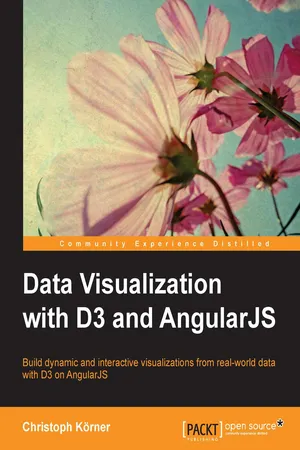
Data Visualization with D3 and AngularJS
Tools to learn more effectively

Saving Books

Keyword Search

Annotating Text

Listen to it instead
Information
Data Visualization with D3 and AngularJS
Table of Contents
Data Visualization with D3 and AngularJS
Credits
About the Author
About the Reviewers
www.PacktPub.com
Support files, eBooks, discount offers, and more
Why subscribe?
Free access for Packt account holders
Preface
What this book covers
What you need for this book
Who this book is for
Conventions
Reader feedback
Customer support
Downloading the example code
Downloading the color images of this book
Errata
Piracy
Questions
1. The Magic of SVG, D3.js, and AngularJS
Building a real-time dashboard to visualize server logs
Terminology and definitions
Document Object Model
Vector graphics and Scalable Vector Graphics
Pixel graphics
Understanding Data-Driven Documents
Why do we use D3.js?
The killer feature – data joins
Finding resources
D3.js meets AngularJS
Testable and maintainable components
Custom directives
Custom filters
Custom loading and parsing service
A brief overview of visualization tools for the Web
Java and Flash
Raphaël (JavaScript – SVG/VML)
Protovis (JavaScript – SVG)
D3.js (JavaScript – HTML/SVG)
Canvas API (JavaScript – Canvas)
Three.js (JavaScript – WebGL)
Summary
2. Getting Started with D3.js
Building a simple scatter plot application
Creating an HTML template for D3.js
Selecting and modifying DOM elements
A closer look at Selections
selection.attr(name[, value])
selection.style(name[, value[, priority]])
selection.property(name[, value])
selection.text([value])
selection.append(name)
selection.insert(name[, before])
selection.remove()
Finding elements in the DOM with Selectors
d3.select(selector)
d3.select(node)
selection.each(function)
selection.call(function[, arguments…])
Binding data to DOM elements
selection.data(values[, key])
Using dynamic properties in Selections
Tracking changes of data with data joins
selection.enter()
selection.exit()
The update pattern
Creating a simple scatter plot
Summary
3. Manipulating Data
Manipulating datasets in arrays
Built-in JavaScript array methods
array.filter(callback)
array.map(callback)
array.reduce(callback [, initialValue])
More array manipulation with D3.js
d3.min(array[, accessor])
d3.max(array[, accessor])
d3.sum(array[, accessor])
d3.mean(array[, accessor])
d3.median(array[, accessor])
d3.shuffle(array)
d3.permute(array, indexes)
d3.merge(array)
d3.range([start, ]stop[, step)
d3.zip(array, array, ...)
d3.pairs(array)
d3.keys(object)
d3.values(object)
d3.entries(object)
Grouping elements with d3.nest
Formatting numbers and dates
Specifying a number format
Types of formatting
Precision
Thousands separator
Width
Zero padding
The currency symbol
Signs
The align property
The fill option
Customizing date and time formats
Working with scales
Quantitative scales for continuous data (numbers)
scale.domain([numbers])
scale.range([numbers])
scale.clamp([boolean])
scale.nice([count])
scale.ticks([count])
scale.tickFormat(count [,specifier])
Ordinal scales for discrete data (strings)
scale.rangePoints(interval [, padding])
scale.rangeBands(interval [, padding [, outerPadding ]])
scale.rangeBand()
scale.rangeExtent()
Predefined ordinal color scales
Time scales for time data (date and time)
All about axes
Drawing the axis
Adding axes to the scatter chart
Summary
4. Building a Chart Directive
Setting up an AngularJS application
Organizing the directory
Installing AngularJS
Bootstrapping the index file
Adding a module and a controller
Integrating D3.js into AngularJS
Organizing the directory
Wrapping D3.js
A chart directive
A directive for SVG
Implementing a custom compile function
Drawing charts
Axis, scale, range, and domain
Joining the data points
Advantages of directives
Generalizing the chart directive
Testing the directive
Setting up the testing environment
Getting started with Karma
Getting started with Protractor
Unit testing the chart directive
E2E testing of the chart directive
Summary
5. Loading and Parsing Data
Loading external data
XHR – the native XMLHttpRequest
d3.xhr – the XHR wrapper of D3.js
Useful wrappers for common file types
Creating a simple D3 data loading component
Testing the simple D3 data loading component
Summary of D3.js as a data loading service
$http – the Angular wrapper for XHR
Creating an AngularJS data loading component
Testing the AngularJS data loading component
Summary of AngularJS as a data loading service
Parsing log files to JavaScript objects
Parsing log files step by step
Parsing the custom date format to a JavaScript date
A reusable data parsing service
Testing the data parsing service
Grouping log entries
Testing the classifier
Displaying logs
Summary
6. Drawing Curves and Shapes
Common shapes and primitives
Curved lines with the SVG path
Drawing straight lines
Bézier curves
Drawing ellipses and elliptical arcs
Path generators in D3.js
Generating straight lines
Generate paths for areas
Generating arcs
Different chart types
Implementing line charts
Designing bar charts
Summary
7. Controlling Transitions and Animations
Animations
Timer in D3.js with d3.timer
Interpolation with D3.js
Easy animations with transitions
Staggered transitions
Chaining transitions
Creating plausible transitions
Interpolate anything with tweens
Realistic animations with easing
Transitions in charts
Summary
8. Bringing the Chart to Life with Interactions
Listen for events
Type of Events
Getting event coordinates
Cursors
A simple cursor
Snappy cursors
Labeling the cursor position
Customizing events in D3.js
Displaying self-updating cursor values
Zooming and panning
A simple zoom
An x axis zoom
Interactive filters
Advanced filtering using brushes
Creating a simple brush
Building a custom date filter directive
Summary
9. Building a Real-time Visualization to Monitor Server Logs
Building a real-time monitoring server
Setting up a Node.js application
Setting up a web server that serves static files
Adding server push with WebSockets
Reading logs and pushing them to the client
Watching files for changes
Processing and visualizing logs on the client
Bootstrapping a template with AngularJS and Socket.IO
Using Socket.IO with Angu...
Table of contents
- Data Visualization with D3 and AngularJS
Frequently asked questions
Yes, you can cancel anytime from the Subscription tab in your account settings on the Perlego website. Your subscription will stay active until the end of your current billing period. Learn how to cancel your subscription
No, books cannot be downloaded as external files, such as PDFs, for use outside of Perlego. However, you can download books within the Perlego app for offline reading on mobile or tablet. Learn how to download books offline
Perlego offers two plans: Essential and Complete
- Essential is ideal for learners and professionals who enjoy exploring a wide range of subjects. Access the Essential Library with 800,000+ trusted titles and best-sellers across business, personal growth, and the humanities. Includes unlimited reading time and Standard Read Aloud voice.
- Complete: Perfect for advanced learners and researchers needing full, unrestricted access. Unlock 1.4M+ books across hundreds of subjects, including academic and specialized titles. The Complete Plan also includes advanced features like Premium Read Aloud and Research Assistant.
We are an online textbook subscription service, where you can get access to an entire online library for less than the price of a single book per month. With over 1 million books across 990+ topics, we’ve got you covered! Learn about our mission
Look out for the read-aloud symbol on your next book to see if you can listen to it. The read-aloud tool reads text aloud for you, highlighting the text as it is being read. You can pause it, speed it up and slow it down. Learn more about Read Aloud
Yes! You can use the Perlego app on both iOS and Android devices to read anytime, anywhere — even offline. Perfect for commutes or when you’re on the go.
Please note we cannot support devices running on iOS 13 and Android 7 or earlier. Learn more about using the app
Please note we cannot support devices running on iOS 13 and Android 7 or earlier. Learn more about using the app
Yes, you can access Data Visualization with D3 and AngularJS by Christoph Korner in PDF and/or ePUB format, as well as other popular books in Computer Science & Data Modelling & Design. We have over one million books available in our catalogue for you to explore.