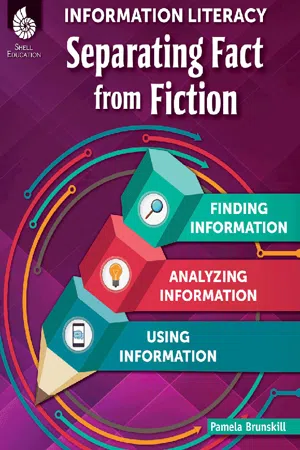
People today live in a world of information overload. Each day, information is shared from countless sources through numerous devices. Learning how to handle this onslaught of information has become a vital task for everyone. By the time they reach upper elementary school, most students are using smart phones, tablets and computers to access social media, video websites, online forums, wikis, blogs, and interactive digital games. Students need guidance on how to analyze online information sources, critically think about the content, and apply it to their decision-making. This essential professional resource includes everything that teachers need to help students achieve digital literacy, and includes activities and easy-to-use templates to support teachers as they teach the key skills of analyzing and understanding online information. This book by Sara Armstrong and Pamela Brunskill consists of three sections: Finding Information, Analyzing Information, and Using Information. The topics covered include: an introduction to information literacy; search techniques and strategies; asking and answering good questions; thinking visually; organizing information; online civic reasoning; analyzing online sources; using technology to teach; project-based learning with technology. With the amount of online information sources increasing exponentially, this book will equip teachers with the tools they need to help their students become global citizens and 21st century thinkers.
- 202 pages
- English
- PDF
- Available on iOS & Android
eBook - PDF
About this book
Table of contents
- Cover
- Credits
- Page 3 - Table of Contents
- Page 4 - Table of Contents Cont.
- Page 5 - Foreword
- Page 9 - Introduction
- Page 14 - Information in Daily Lives
- Page 16 - Information in Schools
- Page 20 - Activity 1: Communication Time Line
- Page 23 - Activity 2: Information Then & Now
- Page 26 - Activity 3: Library Linkup
- Page 31 - Searching Suggestions
- Page 32 - Additional Searching Tips
- Page 33 - Using Google’s Searching Power
- Page 34 - Alternatives to Google
- Page 37 - Activity 4: Practicing Searching Techniques
- Page 41 - Activity 5: Word Study
- Page 46 - Essential Questions
- Page 49 - Educational Strategies for Questioning
- Page 55 - Activity 6: Writing Critical Questions
- Page 60 - Activity 7: What Is the Question?
- Page 64 - Activity 8: What Do They Really Mean?
- Page 67 - Parallel Processes
- Page 68 - Images on the Brain
- Page 70 - Sources of Visual Images
- Page 72 - Activity 9: Advertising—Pictures and Words
- Page 75 - Activity 10: Article Images
- Page 78 - Activity 11: Video Humor
- Page 81 - Activity 12: What Do You Do?
- Page 85 - Activity 13: Advertisements
- Page 92 - Graphic Organizers
- Page 96 - Teaching with Graphic Organizers
- Page 98 - Activity 14: Graphic Organizers
- Page 100 - Activity 15: Storyboards
- Page 102 - Analyzing Student Reasoning
- Page 103 - Evaluating News Information
- Page 111 - Fighting Fake News
- Page 112 - Activity 16: Snap Decisions
- Page 118 - Activity 17: If It’s On the Web, It Must Be True
- Page 123 - Activity 18: Evaluating News
- Page 128 - Key Things to Know about Copyright
- Page 129 - Public Domain
- Page 130 - Fair Use
- Page 132 - Creative Commons
- Page 133 - Copyright and Fair Use for Educators
- Page 135 - Teacher Activity 1: The Copyright Quiz
- Page 142 - Importance of Citing Sources
- Page 144 - Activity 19: Student Copyright Scenarios
- Page 147 - Activity 20: Who You Gonna Call?
- Page 150 - Activity 21: Citing Sources
- Page 160 - Library of Congress
- Page 161 - Using Primary Sources in the Classroom
- Page 168 - Activity 22: Analyzing Primary Sources
- Page 170 - Online Interactions
- Page 171 - Cyber Safety and Cyberbullying
- Page 172 - Focus on Writing Online
- Page 175 - Educational Apps
- Page 176 - Podcasts
- Page 176 - Social Media
- Page 178 - Teacher Activity 2: Online Tools
- Page 179 - Project Design
- Page 182 - Project Assessment
- Page 184 - Activity 23: Creating Project Based Learning Rubrics
- Page 188 - Activity 24: Developing a Project Based Learning Project
- Page 191 - Appendix A: References Cited
- Page 194 - Appendix B: Teacher Resources and Digital Resources
- Page 199 - Appendix C: Acknowledgments
- Thank You Page
Trusted by 375,005 students
Access to over 1.5 million titles for a fair monthly price.
Study more efficiently using our study tools.
Information
Publisher
Shell EducationEdition
1Year
2017Print ISBN
9781425817565
Subtopic
Education Teaching MethodseBook ISBN
9781425825881
Frequently asked questions
Yes, you can cancel anytime from the Subscription tab in your account settings on the Perlego website. Your subscription will stay active until the end of your current billing period. Learn how to cancel your subscription
No, books cannot be downloaded as external files, such as PDFs, for use outside of Perlego. However, you can download books within the Perlego app for offline reading on mobile or tablet. Learn how to download books offline
Perlego offers two plans: Essential and Complete
- Essential is ideal for learners and professionals who enjoy exploring a wide range of subjects. Access the Essential Library with 800,000+ trusted titles and best-sellers across business, personal growth, and the humanities. Includes unlimited reading time and Standard Read Aloud voice.
- Complete: Perfect for advanced learners and researchers needing full, unrestricted access. Unlock 1.5M+ books across hundreds of subjects, including academic and specialized titles. The Complete Plan also includes advanced features like Premium Read Aloud and Research Assistant.
We are an online textbook subscription service, where you can get access to an entire online library for less than the price of a single book per month. With over 1.5 million books across 990+ topics, we’ve got you covered! Learn about our mission
Look out for the read-aloud symbol on your next book to see if you can listen to it. The read-aloud tool reads text aloud for you, highlighting the text as it is being read. You can pause it, speed it up and slow it down. Learn more about Read Aloud
Yes! You can use the Perlego app on both iOS and Android devices to read anytime, anywhere — even offline. Perfect for commutes or when you’re on the go.
Please note we cannot support devices running on iOS 13 and Android 7 or earlier. Learn more about using the app
Please note we cannot support devices running on iOS 13 and Android 7 or earlier. Learn more about using the app
Yes, you can access Information Literacy by Sara Armstrong,Pamela Brunskill in PDF and/or ePUB format. We have over 1.5 million books available in our catalogue for you to explore.