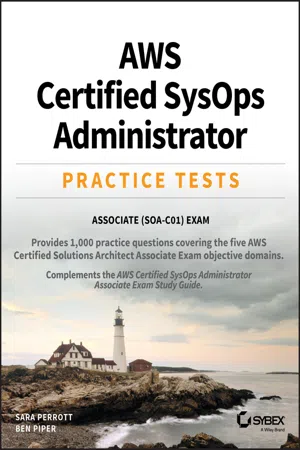
AWS Certified SysOps Administrator Practice Tests
Associate SOA-C01 Exam
- English
- ePUB (mobile friendly)
- Available on iOS & Android
About this book
Study and prepare for the AWS Certified SysOps Administrator Associate (SOA-C01) Exam
You can prepare for test success with AWS Certified SysOps Administrator Practice Tests: Associate (SOA-C01) Exam. It provides a total of 1, 000 practice questions that get you ready for the exam. The majority of questions are found within seven practice tests, which correspond to the seven AWS Certified SysOps Administrator Associate SOA-C01 Exam objective domains. Additionally, you can take advantage of an extra practice exam, or utilize an online test bank as an additional study resource.
Practice tests allow you to demonstrate your knowledge and ability to:
- Deploy, manage, and operate scalable and fault-tolerant systems on the service
- Implement and control data flow as it goes to and from AWS
- Choose the right AWS service depending upon requirements
- Identify the proper use of AWS best practices during operations
- Estimate AWS costs and pinpoint cost controls
- Migrate workloads to Amazon Web Services
As someone working to deliver cloud-based solutions, you can earn an AWS Certification to demonstrate your expertise with the technology. The certification program recognizes proficiency in technical skills and knowledge related to best practices for building cloud-based applications with AWS.
Tools to learn more effectively

Saving Books

Keyword Search

Annotating Text

Listen to it instead
Information
Domain 1
Monitoring and Reporting
- You are a system administrator and you need to view the metrics that are available in the Amazon EC2 instance namespace. What command can you type into the Amazon CLI?
- aws cloudwatch list-instances --namespace AWS/EC2
- aws cloudwatch list-metrics --name AWS/EC2
- aws cloudwatch list-metrics --namespace AWS/EC2
- aws cloudwatch list-instances --name AWS/EC2
- Where can you look up metrics that are available in Amazon CloudWatch?
- EC2 Console
- CloudWatch Console
- CloudTrail Console
- Trusted Advisor Console
- How can you access Amazon CloudWatch?
- Amazon CloudWatch Console
- AWS CLI
- CloudWatch API
- All of the above
- Which service can use Amazon CloudWatch alarms to increase or decrease capacity based on compute load (CPU utilization, etc.)?
- AWS Lambda
- Amazon S3
- Amazon EC2 Auto Scaling
- Amazon VPC
- Which of the following are valid alarm states for Amazon CloudWatch? (Choose three.)
- ALARM
- OK
- READY
- INSUFFICIENT_DATA
- OFFLINE
- WARNING
- You have been asked to create Amazon CloudWatch alarms for each of your organization’s 600 servers, which all reside within the same region. Assuming you create five alarms per server, will you be able to create alarms for each of the servers?
- Yes, because the limit is 5000 alarms per region.
- Yes, because the limit is 3500 alarms per region.
- Yes, because the limit is 10,000 alarms per region.
- No, you can’t create that many alarms in a single region.
- You are a system administrator at your company, and you have been asked to check why an existing Amazon CloudWatch alarm is showing INSUFFICIENT_DATA for one of your established servers. What is the best explanation for why this is occurring?
- CloudWatch is experiencing an outage.
- Not enough data is available for the metric to determine whether it should be OK or ALARM.
- The alarm has only just been started, so it doesn’t have enough data to determine if the state should be OK or ALARM.
- The server is offline so no metrics are available.
- You are a system administrator at your company, and you have been asked to check why a new Amazon CloudWatch alarm is showing INSUFFICIENT_DATA for one of your established servers. What is the best explanation for why this is occurring?
- CloudWatch is experiencing an outage.
- Not enough data is available for the metric to determine whether it should be OK or ALARM.
- The alarm has only just been started, so it doesn’t have enough data to determine if the state should be OK or ALARM.
- The server is offline so no metrics are available.
- Your bosses have come to you and have asked you if there is a way for them to get real-time notifications if a certain Amazon CloudWatch alarm is triggered. What should your bosses do to ensure that they can get real-time notifications? The answer should minimize administrative overhead.
- Subscribe to an SNS topic that will send an SMS text message when the Amazon CloudWatch alarm is triggered.
- Write a custom AWS Lambda function that will send an email when the Amazon CloudWatch alarm is triggered.
- Use an SQS queue to deliver messages when an Amazon CloudWatch alarm is triggered.
- Use a third-party solution to send notifications via SMS text message when an Amazon CloudWatch alarm is triggered.
- You need to set up an Amazon CloudWatch alarm that will trigger after four failed evaluations of the alarm metrics in a 5-minute period. What do you need to set the evaluation period and the data points to alarm to so that you get the desired result?
- Data points to alarm should be set to 5. Evaluation period should be set to 1 minute.
- Data points to alarm should be set to 4. Evaluation period should be set to 5 minutes.
- Data points to alarm should be set to 5. Evaluation period should be set to 5 minutes.
- Data points to alarm should be set to 4. Evaluation period should be set to 1 minute.
- Your boss has asked you to ensure that the 5-minute data points from CloudWatch ...
Table of contents
- Cover
- Title Page
- Copyright
- Acknowledgments
- About the Authors
- About the Technical Editor
- Introduction
- Domain 1 Monitoring and Reporting
- Domain 2 High Availability
- Domain 3 Deployment and Provisioning
- Domain 4 Storage and Data Management
- Domain 5 Security and Compliance
- Domain 6 Networking
- Domain 7 Automation and Optimization
- Domain 8 Practice Test
- Appendix Answers to Practice Tests
- Index
- End User License Agreement
Frequently asked questions
- Essential is ideal for learners and professionals who enjoy exploring a wide range of subjects. Access the Essential Library with 800,000+ trusted titles and best-sellers across business, personal growth, and the humanities. Includes unlimited reading time and Standard Read Aloud voice.
- Complete: Perfect for advanced learners and researchers needing full, unrestricted access. Unlock 1.4M+ books across hundreds of subjects, including academic and specialized titles. The Complete Plan also includes advanced features like Premium Read Aloud and Research Assistant.
Please note we cannot support devices running on iOS 13 and Android 7 or earlier. Learn more about using the app