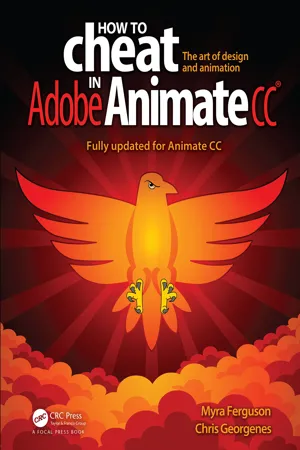
How to Cheat in Adobe Animate CC
eBook - ePub

How to Cheat in Adobe Animate CC

  1. 411 pages
  2. English
  3. ePUB (mobile friendly)
  4. Available on iOS & Android
eBook - ePub

How to Cheat in Adobe Animate CC

About this book

Would you rather take months to learn every tool, every feature, and every concept in Adobe Animate or start right now making your own creations with just a few steps? Myra Ferguson is teaming up with Chris Georgenes to help you create great animation, bring objects to life with cool motion effects, and enhance your productivity in Animate CC!

How to Cheat in Adobe Animate CC is a goldmine of artistic inspiration, time-saving practical tips, and step-by-step walkthroughs. Let your sasquatch sunbathe, your coyote howl, and your lint spider see the light of day. With real-world projects and project source files, you can follow along and try for yourself. This book includes all NEW content and cheats for Animate CC, such as making cinemagraphs, creating a double exposure effect, speeding up the process of making real life doodles, simulating a bokeh effect, converting your documents to HTML5, and more.

Key Features

• Glimpse into the workflow of digital media and animation experts and apply practical techniques and tips to your own projects with source files, examples, and tutorials.

• Learn a myriad of tricks based on real-life working methods to help you work faster and more efficiently with new features in Adobe Animate CC and the Creative Cloud.

• Work from the problem to the solution to gain the best possible results from Animate.
Frequently asked questions

Yes, you can cancel anytime from the Subscription tab in your account settings on the Perlego website. Your subscription will stay active until the end of your current billing period. Learn how to cancel your subscription.
At the moment all of our mobile-responsive ePub books are available to download via the app. Most of our PDFs are also available to download and we're working on making the final remaining ones downloadable now. Learn more here.
Perlego offers two plans: Essential and Complete
  • Essential is ideal for learners and professionals who enjoy exploring a wide range of subjects. Access the Essential Library with 800,000+ trusted titles and best-sellers across business, personal growth, and the humanities. Includes unlimited reading time and Standard Read Aloud voice.
  • Complete: Perfect for advanced learners and researchers needing full, unrestricted access. Unlock 1.4M+ books across hundreds of subjects, including academic and specialized titles. The Complete Plan also includes advanced features like Premium Read Aloud and Research Assistant.
Both plans are available with monthly, semester, or annual billing cycles.
We are an online textbook subscription service, where you can get access to an entire online library for less than the price of a single book per month. With over 1 million books across 1000+ topics, we’ve got you covered! Learn more here.
Look out for the read-aloud symbol on your next book to see if you can listen to it. The read-aloud tool reads text aloud for you, highlighting the text as it is being read. You can pause it, speed it up and slow it down. Learn more here.
Yes! You can use the Perlego app on both iOS or Android devices to read anytime, anywhere — even offline. Perfect for commutes or when you’re on the go.
Please note we cannot support devices running on iOS 13 and Android 7 or earlier. Learn more about using the app.
Yes, you can access How to Cheat in Adobe Animate CC by Myra Ferguson,Chris Georgenes in PDF and/or ePUB format, as well as other popular books in Computer Science & Programming Games. We have over one million books available in our catalogue for you to explore.

Information

1
What’s New in Animate CC
image
◼ Rewritten, renamed, and now released, Adobe Animate CC offers tons of new tools and output options for animators, designers, and interactive developers. Animate CC has everything you loved about Flash Professional and more, and it keeps getting better. Find a renewed sense of creativity with Animate CC.
A CLOSER LOOK AT ADOBE ANIMATE CC REVEALS SO MUCH MORE than just a name change from Flash Professional. The release of Animate CC in February 2016 delivered a smorgasbord of new drawing tools, improvements to existing tools, integration with the Creative Cloud, and a cornucopia of output options. The frequent updates through the Creative Cloud also served up some goodies since How to Cheat in Adobe Flash CC® was written, and Adobe keeps bringing out more. As the Animate team continues to produce, this list just keeps growing. So let’s highlight some of the most significant additions and dig in!
Vector Art Brushes
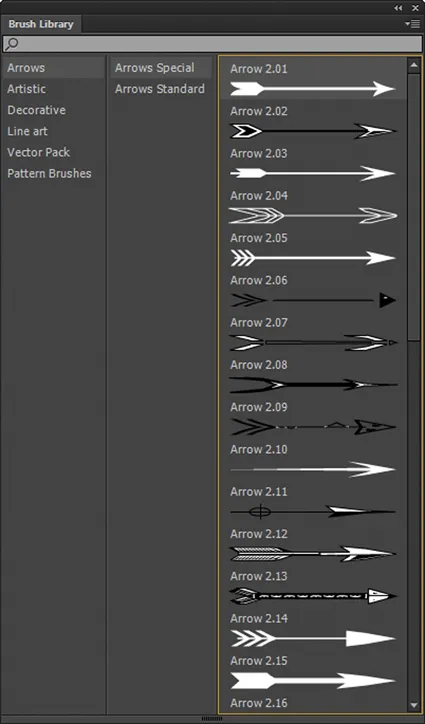
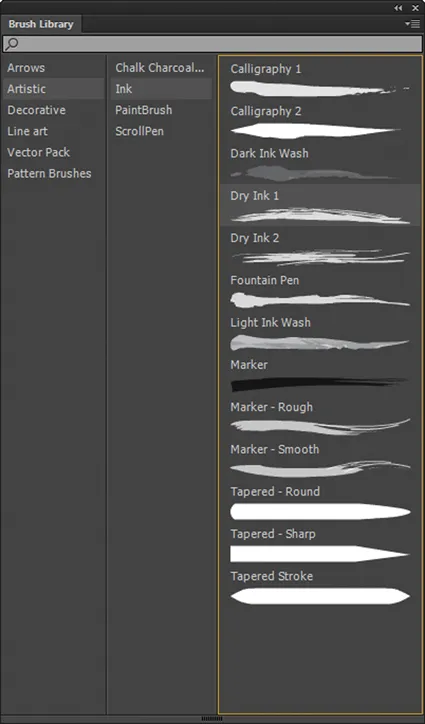
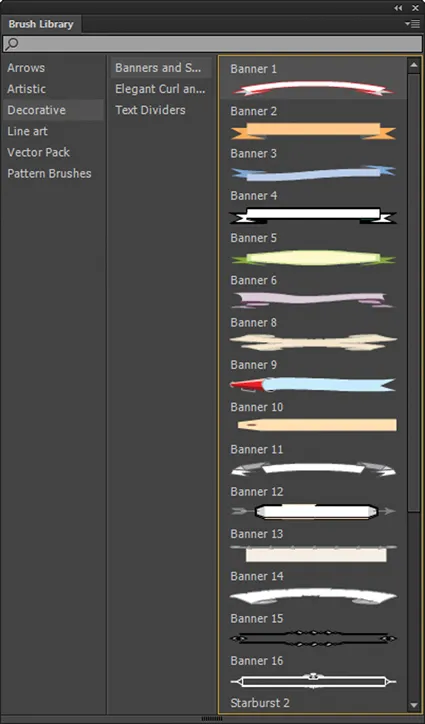
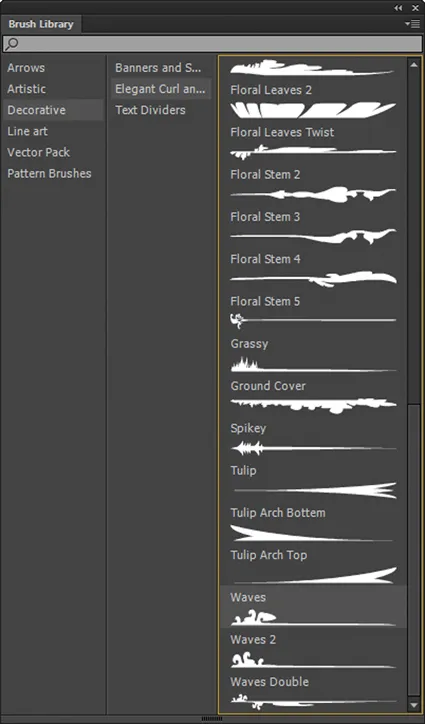
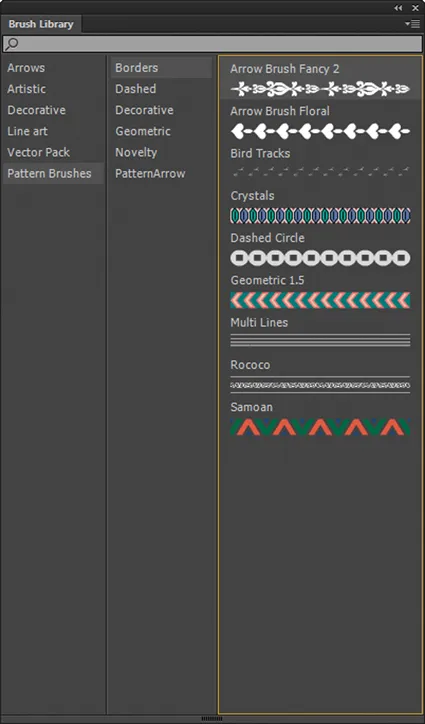
SIMILAR TO Art Brushes in Illustrator, the new vector art brushes in Animate open up a world of creativity by applying a vector shape to a path. Use them to access specific shapes to be applied to a custom stroke, to re-create the appearance of various mediums, to generate banners or dividers, or to imagine your own creative uses.
  1. Animate comes with several styles of vector art brushes ready for use that include arrows, simulated artistic mediums, banners, and all sorts of shapes and patterns.
    image
    image
    image
    image
    image
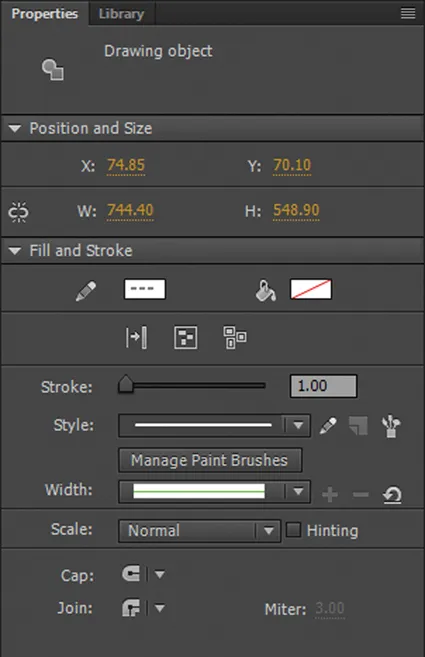
  2. The vector brushes are available with any tool that draws a stroke with the exception of the Pencil Tool Shift Y. A handy way to remember is to look for the Brush Library button in the Property panel. It will be active only for these tools.
    image
  3. Even though the brushes aren’t initially available with the Pencil Tool, you can modify a stroke after drawing it. Select one or more strokes with the Selection Tool, click the Brush Library button to open that panel, and choose a style to apply a vector art brush to your selection. Adjust the width of the stroke as needed in the Properties panel.
    image
    image
    image
  4. If you want to draw with the vector art brushes, use the new Paint Brush Tool Y.
    image
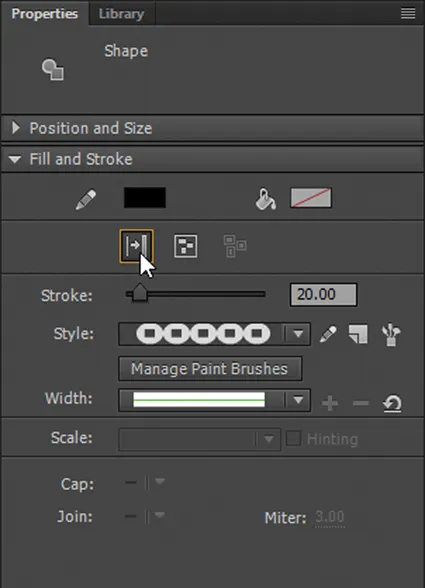
  5. Whatever tool you choose to apply your vector art brush and whichever brush you apply, consider using Expand to Fill. It converts your editable stroke to a fill, which can no longer be changed through the style drop-down menu, but you’ll see a noticeable improvement in performance.
    image
360° Rotatable Canvas
The drawing tools in Animate make it a go-to app for artists, especially those who use it for hand-drawing with a Wacom tablet. One adjustment that was previously needed when going from a traditional drawing medium to digital was a way to rotate the canvas to compensate for the angle of the artist’s hand. Now Animate CC offers a 360° rotatable canvas.
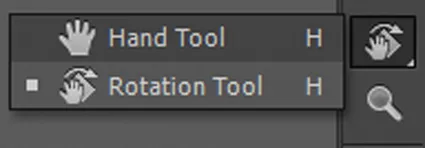
  1. Click the Rotation Tool H which is grouped with the Hand Tool H in Tools.
    image
  2. A large ...

Table of contents

  1. Title Page
  2. Copyright Page
  3. Table of Contents
  4. Foreword
  5. Acknowledgments
  6. About Using This Book: A Cheat Sheet for You
  7. Introduction
  8. 1 What’s New in Animate CC
  9. 2 Design Styles
  10. 3 Transformation and Distortion
  11. 5 Motion Techniques
  12. 6 Character Animation
  13. 7 Animation Examples
  14. 8 Working with Sound
  15. 9 Output Options
  16. 10 Interactivity
  17. Index