Introduction to SolidWorks
eBook - ePub

Introduction to SolidWorks

A Comprehensive Guide with Applications in 3D Printing

  1. 1,165 pages
  2. English
  3. ePUB (mobile friendly)
  4. Available on iOS & Android
eBook - ePub

Introduction to SolidWorks

A Comprehensive Guide with Applications in 3D Printing

About this book

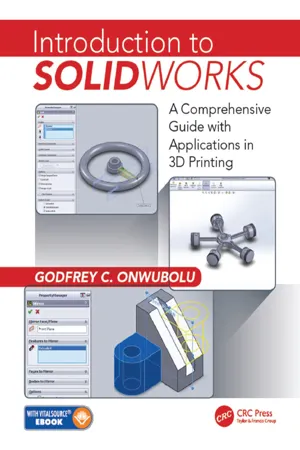
This senior undergraduate level textbook is written for Advanced Manufacturing, Additive Manufacturing, as well as CAD/CAM courses. Its goal is to assist students in colleges and universities, designers, engineers, and professionals interested in using SolidWorks as the design and 3D printing tool for emerging manufacturing technology for practical applications. This textbook will bring a new dimension to SolidWorks by introducing readers to the role of SolidWorks in the relatively new manufacturing paradigm shift, known as 3D-Printing which is based on Additive Manufacturing (AM) technology.

This new textbook:

  • Features modeling of complex parts and surfaces
  • Provides a step-by-step tutorial type approach with pictures showing how to model using SolidWorks
  • Offers a user-Friendly approach for the design of parts, assemblies, and drawings, motion-analysis, and FEA topics
  • Includes clarification of connections between SolidWorks and 3D-Printing based on Additive Manufacturing
  • Discusses a clear presentation of Additive Manufacturing for Designers using SolidWorks CAD software

"Introduction to SolidWorks: A Comprehensive Guide with Applications in 3D Printing" is written using a hands-on approach which includes a significant number of pictorial descriptions of the steps that a student should follow to model parts, assemble parts, and produce drawings.

Frequently asked questions

Yes, you can cancel anytime from the Subscription tab in your account settings on the Perlego website. Your subscription will stay active until the end of your current billing period. Learn how to cancel your subscription.
At the moment all of our mobile-responsive ePub books are available to download via the app. Most of our PDFs are also available to download and we're working on making the final remaining ones downloadable now. Learn more here.
Perlego offers two plans: Essential and Complete
  • Essential is ideal for learners and professionals who enjoy exploring a wide range of subjects. Access the Essential Library with 800,000+ trusted titles and best-sellers across business, personal growth, and the humanities. Includes unlimited reading time and Standard Read Aloud voice.
  • Complete: Perfect for advanced learners and researchers needing full, unrestricted access. Unlock 1.4M+ books across hundreds of subjects, including academic and specialized titles. The Complete Plan also includes advanced features like Premium Read Aloud and Research Assistant.
Both plans are available with monthly, semester, or annual billing cycles.
We are an online textbook subscription service, where you can get access to an entire online library for less than the price of a single book per month. With over 1 million books across 1000+ topics, we’ve got you covered! Learn more here.
Look out for the read-aloud symbol on your next book to see if you can listen to it. The read-aloud tool reads text aloud for you, highlighting the text as it is being read. You can pause it, speed it up and slow it down. Learn more here.
Yes! You can use the Perlego app on both iOS or Android devices to read anytime, anywhere — even offline. Perfect for commutes or when you’re on the go.
Please note we cannot support devices running on iOS 13 and Android 7 or earlier. Learn more about using the app.
Yes, you can access Introduction to SolidWorks by Godfrey C. Onwubolu in PDF and/or ePUB format, as well as other popular books in Technology & Engineering & Industrial Design. We have over one million books available in our catalogue for you to explore.
SECTION III
Engineering Design Practice with SolidWorks

17

Mold Design

Objectives:
When you complete this chapter, you will have learned the following:
• The terminology and concepts of Draft, Parting Line, Draft Analysis, Shut-Off Surfaces, Parting Surface, and Tooling Split used in mold design
• How to create Parting Line
• How to create Parting Surface
• How to carry out Tooling Split and create cavity and core blocks for injection molds

Mold Design Background

Mold design is a special area of manufacturing processes that considers the process for creating the lowerand upper-half of the mold that is required for producing forged, cast, and plastic parts. Due to its specialty, there is very limited information that is available for a proven methodology using the automated software approach. Mold design is one of the important applications of SolidWorks. The earlier versions of SolidWorks followed a long-winded approach, but the most recent versions of SolidWorks are quite effective in handling a reasonably good number of mold designs. The SolidWorks Mold Tools are available to help users create cavity and core blocks for injection molds. They do not provide libraries for building the entire mold or mold components. The most recent versions of SolidWorks offer significant enhancements in mold design, and these enhancements are covered in this book.
It is a known fact that the Parting Surface in SolidWorks works best on planar parting lines that are convex throughout the part and that mold designers have to create their Parting Surfaces for 70% or more of the involvement in mold design. To put in different words, SolidWorks Mold Tools are not reliable for concave parting lines/surfaces or nonplanar lines/surfaces, which are commonly encountered in complex parts. It is important to note some of the limitations of SolidWorks in mold design. SolidWorks Mold Tools are semiautomated tools. It should helpful to know that creating a moderately complex mold requires some level of manual intervention to get the SolidWorks Mold Tools to deliver reasonably usable results. Several experienced mold designers tend to use different techniques, ranging from cutting away bits of solids, to utilizing surface modeling, to using about 80% Mold Tools techniques, and the rest, manual surfacing.
The remaining part of this chapter presents the application of SolidWorks to mold design. The prerequisite is that the part for which the mold design is to be carried out should have already been modeled. Let us now follow step by step the method that is used in SolidWorks Mold Tools for designing a mold, and we will use the basin, pulley, bowl, plastic cover, and sump parts that we h...

Table of contents

  1. Cover
  2. Half Title
  3. Title Page
  4. Copyright Page
  5. Dedication
  6. Table of Contents
  7. Preface
  8. Acknowledgments
  9. Author
  10. Section I Introductory Engineering Design Principles with SolidWorks
  11. Section II Intermediate Engineering Design Principles with SolidWorks
  12. Section III Engineering Design Practice with SolidWorks
  13. Section IV Introductory 3D Printing
  14. Index