Compiled by Duncan Evans, founder and inspiration behind 3DArtist Magazine. The Masters at Work titles will offer digital inspiration with hands-on insight and techniques from professional digital artists. More than just a gallery book - each artist has written a breakdown overview, with supporting imagery of how they made their piece of work. Start your mentorship into the world of digital art today with some of the greatest digital artists in the world and delve into professional techiques. We are asking you to comment on the series itself and then the first title in the series. The first title in the series will focus on 3D Landscapes. You will be able to develop your landscape and background skills beyond the variety of free online tutorials and apply the most up to date techniques, like colour and contrast enhancements, sharpening, composition, lighting and more! Expand your digital canvas to include a variety of new software tools with Masters at Work: 3D Landscapes. There will be a supporting website with source files, downloadable content and artist tutorials, demonstrating key techniques of some of the greatest digital artists.
eBook - ePub
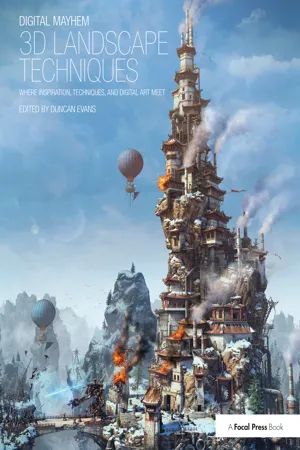
Digital Mayhem 3D Landscape Techniques
Where Inspiration, Techniques and Digital Art Meet
- 246 pages
- English
- ePUB (mobile friendly)
- Available on iOS & Android
eBook - ePub
Digital Mayhem 3D Landscape Techniques
Where Inspiration, Techniques and Digital Art Meet
About this book
Information
1
SECTION 1: PREVIZ FOR LANDSCAPES
Before starting scene construction with your choice of software there are some basic concepts that need to be considered. These include composition and camera lenses, depth of field and lighting models. They also include deciding what software you’re going to actually use for your 3D landscapes. This then is the previz section, the stuff you need to know about before starting out on a scene, or, if you already do, things that are worth considering when you’re building a brave new world.
16 Software choices – all the apps that are worth using for 3D landscapes
18 Composition – how to arrange the elements in an image more effectively
20 Render camera lenses – what effects focal lengths and field of view have
22 Depth-of-field – just because it’s 3D doesn’t mean everything always has to be sharp
24 Lighting models – different lighting types and atmospheric models affect realism and render times
28 Close-up work – sometimes the near view can work as well as the sweeping vista
30 Black and white styles – colour isn’t everything but mono has its own rulebook
CHAPTER 1: SOFTWARE CHOICES
SOFTWARE CHOICES
There’s a handsome selection of 3D packages you can use for landscape creation, each with their own strengths and weaknesses.
There are two types of landscape creation package and which one you use really depends on what you are creating landscapes for: as a hobby, as art or for commercial use. There’s the standard system where, although you can buy in plenty of models, you are expected to model most of the scene yourself. Needless to say this is the more painstaking and longer route. One advantage is precision and complete control and for this reason it tends to suit arch-viz projects or one-off scenes. One of the other advantages is because the software package itself is so configurable that it can easily fit into an existing studio pipeline. For the newcomer to the genre though, the disadvantages are numerous, not least the time required. This is where the specialist landscape creation program comes in. With this it’s much easier to sculpt or design the landscape and populate it with thousands of trees. There’s also some cross-over where packages can use instancing, or ecosystems. Here a type of flora is assigned to the system, and the instances are spread over the terrain. It’s down to the software to position and render them where the instances are. It’s a much faster system for creating dense forests or acres of grass, but not all systems support this.
Autodesk 3ds Max
While you will see some landscapes created with 3ds Max, it’s usually as a student project, involves other features like houses or, and more commonly, is in fact an arch-viz scene so the landscape is more of a background feature. Max is a very complex, industry standard and as such it’s well used, but not really in animation or game environments. It also carries a commercial price tag and, while there are trial versions and educational discounts, it’s only worth learning if you are looking for a job in architecture and visualisation.
Autodesk Maya
The role of Maya in TV and film is well documented – it’s the software of choice for big budget visual effect studios. As such its primary role is in animation rather than static imagery, though it can be used for scenes equally well. Maya is often the centrepiece of a studio pipeline that involves other apps or custom-built elements. The overall learning curve for Maya is very steep, often leading to users having specialisation in key areas. For a career in TV/film, Maya is clearly the number one choice and as such also has the studio-orientated price tag.
Maxon CINEMA 4D
Popular with studios creating work for TV such as advertising logos as well as visual effects for programmes and animations. Uses an instancing system for landscape population and has scaled pricing according to the version – each is designed for the separate markets. Also used extensively in architectural visualisation, particularly in Europe. Is easier to learn and use than either Maya or Max.
INFO
Website: www.autodesk.com
Price: from $3495/£3421.25
Best for: Architectural visualisation, industrial product design
Format: Windows XP/Vista/7
INFO
Website: www.autodesk.com
Price: from $3495/£3507.50
Best for: Big budget film/TV, animation
Format: Linux, Windows XP/Vista/7, Mac

INFO
Website: www.maxon.net
Price: $995–$3695/£780–£2800
Best for: TV/film, advertising, architecture, animation, hobbyist
Format: Windows XP/Vista/7, Mac
INFO
Website: www.newtek.com
Price: $1495
Best for: TV/film
Format: Windows 32-bit, 64-bit, Mac

INFO
Website: www.daz3d.com
Price: Standard $149.95, Pro $549.99
Best for: Hobbyist
Format: Windows XP/Vista/7, Mac
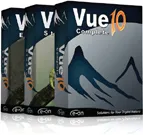
INFO
Website: www.e-onsoftware.com/
Price: $199–$1495/£166–£1250 +VAT
Best for: TV/film, animation, hobbyist
Format: Windows XP/Vista/7, Intel Mac
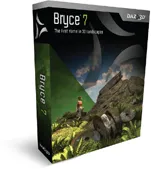
INFO
Website: www.daz3d.com
Price: $75/£55.75
Best for: Hobbyist
Format: Windows 2000/NT4/XP/Vista/7, Intel or PowerPC Mac
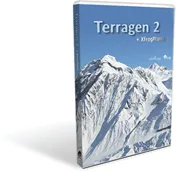
INFO
Website: www.planetside.co.uk
Price: Free, $199–$699
Best for: Specialist TV/film, animation, hobbyist
Format: Format: Windows XP, Vista, 7, 8 (32-bit and 64-bit), Intel Mac
TOP TIP
Many of these packages come with light or personal editions where you can download the software for free to try it out, the limitation being on the final output size. There are also demo and time-limi...
Table of contents
- Cover
- Half Title
- Copyright Page
- Title Page
- Dedication
- Table of Contents
- Section 1 – Previz For Landscapes
- Section 2 – Landscape Masters at Work
- Section 3 – Post Production Editing
- Resources
- Acknowledgements
- Index
Trusted by 375,005 students
Access to over 1.5 million titles for a fair monthly price.
Study more efficiently using our study tools.
Frequently asked questions
Yes, you can cancel anytime from the Subscription tab in your account settings on the Perlego website. Your subscription will stay active until the end of your current billing period. Learn how to cancel your subscription
No, books cannot be downloaded as external files, such as PDFs, for use outside of Perlego. However, you can download books within the Perlego app for offline reading on mobile or tablet. Learn how to download books offline
Perlego offers two plans: Essential and Complete
- Essential is ideal for learners and professionals who enjoy exploring a wide range of subjects. Access the Essential Library with 800,000+ trusted titles and best-sellers across business, personal growth, and the humanities. Includes unlimited reading time and Standard Read Aloud voice.
- Complete: Perfect for advanced learners and researchers needing full, unrestricted access. Unlock 1.5M+ books across hundreds of subjects, including academic and specialized titles. The Complete Plan also includes advanced features like Premium Read Aloud and Research Assistant.
We are an online textbook subscription service, where you can get access to an entire online library for less than the price of a single book per month. With over 1.5 million books across 990+ topics, we’ve got you covered! Learn about our mission
Look out for the read-aloud symbol on your next book to see if you can listen to it. The read-aloud tool reads text aloud for you, highlighting the text as it is being read. You can pause it, speed it up and slow it down. Learn more about Read Aloud
Yes! You can use the Perlego app on both iOS and Android devices to read anytime, anywhere — even offline. Perfect for commutes or when you’re on the go.
Please note we cannot support devices running on iOS 13 and Android 7 or earlier. Learn more about using the app
Please note we cannot support devices running on iOS 13 and Android 7 or earlier. Learn more about using the app
Yes, you can access Digital Mayhem 3D Landscape Techniques by Duncan Evans in PDF and/or ePUB format, as well as other popular books in Art & Art General. We have over 1.5 million books available in our catalogue for you to explore.