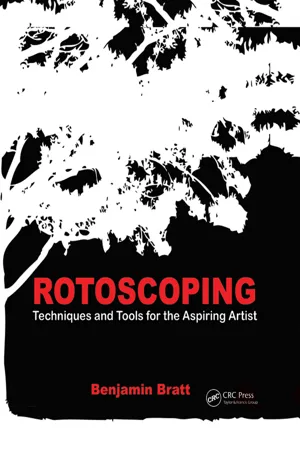
Master what it takes to make your rotoscoping and digital painting blend seamlessly into each shot. Through illustrious four color presentation, the book features step-by-step instruction on the artistic techniques of rotoscoping and digital painting with lessons on:
*Articulate mattes
*Digital paint in moving footage
*Motion tracking
*Advanced rotoscoping and digital paint techniques, and much more
It also features practical insight on the subject and industry, delving into:
*The history and evolution of rotoscoping and the role of the rotoscoper
*A typical day in the life of a rotoscoper
*How to get a job as a rotoscoper
- 287 pages
- English
- ePUB (mobile friendly)
- Available on iOS & Android
eBook - ePub
About this book
Information
1
ORIGINS OF ROTO
1.1 Origins of Roto
In 1917, a cel animation house called Fleischer Studios, based in New York, was approved for a patent. The newly official machine had been in use for several years, to great success, to create the Out of the Inkwell series. They called this machine the Rotoscope.
With this device, Fleischer Studios went on to produce more than a few notable cartoons and characters. The more significant of their creations were Koko the Clown, Betty Boop, and Popeye the Sailor. They were also responsible (in conjunction with Famous Studios) for the well-known Superman cartoons released in the early 1940s.
The Rotoscope consisted of a camera mounted behind an animation desk, projecting film footage onto a slate of frosted glass. The animator would trace the frames of live action onto paper. A system of pulleys allowed the animator to advance the film, frame by frame. Once the artist had completed the animation, the reams of paper the artist produced would be traced onto clear animation cels and painted accordingly.
The innovation of the Rotoscope was the opportunity to study human movement within the medium of cel animation. Before this device was invented, animators would take great care to accumulate references for their shots. These references ranged from photographs and projected film footage to acting out the movements themselves in front of a mirror. This reference material, though helpful, still had to be communicated from memory to paper. With the Rotoscope, an animator could emulate the subtlety of human movement as it was taken directly from the subject of his or her animation.
Along with the Rotoscope, the artists at Fleischer pioneered the practice of having the lead animator draw the “key” poses while a subordinate artist filled in the in-between animation. This practice is still used by modern 2D animation studios.

Rotoscoping began to evolve, and not just as an animation tool. Filmmakers used the Rotoscope to create hold-out mattes so that other optical effects and images could be inserted behind elements in the footage. Roto artists would trace the foreground elements onto cels and then fill the traced area with a toxic-smelling black opaquing fluid so that the images placed behind them wouldn’t bleed through.
This technique was used frequently to add visual sophistication to shots. A director was no longer limited to what could be created on set and filmed. If a shot called for an actor to be chased by a pack of wild birds, the two elements could be filmed separately and put together after the fact. The moviemakers weren’t required to try to wrangle all the elements of the shot together at the same time.
This system of hand-painted optical mattes was used until digital compositing became the standard in the early 1990s.
1.2 Modern Roto
The beginnings of VFX are important for rotoscoping artists to understand. Ideas and techniques that were established early on have influenced the way our industry has evolved and how we interact with our media. If you take Fleischer’s Rotoscope (including the idea of having animators make “key” drawings) and you throw in Disney’s multiplane animation camera, you have the beginnings of digital visual effects, which allowed animation artists to:
• View the footage while animating
• Isolate and separate layers of the footage
• Establish key frames
All these innovations became the groundwork for software developers and artists in the film industry. The idea of key frames is used in many aspects of VFX programs: 3D animation, particle creation, compositing, motion graphics, and rotoscoping. All these programs and focuses make user-defined key frames the basis for element creation.
The workflow of predigital roto artists hasn’t changed significantly. The base concepts of roto still apply. Then, as today, roto artists are required to create accurate, usable mattes in the shortest time possible. The most defining difference between the way artists worked then and the way they work now is the tool set of a modern roto artist. Digital rotoscoping software has turned the work of an entire roomful of people, done in a few weeks, to an artist with one workstation who is able to complete the same task in a few days.
The principles that govern an animator’s work also apply to modern roto artists. Modern roto is like animation but in reverse. Roto artists are responsible for holding true to the real world. The difference is that roto artists don’t create the real world; they mimic it.
Animation principles are based on actual, real-world movements. It is a roto artist’s job to accurately mimic that movement. Understanding the principles of creating that movement is key to becoming a solid roto artist and visually emulating that movement through:
• Secondary motion
• Squash and stretch
• Antici … pation
Although a thorough knowledge of animation principles isn’t necessary for a roto artist, it does help to know where the art came from as well as to understand what to look for and compensate for.
Artistic roto is still used in modern films and commercials. The films A Scanner Darkly and Waking Life used this technique to great effect by convincingly portraying the altered reality states of characters and tone in both films. Bob Sabiston created software called Rotoshop, which specifically translates the workflow of the original Rotoscope into the digital age of filmmaking. This proprietary software was used on both these films and numerous shorts and commercials, but it has not been made available for public use.
Though the effect of artistic rotoscoping is visually interesting, the process of converting film images into fully realized roto-enhanced frames is still a big investment. It isn’t simple matte creation. Every contour of every object in the shot must be isolated and colored individually. Because of the time, staffing, and budget-intensive nature of artistic rotoscoping, it is used sparingly.
Matte creation has become the main focus of current roto artists. Mattes are used for compositing, color correction, clean plate creation, and a host of other VFX techniques. Isolating individual elements with mattes has become a quiet staple in the industry. It’s important because of its application to any shot. Any element within the footage can be isolated without reliance on a green-screen shoot. Rotoscoping gives a large amount of creative control to filmmakers after all is said and done. “Fix it in post” has become all too familiar vernacular in the industry. Once the shot is in the can, a director can keep the actors’ perfect performances in a scene but replace a background that has several distracting and unnecessary elements.
Roto is a vital tool for the visual effects industry. Mattes are required for just about everything these days. Whether it’s a VFX-heavy film or an independent romantic comedy, chances are there will be some need for a rotoscoping artist on the job.
2
DEFINING THE TERMS
A roto artist must be familiar with a set of terms and definitions. These terms are not only key to understanding rotoscoping, they are necessary for success in the VFX industry:
• Comp. Short for composition. This is a general term used to describe a digital artist’s work area. This includes the timeline, viewing area, and layering and effects windows—pretty much anything that you look at while working in a VFX program. This applies (but is not limited) to roto artists, compositors (also called compers), and motion graphic designers.
• Matte. A black-and-white frame or set of frames that tells the program what is visible and what isn’t. White (color ID 1) is visible; black (color ID 0) is not. Gray areas are visible depending on their numerical position between 1 and 0. Compositors use the matte to isolate areas within the comp.

• Control points. Also called simply points, these are a series of user-defined locations that, when created, determine the contour of the spline. Points can be broken down into two separate categories:
• Nonhandled points. As a roto artist, you’ll generally want to choose the option that doesn’t have individual handle control (also called tangent handles). This type of spline doesn’t allow the user to alter the angle of the incoming or outgoing curve without moving the position of the point itself or its surrounding points. This spline is used most often in roto because, when used correctly, it has a natural, consistent motion, with little chance of adding unintentional jitter to the matte. The only problem with nonhandled points is their inability to make extreme corners without adding extra points. When you’re doing articulate roto in After Effects, this sort of point/spline is called Rotobezier. Silhouette’s spline of this sort is called B-splines. Though subtly different, these two splines handle themselves in approximately the same way.

• Handled points. This type of point has tangent...
Table of contents
- Cover
- Halftitle
- Title
- Copyright
- Table of Contents
- Acknowledgments
- Introduction
- Chapter 1: origins of Roto
- Chapter 2: Defining the terms
- Chapter 3: Rotoscoping software
- Chapter 4: Pre-Shot Warm-Up
- Chapter 5: Key Framing Techniques
- Chapter 6: Creating Splines
- Chapter 7: Edge Consistency
- Chapter 8: object Mode Transforms
- Chapter 9: Interpolation and Linear Movement
- Chapter 10: Blur
- Chapter 11: Checking Your Mattes
- Chapter 12: Tracking and Roto
- Chapter 13: Roto and the Human Figure
- Chapter 14: Faces and Heads
- Chapter 15: Hair (Or: Bald People Are Great)
- Chapter 16: Human Movement
- Chapter 17: Clothing
- Chapter 18: Keeping Focus and Getting Work
- Index
Trusted by 375,005 students
Access to over 1.5 million titles for a fair monthly price.
Study more efficiently using our study tools.
Frequently asked questions
Yes, you can cancel anytime from the Subscription tab in your account settings on the Perlego website. Your subscription will stay active until the end of your current billing period. Learn how to cancel your subscription
No, books cannot be downloaded as external files, such as PDFs, for use outside of Perlego. However, you can download books within the Perlego app for offline reading on mobile or tablet. Learn how to download books offline
Perlego offers two plans: Essential and Complete
- Essential is ideal for learners and professionals who enjoy exploring a wide range of subjects. Access the Essential Library with 800,000+ trusted titles and best-sellers across business, personal growth, and the humanities. Includes unlimited reading time and Standard Read Aloud voice.
- Complete: Perfect for advanced learners and researchers needing full, unrestricted access. Unlock 1.5M+ books across hundreds of subjects, including academic and specialized titles. The Complete Plan also includes advanced features like Premium Read Aloud and Research Assistant.
We are an online textbook subscription service, where you can get access to an entire online library for less than the price of a single book per month. With over 1.5 million books across 990+ topics, we’ve got you covered! Learn about our mission
Look out for the read-aloud symbol on your next book to see if you can listen to it. The read-aloud tool reads text aloud for you, highlighting the text as it is being read. You can pause it, speed it up and slow it down. Learn more about Read Aloud
Yes! You can use the Perlego app on both iOS and Android devices to read anytime, anywhere — even offline. Perfect for commutes or when you’re on the go.
Please note we cannot support devices running on iOS 13 and Android 7 or earlier. Learn more about using the app
Please note we cannot support devices running on iOS 13 and Android 7 or earlier. Learn more about using the app
Yes, you can access Rotoscoping by Benjamin Bratt in PDF and/or ePUB format, as well as other popular books in Media & Performing Arts & Art General. We have over 1.5 million books available in our catalogue for you to explore.