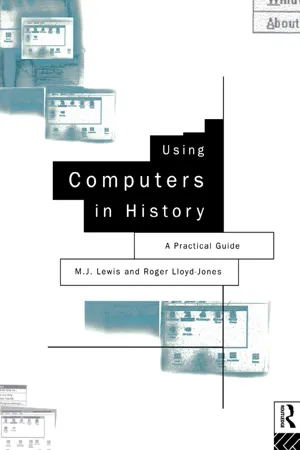
Using Computers in History is designed to introduce students to historical computing through practical workshop exercises. With topics such as the pattern of nineteenth century emigration from the UK, the performance of the American and German economies in the 1930s and the Lancashire cotton industry, Lloyd-Jones and Lewis explain and illustrate the possible uses of the computer for the historian.
Using Computers in History:
* raises awareness of the use of computers as an important tool for the historian
* provides a practical introduction to basic computer terminology
* includes high quality diagrams of the screen displays which should appear at each stage
* examines the use of spreadsheets and how to design and work with them
* discusses the different software packages available, concentrating on Microsoft Excel 4
* includes spreadsheet exercises based around a range of historical data sets
* explores the use of databases
* shows how to construct them
* gives guidelines for further study
* prompts students to apply the skills they have learnt to a number of examples
eBook - ePub
Using Computers in History
A Practical Guide to Data Presentation, Analysis and the Internet
- 264 pages
- English
- ePUB (mobile friendly)
- Available on iOS & Android
eBook - ePub
Using Computers in History
A Practical Guide to Data Presentation, Analysis and the Internet
About this book
Information
Part 1
Introduction
Chapter
1
1
How To Use This Book and Getting Started
The majority of students doing history in higher education now have the opportunity to participate in historical computing. In 1981 there were few courses in higher education offering computing to history students, but ‘now there is scarcely a History degree … in the United Kingdom that does not contain some element of computation’ (Speck 1994: 28–29). This is a book for history students. It is designed to introduce you to historical computing through learning by doing. To examine the historical exercises contained in this book you will actually use a computer and in turn acquire important computer skills as well as learning how to apply these skills to the study of history. These skills are not only specific to your degree in history, but in addition they are applicable to the world of work: ‘students perceive that their new computer skills … are marketable and capable of capitalisation, not just when they graduate but in term-time and vacation employment’ (Middleton 1989: 35).
As you work through this book you will learn how to use two software applications which, alongside word processing software, are now recognised as important additions to the tool kit of the historian: spreadsheets and graphs, and database management systems. ‘Software application’ is the term used for such pieces of computer software that you will be using: they include word-processing, spreadsheet and database management software. ‘Software’ is the generic term that covers all the programs that run on a computer system, as opposed to ‘hardware’ which is the actual physical components of the computer. This book will show you how to access the software applications and help you to use them effectively. A spreadsheet is a software application of particular use for the historian in handling statistical information, and most software packages come with a graphics capability which allows you to convert statistical information and present it in graph form. Database management systems have also become of increasing importance to the historian. A database is a collection of information which is structured in a particular way. For example a database might contain information from the nineteenth-century census which would look at the various attributes of people, i.e. their age, gender, occupation, address, etc. To study this information you use a database management program. You will learn more about the uses of these applications to the historian as you move through the book. To run software you use a microcomputer: the PC (personal computer). The PC is the ‘hardware’ which allows you to use the software applications. For the historian the development of the PC has been a major breakthrough and the corresponding design of new software has meant that you no longer need to take a course in computer science to operate a computer nor learn the language of computer programming. Indeed, ‘one no more needs to know how to program a computer to get results from one than to learn how a washing machine works in order to do the weekly wash. In both cases it’s more a matter of knowing which buttons to press’ (Speck 1994: 29). This opening chapter is simply designed to get you started. The first section of this chapter provides a brief outline of the organisation of the book and some comments on how it may be most effectively used. Do not worry if your knowledge of computers and software applications is rudimentary: the book caters for students with different levels of computing skills, starting with the absolute beginner. The second section of this chapter provides guidance on getting started with computers, and the third section introduces you to Microsoft Windows. This is a commercial software package which allows you to organise and run programs such as spreadsheets and databases. If you are an absolute beginner, or have not used Windows before, then it is important that you read these sections carefully. If you are a more advanced computer user then you can skip these sections and proceed to Chapter 2.
1.1 How this Book is Organised
The book is organised into three parts. The first part introduces you to some of the basic principles of History and Computing and discusses their value to the historian. If you are a beginner, or relatively inexperienced in applying computers to history, then you should familiarise yourself with these basic ideas before moving on to Part 2.
In Part 2 (Chapters 3–7) the focus is on the use of spreadsheets and graphs in the study and presentation of historical information. Chapter 3 provides a discussion of the functions (i.e. uses) of spreadsheets and graphs and how they can be used by the historian. Spreadsheets are an ideal tool for the organisation and processing of historical statistics, and this necessarily raises the question of the role of quantification in historical studies. To accommodate this, Chapter 3 introduces you to the different types of historical data commonly used by historians, explains some of the basic statistical terms used, and confronts the problems and issues necessarily associated with using statistics to study the past.
Chapters 4 and 5 are companions. You learn a set of basic techniques for building your own spreadsheets in Chapter 4, and then proceed in Chapter 5 to construct a set of graphs to display the information. These chapters also introduce you to the software application we have selected to demonstrate how spreadsheets work in this book. Commercial spreadsheet software is now readily available, and there are a number of industry-standard software packages in general use. Amongst the most common are Microsoft’s Excel IV, Lotus 1–2–3 and Quattro Pro. We have chosen the first of these as the exemplar for this book, and it runs on the Windows system. This software was chosen because:
• It is a commonly used commercial package in both higher education and the business world.
• It is regarded as user-friendly. You can learn quickly the basic tasks required to operate the application, and then progress to more advanced tasks.
• It forms part of an integrated package of software for the historian. Microsoft produces compatible software for word processing (Microsoft Word Version 2 and now Version 6), and also Microsoft Access, a powerful database management system which is used in this book. It therefore provides part of a workstation containing the main software applications used by historians.
• There are numerous supplementary software manuals which can be used to guide you through the techniques of using Excel.
Before we proceed further, there is a need for a point of clarification concerning the terminology used by the software designers of Excel. They refer to a spreadsheet as a ‘worksheet’, and a graph as a ‘chart’. When we explore the use of Excel in this book, we will use the terminology specific to the Excel software to describe spreadsheets and graphs.
You learn how to use this software by undertaking a series of workshop exercises. These take you step-by-step through the techniques of building historical worksheets and creating charts. The workshops are task-oriented; each specifies a limited number of tasks to work through at your own pace. It should be emphasised that there is no time limit on completing these tasks, the important thing being to work through them and build up your confidence as you proceed. By undertaking these task you will learn about the structure of the Excel worksheet, how to build small worksheets and perform calculations, and finally to create and design to your specifications a variety of different charts. Three sets of historical information are used to demonstrate the use of spreadsheets and graphs to the historian: changes in the gender balance of the British labour force, 1841–1931, the state of the political parties in the House of Commons, 1900–1910, and public expenditure on defence and education, 1870–1914. Chapters 4 and 5 should be worked through by beginners and those more experienced users who are not familiar with Excel. These chapters provide the foundation for Chapters 6 and 7 where you use worksheets and charts to examine a number of historical themes.
Chapter 6 focuses on the debate over the conditions of the British working class in the second half of the nineteenth century. Historical data is provided, and by using worksheets and charts you are invited to explore a specific question: did the working class gain from the process of industrialisation during 1850–1914, and was this reflected in higher wages and earnings? This chapter is again based on a series of workshops which take you through a number of tasks with the aims both of extending your technical competence in handling historical material and of enhancing your understanding of the historical theme. This chapter finishes with a worksheet exercise using the major industrial city of Sheffield as a case study. You are provided with information reflecting the different types of historical data discussed in Chapter 3, and asked to produce a report on living standards in that city for 1850–1914.
Chapter 7 aims to enhance your progress towards more independent study. Rather than working through task-oriented workshops, this chapter allows you to practice your accumulating skills in worksheets and charts in a series of exercises drawn from a range of historical disciplines. The themes are based on political, economic, social and demographic history. You are provided with data relevant to each specific theme, and recommended to build appropriate worksheets and charts, and then to examine a number of historical questions. The aim is to give you the confidence to become more independent in the way you use computers to examine historical material. As one historian has recently remarked: the outcome of teaching history and computing must be to provide students with ‘the ability to control the process, rather than seeking to control it ourselves’ (Hitchcock 1993: 197).
Building from the earlier chapters, Part 3 (Chapters 8–10) of the book increasingly shifts the focus of history and computing to independent study. By independent study we mean student project work, research methods, dissertation work, etc., which are not class-based but where the student sets the initial questions, decides on the sources and methodology to be used, and is responsible for the academic content and presentation. In this part of the book you will be shown how to use a database management system. This allows you to organise raw historical data and then use the functions of the application to structure the information. The outcome is a database of structured historical information. Chapter 8 explores the properties of a database and the potential uses of a database management system, and provides suggestions on how you might develop independent study work. Chapters 9 and 10 are companions. Historical projects are used as examples, taken from a range of historical disciplines, to show how databases can help in assisting and developing your own work. In Chapter 9 you are taken through the various stages of using a database in independent study and an historical example is used to facilitate your learning. There are a number of commercial database management packages available, amongst the most popular are Paradox, Dbase, and the more recent Microsoft Access, which is used as the exemplar in this ...
Table of contents
- Cover
- Half Title
- Title Page
- Copyright Page
- Table of Contents
- List of figures
- List of tables
- Acknowledgements
- Part 1 Introduction
- Part 2 Spreadsheets and graphs
- Part 3 Databases
- Appendices
- Glossary
- Bibliography
- Index
Trusted by 375,005 students
Access to over 1.5 million titles for a fair monthly price.
Study more efficiently using our study tools.
Frequently asked questions
Yes, you can cancel anytime from the Subscription tab in your account settings on the Perlego website. Your subscription will stay active until the end of your current billing period. Learn how to cancel your subscription
No, books cannot be downloaded as external files, such as PDFs, for use outside of Perlego. However, you can download books within the Perlego app for offline reading on mobile or tablet. Learn how to download books offline
Perlego offers two plans: Essential and Complete
- Essential is ideal for learners and professionals who enjoy exploring a wide range of subjects. Access the Essential Library with 800,000+ trusted titles and best-sellers across business, personal growth, and the humanities. Includes unlimited reading time and Standard Read Aloud voice.
- Complete: Perfect for advanced learners and researchers needing full, unrestricted access. Unlock 1.5M+ books across hundreds of subjects, including academic and specialized titles. The Complete Plan also includes advanced features like Premium Read Aloud and Research Assistant.
We are an online textbook subscription service, where you can get access to an entire online library for less than the price of a single book per month. With over 1.5 million books across 990+ topics, we’ve got you covered! Learn about our mission
Look out for the read-aloud symbol on your next book to see if you can listen to it. The read-aloud tool reads text aloud for you, highlighting the text as it is being read. You can pause it, speed it up and slow it down. Learn more about Read Aloud
Yes! You can use the Perlego app on both iOS and Android devices to read anytime, anywhere — even offline. Perfect for commutes or when you’re on the go.
Please note we cannot support devices running on iOS 13 and Android 7 or earlier. Learn more about using the app
Please note we cannot support devices running on iOS 13 and Android 7 or earlier. Learn more about using the app
Yes, you can access Using Computers in History by M.J. Lewis,Roger Lloyd-Jones in PDF and/or ePUB format, as well as other popular books in Education & Data Modelling & Design. We have over 1.5 million books available in our catalogue for you to explore.