eBook - ePub
Color Correction for Video
Using Desktop Tools to Perfect Your Image
- 296 pages
- English
- ePUB (mobile friendly)
- Available on iOS & Android
eBook - ePub
About this book
Use color to improve your storytelling, deliver critical emotional cues, and add impact to you videos. This book shows you how to analyze color correction problems and solve them- whatever NLE or plugin you use.
Experienced editors and colorists in their own right, the authors also include the wisdom of top colorists, directors of photography, and color scientists to deliver this insightful and authoritative presentation of the theory and practice of color correction.
The book provides technical insight into how to effectively color correct your video, also delving into how color can impact storytelling and deliver critical emotional cues. The new edition also includes 2 new "Quickstart Tutorials", a new chapter on how color impacts storytelling, information on the impact HD has had on the correcting process, and updated application specifications. The downloadable resources feature new and more robust tutorial media.
Information
1
GETTING STARTED WITH COLOR CORRECTION
Quick Start
Nobody wants to wade through the entire text or a book before they feel they've learned anything, so this first chapter of the book is designed to get you started color correcting quickly. We'll gloss over a few important details in this chapter, but we'll cover those things in more depth in the remaining chapters. This chapter is an overview of the chapters to follow. The goal of this chapter is for you to make as much progress as quickly as possible.
The goal of this chapter is for you to make as much progress as quickly as possible.
The Goals of Color Correction
There are two primary objectives in basic color correction: spread your tonal range and balance the colors.
There are two primary objectives in basic color correction: spread your tonal range and balance the colors. There are a lot of other important goals, including matching shots from one to another, helping to tell the story, and making the images “pop” or “read.” But we'll focus on spreading the tonal range and balancing colors in this initial chapter.
Spreading the tonal range means that you take full advantage of the tonal range of your display medium. In most cases this means maximizing the number of levels of gray between the deepest black and the brightest white that your display or broadcast specifications can reproduce. For most people reading this book, that means a TV screen or maybe a computer display. It can also mean prepping the image for a digital intermediate transfer to film. Tonal range corrections do not always have to spread completely from 0% black to 100% white, but oftentimes they do. The other goal of tonal range corrections is determining if certain parts of the tonal range should be compressed while other parts should be expanded. We'll do a quick tutorial on this in a moment.
Tonal Range

Balancing the colors means that any unwanted color casts are eliminated. The reason for the term “balancing” will become more obvious as we start to examine and analyze our images with a number of different tools. Color casts in images are sometimes desired, for example, the warm, red tones of a sunset or the sad, blue, coolness of a rainy day. These are color casts that often serve the story, so we need to be careful not to eliminate them. Examples of color casts that are undesirable are usually caused by video cameras that haven't been white balanced properly or film footage shot with the wrong filter for the combination of film stock and light temperature.
Spreading the Tonal Range
Much of the information that viewers use to understand and interpret the image is based on the tonal range or contrast between brights and darks. In most cases we want to give viewers as much information as possible, but sometimes you don't, like the case of a thriller or horror movie where you may be trying to hide things in the shadows.
The first step in determining the proper tonal range where your image should “live” is setting the proper level for blacks or shadows.
The first step in determining the proper tonal range where your image should “live” is setting the proper level for blacks or shadows. Setting the black level is almost always the place where any experienced colorist starts a correction. So the question for a beginner is, “Where do I set the proper black level, and how do I know what I should set it to?”
This book is product and platform agnostic. In other words, this book is less about what buttons to push on specifc pieces of hardware or software and more about understanding the process so that you can feel comfortable color correcting on almost any application that exists now or in the future. Because of that, I'll show you the right buttons in a few applications. Hopefully you're using one of the apps that I used as an example. Otherwise, look for similar parameters in the software or hardware that you use.
Blacks are also known as shadows, pedestal, set-up, or lift, depending on the application.
Blacks are also known as shadows, pedestal, set-up, or lift, depending on the application. Setting the black level usually involves adjusting a slider called either “blacks,” “shadows,” “setup,” “lift,” or “pedestal,” such as the controls in the screen shots that are shown here from several of the most widely distributed applications with color correction capabilities.
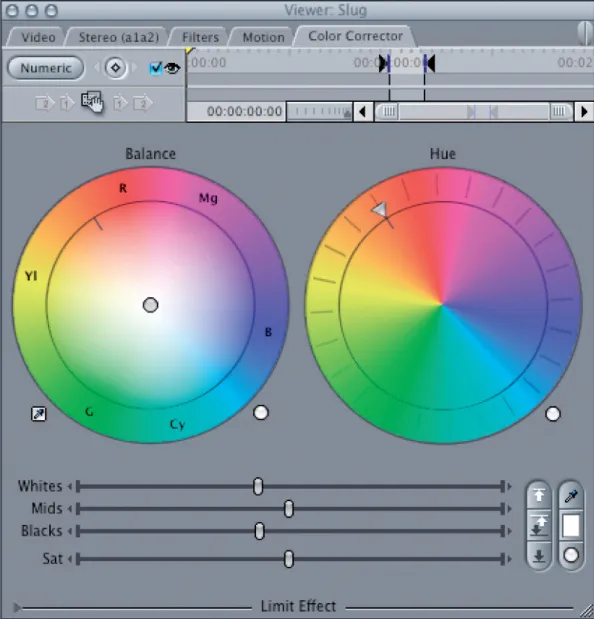
Figure 1-1 FCP Color Corrector.
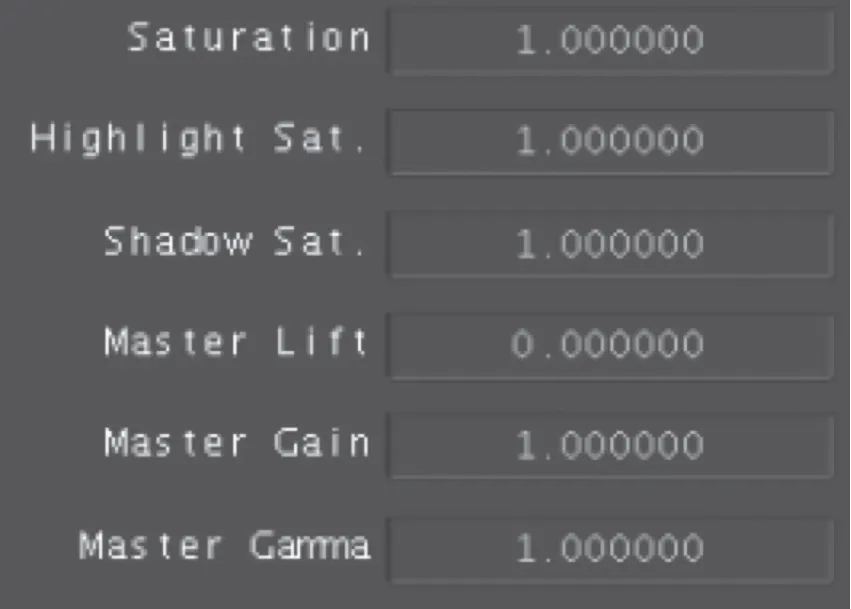
Figure 1-2 Color Primary room Basic tab.
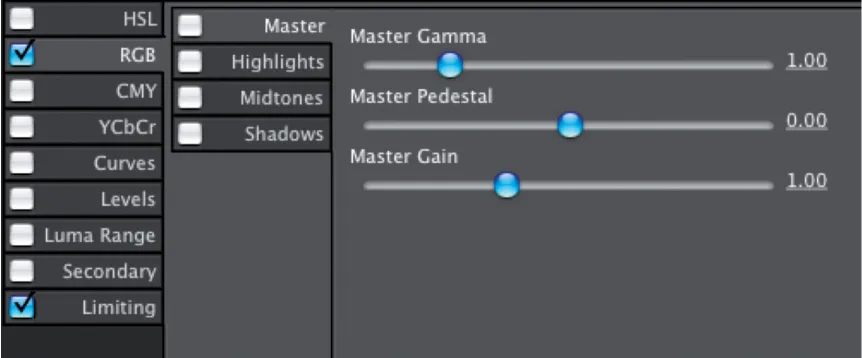
Figure 1-3 Color finesse HSL Controls master tab.
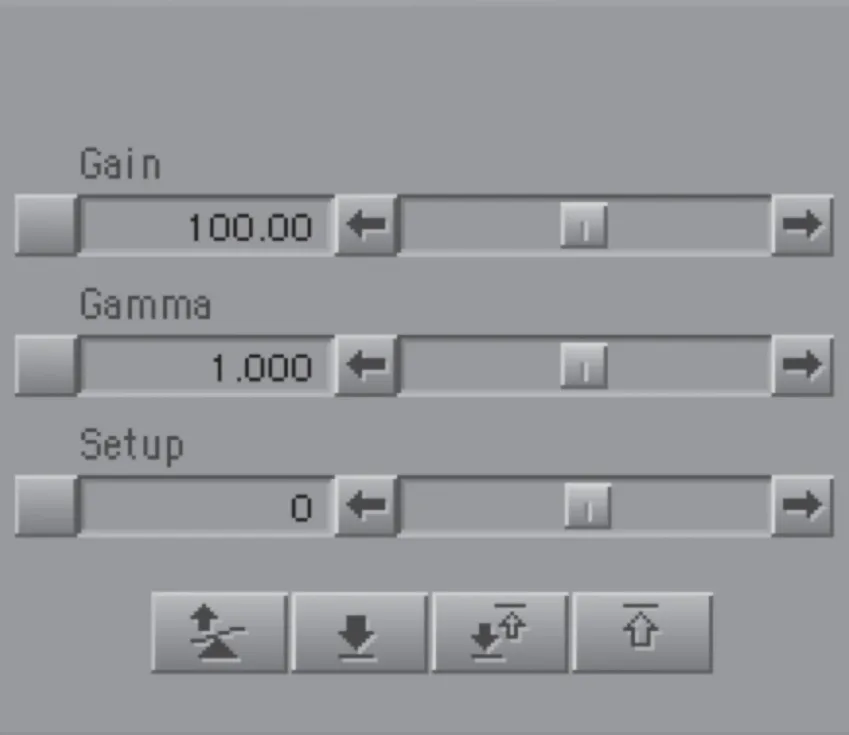
Figure 1-4 Avid HSL Hue offsets tonal controls.
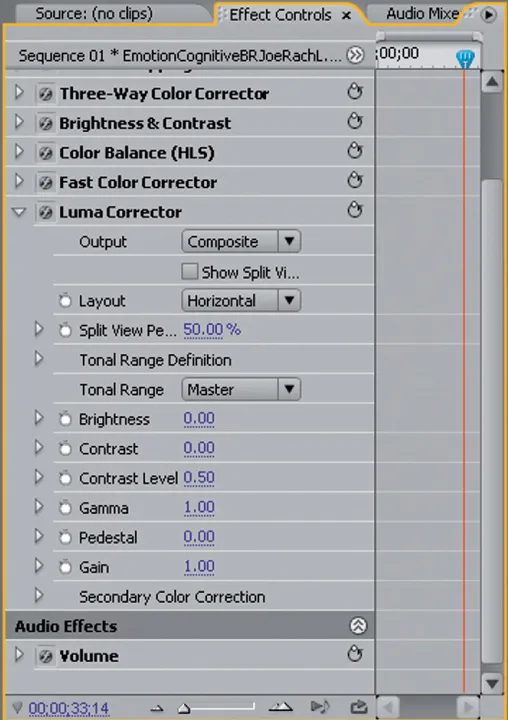
Figure 1-5 Premiere Luma Corrector.
Waveform Monitor

How to Determine the Proper Black Level
When I started to learn color correction, the biggest mystery to me was simply “How do you know what's right?” To set black levels you need some tools for proper analysis of the black level. Basically that means a waveform monitor, though there are other tools that would work. We'll get into the full range of analytical tools later in the book. For now, a simple waveform monitor will do. Don't panic. You don't need to be an A/V geek or slide rule engineer to understand this display. We just need to know how low we can go legally, and that's pretty simple.
Firstly, you need to know what “legal black” is on your system or waveform monitor. For most waveform monitors, black is at 0 IRE or 0% or 0 millivolts. In the United States, which defnes black as 7.5 IRE for composite analog NTSC signals, black can mean 7.5 IRE or 0 IRE depending on the type of video signal. The easiest way to tell which is right for your system is to feed “filler” (the black signal your system generates whenever it doesn't have real video to send) to the waveform monitor.
The easiest way to tell which is right for your system is to feed “fller” (the black signal your system generates whene...
Table of contents
- Cover
- Color Correction For Video
- Full Title
- Copyright
- Contents
- Acknowledgements
- Introduction
- Chapter 1 Getting Started with Color Correction
- Chapter 2 Analyze This-Your Monitor
- Chapter 3 Using Scopes as Creative Tools
- Chapter 4 Other Methods to Analyze Footage
- Chapter 5 Colorists' Tools-Primary Color Correction
- Chapter 6 Secondary Color Correction
- Chapter 7 Tutorials
- Chapter 8 Advanced Color Correction Tutorials
- Chapter 9 The History and Role of the Colorist
- Chapter 10 Vision and Color Theory
- Chapter 11 Built-in Software and Plug-in Capabilities
- References
- Index
Trusted by 375,005 students
Access to over 1.5 million titles for a fair monthly price.
Study more efficiently using our study tools.
Frequently asked questions
Yes, you can cancel anytime from the Subscription tab in your account settings on the Perlego website. Your subscription will stay active until the end of your current billing period. Learn how to cancel your subscription
No, books cannot be downloaded as external files, such as PDFs, for use outside of Perlego. However, you can download books within the Perlego app for offline reading on mobile or tablet. Learn how to download books offline
We are an online textbook subscription service, where you can get access to an entire online library for less than the price of a single book per month. With over 1.5 million books across 990+ topics, we’ve got you covered! Learn about our mission
Look out for the read-aloud symbol on your next book to see if you can listen to it. The read-aloud tool reads text aloud for you, highlighting the text as it is being read. You can pause it, speed it up and slow it down. Learn more about Read Aloud
Yes! You can use the Perlego app on both iOS and Android devices to read anytime, anywhere — even offline. Perfect for commutes or when you’re on the go.
Please note we cannot support devices running on iOS 13 and Android 7 or earlier. Learn more about using the app
Please note we cannot support devices running on iOS 13 and Android 7 or earlier. Learn more about using the app
Yes, you can access Color Correction for Video by Steve Hullfish,Jaime Fowler in PDF and/or ePUB format, as well as other popular books in Art & Film & Video. We have over 1.5 million books available in our catalogue for you to explore.