- 224 pages
- English
- ePUB (mobile friendly)
- Available on iOS & Android
eBook - ePub
About this book
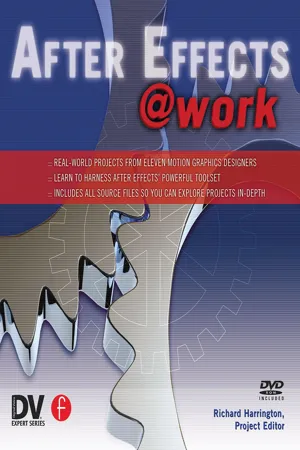
Real-World commercial projects presented in full color feature the work of renowned artists, Chris and Trish Meyer, Jayse Hansen, Mark Coleran, Ken Locsmandi and others. The tutorials are commercial projects that the artists created for a client budget of $10,000 or less, using only the plug-ins that come with the software. Special focus is given to the fundamental techniques that are important to novice motion graphic artists.
The companion DVD contains the source files required for the reader to replicate the techniques as well as Apple QuickTime presentations of the final projects. The projects cover a wide range of practical applications including broadcast animation, big-screen film trailers, music video compositing, trade show presentations, DVD menu graphics, and cel animation with Flash.
Information
THE COLORIST’S TOOLBOX
MARIANNE POST
This chapter delves into the colorist and online editor’s toolbox and provides a comprehensive color correction resource guide.
After Effects may not be the first application that comes to mind for color correction. Actually, certain color and luminance considerations should always be weighed when compositing such elements as text, glows, and imported video. While hanging out in After Effects, why not take advantage of its color-correction resources? This chapter delves into the colorist and online editor’s toolbox and provides a comprehensive resource guide. So, roll up your sleeves, because you’re going to sort through the tools that will help you make better color decisions and build confidence in using After Effects filters such as the Shadow/Highlight effect (version 6.5 or later), Synthetic Aperture’s Color Finesse plug-in (bundled with 6.5 pro), and many more.
WHAT’S ON THE DVD
Included on the DVD are source files and corrected color files.
INTRODUCTION
Video Levels Checklist
Most non-linear editing (NLE) systems offer corrective tools and broadcast filters that can compensate for color selections made in After Effects. However, these tools combined with poor color-correction decisions can distort or compromise the quality of a composite. To avoid this, keep the following considerations in mind:
1. Be consistent. For example, some NLEs allow RGB or 601 color mapping for export and import. If the image is exported at 601 levels, re-import the final artwork at 601 levels.
2. Select video-safe luminance and chrominance for borders, gradients, and glows. This means each channel should fall between 16 and 235. And remember that red bleeds on TV.
3. Color effects influence luminance levels.
4. Perform a test render to play back in the NLE, but make necessary adjustments in After Effects.
5. Crop out vertical and horizontal blanking that falls within the action-safe area.
6. Monitor images through an external broadcast display. Computer monitors display luminance and chrominance information differently than a video display does.
7. Check levels in a waveform monitor and vectorscope. Designated hardware scopes work best because of their high resolution and real-time feedback, but software scopes work better than nothing. Synthetic Aperture’s Color Finesse, which is bundled with After Effects 6.5 Pro, is equipped with software scopes.
8. Monitor the levels for backgrounds created in After Effects or imported from third-party suppliers. Keeping levels between 16 and 235 is a good rule of thumb.
9. Be sure still images are prepared with the appropriate pixel aspect ratio.
10. Keep this checklist in mind when creating composites for high-definition projects. Most likely the program will be aired in standard definition as well
TIP // In the Output Module of the Render Settings dialog box, do not vertically stretch images. Interlacing will compromise vertical resolution.

» REPRESENTS A PERFECT CIRCLE CREATED WITH THE INCORRECT SQUARE PIXEL FRAME SIZE SETTING IN PHOTOSHOP

» REPRESENTS A PERFECT CIRCLE CREATED WITH THE CORRECT SQUARE PIXEL FRAME SIZE SETTING IN PHOTOSHOP
Pixel Aspect Ratio
To avoid image distortion, use TABLE 1 as a guide for determining frame size settings.
Color Space
Non-linear editing (NLE) systems typically capture video with either RGB or ITU-R BT.601 color levels. Consistency is key when moving images between After Effects and the NLE. RGB deals in absolute values without headroom. Black is mapped to 0 and white is mapped to 255. Levels that fall below 0 and above 255 are clipped and cause loss of detail in shadows and highlights. Banding and other distortion may also result. The 601 color space allows for headroom. Black is mapped to 16 and white is mapped to 235. Because of this headroom and foot room, levels that fall between 0 and 16 (superblack) or between 235 and 255 (super-white) have more give and won’t lose detail. After Effects works in the RGB color space natively. The following table compares RGB and 601 mapping. (SEE TABLE 2 & 3.)
Color Correction Workspace
Proper setup will make the color-correction process easier. Here a...
Table of contents
- Cover
- Title
- Copyright
- Contents
- Fast, Wide and 3D: XFX Trade Show Video
- Automating Animated Graphics: Mesa Channel 11 Program Guide
- DVD Menus, Start to Finish: How to Build a DVD Menu
- Animation With Flash and After Effects
- Animating for Film: Digital to Analog
- Chicago Motion Graphics
- Building a Short Promo
- The Colorist’S Toolbox
- Gyro Control
- Making a Music Video
- Financials With Flair
Trusted by 375,005 students
Access to over 1.5 million titles for a fair monthly price.
Study more efficiently using our study tools.
Frequently asked questions
Yes, you can cancel anytime from the Subscription tab in your account settings on the Perlego website. Your subscription will stay active until the end of your current billing period. Learn how to cancel your subscription
No, books cannot be downloaded as external files, such as PDFs, for use outside of Perlego. However, you can download books within the Perlego app for offline reading on mobile or tablet. Learn how to download books offline
Perlego offers two plans: Essential and Complete
- Essential is ideal for learners and professionals who enjoy exploring a wide range of subjects. Access the Essential Library with 800,000+ trusted titles and best-sellers across business, personal growth, and the humanities. Includes unlimited reading time and Standard Read Aloud voice.
- Complete: Perfect for advanced learners and researchers needing full, unrestricted access. Unlock 1.5M+ books across hundreds of subjects, including academic and specialized titles. The Complete Plan also includes advanced features like Premium Read Aloud and Research Assistant.
We are an online textbook subscription service, where you can get access to an entire online library for less than the price of a single book per month. With over 1.5 million books across 990+ topics, we’ve got you covered! Learn about our mission
Look out for the read-aloud symbol on your next book to see if you can listen to it. The read-aloud tool reads text aloud for you, highlighting the text as it is being read. You can pause it, speed it up and slow it down. Learn more about Read Aloud
Yes! You can use the Perlego app on both iOS and Android devices to read anytime, anywhere — even offline. Perfect for commutes or when you’re on the go.
Please note we cannot support devices running on iOS 13 and Android 7 or earlier. Learn more about using the app
Please note we cannot support devices running on iOS 13 and Android 7 or earlier. Learn more about using the app
Yes, you can access After Effects @ Work by Richard Harrington in PDF and/or ePUB format, as well as other popular books in Informatica & Film e video. We have over 1.5 million books available in our catalogue for you to explore.