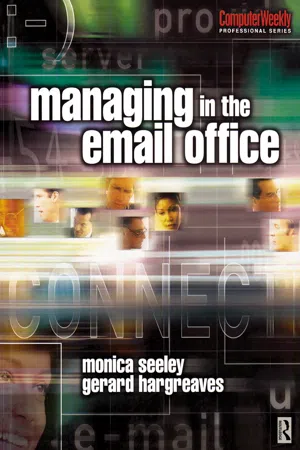
Managing the Email Office is for all people who feel email is taking over their lives. It provides practical help and guidance on how to manage both their own volume of email as well as their organization's. It will enable you to develop winning ways with email and to re-claim some of those valuable resources which email consumes.
The authors offer solutions to managing email that will help you save time and use email to communicate effectively and send the right message, right first time. These solutions are based on personal preferred patterns of work and management styles. The authors show you how to use email to support you and your team, to become more productive and reduce stress. Case histories are included throughout, to help you understand and apply the contents to you own and your organisation's situation.
This book addresses:
* how time management and personal effectiveness can be improved through better use of email.
* how to develop and implement an email best practice policy for the organization.
* how email can be used constructively to support customer relationship management and knowledge management
- 256 pages
- English
- ePUB (mobile friendly)
- Available on iOS & Android
eBook - ePub
Managing in the Email Office
About this book

Managing your email before it
manages you
I find that I automatically filter my emails. I don't even think about it. I get down a screen of red email and I go down and I can see immediately the third I don't need to deal with . .. People have different ways of coping with it [the red tidal wave of new email] but I've found that you do have to have a mechanism for filtering your mail or else you go bonkers.
Director, Business Division,
international computer services organization
international computer services organization
This quote typifies how many users feel about email. Some people feel they cannot even take a holiday without checking their email at some point. Whether this is right or wrong is another matter. Taking control of your inbox and learning to manage it rather than letting it manage your life at work and away from work involves a combination of sound personal management practices and appropriate level of email IT fitness (that is, competence and confidence with the technology). It is about knowing what information you really need, feeling secure and not worrying about having all the ‘nice to know’ stuff, and properly managing the time you spend dealing with your email.
Part One is about you as an individual user. It will look at what you alone can do to surf the tidal wave of new email and in particular it will help you to:
- measure the level of email overload to which you are subjected;
- benchmark your level of email IT fitness and email management style;
- appreciate how your use of email and the volume of email you receive relates directly to your preferred pattern of work and style of management;
- recognize what might be your strengths and weaknesses as an email user;
- develop your strengths and overcome your weaknesses as an email user;
- audit your inbox to identify how you could reduce the volume of emails you receive;
- learn how to reduce and manage the stress associated with email and information overload;
- be aware of what aspects of the use of email you can control and where you need to influence other people's email behaviour.
Successfully and efficiently making email work for you as a business communications and knowledge management tool truly embodies the principle of ‘doing unto others as you would be done by’. You cannot expect others to behave as good email users if you behave badly and either shower them with unwanted emails or ignore those you receive.
This part of the book contains a selection of self-assessment exercises to help you benchmark how well you personally manage your inbox. There are tips and hints on how to improve in order to save yourself and others, time and energy dealing with email, and to use email more productively.

Taking control of your inbox

How can I reduce the volume of email I handle each day?
Do I need to change the way others use emails with me?
How can I take control of my inbox rather than it controlling me?
Do I need to change the way others use emails with me?
How can I take control of my inbox rather than it controlling me?
1.1 Introduction
The two questions, most frequently asked of us, are:
‘How can I reduce the tidal wave of email I receive each day?’
‘Why do I feel as if my inbox is managing me – what can I do?’
‘Why do I feel as if my inbox is managing me – what can I do?’
The solution to both questions requires some simple but firm changes. To paraphrase that famous song, you will need ‘a little help from your friends’ and from your colleagues. When you decide to change your behaviour, regardless of why, and what that behaviour constitutes it will have some form of ripple effect on those around you. For example, if you decide to stop smoking, you may be grumpy en route to achieving your goal. Perhaps you have chosen to manage your time better. This may mean changing the time you have available for different people.
The same applies to reducing the volume of email you handle each day. A large part of the solution lies in your own hands in terms of you becoming a better email citizen. However, the full extent of your success will also depend in part on how others you work with use email. When an organization decides to effect a change in how it and its employees behave there is usually a corporate change management programme and initiative. Similarly, when a company decides to improve its quality control processes, there will be an organization-wide training and development strategy and protocols designed to handle any resulting new process.
Keeping email under control requires a careful balance of common sense, organizational skills and vigilant workplace policy. One aspect of this is evidenced by employers who now implement strict rules for deleting email. This not only helps employees but also saves the company spiralling data storage costs and offers legal protection. So to make real headway with your inbox you need to make sure your company and colleagues are involved.
Email has become the DNA of communications and to some extent knowledge management. Yet, very few organizations ensure this valuable resource is used wisely. Few even realize that part of the problem lies not with the individual but with the corporate culture and how information and management are perceived. Many organizations talk about having an apolitical culture where trust is the byword and that its workforce is empowered. Yet, a cursory look at a sample of their middle manager's inboxes will reveal a high percentage of copied (cc'd) emails. This is because the manager is still seen as the hub and the ultimate controller of power. Everyone is playing ‘cover my backside’.
Reducing the tidal wave of incoming emails depends not only on how you manage your inbox but also on getting your colleagues to act responsibly. This includes both your immediate team (and/or department) and the organization as a whole.
This chapter explodes some common myths associated with the size of your inbox and the time you need to spend dealing with it. It provides a more reliable way to measure email overload. It gives you an overview and the Mesmo three-stage model (three steps to effective personal email management – Figure 1.5, page14), which shows you how you can reduce the time spent dealing with your inbox without suffering any loss of information or ability to communicate effectively. Indeed, it highlights the opposite. Take control of your inbox and encourage others to do the same and you can quickly become better informed, a more effective communicator and save yourself time.
1.2 Exploding the myths of size and time
1.2.1 So you think you have a bulging inbox?
What constitutes a high volume of email traffic? For one manager this might mean 25 incoming emails per day and for another it could be 125. You might be the European operations director of a large technology company and receive about 100 emails a day because of the nature of your job, the global span of your responsibilities and your organization's heavy dependence on email. It is not unusual for a senior director in a government agency to receive an average of 120 emails at certain points in the week, notably Fridays, when ministers clear the decks for the weekend. On the other hand one managing director of an international software house feels he is over-whelmed if he receives more than about 15 emails a day, as he actively encourages people to talk and use the intranet to share information rather than email.
Figure 1.1 shows the average number of emails received by a group of ten managers (whom we studied) each from different organizations which range from a medium sized PR company to the director of a division of a major government agency as summarized in Table 1.1.

Figure 1.1
A day in the life of an executive's inbox
A day in the life of an executive's inbox
Table 1.1 A typical day in the life of an executive's inbox
| Executive | Volume | Title | Organization |
| A | 49 | Director European operation | International software solutions company |
| B | 55 | Managing director | Public relations company |
| C | 115 | Managing director | Public relations company |
| D | 50 | Vice president marketing | International software development organization |
| E | 40 | Manager public relations – EMEA | International telecommunications organization |
| F | 98 | European operations director | International technology hardware manufacturer |
| G | 50 | IT director | Automobile parts manufacturer |
| H | 75 | Chief technology officer | Telecommunications organization |
| I | 25 | General manager | International software and services supplier |
| J | 120 | Director | Government agency |
| Average | 67.7 |
While the average number of received emails was 68, this masked terrific swings from the general manager (I) who only received 25 to the senior director of the division of government agency (J) who received 120. The number of sent items is generally about a third of what is received.
This certainly begs the question about who else is sending all that email? What is always fascinating is the gap between perceptions and reality. Most people have a tendency to overestimate the number of emails they receive.
Without looking at your inbox, guess what you think is the average throughput for your inbox. Now take a more object measurement and actually count the number received and sent.
To some extent therefore comparisons are meaningless, although there is evidence to suggest that men are more likely than women to boast about the size of their inbox. Some senior executives almost boast about the size of their inbox and the quantity of daily emails they receive, thinking of it as a sign that they must be really busy and important. Of course those who are good email citizens will know that what really counts is the ratio of noise to information. Before we look at this all-important ratio and explore just exactly what is influencing the traffic let's explode one other major myth about handling your inbox – the time it takes.
Your inbox traffic
Number received
Number sent yesterday
How does it compare to those in our study?
How do you feel this compares to others in your organization/division?
1.2.2 Are you spending too long on email?
Comparison of time spent handling email is ano...
Table of contents
- Cover Page
- Half Title Page
- Dedication
- Title Page
- Copyright Page
- Contents
- Computer Weekly Professional Series
- Foreword
- Preface
- Acknowledgements
- Part I Managing your email before it manages you
- 1 Taking control of your inbox
- 2 What your inbox says about you
- 3 Email IT fitness
- 4 Assessing your email IT fitness
- 5 Boosting your email IT fitness
- 6 Auditing your inbox
- 7 Managing stress in the email office
- Part II You and your team in the email office
- 8 Two people, one inbox: working with your PA
- 9 Communicating in the email office
- 10 Email on the move: a necessity or an option?
- 11 Ways to access your email on the move
- Part III The corporate perspective
- 12 Organizational fingerprints in the inbox
- 13 The email gender gap
- 14 Decision making in the email office
- 15 Technology to manage corporate email traffic
- 16 Ways of creating email best practice
- 17 The email citizen's charter for best practice
- 18 The inbox of the future
- Bibliography
- Index
Trusted by 375,005 students
Access to over 1.5 million titles for a fair monthly price.
Study more efficiently using our study tools.
Frequently asked questions
Yes, you can cancel anytime from the Subscription tab in your account settings on the Perlego website. Your subscription will stay active until the end of your current billing period. Learn how to cancel your subscription
No, books cannot be downloaded as external files, such as PDFs, for use outside of Perlego. However, you can download books within the Perlego app for offline reading on mobile or tablet. Learn how to download books offline
Perlego offers two plans: Essential and Complete
- Essential is ideal for learners and professionals who enjoy exploring a wide range of subjects. Access the Essential Library with 800,000+ trusted titles and best-sellers across business, personal growth, and the humanities. Includes unlimited reading time and Standard Read Aloud voice.
- Complete: Perfect for advanced learners and researchers needing full, unrestricted access. Unlock 1.5M+ books across hundreds of subjects, including academic and specialized titles. The Complete Plan also includes advanced features like Premium Read Aloud and Research Assistant.
We are an online textbook subscription service, where you can get access to an entire online library for less than the price of a single book per month. With over 1.5 million books across 990+ topics, we’ve got you covered! Learn about our mission
Look out for the read-aloud symbol on your next book to see if you can listen to it. The read-aloud tool reads text aloud for you, highlighting the text as it is being read. You can pause it, speed it up and slow it down. Learn more about Read Aloud
Yes! You can use the Perlego app on both iOS and Android devices to read anytime, anywhere — even offline. Perfect for commutes or when you’re on the go.
Please note we cannot support devices running on iOS 13 and Android 7 or earlier. Learn more about using the app
Please note we cannot support devices running on iOS 13 and Android 7 or earlier. Learn more about using the app
Yes, you can access Managing in the Email Office by Monica Seeley,Gerard Hargreaves in PDF and/or ePUB format, as well as other popular books in Business & Business General. We have over 1.5 million books available in our catalogue for you to explore.