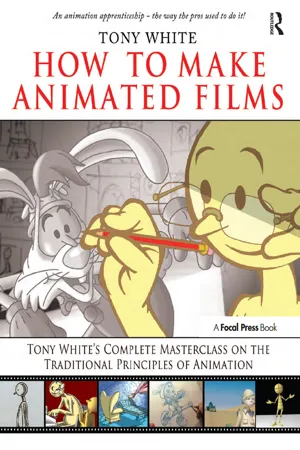
Become Tony White's personal animation student. Experience many of the teaching techniques of the golden era of Disney and Warner Brothers studios and beyond.all from the comfort of your own home or studio. Tony White's Animation Master Class is uniquely designed to cover the core principles of animated movement comprehensively. How to Make Animated Films offers secrets and unique approaches only a Master Animator could share. Includes hands-on Tutorials, demonstrations and final sample animations. Whether you want to become a qualified animator of 2D, 3D, Flash or any other form of animation, Tony White's foundations bring you closer to that goal. The downloadable resources are invaluable, in that readers are not only taught principles and concepts in the book, they are able to see them demonstrated in action in the movies.
eBook - ePub
How to Make Animated Films
Tony White's Masterclass Course on the Traditional Principles of Animation
- 512 pages
- English
- ePUB (mobile friendly)
- Available on iOS & Android
eBook - ePub
How to Make Animated Films
Tony White's Masterclass Course on the Traditional Principles of Animation
About this book
Information
PART 1
How to Be an Animator

10-Step Foundation Course

Through this 10-step foundation program you will learn the essential core principles of movement that will be the foundation of all your future work in animation, whether that animation is two dimensional (2D), three dimensional (3D), professional, enthusiastic independent filmmaker, or otherwise. As with a regular school curriculum I have broken down the key principles into 10 clearly definable master-class lessons, MC 1–MC 10. It is very important, however, that you don't jump the sequence in any way. Start with MC 1 and don't begin any other exercises until you have mastered that one first.
Note
If you want further one-on-one feedback on anything you are doing by the author, please read Appendix 2.
Either way, if you follow the lectures, guidelines, and assignments as indicated, you should find the process of learning to be an animator easier and more comprehensive.
Masterclass 1

Animation Basics
Class objective: To learn the underlying principles and disciplines of animation technique.
Equipment required: Lightbox, pencil, and paper.
Key, Breakdown, and In-Between Positions
All animation can be broken down into definable stages. In general terms, these stages are key positions, breakdown or passing positions, and in-between positions. Key positions are effectively the major positions in an action where that action ceases or changes direction in some way. The two key positions for walking, for example, will be the full-stride positions—one with the right leg forward and the other with the left leg forward.

A better example might be a swinging pendulum, where one key position is the highest point of one side of the swing and the other key position is the opposite high position.

The breakdown position is the position precisely midway between the two key positions. In the case of the pendulum, it is the perfectly vertical position in the middle of the swing.

Finally, the in-betweens are those secondary positions that fall between the key positions and the breakdown position.

In the case of the pendulum, we will have two key positions, one in-between position, and three in-between positions on either side, giving us nine drawings (or positions) in total for one swing.

Creating Key Positions
With the understanding that we need key, breakdown, and in-between positions to create a sequence of animation, we should now look at the process of in-betweening, which applies as much to the breakdown drawing as it does to the in-betweens. Let us return to our swinging pendulum and consider the way to approach it. First, using a fresh sheet of animation paper, select a fulcrum (or point) from which the pendulum will swing. The best location to place this will be along the central/vertical line of the field guide, which can be placed beneath the paper with the lightbox on. Put a single dot somewhere along this line, which will represent the point from which the pendulum will swing.

Remember, this point needs to be in a position that allows the pendulum to swing fully left and right and still fit into the field area when it is in the vertical “passing” position.

Now take a piece of paper, lay it over the top, and using the pivotal point on the lower sheet, draw in the pendulum with its maximum swing to the left (west).
Note
When dealing with directions on the screen or on a field guide, left is described as west, up as north, right as east, and down as south. The middle of the field guide is known as center. If you are using a 10 field guide, it is termed a 10 field center, a 12 field guide is a 12 field center, and a 16 field guide is a 16 field center.


With the key drawing of the westward swing of the pendulum complete, it is necessary to complete the right swing. A good tip here is to place a clean sheet of paper over the previous two, trace the pivotal point as before, and then roughly trace the eastward swing angle of the pendulum to get its maximum swing in the other direction.

Now take all the sheets of animation paper off the pegs and just work with the first key sheet and the new one you are attempting to create. With the lightbox on, put the first key sheet down and then lay the second (newer) key sheet over it, lining up the pivotal points of both and the line of the pendulum previously lightly sketched in. Now you can trace the new pendulum from the old one, guaranteeing that the length of the pendulum is the same length and size on both keys.

Note
The entire sequence that follows the key creation is demonstrated on the accompanying DVD in the Introduction to In-Betweening section.
Now put both keys together on the pegs and you will see that you have successfully completed the two keys of the action—the furthermost key position swings to the left (west) and the furthermost key position swings to the right (east).

Creating the Breakdown Position
The breakdown position is the first in-between position between two key positions. Consequently, in our swinging pendulum it will be the pendulum seen in a perfectly vertical position.
Table of contents
- Front Cover
- Half Title
- Dedication
- Title Page
- Copyright
- Contents
- Preface
- Introduction
- Acknowledgments
- PART 1: How to Be an Animator
- PART 2: How to Make an Animated Film
- APPENDIXES
- Index
Trusted by 375,005 students
Access to over 1.5 million titles for a fair monthly price.
Study more efficiently using our study tools.
Frequently asked questions
Yes, you can cancel anytime from the Subscription tab in your account settings on the Perlego website. Your subscription will stay active until the end of your current billing period. Learn how to cancel your subscription
No, books cannot be downloaded as external files, such as PDFs, for use outside of Perlego. However, you can download books within the Perlego app for offline reading on mobile or tablet. Learn how to download books offline
We are an online textbook subscription service, where you can get access to an entire online library for less than the price of a single book per month. With over 1.5 million books across 990+ topics, we’ve got you covered! Learn about our mission
Look out for the read-aloud symbol on your next book to see if you can listen to it. The read-aloud tool reads text aloud for you, highlighting the text as it is being read. You can pause it, speed it up and slow it down. Learn more about Read Aloud
Yes! You can use the Perlego app on both iOS and Android devices to read anytime, anywhere — even offline. Perfect for commutes or when you’re on the go.
Please note we cannot support devices running on iOS 13 and Android 7 or earlier. Learn more about using the app
Please note we cannot support devices running on iOS 13 and Android 7 or earlier. Learn more about using the app
Yes, you can access How to Make Animated Films by Tony White, Kathryn Spencer in PDF and/or ePUB format, as well as other popular books in Media & Performing Arts & Film & Video. We have over 1.5 million books available in our catalogue for you to explore.