- 320 pages
- English
- ePUB (mobile friendly)
- Available on iOS & Android
eBook - ePub
About this book
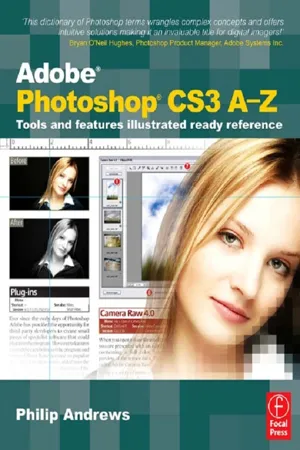
Find solutions quick with this accessible encyclopedic guide. Conveniently organized in a clear A-Z format, this illustrated ready reference covers every action you are likely to make as a photographer. You'll never want it far from your side while you work with Photoshop.
* Covers all of Photoshop's mass of tools concisely in an intuitive, colorful layout
* New section shows you fast solutions for everyday editing tasks: step-by-step tutorials illustrate how to conquer key tasks and techniques
* Fully updated for CS3
* Includes all versions of Photoshop-shortcut keys specify which version of Photoshop is applicable
This visual resource is the ideal companion to every Photoshop book on your shelf. Associate website www.Photoshop-A-Z.com features matching video tutorials for each step-by-step tutorial.
For Photoshop users at all levels-covers everything from the everyday to the hidden features you need in a pinch.
Dodge the frustrations that can come with time-sensitive, quality work with Philip Andrews. Philip is a professional photographer, digital photography teacher, magazine editor, and best-selling international author. Filled with practical advice from one photographer to another, Philip uses his trademark straight-talking style to ensure that everyone can get to grips with all the features of CS3 quickly and confidently.
"Beyond just delivering accurate information, Philip books are always up to date and very enjoyable to read. Philip's tutorials deliver to you an easy, approachable style rarely found in software instruction...an extremely valuable reference"
Bryan O'Neil Hughes, Photoshop Product Manager, Adobe Systems Inc.
On previous editions:
"If you ever wanted a quick reference guide to the mass of tools in Photoshop, then this is the answer...Keep it to hand as a quick and easy guide." - Which Digital Camera
"Each section is expressed clearly with simple buy highly effective and user-friendly illustrations... you should definitely have to hand while working at your computer." - Amateur Photographer
Information
Table of contents
- Cover Page
- Half Title page
- Picture Credits
- Title Page
- Copyright Page
- Contents
- Foreword
- Introduction
- How to use this book...
- Step by Step Importing Photos into Bridge
- aA Accented Edges filter — Automate, Bridge
- bB Background color — Button mode
- bC Cache, Bridge — Cutout filter
- dD Darken blend mode — Dust & Scratches filter
- eE Edges — Eyedropper tool
- fF Facet filter — Fuzziness setting
- gG Gamut Warning — Guides, Smart
- hH Halftone Pattern filter – Hue/Saturation adjustment layer
- IJK ICC profiles – Knockout
- lL LAB color — LZW compression
- mM Magic Eraser tool — Multiply blending mode
- nN Navigator — Notes
- oO Ocean Ripple filter — Overlay blend mode
- pP Page Setup — Quick Selection tool — Auto Enhance
- rR Radial Blur filter — Rulers
- sS Sample All Layers — Swatches palette
- tT Test in Device Central — Type Masks
- uU Underlining type Ȕ Use All Layers
- vV Vanishing Point filter — Vivid Light blending mode
- wW Warp Ȕ Workspace, Photoshop
- Xyz XMP — ZoomView format
Trusted by 375,005 students
Access to over 1.5 million titles for a fair monthly price.
Study more efficiently using our study tools.
Frequently asked questions
Yes, you can cancel anytime from the Subscription tab in your account settings on the Perlego website. Your subscription will stay active until the end of your current billing period. Learn how to cancel your subscription
No, books cannot be downloaded as external files, such as PDFs, for use outside of Perlego. However, you can download books within the Perlego app for offline reading on mobile or tablet. Learn how to download books offline
Perlego offers two plans: Essential and Complete
- Essential is ideal for learners and professionals who enjoy exploring a wide range of subjects. Access the Essential Library with 800,000+ trusted titles and best-sellers across business, personal growth, and the humanities. Includes unlimited reading time and Standard Read Aloud voice.
- Complete: Perfect for advanced learners and researchers needing full, unrestricted access. Unlock 1.5M+ books across hundreds of subjects, including academic and specialized titles. The Complete Plan also includes advanced features like Premium Read Aloud and Research Assistant.
We are an online textbook subscription service, where you can get access to an entire online library for less than the price of a single book per month. With over 1.5 million books across 990+ topics, we’ve got you covered! Learn about our mission
Look out for the read-aloud symbol on your next book to see if you can listen to it. The read-aloud tool reads text aloud for you, highlighting the text as it is being read. You can pause it, speed it up and slow it down. Learn more about Read Aloud
Yes! You can use the Perlego app on both iOS and Android devices to read anytime, anywhere — even offline. Perfect for commutes or when you’re on the go.
Please note we cannot support devices running on iOS 13 and Android 7 or earlier. Learn more about using the app
Please note we cannot support devices running on iOS 13 and Android 7 or earlier. Learn more about using the app
Yes, you can access Adobe Photoshop CS3 A-Z by Philip Andrews in PDF and/or ePUB format, as well as other popular books in Computer Science & Desktop Applications. We have over 1.5 million books available in our catalogue for you to explore.