- 152 pages
- English
- ePUB (mobile friendly)
- Available on iOS & Android
eBook - ePub
Photoshop Effects for Portrait Photographers
About this book
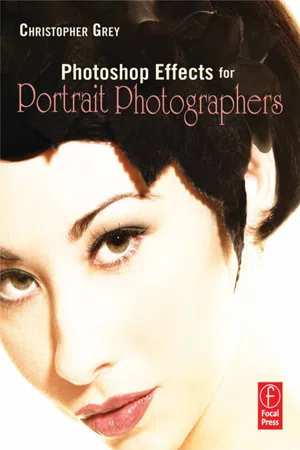
Want to offer your clients more to chose from? Here's how: award winning photographer, Christopher Grey, has developed techniques to enhance portrait photography, using the creative applications available in Photoshop. Photoshop Effects for Portrait Photographers contains detailed explanations of how to replicate many darkroom techniques with Photoshop (Dodging, Burning, Vignettes, etc.) as well as camera and earlier technology techniques (Short Focus, High Speed Film Grain, Hand Coloring, etc.). Grey has also developed almost two dozen ways to replicate traditional painterly and illustrative techniques such as Rough Charcoal Sketch, Wet Watercolor, Silkscreen, and Oil Chalk. Images available for downloading at http://www.ChristopherGrey.com/booksamples.
Information
Section 1
Traditional Photographic Techniques

Creative Desaturation
While Photoshop is terrific for spicing up image color, it also offers a few tricks for spicing it down. However, if you use just the Desaturate tool (Image>Adjustments>Desaturate), the best you’ll get is a basic grayscale image, as there are no degrees of adjustment with that tool. Useful, but not terribly versatile.
Working the Saturation slider at Image>Adjustments>Hue/Saturation to the left will gradually desaturate the image until all that is left is the same basic grayscale image.
You can also desaturate any selected color. This is especially useful if you’d like or need to change the color balance of an image and want more control than with Variations and less trial and error than with Color Balance.
Let’s say we need to give an image the look of “Sweet Light” that magical color that appears just at sunset and only lasts a few minutes. Sweet Light varies in color, depending on a number of atmospheric factors, from warm yellow-orange to dusky rose:
Step 1 Open your image and duplicate the layer (Figure 1-1).

Figure 1-1
Step 2 From the Toolbox, select the Color Picker and find a color you like. I’ve chosen F67B7B, a rich pink (Figure 1-2).

Figure 1-2
Step 3 Fill the new layer with the chosen color (Edit >Fill). The Blending Mode should be Color (Figure 1-3).

Figure 1-3
Step 4 Use the Layer Opacity slider to desaturate this color until you like it (Figure 1-4).

Figure 1-4
Step 5 Flatten and Save. The final image is both subtle and robust (Figure 1-5).

Figure 1-5
For those of you who shoot architectural or travel images, this method can make a good image great. For this shot I filled the duplicate layer with F5822E, a golden orange (Figures 1-6 and 1-7).

Figure 1-6

Figure 1-7
Photoshop introduced a new Image>Adjustments device in version CS, Photo Filter, which is designed to mimic the effects of glass camera filters. Its most useful filters are the warming and cooling filters, which act much like the old standards (Figure 1-8).

Figure 1-8
If you’re working with a previous version of Photoshop, use the following colors as guides. To warm up your image, with color similar to the 85 filter series, use EC8A00. For a more subtle look, like the 81 series, use EBB113.
To cool an image, use 006DFF to match the 80 series, 005B5FF to match the 82 series. Another cooling filter, the LBB series, can be replicated with 005DFF.
Photo Filter hosts a number of other colors to choose from as well. I’ll leave it to you to determine their value to your work.
For many photographers, images that are both color and black and white have become a staple product. They’re easy to do with Photoshop; here’s how.
Method one
Step 1 Open your selected image and duplicate the layer (Figure 1-9).

Figure 1-9
Step 2 Desaturate the new layer (Image>Adjustments>Desaturate) (Figure 1-10).

Figure 1-10
Step 3 Use a white Layer Mask to mask through the desaturated layer to the full color layer below. The selection mask for this image was created with the Polygonal Lasso, then filled with black (Edit>Fill) to see through to the layer below (Figure 1-11).

Figure 1-11
Method two
Step 1 Open the selected image. Using the Elliptical Marquee, the Rectangular Marquee,...
Table of contents
- Cover
- Halftitle
- Title
- Copyright
- Contents
- Foreword
- Introduction
- Acknowledgments
- A Short Course in Layer Masks
- Section 1: Traditional Photographic Techniques
- Section 2: Image Enhancements
- Section 3: Artistic Effects
- Index
Trusted by 375,005 students
Access to over 1.5 million titles for a fair monthly price.
Study more efficiently using our study tools.
Frequently asked questions
Yes, you can cancel anytime from the Subscription tab in your account settings on the Perlego website. Your subscription will stay active until the end of your current billing period. Learn how to cancel your subscription
No, books cannot be downloaded as external files, such as PDFs, for use outside of Perlego. However, you can download books within the Perlego app for offline reading on mobile or tablet. Learn how to download books offline
Perlego offers two plans: Essential and Complete
- Essential is ideal for learners and professionals who enjoy exploring a wide range of subjects. Access the Essential Library with 800,000+ trusted titles and best-sellers across business, personal growth, and the humanities. Includes unlimited reading time and Standard Read Aloud voice.
- Complete: Perfect for advanced learners and researchers needing full, unrestricted access. Unlock 1.5M+ books across hundreds of subjects, including academic and specialized titles. The Complete Plan also includes advanced features like Premium Read Aloud and Research Assistant.
We are an online textbook subscription service, where you can get access to an entire online library for less than the price of a single book per month. With over 1.5 million books across 990+ topics, we’ve got you covered! Learn about our mission
Look out for the read-aloud symbol on your next book to see if you can listen to it. The read-aloud tool reads text aloud for you, highlighting the text as it is being read. You can pause it, speed it up and slow it down. Learn more about Read Aloud
Yes! You can use the Perlego app on both iOS and Android devices to read anytime, anywhere — even offline. Perfect for commutes or when you’re on the go.
Please note we cannot support devices running on iOS 13 and Android 7 or earlier. Learn more about using the app
Please note we cannot support devices running on iOS 13 and Android 7 or earlier. Learn more about using the app
Yes, you can access Photoshop Effects for Portrait Photographers by Christopher Grey in PDF and/or ePUB format, as well as other popular books in Art & Digital Media. We have over 1.5 million books available in our catalogue for you to explore.