- 456 pages
- English
- ePUB (mobile friendly)
- Available on iOS & Android
eBook - ePub
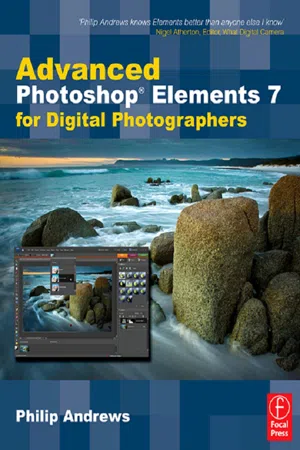
Advanced Photoshop Elements 7 for Digital Photographers
About this book
This essential guide for intermediate/advanced photographers has now been fully updated for Elements 7.
Bestselling author and Elements guru Philip Andrews turns his expansive knowledge to this powerful application, delivering, once again, a practical approach in a crystal-clear writing style.
For the advanced Elements user, this book offers a standalone guide to advancing knowledge of the software. For those with a little less experience, it works seamlessly in conjunction with Philip's other Elements guide: "Adobe Photoshop Elements 7: A visual introduction to digital photography". Philip expands on the solid foundation delivered by that title to deliver a master-guide that shows you just how powerful this deceptively simple software package can be.
Throughout the book, Philip takes a pro's approach, emphasising a streamlined, non-destructive workflow. Diverse chapters cover the entire spectrum of photographic potential offered by the software, including key areas such as: darkroom techniques, advanced selection techniques, professional retouching, photo restoration, panoramas, collages, RAW processing and printing. Additionally, the content is supplemented by extra great learning tools available on a brand new website including; downloadable resources, and Elements vodcasts.
Essential reading for all photographers using Elements 7.
Information
1 The Next Level
DOI: 10.4324/9780080951218-1
There is no doubt that when Adobe decided to release Photoshop Elements photographers the world over rejoiced. Not content with their offerings for entry and intermediate users in the past and ever conscious of the growing digital camera user base, the Adobe boffins created the new package with you, the digital photographer, firmly in their mind. Despite the rumors spread by the ‘Photoshop Snobs’that the product was just a cut down version of Adobe’s professional package and that any serious editing will need to be completed in Photoshop, users the world over are realizing just how well Photoshop Elements fits their needs.
A true photographer’s tool
Adobe had finally heard the cries of the mortals and produced an image manipulation package that has the strength of Photoshop with the price tag more equal to most budgets. Elements gives desktop image-makers top quality image editing and management tools that can be easily used for preparing pictures for printing or sharing via the web or CD. Features like the panoramic stitching option, called Photomerge, and the Photo Browser are firm favorites and were featured in this package before they ever appeared in Photoshop. The color management and vector text and shape tools are the same robust technology that drives Photoshop itself, but Adobe has cleverly simplified the learning process by providing an easier-to-use interface and options like step-by-step interactive recipes for common image manipulation tasks. These, coupled with features like the Smart Brush and Quick Selection tools, Adjust Color Curves and the Convert to Black and White features, make the package a digital photographer’s delight.

As a photographer, teacher and author I was captivated by the simplicity and strength that Adobe has crammed into the package and knew that this was just the sort of image editing program that would satisfy the demands of the digital camera users I met every day. So to accompany Elements, I released a new book which was an introduction to the package and digital imaging in general. Titled Adobe Photoshop Elements - A visual introduction to digital imagingit quickly became a best-seller and was followed up with a series of new and revised editions to accompany ongoing versions of the program.
As Elements users became more familiar with the concepts and tools used in the program it wasn’t long before I started to receive requests for more advanced techniques than those presented in this introductory text. These were quickly followed by queries about how to position Elements as the key ‘image editing component’ in a high quality photographic workflow that encompassed capture, management, manipulation and output activities.

This book is my answer to these requests. With well over 150 new techniques it provides professional tips aimed at advancing your Elements skills beyond the basics. It is presented in a series of highly illustrated step-by-step color tutorials that show you what can be achieved. The techniques are discussed in the greater context of professional quality workflows that cover camera and scanner capture, raw processing, picture management, panorama production and quality print and web production. There is even a new section that looks at how to use Elements as a linked editor for Lightroom providing an even more comprehensive and professional workflow for experienced Elements users.
Each technique is cross-referenced with related skills and ideas in the book and there are on-line resources and video tutorials at the book’s website -
www.photoshopelements.net
Here you can download and practise with many of the example images, video tutorials and resources used in the production of the book. Key settings for important dialog boxes are presented along with the illustrated steps needed for you to complete each technique. By working side by side with this text, your favorite image editing program and the associated web resources, you will quickly build both your Elements skills and your general understanding of the processes involved in creating quality photographic images.

The comprehensive Photoshop Elements workflow
Over the past few versions of the program Adobe has made massive changes to the way that users work in Elements. These changes have converted Photoshop Elements from simply being a photo editing program into a complete digital photography system.
Now in its seventh revision, Elements provides a total workflow solution from the moment you download your files from camera, phone, scanner or the net, through organization, archiving and manipulation phases and then onto printing or outputting the pictures electronically (online albums, email attachments) or as print. Understanding how the various components in the system fit together will help you make the most of the software and its powerful features.


You can view the photographs via the Photo Browser or Date View options. Pictures can be grouped into Albums (previously called Collections) and you can find specific images via the unique ҫeyword tags’that you attach to the files.
In Date View (b) images are grouped and displayed based on the date they were taken.
The Map View (c) displays photos according to their location on a map with options to share the referenced map with others.


Table of contents
- Cover Page
- Title Page
- Copyright Page
- Table of Contents
- Foreword
- Introduction
- 1 The Next Level
- 2 Scanner and Camera Techniques
- 3 Processing Raw Files
- 4 Photo Organization and Management
- 5 Pathways to Editing in Elements
- 6 Image Changes – Beyond the Basics
- 7 Darkroom Techniques on the Desktop
- 8 Professional Retouching
- 9 Photo Restoration
- 10 Making Better Panoramas
- 11 Extending Your Web Abilities
- 12 Free Form Photo Collages
- 13 FINELY CRAFTED OUTPUT
- 14 Extending the Power of Elements
- Appendices
- Index
Trusted by 375,005 students
Access to over 1.5 million titles for a fair monthly price.
Study more efficiently using our study tools.
Frequently asked questions
Yes, you can cancel anytime from the Subscription tab in your account settings on the Perlego website. Your subscription will stay active until the end of your current billing period. Learn how to cancel your subscription
No, books cannot be downloaded as external files, such as PDFs, for use outside of Perlego. However, you can download books within the Perlego app for offline reading on mobile or tablet. Learn how to download books offline
Perlego offers two plans: Essential and Complete
- Essential is ideal for learners and professionals who enjoy exploring a wide range of subjects. Access the Essential Library with 800,000+ trusted titles and best-sellers across business, personal growth, and the humanities. Includes unlimited reading time and Standard Read Aloud voice.
- Complete: Perfect for advanced learners and researchers needing full, unrestricted access. Unlock 1.5M+ books across hundreds of subjects, including academic and specialized titles. The Complete Plan also includes advanced features like Premium Read Aloud and Research Assistant.
We are an online textbook subscription service, where you can get access to an entire online library for less than the price of a single book per month. With over 1.5 million books across 990+ topics, we’ve got you covered! Learn about our mission
Look out for the read-aloud symbol on your next book to see if you can listen to it. The read-aloud tool reads text aloud for you, highlighting the text as it is being read. You can pause it, speed it up and slow it down. Learn more about Read Aloud
Yes! You can use the Perlego app on both iOS and Android devices to read anytime, anywhere — even offline. Perfect for commutes or when you’re on the go.
Please note we cannot support devices running on iOS 13 and Android 7 or earlier. Learn more about using the app
Please note we cannot support devices running on iOS 13 and Android 7 or earlier. Learn more about using the app
Yes, you can access Advanced Photoshop Elements 7 for Digital Photographers by Philip Andrews in PDF and/or ePUB format, as well as other popular books in Media & Performing Arts & Digital Media. We have over 1.5 million books available in our catalogue for you to explore.