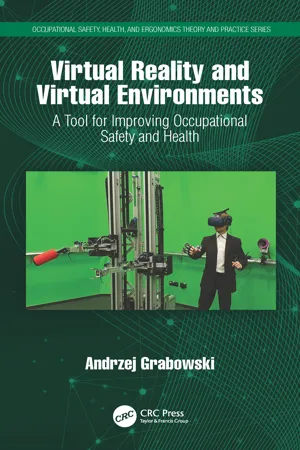
Virtual reality (VR) techniques are becoming increasingly popular. The use of computer modeling and visualization is no longer uncommon in the area of ergonomics and occupational health and safety. This book explains how studies conducted in a simulated virtual world are making it possible to test new solutions for designed workstations, offering a high degree of ease for introducing modifications and eliminating risk and work-related accidents. Virtual reality techniques offer a wide range of possibilities including increasing the cognitive abilities of the elderly, adapting workstations for people with disabilities and special needs, and remote control of machines using collaborative robots.
Detailed discussions include:
Testing protective devices, safety systems, and the numerical reconstruction of work accidents
Using computer simulation in generic virtual environments
On the one hand, it is a self-study book made so by well-crafted and numerous examples. On the other hand, through a detailed analysis of the virtual reality from a point of view of work safety and ergonomics and health improvement.
Noteworthy is the broad scope and diversity of the addressed problems, ranging from training employees using VR environments with different degrees of perceived reality; training and rehabilitation of the elderly; to designing, testing, modifying, and adapting workplaces to various needs including those of disabled workers; to simulation and investigation of the cause of accidents at a workplace.
Andrzej Krawiecki, Warsaw University of Technology, Warsaw, Poland
Virtual Reality (VR) is typically distinguished by HMD (Head-Mounted Display) goggles equipped with one or two screens that display a computer-generated image (see Figure 1.1). The image is generally stereoscopic, which means that it depicts slightly different images for each eye to simulate the impression of spatial vision.
FIGURE 1.1 A person equipped with wireless goggles and VR gloves. The movements of a person immersed in a virtual environment are recorded using a vision system that determines the position of passive markers, placed in points that are interesting from the point of view of the interactive simulation – most often it is the head and hands. (Source: CIOP-PIB.)
It is widely believed that the first experiments with devices of this type were conducted at the Lincoln Laboratory of the Massachusetts Institute of Technology in the 1960s. The first HMD created to display a synthetic (virtual) image was named the Sword of Damocles (Sutherland 1965; 1968). Experiments with similar solutions were conducted analogously, which enabled the display of real-world images recorded by cameras to, for example, assist pilots of combat helicopters during night flights.
VR techniques developed very slowly due to the limited computing power available at the time. Widespread access to VR only became prevalent with access to computers capable of processing three-dimensional (3D) graphics in real time; these types of computers were mainly associated with the electronic entertainment and computer gaming industry.
Much the same as with stereoscopic films, repeatedly over the last few decades companies within the electronic entertainment industry are credited with introducing VR devices to the mass market, enabling the average consumer to explore virtual environments. One example of such a device is the Virtual Boy, which was created in the mid-1990s by the Japanese video game giant Nintendo. It was comprised of HMD goggles and a handheld controller.
Prior to 2016, attempts at this type of product were generally met with negativity on the market and sales tended to end quickly without product evolution. It wasn’t until the release of the Oculus Rift and HTC Vive models in 2016 that the mass marketing of VR devices began. Furthermore, both the Oculus Rift and HTC Vive lineup have since released newer models (Oculus Rift S and HTC Vive Pro), which may indicate a stable market for these devices.
A noteworthy advantage of this generation of HMDs is that they are equipped with wireless controllers. Wireless controllers enable a user to determine the position and orientation of their hand in three-dimensional space, which allows for advanced interaction. Users can grasp, move, and use items instead of just passively observing the virtual environment. These controllers replace costly motion-capture equipment and VR gloves, which are items that were previously only present in places like training simulator rooms and research laboratories.
It is also important to note that the transfer of a person to a computer-generated virtual environment does not necessarily entail an HMD device. In early iterations, when HMD goggles were cumbersome and the resolution/image quality was low, CAVE – Cave Automatic Virtual Environment devices (Cruz-Neira et al. 1992) – were used to display a virtual environment on the surrounding walls of a room via a set of projectors. Another common solution is Desktop VR, where virtual environment images are simply displayed on a computer screen.
Additionally, to make simulations more realistic, it is important to involve other senses like sound and touch. However, in the case of sound, most of the solutions available on the mass market are limited to reproducing stereoscopic sound in tandem with the stereoscopic image. Likewise, the use of touch is greatly simplified and is usually limited to dummy real objects attached to controllers, so that an avatar of the object can be displayed in the virtual world. The person wearing the HMD then sees the visualization (avatar) of the object held in their hand. Most products available on the mass market target sports games (e.g. a tennis racket dummy) or action games (e.g. dummy firearms or melee weapons). Typically, the number of real objects represented in a virtual environment is limited to one piece, which is enough for the average user.
In professional applications, tools like special gloves with force feedback (see Figure 1.2) and dedicated object tracking systems (motion-capture systems) enabling simultaneous movement monitoring of various types of objects (e.g. multi-camera vision systems; Figure 1.3 illustrates an example) are used to simulate the sense of touch.
FIGURE 1.2 During the simulation, the sense of touch can be taken advantage of by using a glove with force feedback that blocks the movement of the fingers when the hand avatar collides with a virtual object. (Source: CIOP-PIB.)
FIGURE 1.3 Adding dummies of real objects whose avatars are visible in a virtual environment can significantly increase the subjectively perceived realism of the simulation. (Source: CIOP-PIB.)
It is worth emphasizing that VR based on HMDs is characterized by the user being almost completely devoid of real-world sensations, such as sound and touch. Subsequently, this type of human–computer interaction is not always the best technique. Often, a more effective or simply more ergonomic projection technique is to display the image on a monitor or computer screen.
VR can also have a negative impact on user well-being. Some people experience so-called simulator sickness in virtual environments, which resembles the symptoms of motion sickness. These types of symptoms can have multiple causes and are not limited to solutions using HMDs. For example, people practicing in vehicle simulators (airplanes, cars, etc.) where the image is displayed on a screen (or screens) in front of, or sometimes around the simulator cockpit, often report experiencing simulator sickness. The most common cause of simulator sickness is the lack of conformity in movement information coming from the visual system and labyrinth – this mismatch is caused by delays that always exist. The delays occur because after determining the location and orientation of the head or cockpit of the simulator, a picture of the virtual environment needs to be prepared and displayed, which can take from several dozen to several hundred milliseconds. Also, the movement observed in the virtual environment does not occur in the real environment, for example, a person in VR controls the movement of their avatar through the use of a joystick while sitting down. In the case of simulators, not all of the vehicular acceleration maneuvers that are possible in the virtual environment can be replicated in reality, due to the hardware limitations of the motion platforms on which the cockpit of the vehicle is mounted (this also applies to platforms that have six degrees of freedom). Besides the limitations associated with the maximum acceleration of the platform actuators, a much more difficult problem to solve is the actuator’s limited range of motion. The limited range of motion only allows for the simulation of short-term accelerations (both linear and angular).
VR techniques replace the real world with a world created using the computer. Computer simulation is a form of illusion. The quality of this illusion should be measured and monitored to assess the subjectively perceived realism of the simulation. Questionnaire tools serve these purposes, including the Spatial Presence Questionnaire (SPQ) (Vorderer et al. 2004). Other questionnaires such as Technology Acceptance Model (TAM) (Venketesh and Davis 2000) and System Usability Scale (SUS) (usability.gov) are often used to evaluate virtual environments and simulators. The load associated with being in a virtual environment is often measured using the NASA TLX (Task Load Index) questionnaire. In the context of simulators and the negative effects that they can have on a human (participant of the simulation), SSQ (Simulator Sickness Questionnaire) first proposed by Kennedy et al. (1993) should be mentioned. Those tools will be described in further chapters.
1.2 Examples of Applications of VR
1.2.1 Introduction
The uses for VR are diverse and can be applied to many different fields. One of the most common areas of use is within the electronic entertainment industry. VR goggles intended for the mass market are increasingly popular and have created high demand for corresponding video games and electronic equipment. VR also has professional applications, as exemplified by the advertising industry. Interactive visualization of new products can help convince a potential customer to buy, for example, an apartment or a car. Many companies also use VR to promote their products by publishing free applications and computer games.
VR is also becoming a very useful tool in scientific research, especially in the fields of psychology and sociology. Complete control and the ability to precisely replicate research conditions with human participants allows for increased reliability and validity in research outcomes.
Within occupational safety and ergonomics, VR has the following applications:
1. Worker training to increase efficacy and safety . This is particularly important in the case of young workers with little experience, for whom accident rates are the highest.
2. Ergonomic analysis of work processes . VR can be an excellent tool for assessing and modifying the work process, especially for the sequence of performed movements.
3. Supporting risk assessment . Interactive simulations in the virtual environment allow for a more detailed assessment of what can happen in a workplace.
4. The design and evaluation of workplaces . VR allows a unique opportunity to conduct an interactive simulation of work processes at workplaces that are in the design stage and do not physically exist yet. Thanks to this, it becomes possible to avoid mistakes at the design stage and the need for costly corrections at the implementation stage. VR can also simplify the process of adapting workplaces to special needs, for example, to the needs of people with disabilities.
5. Testing of protective devices . VR, in combination with numerical simulation, can be a useful tool for selecting the most suitable protective devices.
6. Remote control of machines – Telepresence . VR can significantly contribute to the remote control of machines with tools like motion-capture systems, gloves with recorded finger movements (including gloves with force feedback), and HMD goggles. This is especially helpful when the teleoperator is performing potentially dangerous tasks. A teleoperator equipped with a one- or two-armed mobile and remote-controlled robot has a safe way to perform tasks, for example, in an area with exposure to harmful chemicals.
7. Training in physiotherapy and rehabilitation . Most VR applications are prophylactic. Workers at a properly designed ergonomic workplace should be better prepared and have fewer accidents at work. While this does not prevent all accidents from happening, training with VR can also improve the process of recovery and work when accidents do occur.
8. Support in the investigation of accidents at work by reconstructing the accident site and simulating the accident . Accidents can be recreated within a virtual environment by experts for detailed inspection or to run numerical simulations, and to identify possible causes of the accident. In addition, the reconstruction of accidents at work can be a useful training tool.
The above points relate to activities carried out prior to the start of work (worker training, job design), during the course of work (telepresence for remote control of machines), and post-workplace-related accidents (accident reconstruction, supporting the physiotherapy process to aid recovery time and reduce time away from work), and will be discussed in further chapters.
1.2.2 Training Using VR
VR techniques are particularly useful for procedural training and assessment of decision-making. For example, computer software designed for worker training can detect deviations within training scenarios and present trainees with the consequences of their actions (e.g. explosion or fire). The ability to involve so-called muscle memory is also important, because movements performed in a virtual environment are identical to those performed in the real workplace. The ability for VR to stimulate different senses and easily create the illusion of spatial presence makes it a great tool that can become an interface for exploring artificial environments. If the technical capabilities of a VR system can provide the full, rich, and all-encompassing experience of being in a remote location, then it can be called immersion. The use of a VR immersion system would enable:
Obtaining a high degree of simulation realism
Simulating a variety of scenarios within a controlled condition
Realistically presenting the consequences of actions undertaken by a trainee during training (e.g. methane explosion)
Creating advanced training applications that enable trainees to develop proper habits without risk
The additional benefits of using VR are:
The acceleration of training processes
The reduction of training costs
Increasing the effectiveness of training
Making the training course more attractive
Encouraging the development of muscle memory and thus increasing work efficacy
Enabling the transfer of “tacit knowledge”, that is, knowledge resulting from experience
Training simulators and training that utilizes VR can provide workers with a safe and controlled environment for gaining and developing not only standard organizational knowledge and skills, but emergency procedures as well. Furthermore, interactivity and immersion within a virtual environment can increase interest in training, and increased interest facilitates the memorization of acquired knowledge and the consolidation of newly acquired skills (including manual skills). Moreover, within the framework of a computer simulation, problem-solving skills in the face of stress inducing emergencies or life-threatening situations (e.g. fire) can be assessed.
Gamification can be used to increase the efficacy and efficiency of training tools used in virtual environments. The term “gamification” refers to the practice of applying typical gaming mechanics to fields outside of the electronic entertainment industry in order to influence human behavior within a specific context. Using typical gaming elements (e.g. earning points when passing to the next stage of a training scenario) in the training process leads to an increase in perceived usefulness of the training tool and helps strengthen commitment to the training process. Training games (so-called serious games), which are based on a similar format to computer games but used for professional purposes, are a good example. The analysis of results published within psychological research shows (McGonigal 2011) that playing computer games and using training applications similar to computer games improves the cognitive functioning of individuals (Green and Bevalier 2003; Abbott 2013; Anguera et al. 2013), for example, increases attention. This is in line with the results of other scientific publications relating to the impact that computer games have on cognitive functioning. The earlier hypothesis, that using interactive environments that resemble computer games supports the acquisition of knowledge and skills, which is supported by the results of the conducted research (Anguera et al. 2013). In recent years, gamification has been used to increase ...
Table of contents
Cover
Half-Title
Series
Title
Copyright
Contents
Preface
Series Editor
Author
Chapter 1 Introduction to Virtual Reality (VR)
Chapter 2 Virtual Reality as a Training Tool
Chapter 3 Increasing the Cognitive Skills of Workers via Virtual Environments
Chapter 4 Testing Workstations in Virtual Reality – An Example of Cooperation with a Robot (Collaborative Robot)
Chapter 5 Virtual Reality in the Adaptation of Workstations and Workplaces
Chapter 6 The Use of Virtual Environments to Support the Selection of Protective Systems for Machines in Order to Reduce the Risk Associated with Their Operation
Chapter 7 Numerical Simulations in Virtual Environments
Chapter 8 Summary
References
Index
Trusted by 375,005 students
Access to over 1.5 million titles for a fair monthly price.
Study more efficiently using our study tools.
Frequently asked questions
Yes, you can cancel anytime from the Subscription tab in your account settings on the Perlego website. Your subscription will stay active until the end of your current billing period. Learn how to cancel your subscription
No, books cannot be downloaded as external files, such as PDFs, for use outside of Perlego. However, you can download books within the Perlego app for offline reading on mobile or tablet. Learn how to download books offline
Perlego offers two plans: Essential and Complete
Essential is ideal for learners and professionals who enjoy exploring a wide range of subjects. Access the Essential Library with 800,000+ trusted titles and best-sellers across business, personal growth, and the humanities. Includes unlimited reading time and Standard Read Aloud voice.
Complete: Perfect for advanced learners and researchers needing full, unrestricted access. Unlock 1.5M+ books across hundreds of subjects, including academic and specialized titles. The Complete Plan also includes advanced features like Premium Read Aloud and Research Assistant.
Both plans are available with monthly, semester, or annual billing cycles.
We are an online textbook subscription service, where you can get access to an entire online library for less than the price of a single book per month. With over 1.5 million books across 990+ topics, we’ve got you covered! Learn about our mission
Look out for the read-aloud symbol on your next book to see if you can listen to it. The read-aloud tool reads text aloud for you, highlighting the text as it is being read. You can pause it, speed it up and slow it down. Learn more about Read Aloud
Yes! You can use the Perlego app on both iOS and Android devices to read anytime, anywhere — even offline. Perfect for commutes or when you’re on the go. Please note we cannot support devices running on iOS 13 and Android 7 or earlier. Learn more about using the app
Yes, you can access Virtual Reality and Virtual Environments by Andrzej Grabowski in PDF and/or ePUB format, as well as other popular books in Technology & Engineering & Human-Computer Interaction. We have over 1.5 million books available in our catalogue for you to explore.