Understanding BIM presents the story of Building Information Modelling, an ever evolving and disruptive technology that has transformed the methodologies of the global construction industry. Written by the 2016 Prince Philip Gold Medal winner, Jonathan Ingram, it provides an in-depth understanding of BIM technologies, the business and organizational issues associated with its implementation, and the profound advantages its effective use can provide to a project team. Ingram, who pioneered the system heralding the BIM revolution, provides unrivalled access to case material and relevance to the current generation of BIM masters.
With hundreds of colour images and illustrations showing the breadth and power of BIM, the book covers:
The history of BIM
What BIM is in technical and practical terms
How it changes the day to day working environment
Why we need BIM and what problems it can solve
Where BIM is headed, particularly with regards to AI, AR, VR and voice recognition
International case studies from a range of disciplines including: architecture, construction management, and retail
Professionals and students in any field where the inter-disciplinary aspects of BIM are in operation will benefit from Ingram's insights. This book is an authoritative account of and reference on BIM for anyone wanting to understand its history, theory, application and potential future developments.
This appendix describes some of the tools developed by the Author to implement SONATA. A complete list of the tools that were written is included in Figure 225.
This information is included to give an insight as to the history, the issues and hopefully an understanding of the underpinnings of BIM.
Three-dimensional visualization is an important part of the design process for almost all structures. Visual impact, accessibility and even comprehension of the overall design is achieved through 3D images. It allows non-professionals to examine buildings, check lighting and shadows, each and all essential within the integrated model. The Author developed various algorithms over 20 years; almost all the images and hidden line drawings in this book are from this work. The Author extended the algorithms to include shadows, smooth shading, fog effects, transparency, textures and spotlights, and perhaps most importantly, to be efficient within computing constraints of the time. Many figures here show these effects.
The earlier images were produced with 1MHz processors, 0.1MB RAM. This constraint meant that considerable effort went into making the various parts of the algorithm efficient. The advent of GPUs and game engines have made the efficiency issues irrelevant but it is useful to know some of the processes involved in generating these images. We take for granted the live realistic scenes that appear in games and AR.
Systems produced a series of flat faces defined by a series of three-dimensional coordinates, with neither particular rhyme nor reason to the order of the faces. These faces must be rotated and projected onto a notional screen in front of the virtual viewer. Faces outside the view must be clipped away. The process then starts working out which bits of the faces (model) would be visible and which would not. For example, the objects on the other side of a solid wall are not visible. One has to know how far away every point on every surface is (for each pixel) and whether something is closer. The closest surface is drawn with a colour determined by the lights, shadows, surface type and orientation.
Hatching
Parametrics 2D/3D
Boolean 3D operations
Fonts definitions & plotting
Self-solving Networks
Closure detail cavity walls
2D shapes
Database structure
Clash detection
Snap Codes Line/Arc/Spline
User defined objects
3D shapes
Rendering algorithms
Language definition
Icons drawing
Hidden Line algorithms
Geometric Projections
Pull down menus
Spot Light
Clipping to Frustrum
Anti-aliasing
Fog
Box Geometry handling
Multiple project access **
Shadows
Flight path for videos
Icon file formats
Reverse Polish expression
Libraries of objects**
Plotting software
Drawings/Sheet handling
Wall Join Details
Polish Code executor
Bitmap generation
Window handling
Overall interface design
Figure 225. Tasks completed for SONATA 1997 (**after 1987)
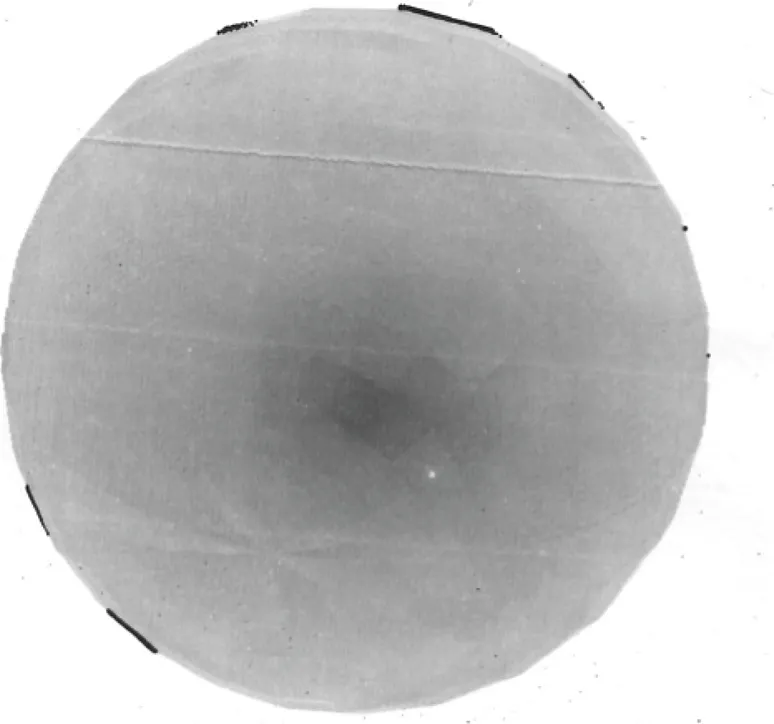
Figure 226. 3D representation of eyeball movement following letters. 1975.1
This algorithm took an edge representation of plane facets, projecting data onto screen coordinates, and sorted the data with a bucket sort (a linear growth technique), one bucket per scan line. Scanning was from top to bottom of the scan line, maintaining an active edge and facet list. Edges were sorted using a bubble sort. The distance from the eye to each point on the facet was calculated and saved into a single dimensional array (an incremental calculation). Shading was calculated on a facet-by-facet basis and assigned colour values added to each visible pixel. This was called a single-dimensional Z-buffer. Even choosing the edge representations type, for which there were alternatives, involved guesswork. The lack of “core” memory (and it really was magnetic cores on wire thread) meant the algorithm had to be something more sophisticated than today’s frame buffers, certainly in terms of memory use. This algorithm was used by SONATA and REfLEX (possibly other well known CAD systems) to produce most of the images in this book.
The images (Figure 230) of the ball and tori was on the cover of the Division of Computing Research magazine in November 1975 and is an example of the evolving one-dimensional Z-buffer algorithm. Cyan magenta yellow (CMYK) versions of the images had to be printed separately, to get the colour image. There were no colour monitors available at the time. Single-line Z-buffer techniques had become the main method for generating images. This technique used was again to “bucket sort” vertices in projection space and then scan from top to bottom of the “screen”. Edge lists were maintained with edge crossings (potential changes in the visibility of a line or edge) calculated exactly and stored. When edges existed, the current scan was processed and output: or not if they were not visible. This algorithm evolved over the years into something more accurate and faster. Floating-point calculations were counted to determine exact efficiency.
Using this technique made something like transparency easy; just another line of Z-buffer depths for the object behind the transparent object. The colour of the pixel is simply a summation of two-pixel colours, depending upon transparency and angle of the front face. Similarly, fog was relatively easy to simulate and allowed images to have a somewhat ethereal effect (see the images in the shadows chapter).
Textures, completed somewhat later in SONATA, are again straightforward if you ignore aliasing: however, where aliasing is ignored, the images were appalling! Something called summed texture maps won in the end, though that was never obvious. Generating shadows was complex, involving generating hidden-line views of the scene from the light source viewpoint, reconstructing the visible faces and adding them to the scene.
(see Figures 232 and 233). Internal scenes especially looked totally bland. To help add feeling to the images, the Author added spotlights. The user could define a colour, a range, and an intensity cone. The light intensity cone was defined by points to which a spline was fitted. This meany that a spot light could be defined with variable intensity away from the main direction of the light. There was a long-term bug that the light-cone would get a band in it that would not go away! See the bands in Figures 80, 81, 83 and 84.
It is often useful to be able to change colour within the finished images of particular objects. One can pick the colour on a particular object in a 3D rendered view and change all shades of the colour on the particular object within the view. Colour values were then changed for all instances of the component in the image by clicking on the buttons on the bottom of the screen. Figure 76 shows the office with colours changed. The buttons on the bottom of the screen allowed the selected object to change the colour via Red, Green and Blue, Hue Saturation and Intensity, and the Ambient Light.
Hidden line algorithms were always a challenge because of the large numbers of edges generated from full production drawings and the need for complete accuracy. “Pretty” 3D hidden line images were less critical in terms of construction implications than the drawings, so a variant on the hidden line algorithm used for the 1976 movie was used. In the end, it worked well, but there were numerous issues on the way. In some ways, the calculations were more complex than the rendering algorithms.
Figure 229. Hybrid hidden line algorithm displaying amplitude of machine tool vibration versus input frequencies 1975
In 1976, an opportunity arose for the Author to make a 3D building model and view it as a movie. Several architects proposed new desi...
Table of contents
Cover
Half Title
Title Page
Copyright Page
Dedication
Editor’s Note
Table of Contents
List of Figures
Acknowledgements and Credits
Introduction
BIM
Early Case Studies
Evolution of BIM
16 Conclusion
Appendix 1
Appendix 2
Appendix 3
Appendix 4
Appendix 5
Appendix 6
Index
Trusted by 375,005 students
Access to over 1.5 million titles for a fair monthly price.
Study more efficiently using our study tools.
Frequently asked questions
Yes, you can cancel anytime from the Subscription tab in your account settings on the Perlego website. Your subscription will stay active until the end of your current billing period. Learn how to cancel your subscription
No, books cannot be downloaded as external files, such as PDFs, for use outside of Perlego. However, you can download books within the Perlego app for offline reading on mobile or tablet. Learn how to download books offline
Perlego offers two plans: Essential and Complete
Essential is ideal for learners and professionals who enjoy exploring a wide range of subjects. Access the Essential Library with 800,000+ trusted titles and best-sellers across business, personal growth, and the humanities. Includes unlimited reading time and Standard Read Aloud voice.
Complete: Perfect for advanced learners and researchers needing full, unrestricted access. Unlock 1.5M+ books across hundreds of subjects, including academic and specialized titles. The Complete Plan also includes advanced features like Premium Read Aloud and Research Assistant.
Both plans are available with monthly, semester, or annual billing cycles.
We are an online textbook subscription service, where you can get access to an entire online library for less than the price of a single book per month. With over 1.5 million books across 990+ topics, we’ve got you covered! Learn about our mission
Look out for the read-aloud symbol on your next book to see if you can listen to it. The read-aloud tool reads text aloud for you, highlighting the text as it is being read. You can pause it, speed it up and slow it down. Learn more about Read Aloud
Yes! You can use the Perlego app on both iOS and Android devices to read anytime, anywhere — even offline. Perfect for commutes or when you’re on the go. Please note we cannot support devices running on iOS 13 and Android 7 or earlier. Learn more about using the app
Yes, you can access Understanding BIM by Jonathan Ingram in PDF and/or ePUB format, as well as other popular books in Architecture & Architecture General. We have over 1.5 million books available in our catalogue for you to explore.