- 144 pages
- English
- ePUB (mobile friendly)
- Available on iOS & Android
eBook - ePub
Information
1
The Problems We Need to Solve
I’m about to give you the first half of an equation (figuratively speaking, of course; I promise to keep the actual math to a minimum).
This half of the equation is about perspective. Here’s an example. When I was in the Navy I served in the electrical division on board a fast frigate, guided missile. One day my division’s highest-ranking petty officer, an Electrician’s Mate First Class (EM1), told me a story that he claimed happened to him while he was serving on a much larger ship. It can be hard to tell if the “sea stories” you hear from sailors ever actually happened, but I believe this one is true.
He had gotten word from the engine room that there was an electrical problem that had been going on for a while, so he reported there with his toolkit to fix it. In the engine room he was met by a burly boiler technician who was clearly out of sorts. The electrician asked him what the problem was, and the boiler technician pointed toward a large metal coffee maker.
- Boiler technician: “That’s not working.”
- Electrician: “So it won’t turn on?”
- Boiler technician: “No, it keeps doing this.”
The boiler technician walked over to the metal coffee tank and placed his hands on either side of it. As he did so, he began to shake and convulse as he was shocked by the device. The EM1 stood there, astonished. All he could think to say after witnessing the spectacle was “What?”
“This,” the boiler technician replied with some consternation, before repeating the performance. Finally, after gathering his wits, the EM1 blurted out, “Stop doing that!”
It was a funny tale, and for the EM1 it was mostly a way to poke fun at a fellow sailor. But what is truly interesting about the story is how it shows the difference in the perspectives of the two men. They both wanted to solve a problem. But to the boiler technician, the situation was about a piece of equipment doing something inconvenient. He didn’t consider it that big of a deal (after all, the equipment still worked, and the boiler technician was obviously a pretty tough customer), but it was annoying, and it would be better if it were fixed.
The EM1, on the other hand, knew exactly how serious the problem was. In fact, it would have been far less serious if the coffeemaker had simply stopped working. One malfunction would result in less coffee. The other could easily take a life.
DIGGING DEEPER
This wasn’t really a matter of intelligence. The boiler technician was highly trained in running the complex boilers used on his class of ship. Those old boilers were essentially steam bombs that required constant attention, encyclopedic knowledge, and careful maintenance. But the boiler technician didn’t have the same type of understanding and critical thinking when it came to electrical devices other than boilers. When it came to electrical appliances, he understood something about how they worked but not why they worked. If he had a better understanding of electrical equipment and its inherent dangers, he likely would have shut the coffeemaker down until a qualified person repaired it. The problem wouldn’t have gone on for such a long while.
The same problem with perspective is often true in coding and web development, especially in libraries. Almost everyone in a library uses digital tools every day, sometimes to the near-complete exclusion of print. A growing number of librarians are learning some web development, be it HTML, JavaScript, Python, PHP, or all the above. Even a limited amount of knowledge in these areas will allow them to do important and impressive work like building websites or extending the functionality of existing tools. But without more of that deeper why does this work knowledge, solving more complex problems becomes difficult, if not impossible.
REUSING CODE
Code reuse is a great example of the value of digging deeper. One of my old information school professors, Haowei Hsieh, once told me in jest that in the beginning a single developer wrote the first piece of JavaScript and everyone has just been copying and altering it ever since. That was a very insightful statement, because the first thing a savvy developer will do when confronted with a new challenge is look around to see how others have tackled it. There’s a lot of code out there that people share, be it on message boards, in GitHub, or on their own websites.
But that code was built for that developer’s specific situation. I’ve often been asked for help by folks who have tried to solve a problem with borrowed code, but who just weren’t quite able to get it to work. Often, they were on the right track, but they only knew enough to try and run the code, or integrate it, more or less as they found it, into their work. They lacked enough of the why does it work knowledge to solve the remaining problems of compatibility and discern why the code wasn’t working for them.
THE LIBRARY PERSPECTIVE
I’ve introduced the first half of an equation—the half that describes what librarian technologists need to cultivate: namely, critical thinking and a systematic approach. Many hard-core programmers will already recognize the basic elements of applying critical thinking and active problem-solving to digital challenges. If they have traditional computer science educations (which plenty of web developers don’t), then they’ve practiced this kind of problem-solving in school. That’s the first half of the equation.
But there are also takeaways in this book for the computer science majors in the audience, because traditional coders require a different set of critical thinking skills when they go to work in libraries. This is the second half of the equation: a librarian’s perspective on information technologies. What does that mean? I love examples. Here’s one for your consideration.
One of the university libraries where I worked had a locally built database application for searching academic citations of a specific type. It wasn’t a large database; when I was there it held about ten thousand entries, but it did have a few dedicated users. It was a very impressive project that had been locally built by the university health science campus IT group from the ground up, and it was the only database I’ve seen, before or since, to service that type of record. It allowed full-text searching of the citations, it had a mechanism for a local administrator to add entries, and it had a clever map that the web team had added at one point to allow a visual entry point to searching by geographic zones. It was the sort of thing that most libraries only wish they had the resources to produce, and it represented more than a year’s worth of a dedicated coder’s work. All in all, a very impressive application.
And, from a library perspective, it was problematic.
Its old, three search-box search interface automatically combined multiple terms with OR rather than AND, so the more search terms you entered, the broader your search—the exact opposite of what most users expect. You could not search with Boolean operators. Once you performed a search and got your list of results, all you could do was print them out. You could not save or export your citations, which made the database’s list of returns the ultimate dead end. There was no clipboard that allowed users to hang onto particularly relevant search items through multiple searches. Using the database was an exercise in frustration.
After an update to one of the application’s underlying platforms (ColdFusion) ended up breaking it, I was asked to update the code so that it was operational again. I was able to get it up and running, but then, with the permission of the various stakeholders of the application, I began building improvements. I altered the search so that it tabbed between a Google-style basic search and an advanced search. I updated the application to allow Boolean searching. I enabled the fuzzy word searching possible through Solr (the search engine that had been introduced in the updated version of ColdFusion) and added it as a search feature via a checkbox next to the search box. The checkbox was not labeled “fuzzy search,” because patrons might not know what that meant. It was labeled “I’m not sure how these words are spelled.” I added a clipboard. I added the capability to export the clipboard contents in RIS format, so the references could be easily imported to reference managers. Suddenly, using the database was less frustrating.
Bear in mind that the work that I did was of a miniscule order of magnitude compared to the impressive effort required to build the application itself. I worked on this at an early point in my career, so the code I wrote was probably pretty messy, to put it generously. Yet that intervention provided outcomes that were out of scale to the work itself. The original coder had done this job and done it well. He had been given specifications and had produced something that fulfilled them all. But that coder was not an information professional. The issues that I addressed had clearly not even occurred to him. This is the other side of the equation: what coders need to improve when they come to work at a library. There are basic issues that may not appear in the specifications, which your stakeholders may have difficulty adequately expressing, but which are nonetheless challenges to be creatively addressed. There are questions that a library coder should ask. Problems that are not about how what you’ve built does something, but rather why it does that something. Often those problems concern people: how they interface with a tool, what they see as important, and what makes a particular tool or application something that they want to use and will use with confidence. By reviewing the challenges in this book, I hope that coders interested in working in the library world will get a taste for the challenges that await them, and how to approach them successfully.
I’ve worked at many libraries where home-built, legacy applications were in common use. Sometimes these were database-driven applications and sometimes they weren’t, but they were often bare-bones affairs with unpleasant interfaces, built to spec quickly and designed to do a specific job. People I spoke with often didn’t like using them, and in some cases didn’t even trust them because they found the interfaces clunky or difficult to deal with. The apps did what they were supposed to do, but they were supposed to do those things for people. Sprucing up the interface often improved users’ perceptions of the tool and how well it worked, even when the back-end functionality was not altered.
When I built an application to showcase student-employee photos at one library, I thought quite a bit about the admin personnel who were going to be responsible for adding the pictures to the database. For instance, I could have gotten away with requiring them to transfer pictures to a particular shared directory. But they sometimes had difficulty getting to and using the shared directories. That was a barrier. So, I built a drag-and-drop interface into the application. Dragging and dropping a photo into an interface is easy. From there, the application—not the user—did the work of resizing the picture for the web interface and storing it in the database. The application did the tedious heavy lifting. Because, as I like to say, that’s what code is for, and that’s what code should do.
CHALLENGES
Let’s look at a few library web development challenges together. Throughout the book, I’ll describe scenarios, called “challenges,” that libraries commonly face. We’ll first examine the problem to determine what is really needed from the solution. We will try to work holistically, examining the problem we are addressing in context, rather than in a vacuum. We will then discuss various solutions, and I will describe how I solved the problem. Remember, there are often many ways to solve a problem. My solutions are not the only solutions, and they may not be the best solutions for your library. But if this book is doing the work that it should, following my logic will help you build or improve your own problem-solving process, to lead you and your organization to a new level.
FIRST THINGS FIRST (A FEW BASICS)
If you’re brand-new to coding and web development, there are a few terms and concepts you’ll need to learn right out of the gate. This section is a mini-primer to help you with that. For a more substantive overview of programming, I recommend The Librarian’s Guide to Programming Languages, a 2016 LITA guide for which I co-authored the JavaScript chapter. If you don’t know anything about writing code, a number of sections in this book may be challenging for you. I suggest getting at least a basic knowledge of JavaScript and PHP before diving in too deeply. However, if you’re patient and determined, I’ve included URLs in key areas that you can use to find more information about important topics.
For scripting on the server-side I’ve used PHP, which is probably the most commonly used server-side language. Although PHP will help you understand the snippets of code, you don’t need to write PHP to make use of this book—again, this is about problem-solving rather than any particular language. The examples use PHP functions and methods, but the problem-solving steps can be ported to any language you can run on the server.
Now, on to our basic concepts.
Basic Terminology
The applications we’re discussing in this book will live in one of two places, or both: the client or the server.
The client is your web browser. Web browsers act like computers within computers. They come equipped with the tools to run certain types of programs themselves. The programs that can run in browsers are made up of HTML, CSS, and JavaScript. When you go to a web page, your browser downloads all that client-side web code and then runs it to make a web page (the client-side part of a web app) work. In other words, those apps, or parts of an app, use the processing power of the computer that accesses them. Applications built this way can do a heck of a lot, although JavaScript running in a browser does have some limitations.
The server is the computer the web page is downloaded from. When you go to a web address, you are visiting a server on the World Wide Web and requesting to download the client-side code and media files that constitute a web page or app. When we use server-side scripting like PHP, that server is where the server-side script lives and runs. Server-side scripting can do a lot of things that script in the client can’t, such as communicating with remote data sources and talking directly to relational databases. However, it isn’t made to run in the client. A browser wouldn’t know how to read or interpret PHP as anything other than raw text. When the server-side portion of a web app runs, it does its work and then either sends client-side web code to the browser or communicates with the client side of an app already running in someone’s browser by sending it some data. Also, server-side script uses the resources of the server to run. That’s important to remember, because the resources of a server are finite, so if too many users are running an application on a server at once, those resources can be used up.
Because of this distinction, it’s not only possible, but easy, to build apps entirely out of client-side code for others to use (in fact, I do it all the time). All users need to have is a modern web browser to open it in, and, presto! With some of the new tools built into HTML5, I can even store information locally on a person’s computer using mechanisms very similar to databases.
However, if I want to have an app with a shared database across users and devices, or an app that communicates with someone else’s API (Application Programming Interface, which we’ll talk more about later) to use that data, then I need some server-side script in the mix.
The server side and client side communicate with each other using the web’s signature protocol, HyperText Transfer Protocol (HTTP). There are a number of types of request that can be made over HTTP, but the two that are most important are GET and POST. You don’t need to know too much about these right now; but in broad terms, think of them like this: with GET the request itself is really very short, just the length of a web address. Whenever you do something like go to Google.com, you a...
Table of contents
- Cover
- Title Page
- Copyright Page
- Contents
- Preface
- 1 | The Problems We Need to Solve
- 2 | Tracking Just About Anything in the Client
- 3 | Moving Data between Your Web Pages
- 4 | Wrestling Same Origin Policy
- 5 | Using FIFIOs to Extract Data without an API
- 6 | Using Sideways Development to Improve Web Interfaces
- 7 | Pulling Data from Multiple Sources for a Single Interface
- 8 | Making a Mobile-Friendly Image Map
- 9 | Using Server-Side Scripting to Reshape Troublesome Data
- 10 | A Few Last Rules to Follow
- Afterword
- Appendix A. The Rules
- Appendix B. Next Steps
- Index
Trusted by 375,005 students
Access to over 1.5 million titles for a fair monthly price.
Study more efficiently using our study tools.
Frequently asked questions
Yes, you can cancel anytime from the Subscription tab in your account settings on the Perlego website. Your subscription will stay active until the end of your current billing period. Learn how to cancel your subscription
No, books cannot be downloaded as external files, such as PDFs, for use outside of Perlego. However, you can download books within the Perlego app for offline reading on mobile or tablet. Learn how to download books offline
Perlego offers two plans: Essential and Complete
- Essential is ideal for learners and professionals who enjoy exploring a wide range of subjects. Access the Essential Library with 800,000+ trusted titles and best-sellers across business, personal growth, and the humanities. Includes unlimited reading time and Standard Read Aloud voice.
- Complete: Perfect for advanced learners and researchers needing full, unrestricted access. Unlock 1.5M+ books across hundreds of subjects, including academic and specialized titles. The Complete Plan also includes advanced features like Premium Read Aloud and Research Assistant.
We are an online textbook subscription service, where you can get access to an entire online library for less than the price of a single book per month. With over 1.5 million books across 990+ topics, we’ve got you covered! Learn about our mission
Look out for the read-aloud symbol on your next book to see if you can listen to it. The read-aloud tool reads text aloud for you, highlighting the text as it is being read. You can pause it, speed it up and slow it down. Learn more about Read Aloud
Yes! You can use the Perlego app on both iOS and Android devices to read anytime, anywhere — even offline. Perfect for commutes or when you’re on the go.
Please note we cannot support devices running on iOS 13 and Android 7 or earlier. Learn more about using the app
Please note we cannot support devices running on iOS 13 and Android 7 or earlier. Learn more about using the app
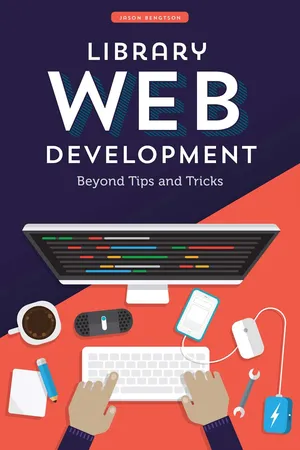
Yes, you can access Library Web Development by Jason Bengtson in PDF and/or ePUB format, as well as other popular books in Languages & Linguistics & Library & Information Science. We have over 1.5 million books available in our catalogue for you to explore.