- 424 pages
- English
- ePUB (mobile friendly)
- Available on iOS & Android
eBook - ePub
User Interface Design of Electronic Appliances
About this book
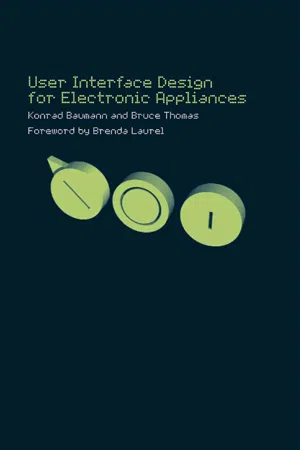
This simple and manageable guide to user interface design is written for the professional in industry working on product development and the decision process. It is directed not only to the human factors specialists, but also to technicians, designers, marketing and product managers and students.
The book presents guidelines for user interface d
Information
Part I
Introduction
1 Background
Bruce Thomas
By the time you have started to read this chapter, you will have seen the title of this book User Interface Design for Electronic Appliances, and maybe you have read the back cover and the Foreword. You will be aware that this is a book providing guidelines for designing electronic products. So what is different about this book, compared with other books about user interface design or books with human-factors guidelines?
The difference is one of emphasis. Many books on user interface design focus on human-computer interaction; this book focuses on electronic appliances, which may include microprocessors, but do not necessarily have the processing power or display and control flexibility of a PC. Other, more general books with human-factors guidelines have tried to provide all-encompassing guidelines, and as a result are either extremely weighty tomes in which specific information is difficult to find, or the information is so compromised that it is of little help in the search for the solution to a specific problem. Thus, this book contains a collection of material from various sources which is focused on providing help for the non-human-factors specialist involved in the development of small electronic appliances. It contains a collection of simple guidelines, along with explanations of how and why the guidelines should be applied.
The original idea for this book was to provide an English translation of Baumann and Lanz’s (Springer 1998) Mensch-Maschine-Schnittstellen elektronischer Geräte [Human-machine interfaces of electronic devices]. This book was aimed specifically at electronic engineers and included both human-factors guidelines and guidelines on the design of electronic circuits. The new book should have a more general human-factors focus, leaving out the technical guidelines, but including new material covering recent developments in user interface design techniques and technologies. To this end Konrad Baumann approached me to assist him to find such material.
Our first thought was to translate the original material and to write the new sections ourselves. However, we felt that we did not have sufficient expertise in some of the areas to be covered and that it would be advisable to consult personal acquaintances (mostly colleagues) who were in one way or another more expert in the particular areas we wanted to cover. These people very generously provided such a wealth of material that we felt that it would not do it or them justice to rework it into the book we originally had in mind. Thus, what you have in your hands is an edited work in which the chapters have been provided by a number of people who have worked together at Philips, as well as a few external experts.
Because this book contains material from a number of different authors, there are inevitably some differences in style and some overlaps in the material covered. Nevertheless, as editors we have tried to provide an overall structure which emphasizes the guidelines and makes the material easy to find.
Since many of the authors of this book currently work at Philips, or have done so in the past, you might be excused for thinking that this is a book about the way that products are developed at Philips. This never was our intention and, as editors, we have taken pains to ensure that the guidelines are sufficiently general to be applied in any context. Furthermore, you will find some examples of products from companies other than Philips - some of these were included in the original book, others have been included to illustrate particular points. The views presented here do not necessarily reflect Philips company policy, and the inclusion of product illustrations from other companies does not represent an endorsement of those products by Philips or the editors.
Part I of the book gives some general information about designing electronic devices including some general guidelines by Konrad Baumann (Chapter 2) and the interaction design process by Georg Rakers (Chapter 3).
Irene Mavrommati has provided guidelines on how to design user interfaces, which is presented in three chapters covering creativity techniques (Chapter 4), design principles (Chapter 5, co-written with Adrian Martel), and guidelines for design (Chapter 6).
The core of the book are the guidelines on input and output by Konrad Baumann which were translated from German and updated, concerning the building blocks of user interface design. These form the bulk of Parts III and IV (Controls and Displays, respectively). To these parts new chapters have been added covering advanced interaction techniques (Chapter 9 by Christopher Baber and Konrad Baumann), speech control (Chapter 10 by Christopher Baber and Jan Noyes), wearable computers (Chapter 11 by Christopher Baber), sound design (Chapter 13 by Othmar Schimmel) and tactile displays (Chapter 14 by Leo Poll).
Part V covers other important issues having a profound impact on the design of user interfaces for electronic appliances. These issues include the use of standards (Chapter 15 by Jennifer Weston), usability evaluation (Chapter 16 by Bruce Thomas), pleasure (Chapter 17 by Patrick W. Jordan) and national cultures and design (Chapter 18 by Patrick W. Jordan).
Although we have attempted to provide some general guidelines on the design of user interfaces for electronic devices, we could not possibly provide all material on user interface design or human factors within the pages of this comparatively small book. Therefore the co-authors have provided recommendations on their favourite books in this discipline (see p. 355, collected here as Appendix 2 ‘Guide to further reading’ (by Susan Coles). This is where we started.
2 Introduction
Konrad Baumann
2.1 The challenge of designing a small user interface
This book deals with user interfaces for electronic appliances or devices. These user interfaces are usually characterized by their limitations; for example:
- limited size (if they belong to a hand-held device);
- limited weight (if the appliance should be portable);
- limited sales price (if the appliance is a consumer product);
- limited time to market (often a major challenge with information appliances);
- limited learning time;
- changing users (in case of a public appliance);
- limited acceptable error rate (in safety-critical applications like in production, health care, aviation and automotive applications);
- limited processing power (in case of speech-to-text conversion), and the like.
These appliances do not necessarily have to be small, but many of them are. Others may be big, like an industrial production machine, but nevertheless have a small user interface. By this we mean a user interface having less screen space and/or less or smaller input devices than a personal computer (PC).
Today these appliances are also characterized by dramatically increasing use of microprocessor control and their constantly rising processing power. This fact usually adds a few other challenges for the team that has to specify and develop them; for example:
- feature overflow;
- high menu complexity;
- shortage of input and output devices.
Finally there are some challenges and constraints because of the fact that today’s technological products are breaking geographical and social frontiers and that the pace of industry is constantly accelerating:
- lack of applicable standards and guidelines;
- no common terminology;
- no upgradeability;
- low priority and inappropriate process;
- lack of resources;
- unlimited target-user group;
- ignorance of users’ needs.
Let us have a closer look at some of these challenges:
Feature overflow The use of microprocessors makes it possible steadily to increase the number of functions of a device. Nevertheless the user interface (UI) should stay (or become) clear, easy to learn and error tolerant. As every feature or function increases the complexity of a device, feature overflow is clearly our biggest challenge.
Shortage of input and output devices From reasons of cost and space, the number of keys of an electronic appliance is small compared with a computer or with a mechanical machine. In most cases no analogue input device (e.g. mouse) is available and only a small display.
Lack of standards and guidelines There are still only a few applicable standards and guidelines for the development of electronic appliances, especially because the task is interdisciplinary (i.e. situated between the domains of hardware development, software development and industrial design).
Unlimited target-user group The interface should be equally suited for experienced and inexperienced users.
No common terminology Users and designers have a different way of thinking and a different terminology. Hence problems of communication are possible.
No upgradeability In the case of a processor-controlled device the computer program is an integral part of the device, hence it must be free of errors and thoroughly checked right from the first version.
Low priority and inappropriate process In many projects the development initially concentrates on the primary function of the device (e.g. measuring, regulating, data transmission) and the user interface is considered as an add-on to the device, not as an integral part of it. As a consequence the user interface does not get an appropriate development process that contains evaluation, simulation, testing and feedback loops.
Lack of time and money If the project runs out of time and/or money the user interface usually suffers most. The reasons are the same as described in the previous paragraph.
Ignorance of users’ needs New devices or user interfaces often follow technological or marketing needs - it is not sure whether they help the users to perform specific tasks. This may apply even to UI innovations for electronic devices like screen graphics or speech interaction if applied in an inappropriate way.
2.2 An example: user interfaces of mobile phones
The first generations of mobile telephones differed a lot in their basic features and pe...
Table of contents
- Cover Page
- Title Page
- Copyright Page
- Figures
- Tables
- Contributors
- Addresses of contributors
- Foreword
- Acknowledgements
- Part I: Introduction
- Part II: User interface design
- Part III: Input devices
- Part IV: Output devices
- Part V: Important issues
- Part V: Appendices
- References
Trusted by 375,005 students
Access to over 1.5 million titles for a fair monthly price.
Study more efficiently using our study tools.
Frequently asked questions
Yes, you can cancel anytime from the Subscription tab in your account settings on the Perlego website. Your subscription will stay active until the end of your current billing period. Learn how to cancel your subscription
No, books cannot be downloaded as external files, such as PDFs, for use outside of Perlego. However, you can download books within the Perlego app for offline reading on mobile or tablet. Learn how to download books offline
We are an online textbook subscription service, where you can get access to an entire online library for less than the price of a single book per month. With over 1.5 million books across 990+ topics, we’ve got you covered! Learn about our mission
Look out for the read-aloud symbol on your next book to see if you can listen to it. The read-aloud tool reads text aloud for you, highlighting the text as it is being read. You can pause it, speed it up and slow it down. Learn more about Read Aloud
Yes! You can use the Perlego app on both iOS and Android devices to read anytime, anywhere — even offline. Perfect for commutes or when you’re on the go.
Please note we cannot support devices running on iOS 13 and Android 7 or earlier. Learn more about using the app
Please note we cannot support devices running on iOS 13 and Android 7 or earlier. Learn more about using the app
Yes, you can access User Interface Design of Electronic Appliances by Konrad Baumann,Bruce Thomas in PDF and/or ePUB format, as well as other popular books in Design & UI/UX Design. We have over 1.5 million books available in our catalogue for you to explore.