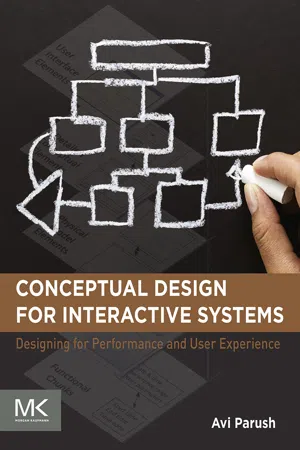
eBook - ePub
Conceptual Design for Interactive Systems
Designing for Performance and User Experience
- 164 pages
- English
- ePUB (mobile friendly)
- Available on iOS & Android
eBook - ePub
About this book
Conceptual Design for Interactive Systems: Designing for Performance and User Experience provides readers with a comprehensive guide to the steps necessary to take the leap from research and requirements to product design. The text presents a proven strategy for transforming research into a conceptual model, discussing the iterative process that allows users to build the essential foundation for a successful interactive system, while also taking the users' mental model into consideration.
Readers will gain a better understanding of the framework they need to perceive, understand, and experience their tasks and processes in the context of their products. The text is ideal for those seeking a proven, innovative strategy for meeting goals through intuitive and effective thinking.
- Provides a practical, guiding approach that can be immediately applied to everyday practice and study
- Complete analysis and explanation of conceptual modeling and its value
- Discusses the implications of effective and poor conceptual models
- Presents a step-by-step process, allowing users to build the essential foundation for a successful interactive system
Information
Part 1
The Conceptual Model—Fundamentals
Introduction
So far, the preface and the title of this section suggested that a key concept in this book is the “conceptual model.” The objective of the first part of the book is to present the fundamentals of the conceptual model in interactive systems and discuss its impact. Briefly, a conceptual model is the configuration of conceptual elements and the navigation between them. As such, a conceptual model is the foundation of the user interface of any interactive system. However, before we proceed any further with abstract-sounding words and sentences, let us dive into an example. Designing an effective and consistent user experience across the interaction channels is challenging. We will put emphasis in the book on this challenge. The running example for this part of the book is a multiple and cross-channel interaction one.
Chapter 1
A Multiple and Cross Channel Example
Setting an Appointment
Abstract
We illustrate the fundamental components of the conceptual model by introducing and analyzing four existing calendar applications. Each of the four applications supports setting an appointment and each is on a different interaction channel. Such a comparative illustration can demonstrate how you can fulfill the same goal using different conceptual models.
Keywords
Conceptual model
Multi-channel application
Cross-channel application
User goals
In order to illustrate the fundamental components of the conceptual model, we introduce and analyze four existing calendar applications. Each of the four applications supports setting an appointment and each is on a different interaction channel. Such a comparative illustration can demonstrate how you can achieve the same goal using different conceptual models.
The first step in the interaction flow is common to all four applications: In order to set an appointment, the user can select a starting date and time by pointing at it on the calendar or by activating an option for setting a new appointment. The illustration of the conceptual model starts here after this initial step by looking for what comes next. For the four applications, we will use the following tasks:
1. Defining the basic details of the appointment: topic, place, date, and time.
2. Setting a reminder for the appointment.
3. Setting the appointment as a recurring one.
The sample calendar applications are on the following four interaction channels:
1. Desktop Windows
2. Web-based
3. Tablet
4. Smartphone
The following is a detailed description of the interaction with each of the applications.
The first application for setting an appointment is a well-known Windows-based program typically installed on desktop and laptop computers with a familiar graphical user interface (GUI). In the Calendar user interface, the user can perform these tasks in the very first tab of the Appointment window. The label for that window and the first tab is “Appointment” (Figure 1.1). Notice where and how the user performs each of the following tasks in the GUI:

Figure 1.1 A Windows-based GUI application for accomplishing the goal of setting an appointment.
1. Setting the basic appointment parameters: text fields to specify the subject and location of the appointment, in addition to a couple of controls to specify the date and time of the appointment.
2. Setting a reminder: a pop-down list to select the lead time for the reminder.
3. Setting a recurrence: includes parameters such as the appointment time, recurrence frequency, and recurrence range of dates.
The second application is a Web-based calendar. As was the case in the Windows-based application, the interaction flow in this application also allows for starting from a specific time slot in the calendar in which case the date and time are already set based on the starting point (pop-up modal window 1 in Figure 1.2). The user can

Figure 1.2 A Web-based application for accomplishing the goal of setting an appointment.
1. set up the basic appointment parameters at the top right corner of the page,
2. set a reminder by moving to another place on the page and opening a pop-down list of reminder lead times,
3. set a recurrence by opening of a pop-up modal window, which includes the recurrence frequency and additional parameters.
The third calendar application is for touch tablets. As with the two previous applications analyzed above, after the interaction starts with the calendar, a dialog box pops up on the screen (1 in Figure 1.3). The user can

Figure 1.3 A tablet-based application for accomplishing the goal of setting an appointment.
1. define immediately and directly at the top of the window the title (purpose) of the appointment and its location;
2. set or edit the date and time of the appointment, a new pop-up modal window appears on top of the previous one, in which the date and time can be set (dismissing the second pop-up and returning to the original main window for setting an appointment conclude this extended interaction);
3. set a reminder opening another pop-up modal window...
Table of contents
- Cover image
- Title page
- Table of Contents
- Copyright
- Foreword
- Preface
- Acknowledgements
- Part 1: The Conceptual Model—Fundamentals
- Part 2: Conceptual Design: A Methodology
- Epilogue: Beyond the conceptual model and onto detailed design
- References
- Index
Frequently asked questions
Yes, you can cancel anytime from the Subscription tab in your account settings on the Perlego website. Your subscription will stay active until the end of your current billing period. Learn how to cancel your subscription
No, books cannot be downloaded as external files, such as PDFs, for use outside of Perlego. However, you can download books within the Perlego app for offline reading on mobile or tablet. Learn how to download books offline
Perlego offers two plans: Essential and Complete
- Essential is ideal for learners and professionals who enjoy exploring a wide range of subjects. Access the Essential Library with 800,000+ trusted titles and best-sellers across business, personal growth, and the humanities. Includes unlimited reading time and Standard Read Aloud voice.
- Complete: Perfect for advanced learners and researchers needing full, unrestricted access. Unlock 1.4M+ books across hundreds of subjects, including academic and specialized titles. The Complete Plan also includes advanced features like Premium Read Aloud and Research Assistant.
We are an online textbook subscription service, where you can get access to an entire online library for less than the price of a single book per month. With over 1 million books across 990+ topics, we’ve got you covered! Learn about our mission
Look out for the read-aloud symbol on your next book to see if you can listen to it. The read-aloud tool reads text aloud for you, highlighting the text as it is being read. You can pause it, speed it up and slow it down. Learn more about Read Aloud
Yes! You can use the Perlego app on both iOS and Android devices to read anytime, anywhere — even offline. Perfect for commutes or when you’re on the go.
Please note we cannot support devices running on iOS 13 and Android 7 or earlier. Learn more about using the app
Please note we cannot support devices running on iOS 13 and Android 7 or earlier. Learn more about using the app
Yes, you can access Conceptual Design for Interactive Systems by Avi Parush in PDF and/or ePUB format, as well as other popular books in Design & Software Development. We have over one million books available in our catalogue for you to explore.