eBook - ePub
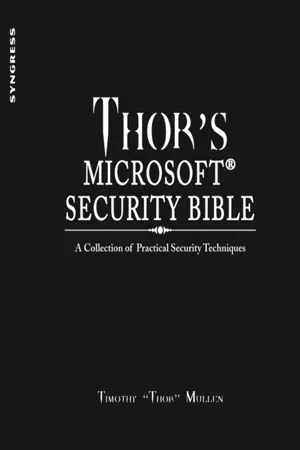
Thor's Microsoft Security Bible
A Collection of Practical Security Techniques
- 336 pages
- English
- ePUB (mobile friendly)
- Available on iOS & Android
eBook - ePub
About this book
Thor's Microsoft Security Bible provides a one-stop-shop for Microsoft-related security techniques and procedures as applied to the typical deployment of a Microsoft-based infrastructure. Written by world-renowned security expert Timothy Thor Mullen, the book presents a fascinating collection of practical and immediately implementable Microsoft security techniques, processes and methodologies uniquely illustrated through real-world process examples.
This book contains detailed security concepts and methodologies described at every level: Server, Client, Organizational Structure, Platform-specific security options, and application specific security (IIS, SQL, Active Directory, etc.). It also includes new, never-before-published security tools complete with source code; detailed technical information on security processes for all major Microsoft applications; unique project-based storytelling delivery, combining multiple security techniques and methods together for real-world solutions to security challenges in actual business use cases; reference-style content for access to specific application security techniques and methods; actual author opinion and guidance as not only HOW to go about security particular applications, but WHY to do so.
This book will be of interest to systems and network administrators, IT managers, security and network engineers, and database administrators.
- Named the 2011 Best Systems Administration Book by InfoSec Reviews
- Detailed technical information on security processes for all major Microsoft applications
- Unique project-based "storytelling" delivery, combining multiple security techniques and methods together for real-world solutions to security challenges in actual business use cases
- Reference-style content for access to specific application security techniques and methods
- Actual author opinion and guidance as not only HOW to go about security particular applications, but WHY to do so
Information
Chapter 1. Securely Writing Web Proxy Log Data to SQL Server and Programmatically Monitoring Web Traffic Data in Order to Automatically Inject Allow/Deny Rules into TMG
Information in this chapter:
▪ Implementation
▪ Securely Logging Data to SQL
▪ Designing the Workflow
▪ Execution
Products, Tools, and Methods:
▪ Active Directory (AD)
▪ MS SQL Server
▪ Internet Security and Acceleration (ISA) Server/TMG1 Windows Firewall with Advanced Security
1From this point forward, only TMG will be discussed, though many options may be used in ISA Server as well.
▪ TMG Logging to SQL Server
▪ Least Privilege Service User
▪ SQL Common Language Runtime (CLR) to Replace xp_cmdshell
▪ AD Permissions Delegation
▪ Organizational Units
▪ TMG Deny Rules
▪ Computer Certificates
▪ AppLocker
This chapter illustrates how to securely write TMG web proxy log data to a SQL Server backend database. With this structure in place, it further illustrates how to monitor traffic to automatically control Active Directory group management to control access rules in TMG.
Keywords: SQL Server Web Logs TMG Access Rules Delegation Certificates AppLocker
Introduction
The purpose of this process example is to securely combine the logging features of Microsoft's Threat Management Gateway (TMG) with the power of SQL Server to monitor user traffic with the goal of determining if the user has violated corporate (or other) web browsing policies by way of checking the destination uniform resource identifier (URI) called by the browser against a blacklist of predetermined sites. We will then block that user using dynamically managed AD group membership in an automated fashion. These techniques can also be applied to different scenarios, so take note of those that you can port over to other applications and configurations.
In this example, we will configure TMG to log web proxy data to a SQL database using integrated machine credentials and then create a SQL job to monitor entries in the log in order to trigger an event where the SQL service will update user group information for an AD global group that has been preconfigured as the target of a DENY rule in TMG.
In other words, SQL will monitor the TMG logs practically in near-real-time and look for destination sites in the logs that match a list of admin-defined blacklisted sites. When it finds a user that has broken a policy (for example, visiting ESPN during work hours), it will automatically execute a command to add that user to a global group that has been denied outbound access in TMG. When the rule is matched, rather than the default TMG access error page, the user will be redirected to an internal web page where they will be greeted by Quake Arena's DENIED.wav file and a spinning skull graphic telling him that he is a loser, to pack his things, and to report to the front desk. I have actually deployed this method into a production environment at a corporation I worked for previously, and the results were well worth the issues it created with Human Resources. You, of course, will have to make that determination on your own.
At each step, we will be consciously aware of what process environment we can create using security in depth and using least privilege where possible. While these illustrations are just examples of the integration possibilities available, I will try to make each as complete as possible insofar as working code is concerned. When I present ideas, they are complete, tested, and operational—unlike security by theory, which is not worth the HTML it is written in. As always, these processes can be applied to a multitude of different security processes with varied end results.
Scope and Considerations
I have seen many SQL environments where scheduled jobs would run as administrator and drop down to the command interpreter via the ever popular xp_cmdshell extended system stored procedure in order to interact directly with the operating system (OS) or file system. Years back, there were not many reliable solutions for doing this other than xp_cmdshell, and people were not as worried about security then as we are now. For similar solutions, I would typically see SQL set up for mixed mode authentication, using a database source name (DSN) on the TMG box to connect to the SQL server with stored credentials that post log records, and with the SQL Server service running in a privileged context so it could directly alter group membership in AD and do something like execute a net ...
Table of contents
- Cover image
- Table of Contents
- Front matter
- Copyright
- About the Author
- Introduction
- Chapter 1. Securely Writing Web Proxy Log Data to SQL Server and Programmatically Monitoring Web Traffic Data in Order to Automatically Inject Allow/Deny Rules into TMG
- Chapter 2. Internet Information Server (IIS) Authentication and Authorization Models, and Locking Down File Access with EFS and WebDAV
- Chapter 3. Analyzing and Blocking Malicious Traffic Based on Geolocation
- Chapter 4. Creating an Externally Accessible Authenticated Proxy in a Secure Manner
- Chapter 5. The Creation and Maintenance of Low-Privileged Service Users (with a Focus on SQL)
- Chapter 6. Remote Security Log Collection in a Least Privilege Environment
- Chapter 7. Securing RDP
- Appendix A. List of Acronyms
- Appendix B. Full List of Server 2008 Logs via the WEVTUTIL Tool
- Index
Trusted by 375,005 students
Access to over 1.5 million titles for a fair monthly price.
Study more efficiently using our study tools.
Frequently asked questions
Yes, you can cancel anytime from the Subscription tab in your account settings on the Perlego website. Your subscription will stay active until the end of your current billing period. Learn how to cancel your subscription
No, books cannot be downloaded as external files, such as PDFs, for use outside of Perlego. However, you can download books within the Perlego app for offline reading on mobile or tablet. Learn how to download books offline
Perlego offers two plans: Essential and Complete
- Essential is ideal for learners and professionals who enjoy exploring a wide range of subjects. Access the Essential Library with 800,000+ trusted titles and best-sellers across business, personal growth, and the humanities. Includes unlimited reading time and Standard Read Aloud voice.
- Complete: Perfect for advanced learners and researchers needing full, unrestricted access. Unlock 1.5M+ books across hundreds of subjects, including academic and specialized titles. The Complete Plan also includes advanced features like Premium Read Aloud and Research Assistant.
We are an online textbook subscription service, where you can get access to an entire online library for less than the price of a single book per month. With over 1.5 million books across 990+ topics, we’ve got you covered! Learn about our mission
Look out for the read-aloud symbol on your next book to see if you can listen to it. The read-aloud tool reads text aloud for you, highlighting the text as it is being read. You can pause it, speed it up and slow it down. Learn more about Read Aloud
Yes! You can use the Perlego app on both iOS and Android devices to read anytime, anywhere — even offline. Perfect for commutes or when you’re on the go.
Please note we cannot support devices running on iOS 13 and Android 7 or earlier. Learn more about using the app
Please note we cannot support devices running on iOS 13 and Android 7 or earlier. Learn more about using the app
Yes, you can access Thor's Microsoft Security Bible by Timothy "Thor" Mullen in PDF and/or ePUB format, as well as other popular books in Business & Information Management. We have over 1.5 million books available in our catalogue for you to explore.