- 488 pages
- English
- ePUB (mobile friendly)
- Available on iOS & Android
eBook - ePub
Nokia Firewall, VPN, and IPSO Configuration Guide
About this book
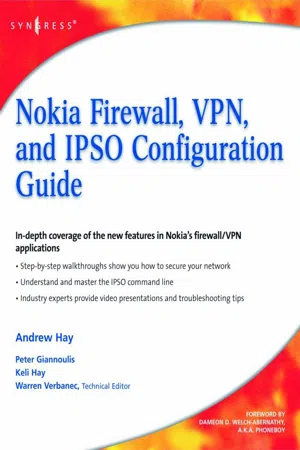
"While Nokia is perhaps most recognized for its leadership in the mobile phone market, they have successfully demonstrated their knowledge of the Internet security appliance market and its customers requirements."--Chris Christiansen, Vice President, Internet Infrastructure and Security Software, IDC.Syngress has a long history of publishing market-leading books for system administrators and security professionals on commercial security products, particularly Firewall and Virtual Private Network (VPN) appliances from Cisco, Check Point, Juniper, SonicWall, and Nokia (see related titles for sales histories). The Nokia Firewall, VPN, and IPSO Configuration Guide will be the only book on the market covering the all-new Nokia Firewall/VPN Appliance suite. Nokia Firewall/VPN appliances are designed to protect and extend the network perimeter.According to IDC research, Nokia Firewall/VPN Appliances hold the #3 worldwide market-share position in this space behind Cisco and Juniper/NetScreen. IDC estimated the total Firewall/VPN market at $6 billion in 2007, and Nokia owns 6.6% of this market. Nokia's primary customers for security appliances are Mid-size to Large enterprises who need site-to-site connectivity and Mid-size to Large enterprises who need remote access connectivity through enterprise-deployed mobile devices. Nokia appliances for this market are priced form $1,000 for the simplest devices (Nokia IP60) up to $60,0000 for large enterprise- and service-provider class devices (like the Nokia IP2450 released in Q4 2007). While the feature set of such a broad product range obviously varies greatly, all of the appliances run on the same operating system: Nokia IPSO (IPSO refers to Ipsilon Networks, a company specializing in IP switching acquired by Nokia in 1997. The definition of the acronym has little to no meaning for customers.) As a result of this common operating system across the product line, The Nokia Firewall, VPN, and IPSO Configuration Guide will be an essential reference to users of any of these products. Users manage the Nokia IPSO (which is a Linux variant, specifically designed for these appliances) through a Web interface called Nokia Network Voyager or via a powerful Command Line Interface (CLI). Coverage within the book becomes increasingly complex relative to the product line.The Nokia Firewall, VPN, and IPSO Configuration Guide and companion Web site will provide seasoned network administrators and security professionals with the in-depth coverage and step-by-step walkthroughs they require to properly secure their network perimeters and ensure safe connectivity for remote users. The book contains special chapters devoted to mastering the complex Nokia IPSO command line, as well as tips and tricks for taking advantage of the new "ease of use" features in the Nokia Network Voyager Web interface. In addition, the companion Web site offers downloadable video walkthroughs on various installation and troubleshooting tips from the authors.
- Only book on the market covering Nokia Firewall/VPN appliances, which hold 6.6% of a $6 billion market
- Companion website offers video walkthroughs on various installation and troubleshooting tips from the authors
- Special chapters detail mastering the complex Nokia IPSO command line, as well as tips and tricks for taking advantage of the new "ease of use" features in the Nokia Network Voyager Web interface
Information
Table of contents
- Brief Table of Contents
- Table of Contents
- Copyright
- Authors
- Technical Editor
- Foreword Contributor
- Foreword
- Chapter 1. Nokia Security Solutions OverviewSolutions in this chapter:
- Chapter 2. Nokia IPSO Overview
- Chapter 3. Initial IPSO Configuration
- Chapter 4. Nokia Network VoyagerSolutions in this chapter:
- Chapter 5. Security and Access Configuration
- Chapter 6. Advanced System Administration and Troubleshooting
- Chapter 7. Advanced Routing Configuration
- Chapter 8. Configuring the Check Point NGX Firewall
- Chapter 9. System Monitoring
- Chapter 10. High Availability
- Chapter 11. IPSO Command Interface Line Shell (CLISH)
- Appendix A. UNIX Basics
- Appendix B. Accessing Lab Videos
- Index
Trusted by 375,005 students
Access to over 1.5 million titles for a fair monthly price.
Study more efficiently using our study tools.
Frequently asked questions
Yes, you can cancel anytime from the Subscription tab in your account settings on the Perlego website. Your subscription will stay active until the end of your current billing period. Learn how to cancel your subscription
No, books cannot be downloaded as external files, such as PDFs, for use outside of Perlego. However, you can download books within the Perlego app for offline reading on mobile or tablet. Learn how to download books offline
Perlego offers two plans: Essential and Complete
- Essential is ideal for learners and professionals who enjoy exploring a wide range of subjects. Access the Essential Library with 800,000+ trusted titles and best-sellers across business, personal growth, and the humanities. Includes unlimited reading time and Standard Read Aloud voice.
- Complete: Perfect for advanced learners and researchers needing full, unrestricted access. Unlock 1.5M+ books across hundreds of subjects, including academic and specialized titles. The Complete Plan also includes advanced features like Premium Read Aloud and Research Assistant.
We are an online textbook subscription service, where you can get access to an entire online library for less than the price of a single book per month. With over 1.5 million books across 990+ topics, we’ve got you covered! Learn about our mission
Look out for the read-aloud symbol on your next book to see if you can listen to it. The read-aloud tool reads text aloud for you, highlighting the text as it is being read. You can pause it, speed it up and slow it down. Learn more about Read Aloud
Yes! You can use the Perlego app on both iOS and Android devices to read anytime, anywhere — even offline. Perfect for commutes or when you’re on the go.
Please note we cannot support devices running on iOS 13 and Android 7 or earlier. Learn more about using the app
Please note we cannot support devices running on iOS 13 and Android 7 or earlier. Learn more about using the app
Yes, you can access Nokia Firewall, VPN, and IPSO Configuration Guide by Andrew Hay,Keli Hay,Peter Giannoulis in PDF and/or ePUB format, as well as other popular books in Computer Science & Business Intelligence. We have over 1.5 million books available in our catalogue for you to explore.