eBook - ePub
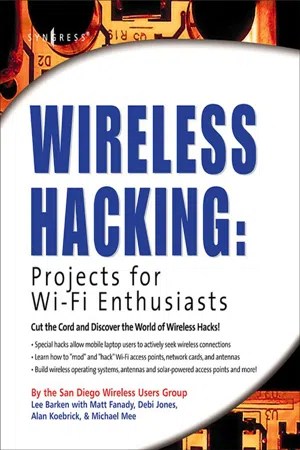
Wireless Hacking: Projects for Wi-Fi Enthusiasts
Cut the cord and discover the world of wireless hacks!
- 416 pages
- English
- ePUB (mobile friendly)
- Available on iOS & Android
eBook - ePub
Wireless Hacking: Projects for Wi-Fi Enthusiasts
Cut the cord and discover the world of wireless hacks!
About this book
Sales of wireless LANs to home users and small businesses will soar this year, with products using IEEE 802.11 (Wi-Fi) technology leading the way, according to a report by Cahners research. Worldwide, consumers will buy 7.3 million wireless LAN nodes--which include client and network hub devices--up from about 4 million last year. This third book in the "HACKING" series from Syngress is written by the SoCalFreeNet Wireless Users Group and will cover 802.11a/b/g ("Wi-Fi) projects teaching these millions of Wi-Fi users how to "mod" and "hack" Wi-Fi access points, network cards, and antennas to run various Linux distributions and create robust Wi-Fi networks.Cahners predicts that wireless LANs next year will gain on Ethernet as the most popular home network technology. Consumers will hook up 10.9 million Ethernet nodes and 7.3 million wireless out of a total of 14.4 million home LAN nodes shipped. This book will show Wi-Fi enthusiasts and consumers of Wi-Fi LANs who want to modify their Wi-Fi hardware how to build and deploy "homebrew Wi-Fi networks, both large and small.
- Wireless LANs next year will gain on Ethernet as the most popular home network technology. Consumers will hook up 10.9 million Ethernet nodes and 7.3 million wireless clients out of a total of 14.4 million home LAN nodes shipped.
- This book will use a series of detailed, inter-related projects to teach readers how to modify their Wi-Fi hardware to increase power and performance to match that of far more expensive enterprise networking products. Also features hacks to allow mobile laptop users to actively seek wireless connections everywhere they go!
- The authors are all members of the San Diego Wireless Users Group, which is famous for building some of the most innovative and powerful "home brew" Wi-Fi networks in the world.
Information
Part I
Introduction to Wireless Hacking
Chapter 1
A Brief Overview of the Wireless World
Topics in this Chapter:

Introduction to Wi-Fi
Welcome to the world of “wireless magic.” 802.11 (Wi-Fi) wireless LANs have exploded onto the scene with an excitement not seen since the introduction of the Internet itself. Getting rid of the wires means getting rid of the hassle. With Wi-Fi, you can roam through your favorite coffee shop, boardroom or living room, all the while maintaining the convenience of high-speed connectivity. With Wi-Fi, life is good!
Once you’ve gone through the experience of setting up a local Wi-Fi network, your first instinct is likely to think that “bigger is better.” Expanding the coverage and increasing the network cloud enables you to share Internet resources with others as a community service. As long as you’re not breaking the law (or violating your ISP’s terms of service), you should listen to that creative instinct and start getting together with your neighbors (or others in your community) and begin planning a community wireless network! This book is all about the challenges, thrills, and adventures of such an effort, started in San Diego, and known as “SoCalFreeNet.” By offering this roadmap to you, the reader, we hope to inspire more such efforts in neighborhoods all around the world.
In this chapter, we will cover some of the Wi-Fi basics you’ll need to understand in order to complete the wireless hacks found throughout this book. We start with the history and basics of 802.11, including a review of the differences between a, b and g. Next, we cover wireless architectures and FCC rules. Finally, we include some discussion on the social benefits of community wireless networking.
The History and Basics of 802.11
The desire of people to communicate wirelessly spans many generations and technologies. Some might even argue that the ancient activity of lighting fires and using smoke signals was an early attempt to distribute a message without wires. In this book, however, we refer to the term “wireless” in the context of a modern data network. In other words: the ability to transmit and receive binary data from one location to another. A great deal of wireless data technology evolved in the late 20th century. Unfortunately, these wireless devices were typically proprietary and expensive. Their uses included specialized applications, such as remote cash registers and warehouse inventory systems.
After spending the better part of the 1990s engaged in technical discussions, the Institute of Electrical and Electronics Engineers (IEEE) ratified the 802.11 protocol in 1997. The original protocol supported three physical layer definitions: Direct Sequence Spread Spectrum (DSSS), Frequency Hopping Spread Spectrum (FHSS), and InfraRed (IR). The supported data rates for DSSS and FHSS were 1 and 2 Mbps. These protocols operated in the 2.4 GHz unlicensed spectrum. IR remains an interesting footnote in the history of 802.11, as it never achieved any notable commercial success due to its limited range and line of sight requirements.
In 1999, the higher speed 802.11a and 802.11b protocols were ratified. 802.11b added 5.5 and 11 Mbps support using DSSS in 2.4 GHz, making it backwards-compatible with existing 1 and 2 Mbps DSSS gear (but not compatible with FHSS or IR equipment). 802.11a added Orthogonal Frequency Division Multiplexing (OFDM) as a modulation technique in the 5 GHz unlicensed spectrum, with speeds of up to 54 Mbps. In 2003, 802.11g was ratified, which provided higher speeds (up to 54 Mbps). 802.11g works by applying OFDM modulation techniques in the 2.4 GHz unlicensed spectrum. It remains backwards-compatible with 802.11b by integrating DSSS modulation (at 11, 5.5, 2, and 1 Mbps).
NOTE … WHAT IS THE WI-FI ALLIANCE?

IEEE Alphabet Soup
Understanding the differences between the various IEEE protocols can be daunting. Consumers often make the mistake of purchasing incompatible hardware and then returning it to the computer store when it doesn’t work. In this section, we will clear up any confusion about the differences between 802.11a, b, and g. Using this information as a guide, you will be ready to make informed and educated choices regarding the protocol best suited for your particular deployment.
802.11b
For many years, 802.11b was widely regarded as the most popular form of Wi-Fi. It utilizes frequencies in the 2.4 GHz rang...
Table of contents
- Cover image
- Title page
- Table of Contents
- Register for Free Membership to [email protected]
- Copyright
- Acknowledgments
- Technical Editor & Contributor
- Contributors
- Foreword Contributor
- Foreword
- Introduction
- Part I: Introduction to Wireless Hacking
- Part II: Hacking Projects
- Part III: Software Projects
- Part IV: Antennas and Outdoor Enclosure Projects
- Appendix A: Wireless 802.11 Hacks
- Index
Trusted by 375,005 students
Access to over 1.5 million titles for a fair monthly price.
Study more efficiently using our study tools.
Frequently asked questions
Yes, you can cancel anytime from the Subscription tab in your account settings on the Perlego website. Your subscription will stay active until the end of your current billing period. Learn how to cancel your subscription
No, books cannot be downloaded as external files, such as PDFs, for use outside of Perlego. However, you can download books within the Perlego app for offline reading on mobile or tablet. Learn how to download books offline
Perlego offers two plans: Essential and Complete
- Essential is ideal for learners and professionals who enjoy exploring a wide range of subjects. Access the Essential Library with 800,000+ trusted titles and best-sellers across business, personal growth, and the humanities. Includes unlimited reading time and Standard Read Aloud voice.
- Complete: Perfect for advanced learners and researchers needing full, unrestricted access. Unlock 1.5M+ books across hundreds of subjects, including academic and specialized titles. The Complete Plan also includes advanced features like Premium Read Aloud and Research Assistant.
We are an online textbook subscription service, where you can get access to an entire online library for less than the price of a single book per month. With over 1.5 million books across 990+ topics, we’ve got you covered! Learn about our mission
Look out for the read-aloud symbol on your next book to see if you can listen to it. The read-aloud tool reads text aloud for you, highlighting the text as it is being read. You can pause it, speed it up and slow it down. Learn more about Read Aloud
Yes! You can use the Perlego app on both iOS and Android devices to read anytime, anywhere — even offline. Perfect for commutes or when you’re on the go.
Please note we cannot support devices running on iOS 13 and Android 7 or earlier. Learn more about using the app
Please note we cannot support devices running on iOS 13 and Android 7 or earlier. Learn more about using the app
Yes, you can access Wireless Hacking: Projects for Wi-Fi Enthusiasts by Lee Barken in PDF and/or ePUB format, as well as other popular books in Computer Science & Computer Science General. We have over 1.5 million books available in our catalogue for you to explore.