- 576 pages
- English
- ePUB (mobile friendly)
- Available on iOS & Android
eBook - ePub
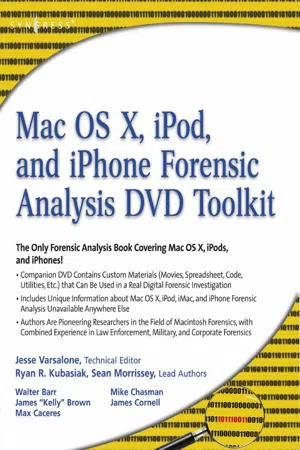
Mac OS X, iPod, and iPhone Forensic Analysis DVD Toolkit
About this book
This book provides digital forensic investigators, security professionals, and law enforcement with all of the information, tools, and utilities required to conduct forensic investigations of computers running any variant of the Macintosh OS X operating system, as well as the almost ubiquitous iPod and iPhone. Digital forensic investigators and security professionals subsequently can use data gathered from these devices to aid in the prosecution of criminal cases, litigate civil cases, audit adherence to federal regulatory compliance issues, and identify breech of corporate and government usage policies on networks.
MAC Disks, Partitioning, and HFS+ File System Manage multiple partitions on a disk, and understand how the operating system stores data.FileVault and Time Machine Decrypt locked FileVault files and restore files backed up with Leopard's Time Machine.Recovering Browser History Uncover traces of Web-surfing activity in Safari with Web cache and .plist filesRecovering Email Artifacts, iChat, and Other Chat Logs Expose communications data in iChat, Address Book, Apple's Mail, MobileMe, and Web-based email.Locating and Recovering Photos Use iPhoto, Spotlight, and shadow files to find artifacts pof photos (e.g., thumbnails) when the originals no longer exist.Finding and Recovering QuickTime Movies and Other Video Understand video file formats--created with iSight, iMovie, or another application--and how to find them.PDF, Word, and Other Document Recovery Recover text documents and metadata with Microsoft Office, OpenOffice, Entourage, Adobe PDF, or other formats.Forensic Acquisition and Analysis of an iPod Documentseizure of an iPod model and analyze the iPod image file and artifacts on a Mac.Forensic Acquisition and Analysis of an iPhone Acquire a physical image of an iPhone or iPod Touch and safely analyze without jailbreaking.
- Includes Unique Information about Mac OS X, iPod, iMac, and iPhone Forensic Analysis Unavailable Anywhere Else
- Authors Are Pioneering Researchers in the Field of Macintosh Forensics, with Combined Experience in Law Enforcement, Military, and Corporate Forensics
Information
Subtopic
Computer Science GeneralIndex
Computer ScienceChapter 1. Solutions in this chapter
- First Responders and Specialized Examiners
- Macintosh History
- Macintosh Aspects
- Macintosh Technologies
- Disk Structure
- Summary
- Solutions Fast Track
- Frequently Asked Questions
Introduction
Although crimes themselves have not changed, the methodology of committing them is ever changing. Our challenge is to keep pace with the digital aspect of all crimes. Investigations and examinations now must include a digital aspect as well as the traditional methods. Crimes of all levels are being plotted, planned, or perpetrated with computers, PDAs, cell phones, USB flash drives, wrist watches, electronic pens, and other complex electronic devices. The examiner needs to be cognizant of this, and trained to recognize these items. Specialized Examiners need to be continually educated and trained on current forensic techniques to analyze the data on these high tech devices.
First Responders and Specialized Examiners
First responders are critical in initial actions taken such as on-site viewing of evidence and/or the securing of digital evidence. For this person, a checklist is not acceptable. An understanding of what needs to be done so one can adapt to the unique situations that present themselves is necessary. A loss of data or worse, corruption of data, at this point can severely jeopardize any case or situation. Also, an acceptable “touching” of data as a First Responder to get to the heart of a case that could be lost due to encryption in use is not only acceptable, but also imperative at this stage. Recognition of a scene and knowing how to react to the hardware, software, and data transfer methodologies in use are key for any first responder.
Employers need to understand the importance of training, certification, and court presentation. A well qualified examiner, whether a First Responder or Specialized Examiner, will stay up to date in technology advancements and training. For law enforcement, the National White Collar Crime Center offers excellent courses for the perfect price, free. There are many other options for training, most of which will be a financial investment. “Investment” is stressed because taking a course once is not good enough. Repeated training on newly emerging technology is a must. Multiple colleges and universities have recognized and developed digital forensic classes, as well as degree programs. Also, software companies such as Black Bag Technologies, Guidance Software, and Access Data offer classes that concentrate on their specific software, yet teach useful skills in analysis. Courses and certifications that are publicly available vs. law enforcement only classes are preferred. Techniques that can be reproduced by the digital forensic community at large are more revered in a courtroom setting.
There are times that a full analysis of digital media is simply not warranted, requested, or needed for the case at hand.
A full analysis could be defined as a complete examination of all digital data on the media being examined, with a report of the relevant findings at the conclusion.A limited scope analysis can be defined as a narrow look at the digital data on the media being examined for the purpose of answering a quick question.
The conditions, in criminal circumstances, to consider a limited scope examination rather than utilize a full analysis are:
- Facilitate Arrest You have a search warrant and need to find evidence at the crime scene to facilitate and arrest of the target.
- Consent Search You don't have anything more than permission from the target to look, but the permission is the look on-premises only.
- Exigent Circumstances You have a case such as a missing person and a quick look at the most likely useful data sources is warranted.
“Field forensics” is never a substitute for a full-fledged, digital forensic laboratory. Working in an open environment such as a target's home or office presents dangers as well as opportunity for missed information. With that in mind, this book is designed to guide the First Responder or Specialized Examiner to the data in a quick and forensically sound manner.
Digital Examination
Every digital examination should involve the following steps:
- Physically secure evidence or conduct on-site preview (Collection)
- Acquisition of digital media
- Verification of acquired data
- Archive of acquired data with verification
- Analysis of acquired data
- Reporting of results
Only the first two allow for the usage of original evidence. Special care is taken during these steps to insure original evidence is not altered. This book is written entirely based on that care. If you do not wander outside of the scope of this book, you will be conducting a sound digital forensic examination. All techniques outside of this book should be well tested in a controlled environment for expected outcome and actual results before attempting use on evidence.
Limited scope examinations typically will yield only a fraction of the evidence on a target computer. It may yield 0% of the evidence that exists on the target computer. It is not a substitute for a full analysis. Just because it was not found during a limited scope examination, doesn't mean it's not there. The typical full analysis of a personal computer will be conducted in a secure digital laboratory environment. As times have changed, so have the analysis techniques. There are justified reasons why a full examination may actually take place on site and/or on a live machine.
Results from a preview or analysis are only useful if everything has been conducted under forensically acceptable procedures. We must insure that everything done from start to finish guarantees unaltered data or in a worst-case scenario, results that are documentable, known changes to the target machine. The known changes and documentation may include a procedure attempted that did not result in the desired outcome. For instance, if you attempt to boot a target machine with a live CD and instead, the Mac OS boots, you must document what happened.
Another aspect of known changes is the concept of “Live” digital forensics. This is when we actually execute actions or processes on a currently running target machine. This is a decision a First Responder must make at the scene of the investigation. An example is a Macintosh with file vault enabled. If you, as the examiner, choose to copy files from the user's home directory prior to shut down, you have made a decision that results in altered data. You must make note of exactly the actions taken so the altered data has a sound explanation. The changes in this example are minor, known, and expected, and most importantly, justified.
Techniques for Examination
Four techniques are available to examine the target Macintosh: Live look at a powered on Macintosh, Single User Mode, boot CD/DVD methods, and Target Disk Mode. Each of these techniques has benefits as well as pitfalls.
Live Macintosh Examination
Looking at a live Macintosh is many times the first, best way to understand what is happening on the computer being presented. The Mac OS X Desktop, for instance, will present many clues to the steps a First Responder should take at a scene. We will discuss this in detail later in this chapter in the Macintosh Aspects section. A live Macintosh offers a First Responder the ability to asses a situation, gather vital data that may never be available again if the machine is powered off, as well as note other resources in use such as server connections, wireless connections, local external hard drives, and so forth. The live Macintosh tells a story that may not be told again after a shutdown.
Single User Mode
The Macintosh desktop/laptop/server that has Mac OS X installed can be booted into “single-user” mode. This state is initially a forensically sound state, and allows for information to be gathered. In single-user mode, however, a thorough working knowledge of UNIX will be needed. Single User Mode starts out with the system in a read-only state and a limited number of services running. It was designed for system administrators to perform maintenance on a UNIX system. Benefits include an already installed operating system, features established by Apple, and greatest speed of accessing certain types of data. Pitfalls include that it is entirely command line driven, is a manual process to get to many of the areas that our automated tools get us too much faster, and potentially has been shut off or maliciously altered.
Using the suspect's own operating system is almost always a bad idea for extended tasks, and can lead to potentially mistaken results. Use Single User Mode carefully.
Boot CD/DVD Methods
Boot CDs and DVDs offer a known boot media with a known operating system each time you start up the Macintosh. They offer a well-known, always available, set of tools for every limited scope examination conducted. They also can be memory intensive, will not always work with the latest hardware, or may not boot at all. BlackBag Technologies offers a subscription for a forensically sound Macintosh boot disk. It is also possible to create your own bootable disk that is both forensically sound and has specific utilities installed. The downside to creating your own disk is the lack of support for future machines. Apple Inc. does tweak the operating to take advantage of newer hardware. The specific changes to software from Apple come on a DVD with the specific computer. For instance, the Mac OS X 10.4 box set available for purchase is for PowerPC Macintoshes only and will not boot Intel-based systems. The only Mac OS X 10.4 Install DVD disks available for Intel-based Macintoshes are the ones that came with the specific model!
That makes boot CDs and DVDs sound nearly impossible or expensive. Fortunately, Linux Live CD's are also abundant on the Macintosh. There are many compilations of Linux on CD available for Intel or PowerPC hardware, but not all will boot a Macintosh. One distribution of Linux, Ubuntu, is available for both the Intel and PowerPC hardware. Even better, forensi...
Table of contents
- Brief Table of Contents
- Table of Contents
- Copyright
- Technical Editor
- Lead Authors
- Contributing Authors
- About the Mac OS X, iPod, and iPhone Forensic Analysis DVD Toolkit DVD
- Chapter 1. Tiger and Leopard Mac OS X Operating SystemsSolutions in this chapter
- Chapter 2. Getting a Handle on Mac HardwareSolutions in this chapter
- Chapter 3. Mac Disks and PartitioningSolutions in this chapter
- Chapter 4. HFS Plus File SystemSolutions in this chapter
- Chapter 5. FileVaultSolutions in this chapter:
- Chapter 6. Time Machine
- Chapter 7. Acquiring Forensic ImagesSolutions in this chapter:
- Chapter 8. Recovering Browser HistorySolutions in this chapter:
- Chapter 9. Recovery of E-mail Artifacts, iChat, and Other Chat LogsSolutions in this chapter:
- Chapter 10. Locating and Recovering PhotosSolutions in this chapter
- Chapter 11. Finding and Recovering Quicktime Movies and other Video
- Chapter 12. Recovering PDFs, Word Files, and Other DocumentsSolutions in this chapter
- Chapter 13. Forensic Acquisition of an iPodSolutions in this chapter
- Chapter 14. iPod ForensicsSolutions in this chapter
- Chapter 15. Forensic Acquisition of an iPhoneSolutions in this chapter:
- Chapter 16. iPhone ForensicsSolutions in this chapter
- Appendix A. Using Boot Camp, Parallels, and VMware Fusion in a MAC Environment
- Appendix B. Capturing Volatile Data on a Mac
Trusted by 375,005 students
Access to over 1.5 million titles for a fair monthly price.
Study more efficiently using our study tools.
Frequently asked questions
Yes, you can cancel anytime from the Subscription tab in your account settings on the Perlego website. Your subscription will stay active until the end of your current billing period. Learn how to cancel your subscription
No, books cannot be downloaded as external files, such as PDFs, for use outside of Perlego. However, you can download books within the Perlego app for offline reading on mobile or tablet. Learn how to download books offline
Perlego offers two plans: Essential and Complete
- Essential is ideal for learners and professionals who enjoy exploring a wide range of subjects. Access the Essential Library with 800,000+ trusted titles and best-sellers across business, personal growth, and the humanities. Includes unlimited reading time and Standard Read Aloud voice.
- Complete: Perfect for advanced learners and researchers needing full, unrestricted access. Unlock 1.5M+ books across hundreds of subjects, including academic and specialized titles. The Complete Plan also includes advanced features like Premium Read Aloud and Research Assistant.
We are an online textbook subscription service, where you can get access to an entire online library for less than the price of a single book per month. With over 1.5 million books across 990+ topics, we’ve got you covered! Learn about our mission
Look out for the read-aloud symbol on your next book to see if you can listen to it. The read-aloud tool reads text aloud for you, highlighting the text as it is being read. You can pause it, speed it up and slow it down. Learn more about Read Aloud
Yes! You can use the Perlego app on both iOS and Android devices to read anytime, anywhere — even offline. Perfect for commutes or when you’re on the go.
Please note we cannot support devices running on iOS 13 and Android 7 or earlier. Learn more about using the app
Please note we cannot support devices running on iOS 13 and Android 7 or earlier. Learn more about using the app
Yes, you can access Mac OS X, iPod, and iPhone Forensic Analysis DVD Toolkit by Jesse Varsalone in PDF and/or ePUB format, as well as other popular books in Computer Science & Computer Science General. We have over 1.5 million books available in our catalogue for you to explore.