- 544 pages
- English
- ePUB (mobile friendly)
- Available on iOS & Android
eBook - ePub
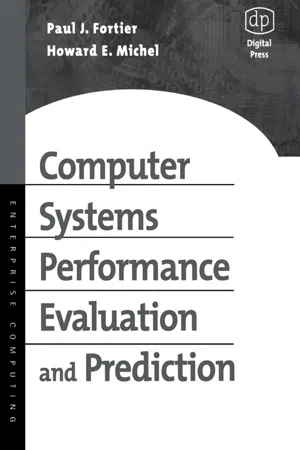
Computer Systems Performance Evaluation and Prediction
About this book
Computer Systems Performance Evaluation and Prediction bridges the gap from academic to professional analysis of computer performance.This book makes analytic, simulation and instrumentation based modeling and performance evaluation of computer systems components understandable to a wide audience of computer systems designers, developers, administrators, managers and users. The book assumes familiarity with computer systems architecture, computer systems software, computer networks and mathematics including calculus and linear algebra.·Fills the void between engineering practice and the academic domain's treatment of computer systems performance evaluation and assessment·Provides a single source where the professional or student can learn how to perform computer systems engineering tradeoff analysis·Allows managers to realize cost effective yet optimal computer systems tuned to a specific application
Information
1
Introduction
What is computer systems performance evaluation and prediction and why are these techniques necessary in today’s world of ever decreasing computer systems cost? To answer these questions requires the computer engineer to understand how all elements of a computer system come into play in realizing a user’s application and its implementation, fielding, and maintenance. All aspects of a computer system’s lifetime are important when trying to understand issues of performance. It is not sufficient to simply buy the “best” general-purpose computing machine one can find today and then implement the intended application on it. One must consider how the system will fit into an existing computing facility and what the requirements on the computer system are today and what these requirements will be during the computer system’s lifetime.
The most important driving factors when designing, building, and fielding a computer system are that it performs the intended function correctly, performs the intended function efficiently, and does so in a cost-effective manner. Therefore, initial design for correctness may often outweigh performance and cost as the driving force. Having said this, it is often the case that computer systems designers think of performance, cost, and correctness interchangeably. They are, however, different. A correct design may not imply one that performs blazingly fast or is very cost effective. This may be due to other considerations—for example, we may need to trade off performance or perfect correctness to save cost per unit. This is more typical of engineering designs. We do not always (if ever) have the luxury of infinite time and budget, allowing one to design, build, and field the most elegant and optimal-performing computer system. Therefore, we need methods to aid us in developing systems where we can trade off these conflicting items in some logical manner. That is what computer systems performance evaluation is and what this book is all about.
The objective of this book is to describe a variety of performance analysis methods that can be applied to the various stages of a computer system’s design, construction, fielding, and life-cycle maintenance. The goal is to provide the reader with an understanding of what tools or techniques are best applied within a computer system’s life cycle so that the designer can analyze alternatives and select near optimal solutions for each stage of this process. We cannot hope to be exhaustive in our coverage of all aspects of a computer system’s design, nor can we do so for each analysis technique available. Our goal is to provide sufficient detail, examples, and references so that an interested reader can know what performance evaluation technique is best to apply, how to apply this technique to some level of sophistication, and where to look for further detailed information on a topic if it is needed. Our intention is to provide more of an in-depth survey so that the reader can understand how all the various concepts and techniques apply to computer systems tradeoff analysis.
1.1 Evolution of computer systems architectures
Computers came into being with the development of the ENIAC computer system in the late 1940s. The early ENIAC and subsequent computers were constructed of vacuum tubes and filled a large room. These early computer systems were dedicated to a single task and had no operating system. The power of these early computers was less than that of the handheld calculators in use today. These computers were used mainly for ballistic missile trajectory projections and military research. The architecture of these early computers was based on the von Neumann stored program, single-stream instruction flow architecture (Figure 1.1). This basic architecture and philosophy is still in use today in most computer systems.

Figure 1.1 Basic computer system.
These early computer systems had no sophisticated operating systems, databases, networks, or high-level programming languages to simplify their operations. They stored program instructions and data needed for computation in the same place. Instructions were read from memory one at a time and were mostly associated with the loading and storage of program data from memory to registers where the data were to be operated on. Data in these early systems were not shared by programs. If a program needed data produced by another program, these data items were typically copied into a region near the end of a program’s space, and the end addresses were hard-coded for use by the application program in which they were embedded.
A user application resides on a computer system. The computer system provides the physical medium on which the data and programs are stored and the processing capacity to manipulate the stored data. A processing unit of a computer system consists of five main elements: the memory, an arithmetic logic unit, an input unit, an output unit, and a control element. The memory unit stores both the data for programs and the instructions of a program that manipulates stored data.
The program’s individual elements or instructions are fetched from the memory one at a time and are interpreted by the control unit. The control unit, depending on the interpretation of the instruction, determines what computer operation to perform next. If the instruction requires no additional data, the control indicates to the arithmetic logic unit what operation to perform and with what registers. (See Figure 1.1.)
If the instruction requires additional data, the control unit passes the appropriate command to the memory (MAR, memory address register) to fetch a data item from memory (MDR, memory data register) and to place it in an appropriate register in the ALU (data register bank) (Figure 1.2). This continues until all required operands are in the appropriate registers of the ALU. Once all operands are in place, the control unit commands the ALU to perform the appropriate instruction—for example, multiplication, addition, or subtraction. If the instruction indicated that an input or output were required, the control element would transmit a word from the input unit to the memory or ALU, depending on the instruction. If an output instruction were decoded, the control unit would command the transmission of the appropriate memory word or register to the output channel indicated. These five elements comprise the fundamental building blocks used in the original von Neumann computer system and are found in most contemporary systems in some form or another.

Figure 1.2 Low-level memory access.
A computer system is comprised of the five building blocks previously described, as well as additional peripheral support devices, which aid in data movement and processing. These basic building blocks are used to form the general processing, control, storage, and input and output units that make up modern computer systems. Devices typically are organized in a manner that supports the application processing for which the computer system is intended—for example, if massive amounts of data need to be stored, then additional peripheral storage devices such as disks or tape units are required, along with their required controllers or data channels.
To better describe the variations within architectures we will discuss some details briefly—for example, the arithmetic logic unit (ALU) and the control unit are merged together into a central processing unit, or CPU. The CPU controls the flow of instructions and data in the computer system. Memories can be broken down into hierarchies based on nearness to the CPU and speed of access—for example, cache memory is small, extremely fast memory used for instructions and data actively executing and being used by the CPU. The primary memory is slower, but it is also cheaper and contains more memory locations. It is used to store data and instructions that will be used during the execution of applications presently running on the CPU—for example, if you boot up your word processing program on your personal computer, the operating system will attempt to place the entire word processing program in primary memory. If there is insufficient space, the operating system will partition the program into segments and pull them in as needed.
The portion of the program that cannot be stored in memory is maintained on a secondary storage device, typically a disk drive. This device has a much greater storage capacity than the primary memory, typically costs much less per unit of storage, and has data access times that are much slower than the primary memory. An additional secondary storage device is the tape drive unit. A tape drive is a simple storage device that can store massive amounts of data—again, at less cost than the disk units but at a reduced access speed. Other components of a computer system are input and output units. These are used to extract data from the computer and provide these data to external devices or to input data from the external device. The external devices could be end-user terminals, sensors, information network ports, video, voice, or other computers.
A computer system’s architecture is constructed using basic building blocks, such as CPUs, memories, disks, I/O, and other devices as needed.
In the following sections we will examine each of the components of a computer system in more detail, as we examine how these devices can be interconnected to support data processing applications.
1.1.1 CPU architectures
The central processing unit (CPU) is the core of a computer system and consists of the arithmetic logic unit (ALU) and the control unit. The ALU can come in a variety of configurations—from a single simple unit, up to extremely complex units that perform complex operations. The primary operation of the ALU is to take zero or more operands and perform the function called for in the instruction. In addition to the ALU, the CPU consists of a set of registers to store operands and intermediate results of computations and to maintain information used by the CPU to determine the state of its computations. For example, there are registers for the status of the ALU’s operation, for keeping count of the instruction to be performed next, to keep data flowing in from memory or out to memory, to maintain the instruction being executed, and for the location of operands being operated on by the CPU. Each of these registers has a unique function within the CPU, and each is necessary for various classes of computer architectures. A typical minimal architecture for a CPU and its registers is shown in Figure 1.3 and consists of a primary memory connected to the CPU via buses. There are r...
Table of contents
- Cover image
- Title page
- Table of Contents
- Copyright
- Dedication
- Preface
- Chapter 1: Introduction
- Chapter 2: Computer Data Processing Hardware Architecture
- Chapter 3: Fundamental Concepts and Performance Measures
- Chapter 4: General Measurement Principles
- Chapter 5: Probability
- Chapter 6: Stochastic Processes
- Chapter 7: Queuing Theory
- Chapter 8: Simulation Analysis
- Chapter 9: Petri Nets
- Chapter 10: Hardware Testbeds, Instrumentation, Measurement, Data Extraction, and Analysis
- Chapter 11: System Performance Evaluation Tool Selection and Use
- Chapter 12: Analysis of Computer Architectures
- Chapter 13: Analysis of Operating System Components
- Chapter 14: Database Systems Performance Analysis
- Chapter 15: Analysis of Computer Networks Components
- References
- Index
Trusted by 375,005 students
Access to over 1.5 million titles for a fair monthly price.
Study more efficiently using our study tools.
Frequently asked questions
Yes, you can cancel anytime from the Subscription tab in your account settings on the Perlego website. Your subscription will stay active until the end of your current billing period. Learn how to cancel your subscription
No, books cannot be downloaded as external files, such as PDFs, for use outside of Perlego. However, you can download books within the Perlego app for offline reading on mobile or tablet. Learn how to download books offline
Perlego offers two plans: Essential and Complete
- Essential is ideal for learners and professionals who enjoy exploring a wide range of subjects. Access the Essential Library with 800,000+ trusted titles and best-sellers across business, personal growth, and the humanities. Includes unlimited reading time and Standard Read Aloud voice.
- Complete: Perfect for advanced learners and researchers needing full, unrestricted access. Unlock 1.5M+ books across hundreds of subjects, including academic and specialized titles. The Complete Plan also includes advanced features like Premium Read Aloud and Research Assistant.
We are an online textbook subscription service, where you can get access to an entire online library for less than the price of a single book per month. With over 1.5 million books across 990+ topics, we’ve got you covered! Learn about our mission
Look out for the read-aloud symbol on your next book to see if you can listen to it. The read-aloud tool reads text aloud for you, highlighting the text as it is being read. You can pause it, speed it up and slow it down. Learn more about Read Aloud
Yes! You can use the Perlego app on both iOS and Android devices to read anytime, anywhere — even offline. Perfect for commutes or when you’re on the go.
Please note we cannot support devices running on iOS 13 and Android 7 or earlier. Learn more about using the app
Please note we cannot support devices running on iOS 13 and Android 7 or earlier. Learn more about using the app
Yes, you can access Computer Systems Performance Evaluation and Prediction by Paul Fortier,Howard Michel in PDF and/or ePUB format, as well as other popular books in Computer Science & Computer Engineering. We have over 1.5 million books available in our catalogue for you to explore.