- 754 pages
- English
- ePUB (mobile friendly)
- Available on iOS & Android
eBook - ePub
About this book
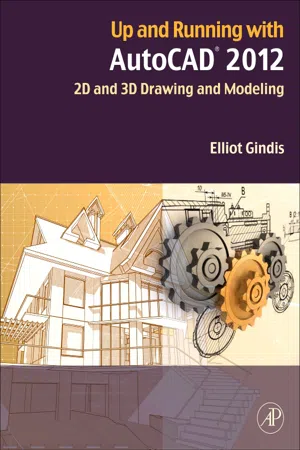
Gindis introduces AutoCAD with step by step instructions, stripping away complexities to begin working in AutoCAD immediately. All concepts are explained first in theory, and then shown in practice, helping the reader understand what it is they are doing and why, before they do it. Divided into three parts, the book covers beginning through advanced AutoCAD, including 3D features. Also included is an extensive Appendix for each part, detailing additional useful CAD-related information not often found in other text books.The book contains supporting graphics (screen shots) and a summary with a self-test section at the end of each chapter. Also included are drawing examples and exercises, and two running "projects that the student works on as he/she progresses through the chapters.
- Strips away complexities, both real and perceived and reduces AutoCAD to easy-to-understand basic concepts
- Teaches only what is essential to operating AutoCAD first, thereby immediately building student confidence
- All basic commands are documented step-by-step, meaning that what the student needs to type in and how AutoCAD responds is all spelled out in discrete and clear steps with screen shots added as needed
- Using the author's extensive multi-industry knowledge of what is important and widely used in practice versus what is not, the material is presented by immediately immersing the student in practical, critically essential knowledge, with no padding of text or filler material
- All concepts are explained first in theory, and only then is AutoCAD introduced and the actual "button pushing discussed. This is one of the key concepts in having students understand exactly what it is they are doing and why, before they do it
Information
Level 1 Chapters 1–10
 |
Level 1 is the very beginning of your studies. No prior knowledge of AutoCAD is assumed, only basic familiarity with computers and some technical aptitude. You are also at an advantage if you have hand drafted before, as many AutoCAD techniques flow from the old paper and pencil days, a fact alluded to later in the chapters.
We begin Chapter 1 by outlining the basic commands under Create Objects and Modify Objects followed by an introduction to the AutoCAD environment. We then introduce basic accuracy tools of Ortho and OSNAP.
Chapter 2 continues the basics by adding units and various data entry tools. These first two chapters are the most important, as success here ensures you will understand the rest and be able to function in the AutoCAD environment.
Chapter 3 continues on to layers, then each succeeding chapter continues to deal with one or more major topics per chapter: text and mtext in Chapter 4, hatching in Chapter 5 and dimensioning in Chapter 6. In these six chapters, you are asked to not only practice what you learned but apply the knowledge to a basic architectural floor plan. Chapter 7 introduces blocks and wblocks and Chapter 8 arrays. At this point, you are asked to draw another project, this time a mechanical device. Level 1 concludes with basic printing and output in Chapter 9 and finally advanced printing and output (paper space) in Chapter 10.
Be sure to dedicate as much time as possible to practicing what you learn; there really is no substitute.
Chapter 1. AutoCAD Fundamentals
Part I
This chapter introduces the AutoCAD environment and the various tools present on the screen. It then proceeds to describe how to interact with AutoCAD via typing, cascading menus, toolbars and the Ribbon. The basic commands are then outlined in detail. Covered are commands in the Create Objects category (Line, Circle, Arc and Rectangle), the Edit/Modify Objects category (Erase, Move, Copy, Rotate, Scale, Trim, Extend, Offset, Mirror, Fillet) and the View Objects category (Zoom, Pan and Regen). Then the chapter covers selection methods (Window and Crossing), and concludes with drawing accuracy tools such as Ortho (F8) and the OSNAPs (Endpoint, Midpoint, Center, Quadrant, Intersection and Perpendicular), along with the OSNAP (F3) dialog box. Throughout the chapter, tips are given to ease the learning process and speed up the work.
Keywords: AutoCAD drawing environment, Drawing Area, Command Line, Cascading Menus, Toolbars, Ribbon, Line, Circle, Arc, Rectangle, Erase, Move, Copy, Rotate, Scale, Trim, Extend, Offset, Mirror, Fillet, Zoom, Pan, Regen, Selection methods, Crossing, Window, Ortho (F8), OSNAP (F3), ENDpoint, MIDpoint, CENter, QUADrant, INTersection, PERPendicular.
Learning Objectives
In this chapter, we introduce AutoCAD and discuss the following:
• Introduction and the basic commands
• The Create Objects commands
• The Edit/Modify Objects commands
• The View Objects commands
• The AutoCAD environment
• Interacting with AutoCAD
• Practicing the Create Objects commands
• Practicing the Edit/Modify Objects commands
• Selection methods—Window and Crossing
• Accuracy in drafting—Ortho
• Accuracy in drafting—OSNAPs
By the end of the chapter, you will learn the essential basics of creating, modifying, and viewing objects; the AutoCAD environment; and accuracy in the form of straight lines and precise alignment of geometric objects via OSNAP points.
Estimated time for completion of the chapter: 3 hours.
1.1. Introduction and Basic Commands
AutoCAD 2012 is a very complex program. If you are taking a class or reading this textbook, this is something you probably already know. The commands available to you, along with their submenus and various options, number in the thousands. So, how do you get a handle on them and begin using the software? Well, you have to realize two important facts.
First, you must understand that on a typical workday, 95% of your AutoCAD drafting time is spent using only 5% of the available commands, over and over again. So getting started is easy; you need to learn only a handful of key commands; and as you progress and build confidence, you can add depth to your knowledge by learning new ones.
Second, you must understand that even the most complex drawing is essen...
Table of contents
- Cover image
- Table of Contents
- Front-matter
- Copyright
- Acknowledgments
- About the Author
- Preface
- Level 1 Chapters 1–10
- Chapter 1. AutoCAD Fundamentals
- Chapter 2. AutoCAD Fundamentals
- Chapter 3. Layers, Colors, Linetypes, and Properties
- Spotlight On: Architecture
- Chapter 4. Text, Mtext, Editing, and Style
- Chapter 5. Hatch Patterns
- Chapter 6. Dimensions
- Chapter 7. Blocks, Wblocks, Dynamic Blocks, Groups, and Purge
- Spotlight On: Mechanical Engineering
- Chapter 8. Polar, Rectangular, and Path Arrays
- Chapter 9. Basic Printing and Output
- Chapter 10. Advanced Output—Paper Space
- Level 1. Answers to Review Questions
- Level 2 Chapters 11–20
- Chapter 11. Advanced Linework
- Chapter 12. Advanced Layers
- Chapter 13. Advanced Dimensions
- Spotlight On: Interior Design
- Chapter 14. Options, Shortcuts, CUI, Design Center, and Express Tools
- Chapter 15. Advanced Design and File Management Tools
- Chapter 16. Importing and Exporting Data
- Chapter 17. External References (Xrefs)
- Spotlight On: Electrical Engineering
- Chapter 18. Attributes
- Chapter 19. Advanced Output and Pen Settings
- Chapter 20. Isometric Drawing
- Level 2. Answers to Review Questions
- Level 3 Chapters 21–30
- Chapter 21. 3D Basics
- Chapter 22. Primitives
- Chapter 23. Object Manipulation
- Spotlight On: Aerospace Engineering
- Chapter 24. Boolean Operations
- Chapter 25. Solid Modeling
- Chapter 26. Advanced Solids, Faces, and Edges
- Chapter 27. Surfaces and Meshes
- Spotlight On: Civil Engineering
- Chapter 28. UCS, Vports, Text, and Dimensions in 3D
- Chapter 29. Dview, Walk and Fly, Animation, and Action Recording
- Chapter 30. Lighting and Rendering
- Level 3. Answers to Review Questions
- Appendix A. Additional Information on AutoCAD
- Appendix B. Other CAD Software, Design and Analysis Tools, and Concepts
- Appendix C. File Extensions
- Appendix D. Custom Linetypes and Hatch Patterns
- Appendix E. Principles of CAD Management
- Appendix F. AutoLISP Basics and Advanced Customization Tools
- Appendix G. PC Hardware, Printers and Plotters, and Networks
- Appendix H. What Are Kernels?
- Appendix I. Lighting, Rendering, Effects, and Animation
- Appendix J. AutoCAD Certification Exams
- Appendix K. AutoCAD Employment
- Appendix L. AutoCAD Humor, Oddities, Quirks, and Easter Eggs
- Index
Trusted by 375,005 students
Access to over 1.5 million titles for a fair monthly price.
Study more efficiently using our study tools.
Frequently asked questions
Yes, you can cancel anytime from the Subscription tab in your account settings on the Perlego website. Your subscription will stay active until the end of your current billing period. Learn how to cancel your subscription
No, books cannot be downloaded as external files, such as PDFs, for use outside of Perlego. However, you can download books within the Perlego app for offline reading on mobile or tablet. Learn how to download books offline
Perlego offers two plans: Essential and Complete
- Essential is ideal for learners and professionals who enjoy exploring a wide range of subjects. Access the Essential Library with 800,000+ trusted titles and best-sellers across business, personal growth, and the humanities. Includes unlimited reading time and Standard Read Aloud voice.
- Complete: Perfect for advanced learners and researchers needing full, unrestricted access. Unlock 1.5M+ books across hundreds of subjects, including academic and specialized titles. The Complete Plan also includes advanced features like Premium Read Aloud and Research Assistant.
We are an online textbook subscription service, where you can get access to an entire online library for less than the price of a single book per month. With over 1.5 million books across 990+ topics, we’ve got you covered! Learn about our mission
Look out for the read-aloud symbol on your next book to see if you can listen to it. The read-aloud tool reads text aloud for you, highlighting the text as it is being read. You can pause it, speed it up and slow it down. Learn more about Read Aloud
Yes! You can use the Perlego app on both iOS and Android devices to read anytime, anywhere — even offline. Perfect for commutes or when you’re on the go.
Please note we cannot support devices running on iOS 13 and Android 7 or earlier. Learn more about using the app
Please note we cannot support devices running on iOS 13 and Android 7 or earlier. Learn more about using the app
Yes, you can access Up and Running with AutoCAD 2012 by Elliot J. Gindis in PDF and/or ePUB format, as well as other popular books in Tecnologia e ingegneria & Ricerca e competenze ingegneristiche e tecnologiche. We have over 1.5 million books available in our catalogue for you to explore.