- 529 pages
- English
- PDF
- Available on iOS & Android
eBook - PDF
About this book
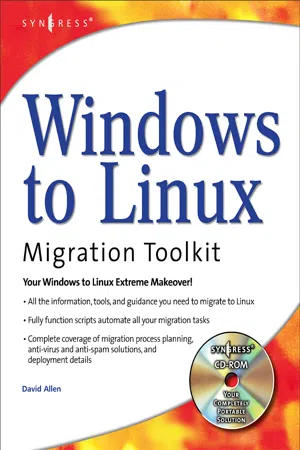
This book will teach people how to migrate systems from Windows to Linux. It provides migration process planning, automated migration scripts, anti-virus / anti-spam solutions, and specific migration and deployment details for all relevant technologies. IT professionals who wish to maximize the value of their Windows to Linux migration services will find this book valuable. The book will help them fine-tune their migration services to make them more efficient, thorough, feature-enhanced, and cost-effective by utilizing migration scripts and best practices gleaned from the author's many years of real-world migrations in large and small companies.* The book and fully functioning scripts on the CD-ROM work for migrations from Windows NT or Windows 2000 to any Linux distribution. * David Allen has done over 25,000 user migrations from Windows to Linux. * Microsoft will stop supporting Windows NT in December 2004 forcing over 2 million enterprise customers to migrate from Windows NT to a new sever operating system. Both IBM and Dell are offering enterprise servers running Linux which will allow customers to realize a 50% reduction in TCO. In 2003 Linux servers represented the largest growth segment in the Server market, and all the major research groups indicate this trend will continue through t least 2007.
Information
Table of contents
- Cover
- Contents
- About the CD
- Foreword
- Network Services Migration Roadmap
- Core TCP/IP Networking Services
- Directory Services
- Authentication Services
- File Services
- Print Services
- Messaging Services
- Groupware and Calendaring Services
- Web Services: IIS vs Apache
- Desktop Migration Roadmap
- Inside the Typical Linux Desktop
- Security Appendixes
- Introducing Network Analysis and Ethereal
- Introducing Intrusion Detection Systems and Snort
- Introducing Vulnerability Assessments and Nessus
- Index
- Related Titles
Trusted by 375,005 students
Access to over 1.5 million titles for a fair monthly price.
Study more efficiently using our study tools.
Frequently asked questions
Yes, you can cancel anytime from the Subscription tab in your account settings on the Perlego website. Your subscription will stay active until the end of your current billing period. Learn how to cancel your subscription
No, books cannot be downloaded as external files, such as PDFs, for use outside of Perlego. However, you can download books within the Perlego app for offline reading on mobile or tablet. Learn how to download books offline
Perlego offers two plans: Essential and Complete
- Essential is ideal for learners and professionals who enjoy exploring a wide range of subjects. Access the Essential Library with 800,000+ trusted titles and best-sellers across business, personal growth, and the humanities. Includes unlimited reading time and Standard Read Aloud voice.
- Complete: Perfect for advanced learners and researchers needing full, unrestricted access. Unlock 1.5M+ books across hundreds of subjects, including academic and specialized titles. The Complete Plan also includes advanced features like Premium Read Aloud and Research Assistant.
We are an online textbook subscription service, where you can get access to an entire online library for less than the price of a single book per month. With over 1.5 million books across 990+ topics, we’ve got you covered! Learn about our mission
Look out for the read-aloud symbol on your next book to see if you can listen to it. The read-aloud tool reads text aloud for you, highlighting the text as it is being read. You can pause it, speed it up and slow it down. Learn more about Read Aloud
Yes! You can use the Perlego app on both iOS and Android devices to read anytime, anywhere — even offline. Perfect for commutes or when you’re on the go.
Please note we cannot support devices running on iOS 13 and Android 7 or earlier. Learn more about using the app
Please note we cannot support devices running on iOS 13 and Android 7 or earlier. Learn more about using the app
Yes, you can access Windows to Linux Migration Toolkit by David Allen in PDF and/or ePUB format, as well as other popular books in Computer Science & Cyber Security. We have over 1.5 million books available in our catalogue for you to explore.